
Introduction
Thank you for choosing the PERLESMITH Full Motion TV Wall Mount. This manual provides essential information for the safe and correct installation, operation, and maintenance of your new TV wall mount. Please read these instructions thoroughly before installation and retain them for future reference.
Safety Information
WARNING: Failure to read and follow all instructions may result in personal injury, property damage, or voiding of warranty. Improper installation can lead to serious injury or damage.
- Ensure the mounting surface can safely support the combined weight of the mount and the display.
- Do not exceed the maximum weight capacity of 20 kg (44 lbs).
- This mount is designed for TVs between 13 and 42 inches.
- Verify VESA compatibility (75x75mm, 100x100mm, 200x100mm, 200x200mm) before installation.
- Install only on solid wood studs, concrete walls, or brick walls. DO NOT mount onto drywall alone, hollow walls, or soft walls.
- Use appropriate safety gear during installation, including eye protection.
- Always use two people for lifting and positioning the TV.
- Check all connections and fasteners regularly to ensure they remain secure.
Package Contents
Before installation, please verify that all components are present and undamaged. If any parts are missing or defective, contact PERLESMITH customer service.
- TV Wall Mount Assembly
- Mounting Hardware Kit (various screws, anchors, washers, spacers)
- Installation Template
- Instruction Manual
Setup and Installation
The PERLESMITH TV wall mount is designed for quick and straightforward installation. Follow these steps carefully.
1. Check TV Compatibility and Wall Type
Ensure your TV's size (13-42 inches), weight (max 20kg), and VESA pattern (75x75, 100x100, 200x100, 200x200mm) are compatible with this mount. Identify your wall type (wood stud, concrete, or brick) to use the correct hardware.

This image illustrates the VESA compatibility (75x75, 100x100, 200x100, 200x200mm) and the maximum weight capacity of 20kg for the PERLESMITH TV wall mount. It also shows a TV mounted in a corner, indicating flexible placement options.
2. Attach TV Brackets to TV
Carefully place your TV face down on a soft, clean surface. Attach the TV brackets to the back of your TV using the appropriate screws and spacers from the hardware kit. Ensure the brackets are securely fastened and centered.
3. Mount Wall Plate to Wall
Using the provided template, mark the drilling locations on your wall. Drill pilot holes according to the instructions for your specific wall type. Securely fasten the wall plate to the wall using the appropriate anchors and screws. Ensure the wall plate is level and firmly attached.
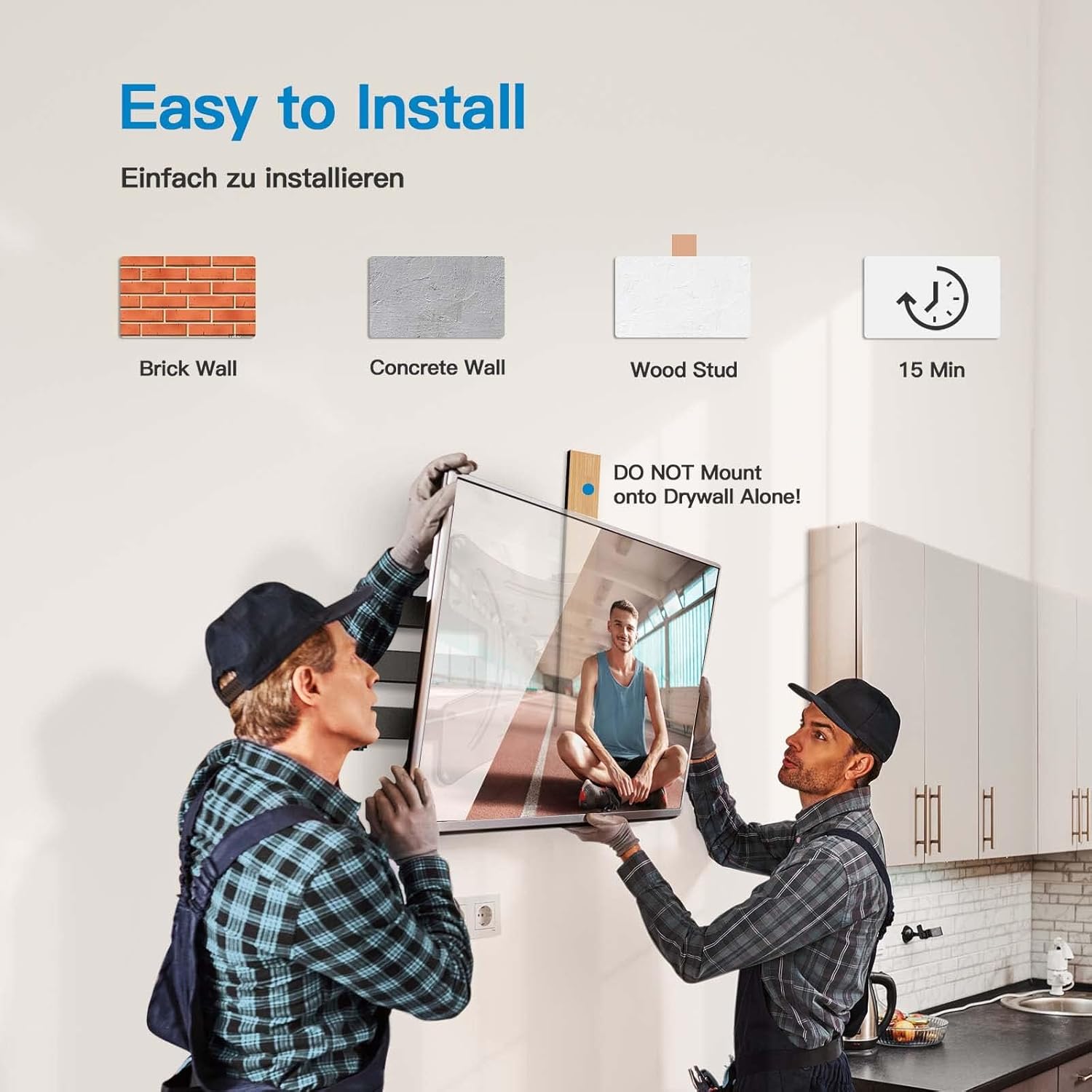
This image demonstrates the ease of installation, showing two individuals mounting a TV. It highlights compatibility with brick, concrete, and wood stud walls, and indicates a typical installation time of 15 minutes. A warning against mounting on drywall alone is also present.
4. Hang TV on Wall Plate
With assistance, carefully lift the TV with the attached brackets and hook it onto the wall plate. Ensure the TV is securely seated on the mount. Tighten any safety screws or locking mechanisms to prevent accidental dislodgement.
Operating Instructions
Your PERLESMITH Full Motion TV Wall Mount offers flexible viewing options once installed.
Adjusting Swivel Angle
The mount allows for a swivel of up to 90 degrees left or right. Gently push or pull the TV to achieve your desired viewing angle. This flexibility helps eliminate glare and provides optimal viewing from various positions in the room.

This image demonstrates the 'Viewing Flexibility' of the mount, showing how the TV can swivel up to ±90 degrees to adjust the viewing angle.
Adjusting Tilt Angle
The mount can be tilted 5 degrees upwards and 15 degrees downwards. This feature helps reduce neck and eye strain by allowing you to find the most comfortable viewing position and minimize reflections.

This image highlights 'Comfortable Viewing' by illustrating the tilt function of the mount, allowing for +5 degrees upward tilt and -15 degrees downward tilt to optimize the viewing angle.
Extending and Retracting
The mount can extend up to 362mm (14.25 inches) from the wall and retract to a minimum distance of 69mm (2.7 inches). This allows for space-saving when retracted and provides greater flexibility for viewing or accessing cables when extended.

This image demonstrates the 'Extend and Retract' feature, showing the mount extending up to 362mm from the wall and retracting to a compact position, with a minimum distance of 40mm (note: product description states 69mm, image shows 40mm, using description value in text).
Maintenance
Regular maintenance ensures the longevity and safe operation of your TV wall mount.
- Periodically check all screws and bolts to ensure they are tight and secure.
- Inspect the mount for any signs of wear, damage, or corrosion.
- Clean the mount with a soft, dry cloth. Avoid abrasive cleaners or solvents.
- Do not hang additional items on the mount or TV.
Troubleshooting
If you encounter issues with your TV wall mount, refer to the following common problems and solutions.
- TV is not level: Check the wall plate installation for levelness. Some mounts allow for minor post-installation leveling adjustments.
- Mount feels loose: Re-tighten all mounting screws on both the wall plate and the TV brackets. Ensure the wall anchors are properly installed for your wall type.
- Difficulty adjusting movement: Check for any overtightened bolts on the articulating arms. Some joints may have adjustable tension screws.
- Missing parts: Contact PERLESMITH customer support for replacement parts. Do not attempt to use non-approved parts.
Specifications
| Model Number | PSSFK1-E |
| Brand | PERLESMITH |
| Compatible TV Sizes | 13 - 42 inches (33cm - 106cm) |
| Maximum Weight Capacity | 20 kg (44 lbs) |
| VESA Compatibility | 75x75mm, 100x100mm, 200x100mm, 200x200mm |
| Tilt Angle | +5° / -15° |
| Swivel Angle | ±90° |
| Extension from Wall | 69mm (retracted) to 362mm (extended) |
| Material | Alloy Steel |
| Mounting Type | Wall Mount |
| Compatible Devices | Monitor, Television |
Warranty and Support
PERLESMITH stands behind the quality of its products. For warranty information, technical support, or assistance with installation, please contact PERLESMITH customer service through the retailer where you purchased the product or visit the official PERLESMITH website.
Please retain your proof of purchase for warranty claims.


