
Product Overview
This PKPOWER AC/DC Adapter is designed to provide reliable power to compatible devices, specifically the Venturer PVS3311 and DVD-P157ir DVD players. It features a robust design for durability and includes essential safety protections to ensure safe operation.
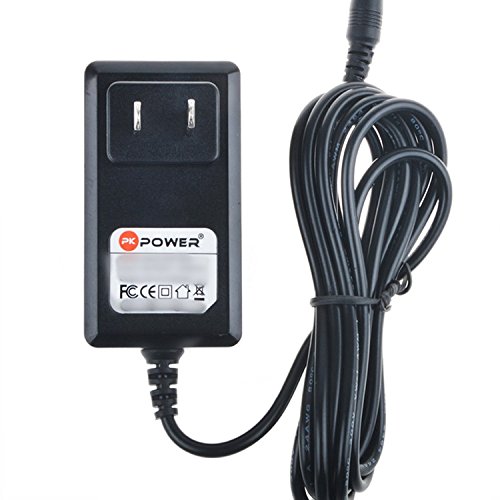
Image: The PKPOWER AC/DC adapter, featuring a black power brick with a standard US plug and a coiled black power cord ending in a DC barrel connector.
Key Features
- Input Voltage: AC 100-240V, 50/60Hz, suitable for worldwide use.
- Cord Length: Approximately 6.6 feet (2 meters) for flexible placement.
- Safety Protections:
- OVP (Over Voltage Output Protection): Prevents damage from excessive voltage.
- OCP (Over Current Output Protection): Safeguards against overcurrent conditions.
- SCP (Short Circuit Output Protection): Protects the adapter and connected device from short circuits.
- Compatibility: Specifically designed for Venturer PVS3311 and DVD-P157ir DVD players.
Setup Instructions
- Verify Compatibility: Ensure your device requires a power adapter with the specifications listed for this PKPOWER adapter. This adapter is designed for Venturer PVS3311 and DVD-P157ir DVD players.
- Connect to Device: Insert the DC barrel connector of the adapter firmly into the power input port of your Venturer DVD player.
- Connect to Power Outlet: Plug the AC prongs of the adapter into a standard wall power outlet (AC 100-240V, 50/60Hz).
- Power On Device: Once connected, power on your device according to its own operating instructions.
Important: Only use this adapter with compatible devices to prevent damage.
Operating Instructions
The PKPOWER AC/DC Adapter operates automatically once connected to a power source and a compatible device. It converts the AC wall current to the appropriate DC voltage required by your Venturer DVD player.
- Ensure the adapter is placed in a well-ventilated area to prevent overheating.
- Avoid placing heavy objects on the power cord.
- Disconnect the adapter from the power outlet when not in use for extended periods.
Maintenance
- Cleaning: Disconnect the adapter from the power source and device before cleaning. Use a dry, soft cloth to wipe the adapter. Do not use liquid cleaners or solvents.
- Storage: Store the adapter in a cool, dry place when not in use. Avoid extreme temperatures and humidity.
- Cable Care: Do not bend or crimp the power cord excessively. Inspect the cord periodically for any signs of damage.
Troubleshooting
| Problem | Possible Cause | Solution |
|---|---|---|
| Device not powering on. | Adapter not properly connected; power outlet issue; device malfunction. | Ensure adapter is fully plugged into both the device and the wall outlet. Test the outlet with another device. Check your device's power button. |
| Adapter feels hot. | Normal operation (slight warmth); poor ventilation; overloaded circuit. | Ensure adequate ventilation around the adapter. If excessively hot, disconnect immediately and contact support. |
| Intermittent power. | Loose connection; damaged cable. | Check all connections. Inspect the cable for visible damage. If damaged, discontinue use and replace. |
If troubleshooting steps do not resolve the issue, please refer to the Warranty Information and Support sections.
Specifications
| Brand | PKPOWER |
| Model Number | PKPOWER-2017-07269264 |
| Input Voltage | AC 100-240V, 50/60Hz |
| Power Source | Corded Electric |
| Cord Length | 6.6 feet (2 meters) |
| Safety Features | OVP, OCP, SCP Protection |
| UPC | 784019130667 |
Warranty Information
This PKPOWER AC/DC Adapter comes with a 1-year manufacturer warranty. This warranty covers defects in materials and workmanship under normal use. It does not cover damage caused by misuse, accident, unauthorized modification, or external causes such as power surges.
For warranty claims, please retain your proof of purchase.
Support
For technical assistance, warranty inquiries, or further information regarding your PKPOWER AC/DC Adapter, please visit the official PKPOWER store or contact their customer service.
PKPOWER Store: Visit PKPOWER Store on Amazon