
1. Introduction
This manual provides essential information for the safe and efficient operation of your Vestel ST49U01 49-inch Full HD LED Digital Signage Flat Panel. Please read this manual thoroughly before using the product and retain it for future reference. This display is designed for professional digital signage applications, offering a vibrant Full HD resolution and versatile connectivity options.
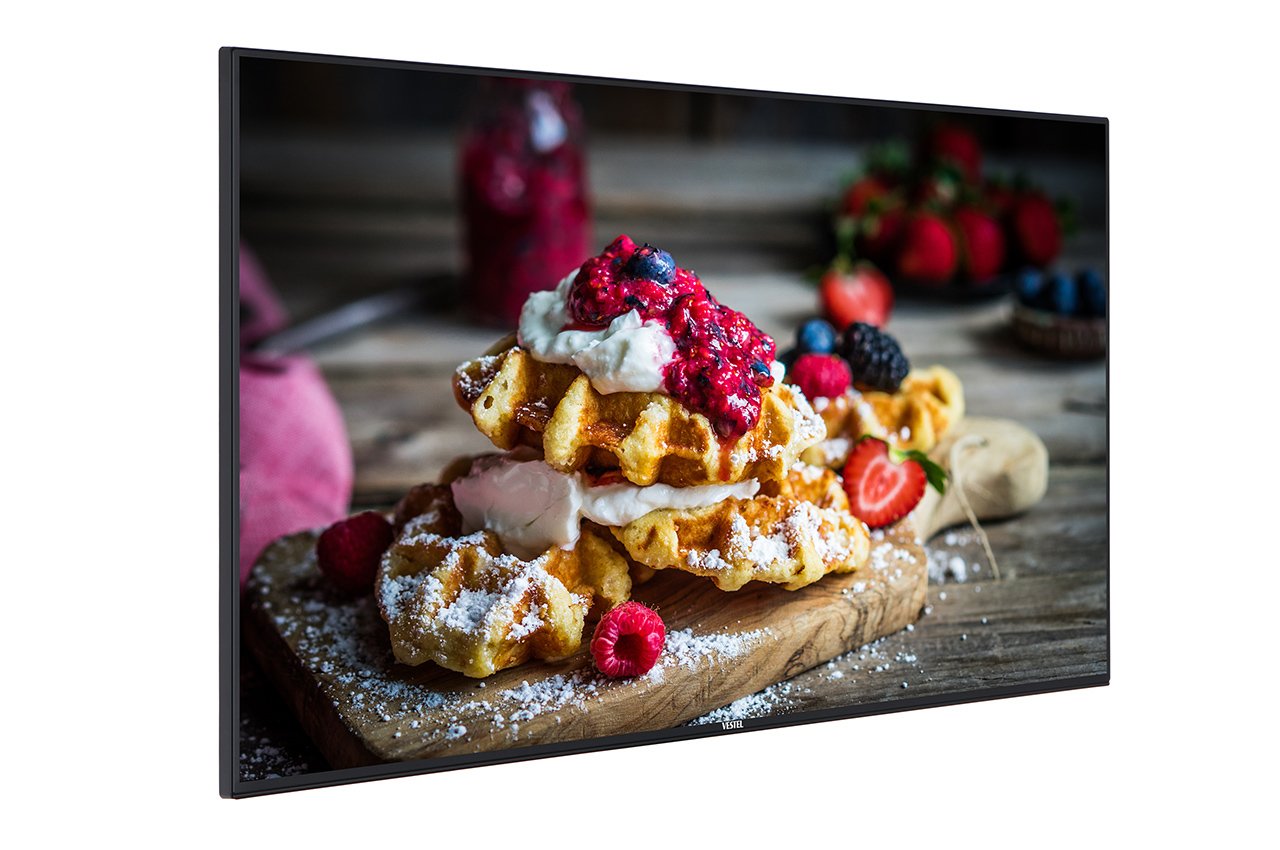
Figure 1: Vestel ST49U01 Digital Signage Flat Panel. This image shows the front view of the 49-inch display, highlighting its slim bezel and large screen area suitable for various digital signage content.
2. Safety Instructions
To ensure safe operation and prevent damage, observe the following safety precautions:
- Power Source: Connect the display only to a grounded power outlet with the correct voltage as indicated on the product label.
- Ventilation: Do not block ventilation openings. Ensure adequate space around the display for proper airflow to prevent overheating.
- Liquid Exposure: Keep the display away from liquids. Do not expose it to rain or moisture.
- Cleaning: Unplug the display before cleaning. Use a soft, dry cloth. Avoid liquid cleaners or aerosol sprays.
- Mounting: Use appropriate mounting hardware and follow installation instructions carefully. Ensure the mounting surface can support the display's weight.
- Servicing: Do not attempt to service this product yourself. Refer all servicing to qualified service personnel.
- Temperature: Operate the display within the specified temperature range. Avoid extreme heat or cold.
3. Package Contents
Verify that all items are present in the package:
- Vestel ST49U01 Digital Signage Flat Panel
- Power Cable
- Remote Control with Batteries
- Quick Start Guide
- Warranty Card
- HDMI Cable (may vary by region)
Note: If any items are missing or damaged, contact your retailer or Vestel customer support immediately.
4. Setup
4.1 Unpacking
- Carefully remove the display from its packaging.
- Place the display face down on a soft, clean surface to avoid scratching the screen.
4.2 Mounting the Display
The Vestel ST49U01 supports VESA mounting standards for wall mounts or stands. Refer to the specific instructions provided with your mounting kit.
- Ensure the mounting bracket is compatible with the display's VESA pattern (e.g., 400x400mm).
- Use screws of appropriate length and diameter to secure the bracket to the display.
- Mount the display securely to a sturdy wall or stand, ensuring it is level and stable.
4.3 Connecting Peripherals
Connect your input sources and network cables to the appropriate ports on the display's rear panel.
- HDMI: Connect an HDMI cable from your media player or computer to one of the display's HDMI ports. The display has 2 HDMI ports.
- Ethernet: For wired network connectivity, connect an Ethernet cable to the LAN port.
- USB: For local content playback or firmware updates, insert a USB storage device into the USB port.
- Power: Connect the power cable to the display's power input and then to a grounded electrical outlet.
4.4 Initial Power-On
- Ensure all connections are secure.
- Press the power button on the display or the remote control.
- Follow the on-screen prompts for initial setup, including language selection, time zone, and network configuration.
5. Operating the Display
5.1 Basic Controls
The display can be controlled using the physical buttons on the unit or the included remote control.
- Power Button: Turns the display on or off.
- Input/Source Button: Cycles through available input sources (HDMI1, HDMI2, USB, etc.).
- Menu Button: Accesses the on-screen display (OSD) menu.
- Navigation Buttons: Used to navigate through OSD menu options.
- Volume Buttons: Adjusts the audio volume (if speakers are connected or built-in).
5.2 On-Screen Display (OSD) Menu
The OSD menu allows you to configure various display settings:
- Press the Menu button on the remote control or display.
- Use the navigation buttons to select categories such as Picture, Sound, Network, System, and Signage Settings.
- Press OK or the right navigation button to enter a sub-menu.
- Adjust settings using the navigation buttons and confirm with OK.
- Press Exit or Menu again to close the OSD.
5.3 Digital Signage Features
The ST49U01 is designed for digital signage. Key features include:
- Content Scheduling: Set schedules for content playback via the internal media player or connected external sources.
- Network Management: Configure network settings (wired Ethernet or Wi-Fi) to manage content remotely.
- USB Playback: Play media files directly from a USB storage device.
- Input Source Management: Automatically switch between input sources based on schedule or signal detection.
6. Maintenance
6.1 Cleaning the Display
- Turn off the display and unplug the power cable.
- Gently wipe the screen with a soft, lint-free cloth. For stubborn marks, slightly dampen the cloth with water or a specialized screen cleaner (non-ammonia based).
- Wipe the frame and back panel with a dry, soft cloth.
- Do not spray cleaners directly onto the screen or into ventilation openings.
6.2 General Care
- Avoid placing heavy objects on the display.
- Do not expose the display to direct sunlight for extended periods.
- Ensure proper ventilation to prevent heat buildup.
7. Troubleshooting
Before contacting customer support, try the following solutions for common issues:
| Problem | Possible Cause | Solution |
|---|---|---|
| No power | Power cable not connected; Power outlet faulty; Display off | Check power cable connection; Try a different outlet; Press the power button |
| No signal | Incorrect input source selected; Input cable loose or faulty; Source device off | Select correct input source; Check/replace input cable; Ensure source device is on |
| Picture is distorted or unclear | Resolution mismatch; Cable quality; Source device issue | Adjust source device resolution to 1920x1080; Use a high-quality HDMI cable; Test with another source device |
| Network connection issues | Ethernet cable loose; Wi-Fi password incorrect; Router/modem issue | Check Ethernet cable; Re-enter Wi-Fi password; Restart router/modem |
If the problem persists after trying these solutions, contact Vestel customer support.
8. Specifications
| Feature | Detail |
|---|---|
| Brand | Vestel |
| Model Number | ST49U01 |
| Screen Size | 49 Inches (124.5 cm) |
| Display Technology | LED |
| Resolution | 1920 x 1080 (Full HD) |
| Max Display Resolution | 1920 x 1080 Pixels |
| Aspect Ratio | 16:9 |
| Response Time | 6 milliseconds |
| Viewing Angle | 170 Degrees |
| Connectivity Technology | Ethernet |
| Hardware Connectivity | USB, HDMI (2 ports) |
| Item Weight | 35.05 Pounds (approx. 15.9 kg) |
| ASIN | B07489H8R5 |
| International Article Code | 03700410340761 |
9. Warranty and Support
For warranty information, please refer to the warranty card included in your product package or visit the official Vestel website. Keep your proof of purchase for warranty claims.
For technical support, service, or replacement parts, please contact Vestel customer service through their official channels. Contact details can typically be found on the Vestel website or in your product documentation.


