
Skar Audio RP-75.4ABM
Contents
Skar Audio RP-75.4ABM 500 Watt 4-Channel Marine Amplifier Instruction Manual
Model: RP-75.4ABM
1. Introduction
This manual provides detailed instructions for the installation, operation, and maintenance of your Skar Audio RP-75.4ABM 500 Watt Full-Range Class A/B 4-Channel Marine Amplifier. Please read this manual thoroughly before attempting installation or operation to ensure proper use and to maximize the performance and longevity of your amplifier.
The Skar Audio RP-75.4ABM marine amplifier is engineered for high-performance audio in marine environments. It features a robust design with a marine-grade PCB board and waterproof coating, ensuring durability and reliable operation in challenging conditions.
2. Safety Information
Always observe the following safety precautions during installation and operation:
- Professional Installation Recommended: Installation of this amplifier requires experience with electrical wiring and audio system setup. If you are unsure about any part of the installation process, consult a qualified professional.
- Power Disconnection: Before starting any wiring, disconnect the vehicle's battery negative terminal to prevent electrical shorts and damage.
- Proper Wiring: Ensure all wiring is correctly routed and secured to prevent pinching, cutting, or abrasion. Use appropriate gauge wires for power, ground, and speaker connections.
- Ventilation: Install the amplifier in a location that allows for adequate air circulation to prevent overheating. Do not block cooling fins.
- Water Exposure: While designed for marine use, avoid direct submersion or excessive water exposure. Ensure all connections are secure and protected.
- Fuse Protection: Always use the recommended fuse rating for the amplifier's power input.
- Volume Levels: Prolonged exposure to high volume levels can cause hearing damage. Adjust volume to a comfortable level.
3. Product Overview
3.1 Key Features
- 500-Watt MOSFET 4-Channel Class A/B Power Marine Amplifier
- RMS Power at 2 Ohms: 125 Watts x 4 Channels
- RMS Power at 4 Ohms: 75 Watts x 4 Channel
- Fully Marinized with Waterproof Coating on Circuit Board & Rust Proof Painting on Mechanical Case
- User Adjustable Controls: Gain, Variable LPF, HPF, Bass EQ Switch (0, +6, +12 dB)
- Featuring 4-Way Protection Circuitry for electrical shortage, overheating, low voltage, and more.
- 4 Gauge Power & Ground Input Terminals for Maximum Current Flow
- Signal to Noise Ratio: 105 dB
3.2 What's in the Box
- Skar Audio RP-75.4ABM Marine 4-Channel Amplifier
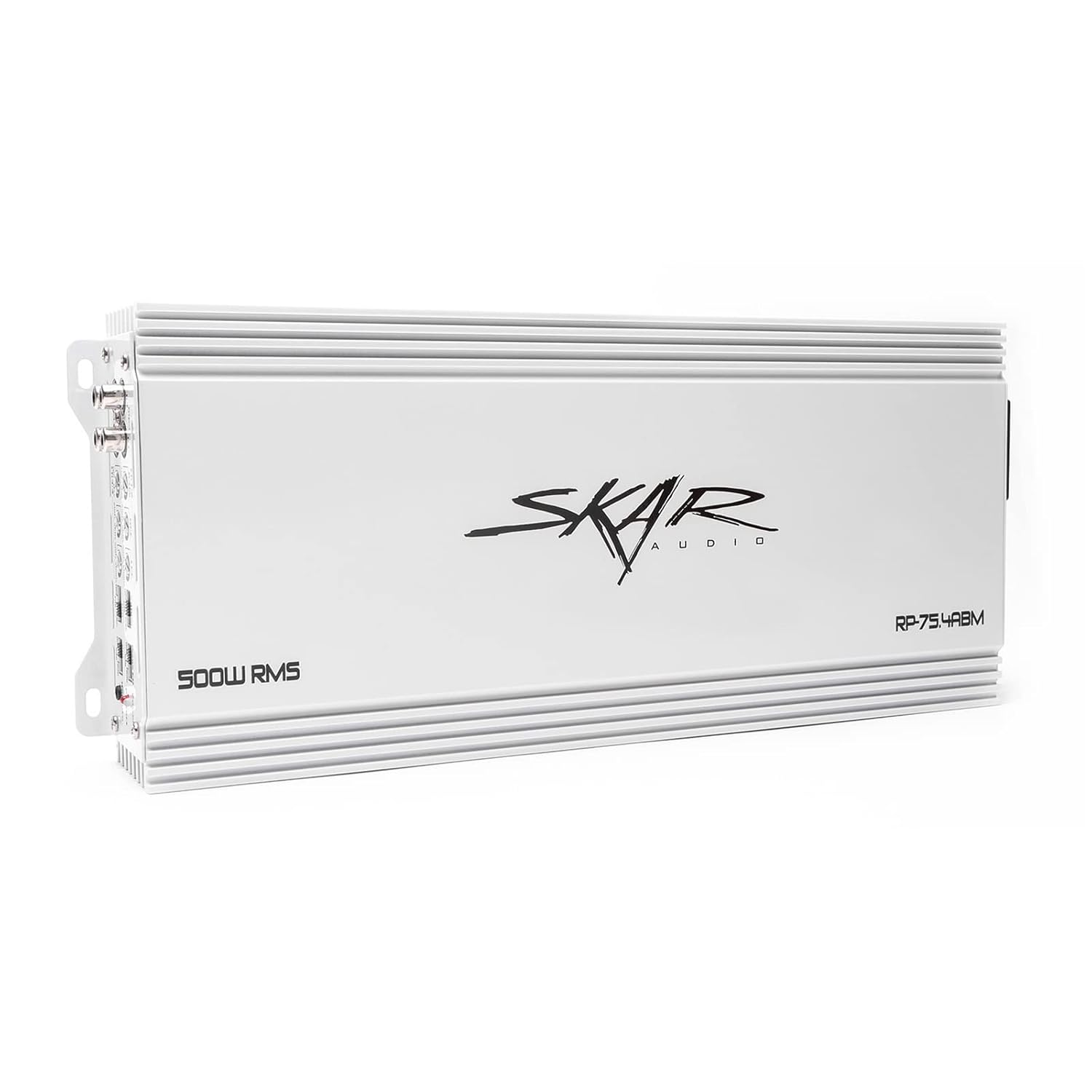
Figure 1: Front view of the Skar Audio RP-75.4ABM Marine Amplifier, showcasing its sleek design and branding.
4. Installation and Setup
Proper installation is crucial for optimal performance and safety. Follow these general guidelines:
4.1 Mounting Location
- Choose a dry, well-ventilated location that is protected from direct water spray and excessive heat.
- Ensure sufficient space around the amplifier for air circulation and access to controls and wiring.
- Mount the amplifier securely to a solid surface using appropriate hardware.
4.2 Wiring Connections
Refer to the following diagrams and descriptions for proper wiring. Always use high-quality marine-grade wiring.

Figure 2: View of the power and speaker terminal connections on the Skar Audio RP-75.4ABM amplifier. This side includes terminals for Ground (GND), Remote (REM), and +12V power input, as well as speaker outputs for Channels 1 through 4, with bridging options indicated.
4.2.1 Power Connections
- +12V (Power): Connect a 4-gauge power cable directly from the positive terminal of your battery. Install an appropriate fuse (not included) within 18 inches of the battery.
- GND (Ground): Connect a 4-gauge ground cable from the amplifier to a clean, unpainted metal surface on the boat's chassis or a dedicated ground bus bar. The ground connection should be as short as possible.
- REM (Remote Turn-On): Connect a remote turn-on wire from your head unit's remote output to this terminal. This wire signals the amplifier to turn on and off with your audio system.
4.2.2 Speaker Connections
- Connect your speakers to the designated speaker terminals (Ch1, Ch2, Ch3, Ch4).
- Ensure correct polarity (+ to + and - to -) for all speakers.
- This amplifier supports 2-ohm stereo operation per channel or 4-ohm bridged operation. Refer to your speaker's impedance and the amplifier's specifications for compatible configurations.
4.2.3 Signal Input (RCA)
- Connect RCA cables from your head unit's pre-amp outputs to the amplifier's RCA input jacks (Ch1/2 Input, Ch3/4 Input).
5. Operating Controls and Adjustments
The Skar Audio RP-75.4ABM features a user-friendly control panel for fine-tuning your audio experience.
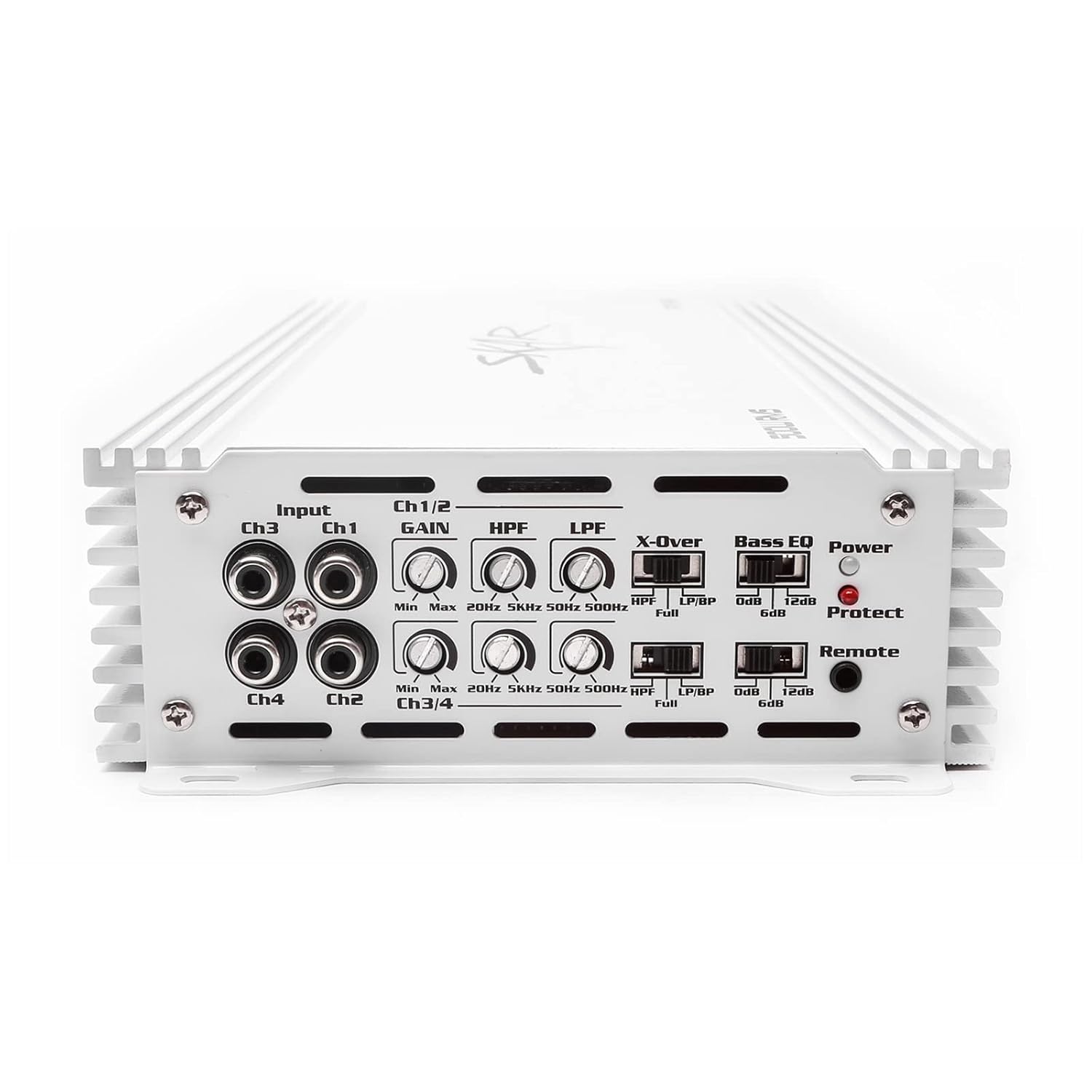
Figure 3: Detailed view of the control panel on the Skar Audio RP-75.4ABM amplifier, showing input jacks, gain controls, high-pass filter (HPF), low-pass filter (LPF), crossover switch, bass EQ, and power/protect indicators.
5.1 Gain Control (Input Level)
- Adjusts the input sensitivity of the amplifier to match the output voltage of your head unit.
- Set the gain to the lowest (Min) setting initially. Play a familiar track at about 75% of your head unit's maximum volume. Slowly increase the amplifier's gain until you hear distortion, then back off slightly.
5.2 High-Pass Filter (HPF)
- Allows frequencies above the set point to pass through to the speakers.
- Use this to protect smaller speakers from damaging low bass frequencies. Adjust based on your speaker's capabilities.
5.3 Low-Pass Filter (LPF)
- Allows frequencies below the set point to pass through to the speakers.
- Typically used for subwoofers, but can be used to limit high frequencies to full-range speakers if desired.
5.4 Crossover Switch (X-Over)
- FULL: Disables both HPF and LPF, allowing the full frequency range to pass.
- HPF: Activates the High-Pass Filter.
- LPF: Activates the Low-Pass Filter.
5.5 Bass EQ Switch
- Provides a bass boost at a specific frequency.
- Settings typically include 0 dB (no boost), +6 dB, and +12 dB. Use sparingly to avoid distortion and potential speaker damage.
5.6 Power and Protect Indicators
- Power LED: Illuminates when the amplifier is receiving power and operating normally.
- Protect LED: Illuminates when the amplifier detects a fault (e.g., overheating, short circuit, low voltage) and enters protection mode. Refer to the Troubleshooting section if this light activates.
6. Maintenance
To ensure the longevity and performance of your marine amplifier, follow these maintenance tips:
- Regular Cleaning: Periodically wipe down the amplifier's exterior with a soft, damp cloth to remove salt, dust, and grime. Avoid harsh chemicals.
- Inspect Connections: Annually check all power, ground, remote, and speaker connections for corrosion or looseness. Tighten as necessary.
- Ventilation: Ensure cooling fins remain clear of obstructions to allow for proper heat dissipation.
- Environmental Protection: While marinized, consider covering the amplifier when the boat is not in use, especially during storage, to further protect it from environmental elements.
7. Troubleshooting
If you encounter issues with your amplifier, consult this section before seeking professional assistance.
| Problem | Possible Cause | Solution |
|---|---|---|
| Amplifier does not turn on (Power LED off) |
|
|
| Amplifier goes into Protect Mode (Protect LED on) |
|
|
| No sound output |
|
|
| Distorted sound |
|
|
8. Specifications
| Feature | Specification |
|---|---|
| Model Number | RP-75.4ABM |
| RMS Power at 2 Ohms | 125 Watts x 4 Channels |
| RMS Power at 4 Ohms | 75 Watts x 4 Channels |
| Amplifier Class | Class A/B |
| Number of Channels | 4 |
| Signal to Noise Ratio | 105 dB |
| Product Dimensions (L x W x H) | 13.78 x 6.3 x 2.2 inches |
| Item Weight | 7.5 Pounds |
| Mounting Type | Surface Mount |
| Input Terminals | 4 Gauge Power & Ground |
9. Warranty and Support
For warranty information and technical support, please refer to the official Skar Audio website or contact their customer service directly. Keep your purchase receipt as proof of purchase for any warranty claims.
Skar Audio Contact Information:
- Visit the Skar Audio Store on Amazon for product information and support resources.
Documents and downloads
Ask a question about this manual
Ask about setup, troubleshooting, compatibility, parts, safety, or missing instructions. Manuals+ will review the question and use this page’s manual context to help answer it.