
Introduction
This manual provides detailed instructions for the installation, operation, and maintenance of your B-Qtech Backup Camera and Monitor system. Please read this manual thoroughly before use to ensure proper functionality and safety. Keep this manual for future reference.
Product Overview
The B-Qtech Backup Camera and Monitor system is designed to assist drivers with reversing and parking by providing a clear view of the area behind the vehicle. It features a 4.3-inch LCD display and a wide-angle camera.
Key Features:
- Display: 4.3-inch LCD Monitor
- Voltage: 12 Volts
- Lens Type: Wide Angle (180-degree viewing angle)
- Optical Sensor Size: 1/3 inch
- Video Capture Resolution: 480p
- Low Lux Rating: 0.1 Lux for improved low-light performance
- Dual Video Inputs: AV1 for backup camera, AV2 for optional video source.
- Adjustable Angle: Monitor angle can be adjusted for optimal viewing.
- Sunshade Design: Integrated sunshade to reduce glare.
Components:
The system typically includes the 4.3-inch LCD monitor, a backup camera, and necessary wiring for power and video connection.

Image: The 4.3-inch HD Color LCD Monitor, highlighting features such as HD recording, reversing priority, low power consumption, rotatable screen, ease of installation, and adjustable brightness.
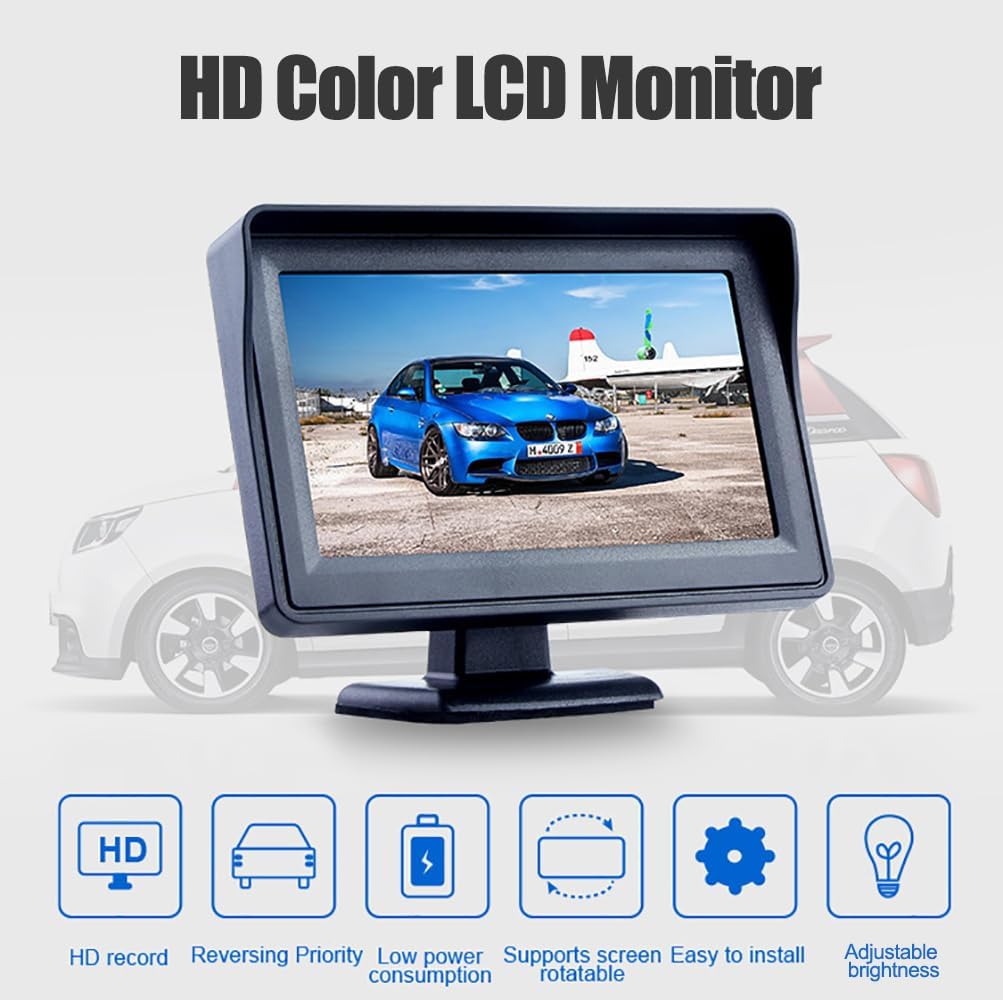
Image: All components of the B-Qtech Backup Camera and Monitor system, including the monitor, power cable, RCA video cables, and the product manual.
Setup and Installation
Follow these steps for proper installation of your backup camera and monitor system.
1. Mounting the Monitor:
- Choose a suitable location on your dashboard or windshield that does not obstruct your view while driving.
- Use the provided adhesive pad or suction cup mount to secure the monitor.
- Adjust the monitor angle for optimal visibility. The monitor features a free angle adjustment mechanism, allowing you to rotate it 360 degrees to suit your installation position.

Image: The monitor's adjustable stand, illustrating its 360-degree rotation capability for flexible positioning.
2. Wiring Connections:
Refer to the installation diagram for wiring connections. Ensure all connections are secure to prevent signal loss or power issues.

Image: An installation diagram showing the connection points for the display (A), reversing light (B), and camera (C) within a vehicle.
- Power Connection: Connect the monitor's power cable to a 12V power source in your vehicle.
- Camera Connection:
- Connect the backup camera to the monitor using the provided video cable.
- The white AV1 input on the monitor is typically used for the backup camera.
- Connect the camera's power wire to your vehicle's reversing light power supply. This ensures the camera activates automatically when the vehicle is put into reverse.
- Optional Video Input (AV2): The yellow AV2 input can be used for an additional video source if desired.

Image: A visual representation of the dual video input channels (AV1 and AV2) on the monitor, indicating AV1 for the backup camera and AV2 for an optional video source.
Operation
Once installed, operating the B-Qtech Backup Camera and Monitor is straightforward.
1. Powering On/Off:
- The monitor will automatically power on and display the camera feed when your vehicle is shifted into reverse, provided the camera is correctly wired to the reversing light.
- When not in reverse, the monitor may remain off or display the AV2 input if connected.
2. Adjusting Settings:
The monitor typically has buttons on the back or side for adjusting brightness and accessing the menu.

Image: The rear view of the 4.3-inch monitor, indicating the location of the 'Screen Brightness+', 'Menu', and 'Screen Brightness-' control buttons.
- Use the Screen Brightness+ and Screen Brightness- buttons to adjust the display's luminosity.
- Press the Menu button to access additional settings, such as contrast, color, and aspect ratio.
3. Sunshade Functionality:
The integrated sunshade helps to improve visibility by reducing glare from sunlight, ensuring a clearer image on the screen during daytime use.
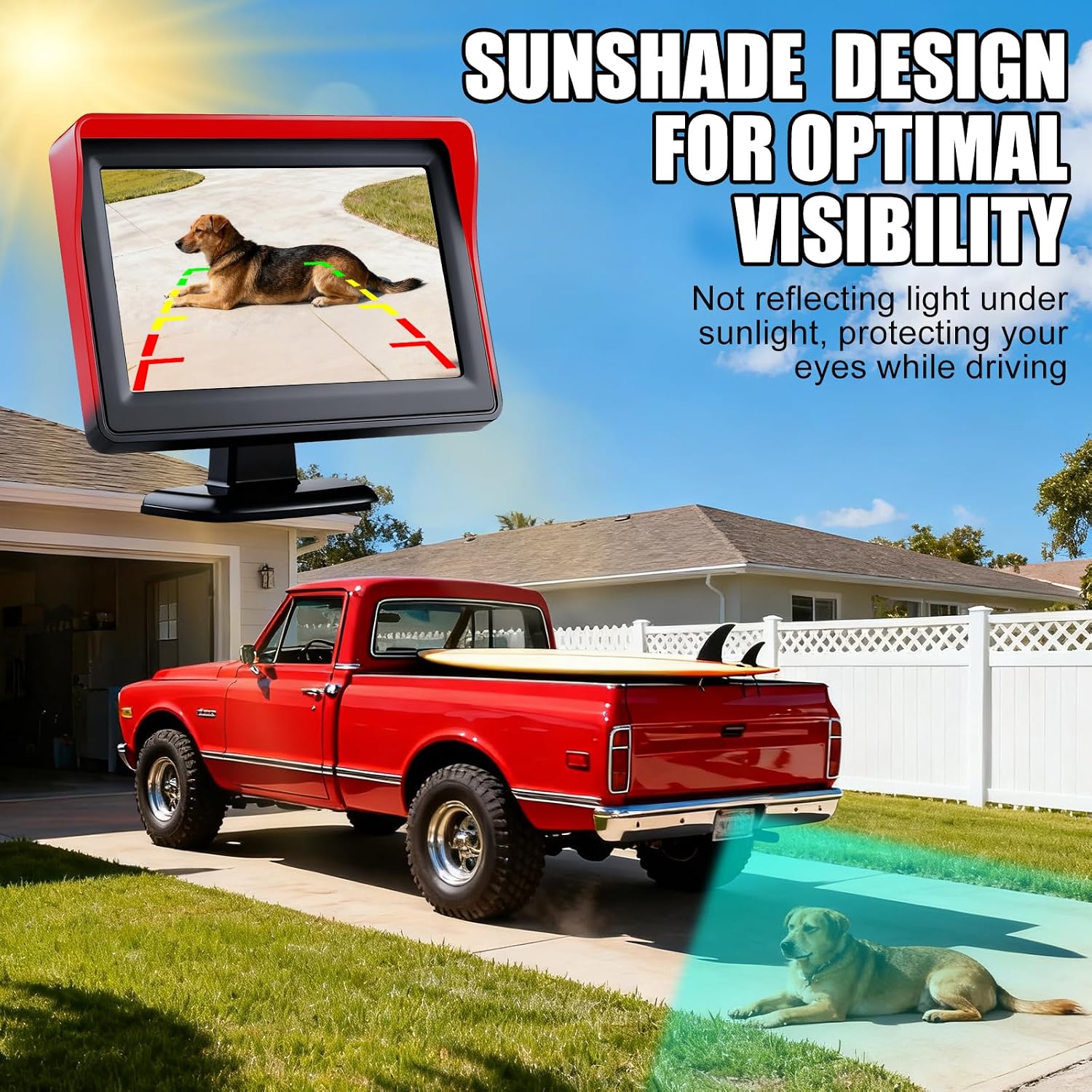
Image: The monitor with its sunshade design, demonstrating how it helps maintain optimal visibility by preventing light reflection, even in bright sunlight, as a truck backs up towards a dog.
4. Night Vision:
The camera is equipped with features for enhanced night vision, providing a clear view even in low-light conditions, such as parking garages or at night.

Image: The monitor displaying a clear image from the backup camera in a dimly lit parking garage, demonstrating its super night vision capabilities with parking guidelines.
Maintenance
To ensure the longevity and optimal performance of your B-Qtech Backup Camera and Monitor system, follow these maintenance guidelines:
- Cleaning the Monitor: Use a soft, dry cloth to clean the monitor screen. For stubborn smudges, slightly dampen the cloth with water or a screen-safe cleaner. Avoid harsh chemicals.
- Cleaning the Camera Lens: Periodically check and clean the camera lens to ensure a clear view. Dust, dirt, or water spots can obscure the image. Use a soft, lint-free cloth.
- Wiring Inspection: Occasionally inspect all wiring connections for any signs of wear, corrosion, or loose connections. Secure any loose wires.
- Environmental Care: Avoid exposing the monitor to extreme temperatures for prolonged periods. While designed for automotive use, excessive heat or cold can affect electronic components.
Troubleshooting
If you encounter issues with your B-Qtech Backup Camera and Monitor, refer to the following common problems and solutions:
| Problem | Possible Cause | Solution |
|---|---|---|
| Monitor does not power on. | No power supply; loose power connection; faulty wiring. | Check power cable connections. Ensure the 12V power source is active. Verify wiring for proper gauge and secure connections. |
| No image on screen / "No Signal" message. | Loose video cable connection; camera not powered; incorrect video input selected. | Ensure the video cable (RCA) is securely connected between the camera and the monitor's AV1 input. Check if the camera is receiving power (e.g., from the reversing light). |
| Image is blurry or distorted. | Dirty camera lens; damaged video cable; interference. | Clean the camera lens. Inspect the video cable for damage. Ensure the cable is not routed near strong electromagnetic interference sources. |
| Monitor does not automatically switch to camera view when reversing. | Camera power not connected to reversing light; incorrect wiring. | Verify that the camera's power wire is correctly connected to the vehicle's reversing light circuit. |
Specifications
| Feature | Detail |
|---|---|
| Brand | B-Qtech |
| Model Number | 43235-36645 |
| UPC / GTIN | 718040971456 |
| Screen Size | 4.3 Inches |
| Display Technology | LCD |
| Compatible Devices | Monitor |
| Voltage | 12 Volts |
| Lens Type | Wide Angle |
| Actual Viewing Angle | 180 Degrees |
| Optical Sensor Size | 1/3 inch |
| Field of View | 180 Degrees |
| Lux Rating | 0.1 Lux |
| Video Capture Resolution | 480p |
| Part Number | CK-1 |
| ASIN | B0746CM3G7 |
Warranty and Support
For warranty information or technical support, please refer to the documentation included with your product or contact B-Qtech customer service. Keep your purchase receipt as proof of purchase.
For further assistance, you may visit the manufacturer's website or contact their support channels directly.