
SHIDU M500UHF
SHIDU M500UHF Voice Amplifier User Manual
Model: M500UHF | Brand: SHIDU
1. Introduction
The SHIDU M500UHF Wireless Voice Amplifier is a portable public address system designed to amplify your voice clearly and effectively. It is suitable for various applications such as teaching, tour guiding, presentations, and outdoor activities. This device features a high-power audio output, clear sound reproduction, and supports multiple media playback options including TF card and USB disk. Its compact and lightweight design ensures portability and ease of use.
2. Package Contents
Please verify that all items listed below are included in your package:
- 1 x SHIDU M500UHF Voice Amplifier
- 1 x Waistband
- 1 x UHF Wireless Microphone Headset
- 1 x USB Charging Cable
- 1 x 3.5mm Audio Cable
- 1 x User Manual
3. Product Features
- Portable Design: Lightweight and compact (104mm*86mm*28mm, 6.85oz) with a back clip for attachment to a belt or pocket, and a waistband for waist hanging.
- Multipurpose Functionality: Functions as a voice amplifier, audio recorder, and powerful speaker. Supports Bluetooth, USB, TF card, and FM radio playback.
- Rechargeable Battery: Built-in 2000mAh lithium battery provides 10-12 hours of amplification or 8 hours of music playback on a 3-5 hour charge.
- Media Playback: Supports TF (Micro SD) card and USB flash drive for music playback with repeat and loop functions.
- UHF Wireless Microphone: Includes a comfortable UHF wireless microphone headset that can also be used as a handheld microphone. Offers up to 150ft transmission distance.

Figure 3.1: The SHIDU M500UHF Voice Amplifier demonstrating its excellent sound quality with clear audio output.

Figure 3.2: The amplifier's powerful 2000mAh rechargeable lithium battery, providing extended usage time.
4. Setup
4.1 Charging the Device
- Connect the supplied USB charging cable to the voice amplifier's charging port.
- Connect the other end of the USB cable to a DC5V, 500mA power adapter (not included) or a computer USB port.
- The charging indicator light will illuminate. The amplifier typically takes 3-5 hours to fully charge.
- For the wireless microphone, connect its charging port to the USB cable. It takes 2-3 hours to fully charge.
4.2 Pairing the Wireless Microphone
The UHF wireless microphone and amplifier are usually pre-paired. If re-pairing is needed:
- Turn on both the voice amplifier and the wireless microphone.
- Press and hold the "Pairing Key" on the microphone (refer to Figure 4.1 for location) until the indicator light flashes rapidly.
- The amplifier and microphone should automatically connect. A steady light on the microphone indicates successful pairing.
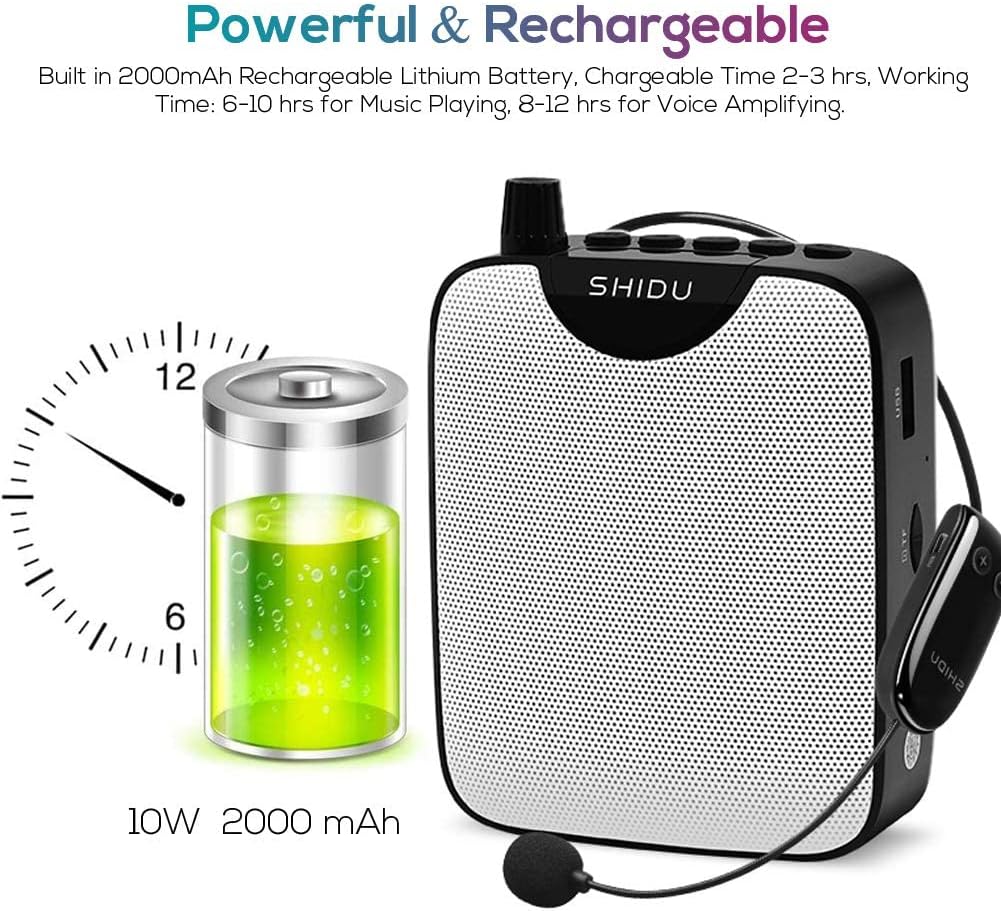
Figure 4.1: Detailed view of the UHF Wireless Microphone Headset, highlighting the power switch, pairing key, and LCD display.
5. Operating Instructions
5.1 Voice Amplification
- Turn on the voice amplifier and the wireless microphone.
- Place the microphone headset comfortably on your head, ensuring the microphone is positioned near your mouth.
- Adjust the volume knob on the amplifier to your desired level. It is recommended to start with a low volume and gradually increase it to avoid feedback.
5.2 Media Playback (USB/TF Card)
- Insert a USB flash drive or TF (Micro SD) card into the corresponding slot on the amplifier.
- The amplifier will automatically detect and begin playing audio files.
- Use the control buttons on the amplifier to play/pause, skip tracks, or adjust volume.

Figure 5.1: The side panel of the amplifier, illustrating the AUX, USB, and TF card input ports, along with the recording key.
5.3 Audio Recording
To record audio, a TF card is required. Insert the TF card and press the recording key (refer to Figure 5.1).
5.4 Using the Waistband and Clip
The amplifier can be worn using the supplied waistband or attached to clothing via its rotary clip. The clip allows for convenient waist, shoulder, or oblique hanging.

Figure 5.2: The rotary clip design on the back of the amplifier, enabling various wearing styles for user convenience.
6. Maintenance
- Clean the amplifier and microphone with a soft, dry cloth. Do not use abrasive cleaners or solvents.
- Store the device in a cool, dry place away from direct sunlight and extreme temperatures.
- Avoid dropping or subjecting the device to strong impacts.
- Do not attempt to disassemble or repair the device yourself. Contact qualified service personnel for assistance.
7. Troubleshooting
| Problem | Possible Cause | Solution |
|---|---|---|
| No sound from amplifier. | Device is off; low battery; microphone not paired; volume too low. | Ensure device is on; charge battery; re-pair microphone; increase volume. |
| Squealing or feedback noise. | Microphone too close to amplifier; volume too high; microphone pointed at speaker. | Increase distance between microphone and amplifier; lower volume; adjust microphone position away from speaker. |
| Microphone not connecting. | Microphone off; low battery; pairing issue. | Ensure microphone is on; charge microphone; follow pairing instructions (Section 4.2). |
| Cannot play media from USB/TF card. | Incorrect file format; card/drive not inserted correctly; corrupted files. | Ensure files are compatible; re-insert card/drive; try different media. |
8. Specifications
| Feature | Detail |
|---|---|
| Output Power | 10W |
| Charging Voltage | DC5V, 500mA |
| Lithium Battery | 3.7V/2000mAh |
| Product Dimensions | 104 x 86 x 26mm (4.09 x 3.39 x 1.02 inches) |
| Unit Weight | 194g (6.85 oz) |
| Speaker Charging Time | 3-5 hours |
| Mic Charging Time | 2-3 hours |
| Working Time (Music) | 5-6 hours (at 50% volume) |
| Working Time (Wired MIC) | 8-10 hours |
| Sound Coverage | 500 square meters |
| Wireless Distance | 30-35m (98-115 ft) |
| Frequency Response | 80Hz-18KHz |
| Work Temperature | -10℃ to 45℃ (14℉ to 113℉) |
| Model Number | M500UHF |
| UPC | 686494962941 |
9. Safety Information
- Do not expose the device to water or excessive moisture.
- Avoid placing the device near heat sources or in direct sunlight for prolonged periods.
- Keep the device out of reach of children.
- Use only the provided charging cable and recommended power adapter.
- Do not insert or plug the connector frequently to avoid looseness of the socket or bad connection.
- Before using, please turn down the volume and then adjust the volume according to your need to prevent sudden loud noises.
10. Warranty and Support
For warranty information and technical support, please refer to the contact details provided with your purchase or visit the official SHIDU website. Original accessories are suggested if replacements are needed.
Related Documents - M500UHF
 |
SHIDU S308 Voice Amplifier User Manual - Portable Sound Enhancement Comprehensive user manual for the SHIDU S308 Voice Amplifier. Learn about its features, operation, specifications, and how to wear it for clear and amplified sound. |
 |
SHIDU SD-M800 User Manual: Features, Specifications, and Usage Guide Comprehensive user manual for the SHIDU SD-M800 voice amplifier, detailing its functions, features, specifications, and troubleshooting tips. Covers multimedia playback, UHF wireless amplification, recording, and Bluetooth connectivity. |
 |
SHIDU S40 Voice Amplifier User Manual - Features, Specs, and Operation Comprehensive user manual for the SHIDU S40 Voice Amplifier. Learn about features, specifications, troubleshooting, charging, microphone pairing, TF/USB playback, and Bluetooth connectivity. |
 |
Shidu SD-M800 Voice Amplifier User Guide: Setup and Operation Learn how to set up and use your Shidu SD-M800 voice amplifier with this comprehensive user guide. Covers charging, power on, and connecting wired headsets, Bluetooth devices, AUX inputs, USB drives, and Micro SD cards for optimal audio performance. |
 |
SHIDU S258 Portable Voice Amplifier User Manual Comprehensive user manual for the SHIDU S258 Portable Voice Amplifier, detailing features, specifications, operation instructions, and troubleshooting tips for optimal sound amplification and music playback. |
 |
SHIDU U8 Wireless Microphone User Manual - Features, Setup, and Troubleshooting Comprehensive user manual for the SHIDU U8 Acoustic Wireless Microphone. Learn about its features, how to disassemble, install, charge, pair, and troubleshoot. Includes specifications and FCC statement. |