
Introduction
Thank you for purchasing the Best Choice Products Portable Waterproof Floating Bluetooth Speaker. This device is designed for outdoor and indoor use, featuring Bluetooth connectivity, FM radio, a built-in microphone for calls, and LED lights. Its waterproof and floating design makes it ideal for use near water. Please read this manual carefully before operating the speaker to ensure proper use and to maximize its lifespan.
Safety Information
- Do not disassemble, repair, or modify the speaker. This may cause damage, electric shock, or fire.
- Keep the speaker away from extreme temperatures, direct sunlight, and heat sources.
- Ensure the charging port cover is securely closed when using the speaker near water to maintain its waterproof integrity.
- Do not expose the speaker to corrosive liquids.
- Clean the speaker with a soft, damp cloth. Do not use harsh chemicals or abrasive cleaners.
- Dispose of the speaker and its battery responsibly according to local regulations.
Package Contents
Please check the package for the following items:
- Portable Waterproof Floating Bluetooth Speaker
- USB Charging Cable
- User Manual
Product Overview
Familiarize yourself with the speaker's components and controls.

Figure 1: Overview of speaker features, including Bluetooth compatibility, IP67 waterproofing, speakerphone function, built-in microphone, FM radio receiver, and built-in rechargeable Li-ion battery.
The speaker features a top panel with control buttons and a central speaker grille. The side of the speaker is ribbed for grip and buoyancy. A sealed port on the side protects the charging input.
- Power Button: Turns the speaker on/off.
- Play/Pause Button: Controls music playback and answers/ends calls.
- Volume Up/Next Track Button: Increases volume or skips to the next track.
- Volume Down/Previous Track Button: Decreases volume or goes to the previous track.
- Mode Button (M): Switches between Bluetooth and FM Radio modes.
- LED Light Button: Cycles through LED light modes.
- Microphone: For hands-free calling.
- Charging Port: For recharging the internal battery (located under a waterproof seal).
Setup
Charging the Speaker
Before first use, fully charge the speaker.
- Locate the waterproof charging port cover on the side of the speaker and open it.
- Connect the small end of the USB charging cable to the speaker's charging port.
- Connect the large end of the USB charging cable to a USB power adapter (not included) or a computer's USB port.
- The LED indicator will illuminate during charging and turn off when fully charged.
- Once charging is complete, securely close the waterproof charging port cover to maintain water resistance.
Powering On/Off
- To power on, press and hold the Power Button for approximately 3 seconds until you hear an audible prompt.
- To power off, press and hold the Power Button for approximately 3 seconds until you hear an audible prompt.
Operating Instructions
Bluetooth Pairing
The speaker will automatically enter Bluetooth pairing mode when powered on for the first time or if no device is connected.

Figure 2: The speaker connected wirelessly to a smartphone via Bluetooth.
- Ensure the speaker is powered on and in Bluetooth mode (indicated by a flashing blue LED). If not, press the Mode Button (M) to switch to Bluetooth mode.
- Enable Bluetooth on your smartphone or other Bluetooth-enabled device.
- Search for "SKY3890" or "BCP Speaker" (or similar name) in your device's Bluetooth settings.
- Select the speaker from the list to pair. Once paired, you will hear a confirmation sound, and the blue LED will stop flashing.
- You can now play audio from your device through the speaker.
The speaker will automatically reconnect to the last paired device when powered on, if the device is within range and has Bluetooth enabled.
FM Radio Operation
- Press the Mode Button (M) to switch to FM Radio mode. You will hear a static sound or a radio station.
- To auto-scan and save available stations, press and hold the Play/Pause Button. The speaker will scan and save stations automatically.
- To switch between saved stations, short press the Volume Up/Next Track Button or Volume Down/Previous Track Button.
Controlling Playback and Volume
- Play/Pause: Short press the Play/Pause Button.
- Next Track: Long press the Volume Up/Next Track Button.
- Previous Track: Long press the Volume Down/Previous Track Button.
- Volume Up: Short press the Volume Up/Next Track Button.
- Volume Down: Short press the Volume Down/Previous Track Button.
Call Function (Hands-Free)
- Answer Call: Short press the Play/Pause Button when a call comes in.
- End Call: Short press the Play/Pause Button during a call.
- Reject Call: Long press the Play/Pause Button when a call comes in.
- Redial Last Number: Double-press the Play/Pause Button.
LED Light Modes
The speaker features multiple LED light modes.

Figure 3: The speaker demonstrating its green LED light mode while in water.
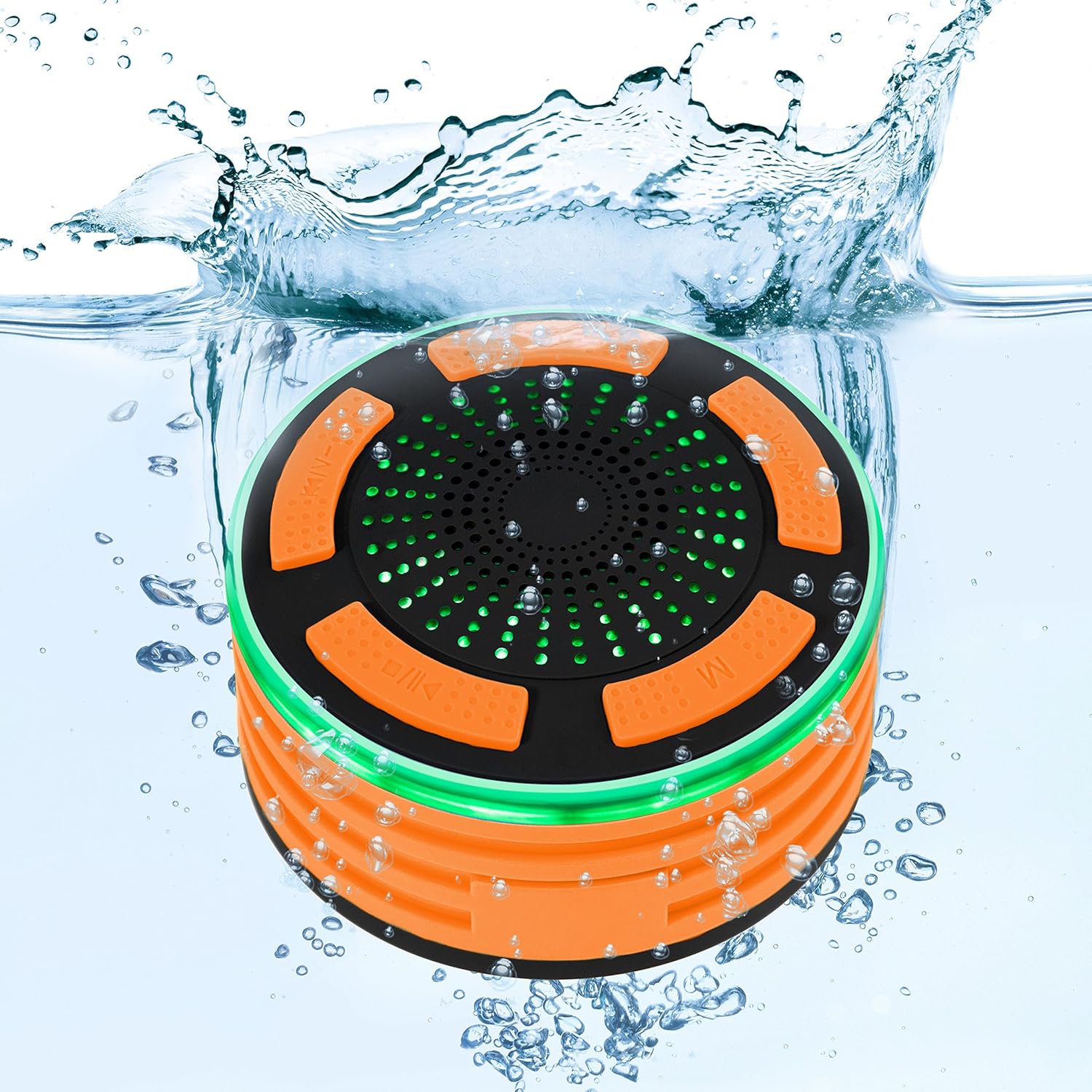
Figure 4: Another view of the speaker's green LED lights and waterproof capability in water.
- Short press the LED Light Button to cycle through different light modes (e.g., solid color, color changing, off).
- Long press the LED Light Button to turn the LED lights off.
Maintenance
Cleaning
- Before cleaning, ensure the speaker is powered off and the charging port cover is securely closed.
- Wipe the speaker with a soft, damp cloth.
- Do not use abrasive cleaners, alcohol, benzene, or other chemical solvents, as these may damage the surface or internal components.
- After use in chlorinated or saltwater, rinse the speaker with fresh water and dry thoroughly before charging or storing.
Storage
- Store the speaker in a cool, dry place away from direct sunlight and extreme temperatures.
- If storing for an extended period, charge the battery to approximately 50% every few months to preserve battery life.
Troubleshooting
| Problem | Possible Cause | Solution |
|---|---|---|
| Speaker does not turn on. | Battery is low or depleted. | Charge the speaker fully. |
| Cannot pair with Bluetooth device. | Bluetooth is not enabled on your device; speaker is not in pairing mode; device is too far. | Ensure Bluetooth is on. Press 'M' button to enter pairing mode. Move device closer to speaker (within 10 meters). |
| No sound or low volume. | Volume on speaker or connected device is too low; speaker is not connected. | Increase volume on both speaker and connected device. Re-pair the Bluetooth connection. |
| FM radio reception is poor. | Weak signal; interference. | Move to an open area. Re-scan for stations. |
Specifications
| Feature | Detail |
|---|---|
| Model Number | SKY3890 |
| Dimensions | 8.26 x 8.26 x 5.08 cm |
| Weight | 308.44 Grams |
| Connectivity | Bluetooth |
| Additional Features | FM Radio, Built-in Microphone, LED Lights, Waterproof (IP67) |
| Power Source | Rechargeable Li-ion Battery |

Figure 5: The speaker's compact size and portability demonstrated during outdoor activity.
Warranty and Support
Best Choice Products stands behind the quality of its products. For warranty information, technical support, or customer service inquiries, please refer to the contact information provided on the product packaging or visit the official Best Choice Products website.
Please retain your proof of purchase for warranty claims.