
1. Introduction
This manual provides essential information for the safe and efficient operation, maintenance, and troubleshooting of your Gree 18,000 BTU 16 SEER LIVO+ Wall Mount Ductless Mini Split Air Conditioner Heat Pump. Please read this manual thoroughly before operating the unit and retain it for future reference.

Figure 1: Overview of the Gree LIVO+ Mini Split System components.
2. System Components
Your Gree LIVO+ Mini Split System includes the following main components:
- Indoor Wall Mounted Air Handler: This unit is installed inside your living space and is responsible for distributing conditioned air.
- Outdoor Condenser: Located outside, this unit houses the compressor and heat exchange coils.
- Wireless Remote Control: Used to control the unit's settings and functions.
Figure 2: The indoor wall-mounted air handler.

Figure 3: The outdoor condenser unit.
3. Setup and Installation
IMPORTANT: Installation must be performed by a state-licensed HVAC contractor to ensure proper function and to be eligible for the manufacturer's warranty.
The system requires a lineset, which is not included. Ensure proper electrical connections (208/230V) and refrigerant charging (R410A) are completed by a qualified professional.
The LIVO+ units are designed for single-room heating and cooling. For optimal performance, ensure the indoor unit is mounted in a location that allows for unrestricted airflow and proper drainage.

Figure 4: Example of an indoor unit installation.
4. Operating Instructions
The unit is primarily controlled using the wireless remote control. Ensure the remote has fresh batteries.
4.1 Remote Control Functions
- ON/OFF Button: Powers the unit on or off.
- MODE Button: Cycles through operating modes: Auto, Cool, Dry, Heat, Fan.
- TEMP ▲/▼ Buttons: Adjusts the desired temperature setting.
- FAN Button: Adjusts fan speed (Auto, Low, Medium, High).
- SWING Button: Controls the vertical louver swing for air distribution.
- SLEEP Button: Activates sleep mode for quiet operation and energy saving during sleep.
- iFEEL Button: Activates the iFEEL function, which senses the temperature at the remote control's location for more precise comfort.
- LIGHT Button: Turns the display light on the indoor unit on or off.
- TIMER ON/OFF: Sets a timer for the unit to turn on or off automatically.
- TURBO Button: Activates rapid cooling or heating for quick temperature changes.
- Wi-Fi (Optional): If the optional Wi-Fi Kit (WSBEC02) is purchased and installed, you can control the unit via a smartphone app.

Figure 5: The wireless remote control for the Gree LIVO+ system.
5. Maintenance
Regular maintenance ensures optimal performance and longevity of your mini split system.
5.1 Air Filter Cleaning
The air filters in the indoor unit should be cleaned regularly (e.g., every 2-4 weeks, depending on usage and air quality). Dirty filters can reduce efficiency and airflow.
- Turn off the unit and disconnect power.
- Open the front panel of the indoor unit.
- Remove the air filters.
- Clean the filters with a vacuum cleaner or wash them with lukewarm water and mild detergent. Rinse thoroughly.
- Allow filters to dry completely before reinserting them.
- Close the front panel and restore power.
5.2 Outdoor Unit Maintenance
Keep the area around the outdoor condenser unit clear of debris, leaves, and other obstructions to ensure proper airflow. Periodically clean the outdoor coils with a soft brush or vacuum cleaner. For detailed cleaning of coils and other internal components, consult a licensed HVAC professional.
6. Troubleshooting
Before contacting service, check the following common issues:
| Problem | Possible Cause | Solution |
|---|---|---|
| Unit does not turn on. | No power, remote control batteries low. | Check power supply, replace remote batteries. |
| Insufficient cooling/heating. | Dirty air filters, blocked outdoor unit, incorrect mode/temperature setting. | Clean filters, clear obstructions, verify settings. |
| Unit displays "E7" error code. | Indicates a conflict in settings between multiple mini-split units connected to a single outdoor unit (e.g., one set to heat, another to cool). | Ensure all connected indoor units are set to the same operating mode (e.g., all cooling or all heating). |
| Unusual noise. | Loose parts, foreign objects, refrigerant issues. | Turn off unit and contact a qualified technician. |
7. Specifications
| Feature | Detail |
|---|---|
| Model Number | LIVS18HP230V1B |
| Capacity | 18,000 BTU / 1.5 Tons |
| SEER Rating | 16 SEER |
| Voltage | 208/230V |
| Refrigerant | R410A |
| Noise Level (Indoor) | 56 dB (Max) |
| Technology | G10 Inverter, Variable Compressor |
| Special Features | Air Purification Filter, Wi-Fi Capable (Kit Sold Separately) |
| Dimensions (Indoor Unit) | 11 x 8 x 8 inches (Product Dimensions listed, likely for indoor unit) |
| Item Weight | 89 pounds |

Figure 6: The efficiency scale for the LIVO+ system, indicating high efficiency.
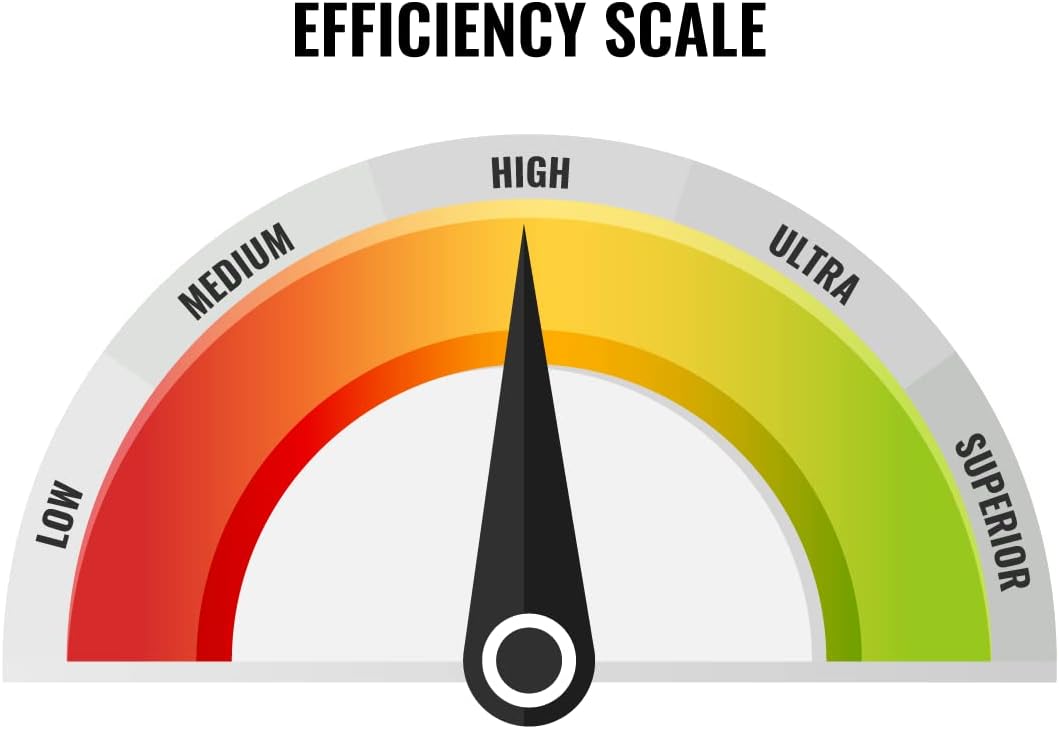
Figure 7: Key features and certifications of the Gree LIVO+ system.
8. Warranty and Support
The manufacturer's warranty terms are 5 years on parts and 7 years on the compressor. Please note that installation must be performed by a state-licensed HVAC contractor to be eligible for the warranty.
For technical support, warranty claims, or service inquiries, please refer to the contact information provided with your purchase documentation or visit the official GREE website.
Additional resources, including a detailed installation manual, may be available on the manufacturer's website or through your authorized dealer.
Note: This manual is for informational purposes. Always consult a qualified professional for installation and complex repairs.


