
1. Safety Information
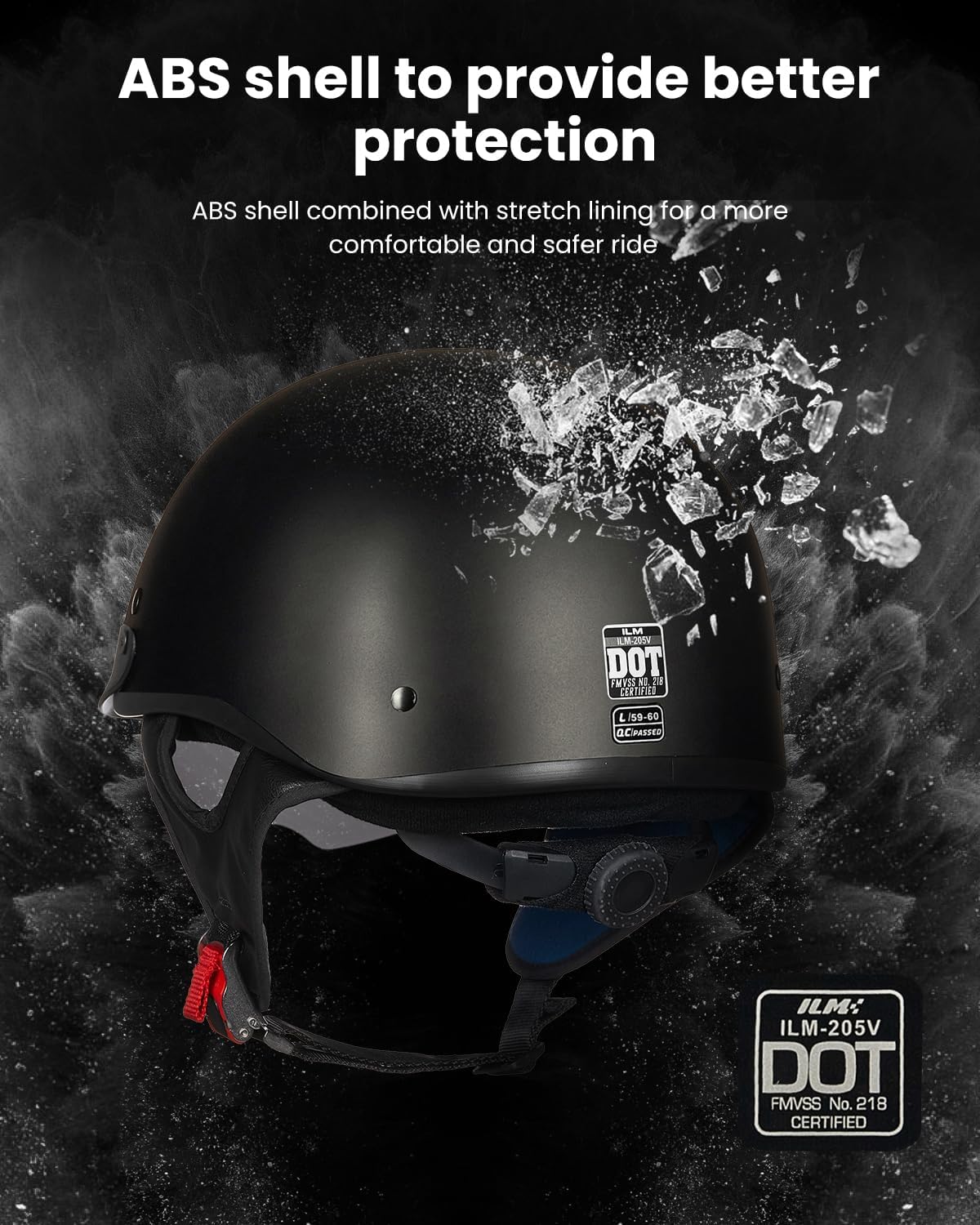
Your safety is paramount. Always wear appropriate protective gear when operating a motorcycle. This ILM Half Helmet Model-205V is designed to provide protection and comfort, meeting DOT & FMVSS 218 safety standards.
- Ensure the helmet fits snugly and securely before every ride.
- Never modify the helmet's structure or components.
- Replace the helmet immediately after any impact, even if visible damage is not apparent.
- Clean the helmet only with recommended cleaning agents to avoid material degradation.
2. Product Overview
The ILM Half Helmet Model-205V is an open-face motorcycle helmet designed for comfort and ease of use. Key features include:
- DOT & FMVSS 218 Approved: Ensures compliance with safety standards.
- Integrated Drop-Down Sun Visor: Provides eye protection from sun and glare.
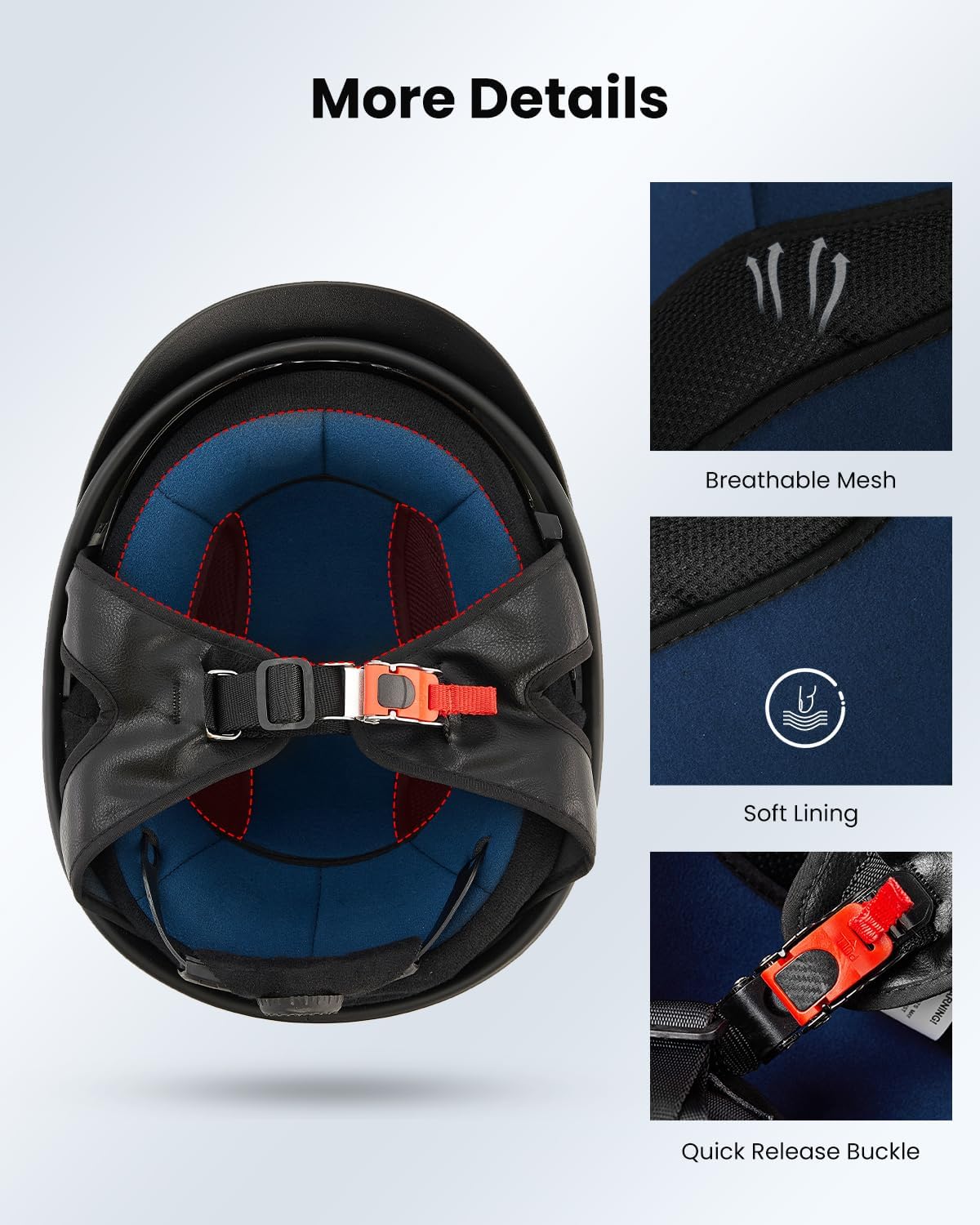
- Quick Release Chin Strap: Allows for easy on and off.
- Adjustable Fit System: Ensures a comfortable and secure fit for various head sizes.
- Premium Venting: Reduces heat buildup for improved comfort.

3. Setup
3.1 Adjusting the Fit
The helmet features an adjustable dial at the back to customize the fit to your head circumference. This ensures a snug and secure feel.
- Place the helmet on your head.
- Locate the adjustment dial at the rear interior of the helmet.
- Turn the dial clockwise to tighten the fit, or counter-clockwise to loosen it, until the helmet feels secure without being uncomfortably tight.

3.2 Securing the Chin Strap
The quick-release buckle ensures the helmet stays in place while allowing for easy removal.
- Fasten the chin strap by inserting the male end into the female receiver until it clicks.
- Adjust the strap length to ensure a snug fit under your chin, allowing only one or two fingers to fit between the strap and your chin.
- To release, pull the red tab on the buckle.

4. Operating the Integrated Sun Visor
The helmet features an integrated, retractable sun visor for convenient eye protection.
- To deploy the sun visor, locate the small tab on the bottom edge of the visor.
- Gently push the tab downwards until the visor is in the desired position.
- To retract the sun visor, push the tab upwards until the visor is fully concealed within the helmet shell.
5. Maintenance
5.1 Cleaning the Helmet Shell
Use a soft cloth dampened with mild soap and water to clean the exterior shell. Avoid abrasive cleaners or solvents that could damage the finish.
5.2 Cleaning the Sun Visor
Clean the sun visor with a soft, lint-free cloth and warm water. For stubborn dirt, use a mild soap solution. Do not use abrasive materials or chemical cleaners, as they can scratch or damage the visor coating.
5.3 Cleaning the Interior Padding
The interior padding is designed for comfort and can be gently cleaned. Use a damp cloth with mild soap and water, then allow it to air dry completely before use.

6. Troubleshooting
6.1 Helmet Feels Loose or Too Tight
Adjust the internal dial at the back of the helmet (refer to Section 3.1) to achieve a snug yet comfortable fit. Ensure the chin strap is also adjusted correctly.
6.2 Sun Visor Not Operating Smoothly
Check for any obstructions around the visor mechanism. Ensure the visor is clean and free of debris. If the issue persists, contact customer support.
6.3 Chin Strap Not Securing
Verify that the male end of the buckle is fully inserted into the female receiver until a distinct click is heard. Inspect the buckle for any damage. If damaged, discontinue use and replace the helmet.
7. Specifications
| Feature | Detail |
|---|---|
| Model Name | ILM-205V |
| Shell Material | Acrylonitrile Butadiene Styrene (ABS) |
| Safety Certification | DOT & FMVSS No. 218 Certified |
| Item Weight | 2.7 pounds |
| Product Dimensions | 12.5 x 9.8 x 6.9 inches |
| Special Features | Integrated Sun Visor, Quick Release Buckle |
| Finish Type | Matte |
8. Size Guide
Refer to the following size chart to ensure optimal fit. Measure your head circumference accurately.
| Brand Size | Head Circumference (in) | Hat Size (in) |
|---|---|---|
| Small | 21.6 - 22 | 6.9 - 7 |
| Medium | 22.5 - 22.9 | 7.1 - 7.3 |
| Large | 23.3 - 23.6 | 7.4 - 7.5 |
| X-Large | 24 - 24.4 | 7.6 - 7.8 |
| XX-Large | 24.8 - 25.3 | 7.9 - 8 |
Sizing information is provided by the manufacturer and does not mean a perfect fit. Please use this chart as a guide only.
9. Warranty and Support
For warranty information, product support, or any inquiries not covered in this manual, please contact ILM customer service through their official website or the retailer where the product was purchased. Keep your proof of purchase for warranty claims.
You can visit the ILM Store on Amazon for additional information and support.