
Introduction
The VILTROX JY-710-N3 is a versatile wireless camera timer remote control designed to enhance your photography experience. It offers various shooting modes including simple single shot, continuous shooting, Bulb mode, customized delay, and advanced timer plan shooting. This device helps minimize camera shake, ensuring sharper images, especially during long exposures or precise interval shooting. This manual provides detailed instructions for setup, operation, and maintenance of your JY-710-N3 remote control.
Product Overview
The VILTROX JY-710-N3 system consists of a transmitter, a receiver, and a shutter release cable. The transmitter features an LCD display for setting parameters, while the receiver connects to your camera. The system operates on a 2.4GHz wireless frequency, providing a reliable connection.

Figure 1: VILTROX JY-710-N3 Wireless Camera Timer Remote Control components.

Figure 2: Close-up of the JY-710-N3 transmitter and receiver.

Figure 3: Detailed view of the JY-710RX receiver.
Key Features:
- Supports single shooting, 1-second continuous shooting, BULB shooting, delay shooting, and timer schedule shooting.
- Built-in FSK 2.4GHz wireless remote control system with 4 channels, offering a remoting distance of approximately 50-80 meters.
- Wired or wireless control options to prevent camera vibration during shutter release.
- Activates Bulb function on compatible cameras, allowing up to 399 shots.
- Modular design with separate transmitter, receiver, and shutter cord, allowing cable changes for different camera models.
Setup
- Install Batteries: Insert appropriate batteries into both the transmitter and receiver units. Ensure correct polarity.
- Connect Receiver to Camera:
- Locate the remote control port on your Nikon camera.
- Connect one end of the provided shutter release cable to the receiver unit.
- Connect the other end of the shutter release cable to your camera's remote control port.
- Power On: Turn on both the transmitter and receiver units.
- Channel Matching: Ensure both the transmitter and receiver are set to the same channel (1-4) for wireless communication. Refer to the device's display for channel selection.

Figure 4: Wireless setup with the remote control and camera.
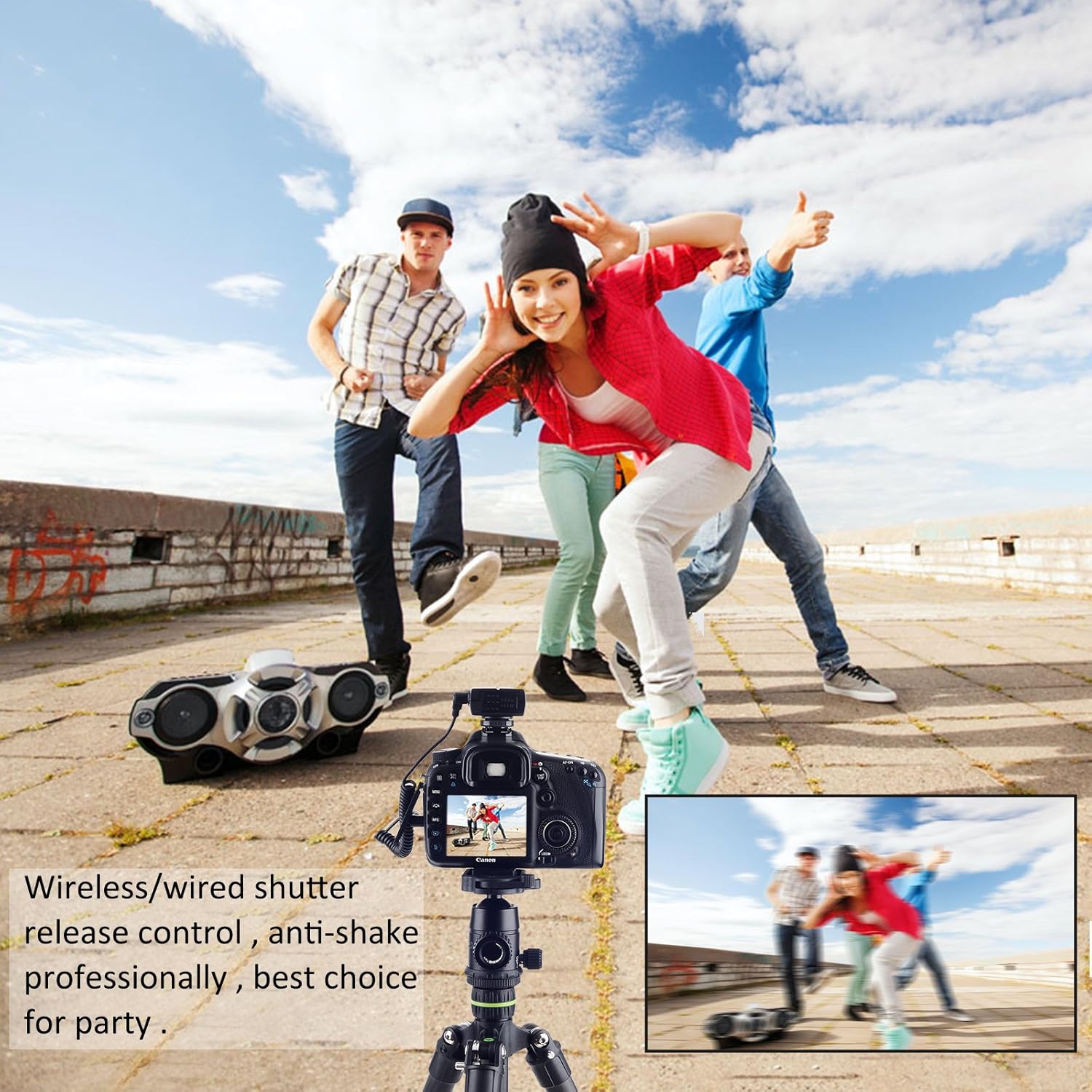
Figure 5: Wired/wireless shutter release control for anti-shake photography.
Operating Instructions
The JY-710-N3 offers multiple shooting modes. Use the SET button and arrow keys on the transmitter to navigate and adjust settings on the LCD display.
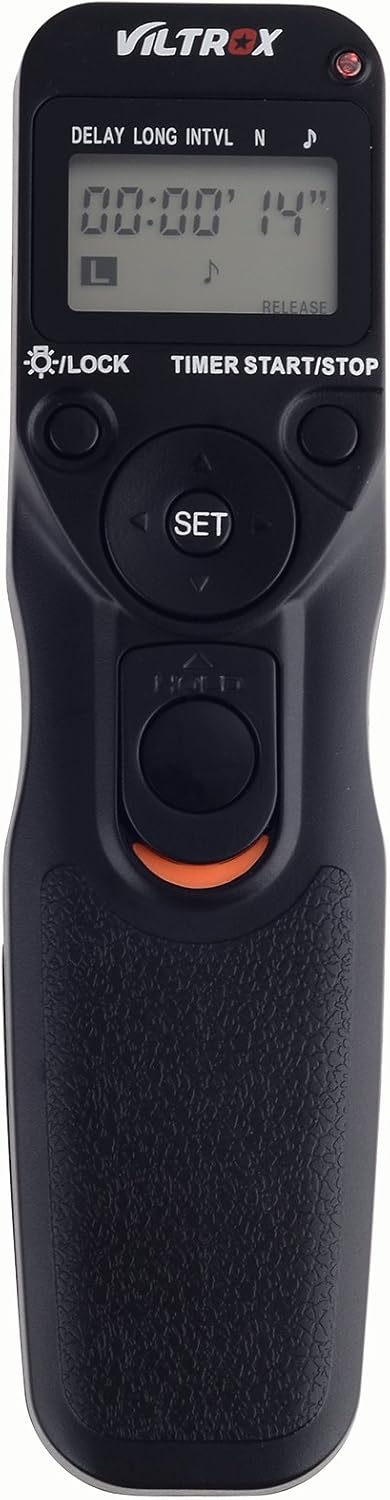
Figure 6: Transmitter controls and display.
Modes of Operation:
- Delay / Self Timer (DELAY):
Set a delay time (in 1-second increments) up to 99 hours, 99 minutes, and 99 seconds before the shutter is released. This is similar to your camera's self-timer function.
- Interval Timer (INTVL):
Program the remote to take exposures at regular intervals, up to 100 hours. For example, setting it to 10 minutes will trigger an exposure every 10 minutes until the exposure count limit is reached or manually stopped.
- BULB / Long Exposure (LONG):
Allows for extended exposure times, up to 100 hours. This mode is ideal for capturing light trails, astrophotography, or time-lapse sequences of slow-changing subjects like blooming flowers.

Figure 7: Examples of Bulb shooting applications.
Video 1: Time-lapse demonstration of flowers blooming, showcasing a practical application of the Bulb mode for extended capture.
- Exposure Count (N):
Set the total number of exposures to be taken, up to 399 times. This works in conjunction with other modes like Interval Timer to define the total sequence length.

Figure 8: Transmitter and receiver functionality.
Maintenance
- Keep the device dry. Do not expose to moisture or rain.
- Clean with a soft, dry cloth. Avoid harsh chemicals or abrasive materials.
- Remove batteries if the device will not be used for an extended period to prevent leakage.
- Store in a cool, dry place away from direct sunlight.
Troubleshooting
| Problem | Possible Cause | Solution |
|---|---|---|
| Device not powering on. | Dead or incorrectly inserted batteries. | Replace batteries or ensure correct polarity. |
| Remote not triggering camera. |
|
|
| Limited wireless range. | Interference or obstacles. | Move closer to the camera or clear line of sight. Avoid areas with strong electromagnetic interference. |
Specifications
| Model Number | JY-710-N3 |
| Wireless Frequency | FSK 2.4GHz |
| Channels | 4 |
| Wireless Distance | Approx. 50-80 meters |
| Delay Timer | 0s to 99h 59min 59s (1s increments) |
| Interval Timer | 0s to 99h 59min 59s (1s increments) |
| Long Exposure (BULB) | 0s to 99h 59min 59s (1s increments) |
| Exposure Count | 1 to 399 shots |
| Compatible Devices | Nikon D7500, D7200, D7100, D600, D610, D5600, D5300, D7000, D5500, D3300, D750, D3200, D5200, D3100, D90, D5100, D5000 (and others with N3 type connector) |
| Item Weight | 6.4 ounces |
| Manufacturer | Shenzhen Jueying Technology Co., Ltd. |
Warranty and Support
For warranty information and technical support, please refer to the official VILTROX website or contact your local distributor. Keep your purchase receipt for warranty claims.
Official Website: www.viltrox.com