1. Introduction
Thank you for choosing the PKPOWER AC/DC Adapter. This power supply is designed to provide reliable and stable power to your compatible Zoom guitar multi-effect pedals, including models G2.1DM, G2.1KL, G2.1MA, and G5. Please read this manual carefully before use to ensure proper operation and safety.
2. Safety Precautions
- Do not expose the adapter to water or moisture.
- Do not disassemble or attempt to repair the adapter.
- Ensure the adapter is used within the specified input voltage range (AC 100-240V).
- Keep out of reach of children.
- Unplug the adapter from the wall outlet when not in use for extended periods.
3. Product Overview
The PKPOWER AC/DC Adapter is a compact and portable power solution. It features a standard AC input plug and a DC output connector suitable for your compatible Zoom pedals.
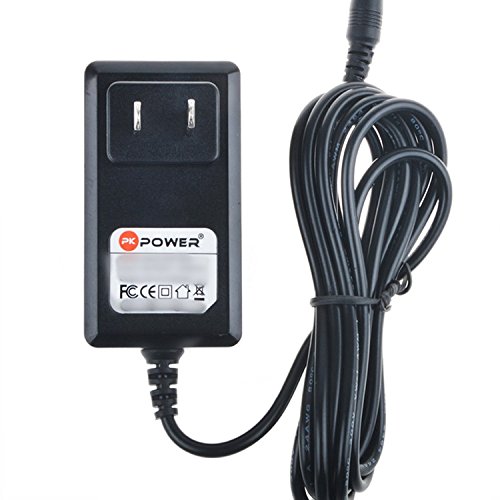
Image 1: The PKPOWER AC/DC Adapter. This image shows the black power brick with a two-prong AC plug and the attached DC output cable, coiled for storage.
4. Setup Instructions
- Unpack the Adapter: Carefully remove the PKPOWER AC/DC adapter from its packaging.
- Connect to Device: Locate the DC power input jack on your Zoom G2.1DM, G2.1KL, G2.1MA, or G5 pedal. Insert the DC output plug of the PKPOWER adapter firmly into this jack.
- Connect to Power Outlet: Plug the AC input prongs of the adapter into a standard wall electrical outlet (AC 100-240V, 50/60Hz).
- Power On: If your pedal has a power switch, turn it to the 'ON' position. The pedal should now receive power.
5. Operating Instructions
Once properly connected, the PKPOWER AC/DC adapter will continuously supply power to your Zoom multi-effect pedal. No further operation is required from the adapter itself. Ensure your pedal is switched on to begin use.
6. Maintenance
- Cleaning: Use a dry, soft cloth to wipe the adapter. Do not use liquid cleaners.
- Storage: Store the adapter in a cool, dry place when not in use. Avoid wrapping the cable too tightly.
- Inspection: Periodically check the cable and connectors for any signs of damage. If damage is found, discontinue use immediately.
7. Troubleshooting
No Power to Pedal
- Check Connections: Ensure both the DC output plug is fully inserted into the pedal and the AC input plug is securely in the wall outlet.
- Verify Outlet: Test the wall outlet with another device to confirm it is functional.
- Pedal Power Switch: Confirm that your Zoom pedal's power switch is in the 'ON' position.
- Inspect Cable: Check the adapter's cable for any visible damage or kinks.
If the issue persists after performing these checks, please contact customer support.
8. Specifications
| Feature | Specification |
|---|---|
| Brand | PKPOWER |
| Input Voltage | AC 100-240V, 50/60Hz |
| Cord Length | 6.6 FT (2 Meters) |
| Connector Gender | Male-to-Male |
| Total Power Outlets | 1 |
| Protection Features | OVP (Over Voltage Protection), OCP (Over Current Protection), SCP (Short Circuit Protection) |
9. Warranty and Support
This PKPOWER product is covered by a standard manufacturer's warranty. For specific warranty terms, return policies, or technical support, please refer to your purchase documentation or visit the official PKPOWER store on Amazon:
You may also contact the seller directly for assistance.