
Product Overview
The Joy-IT Com-Motor01 is a compact geared motor designed for various electronic projects. It is compatible with popular single-board computers such as Arduino and Banana Pi, making it suitable for robotics, automation, and educational applications. This motor provides controlled rotational motion, ideal for driving wheels or other mechanical components.
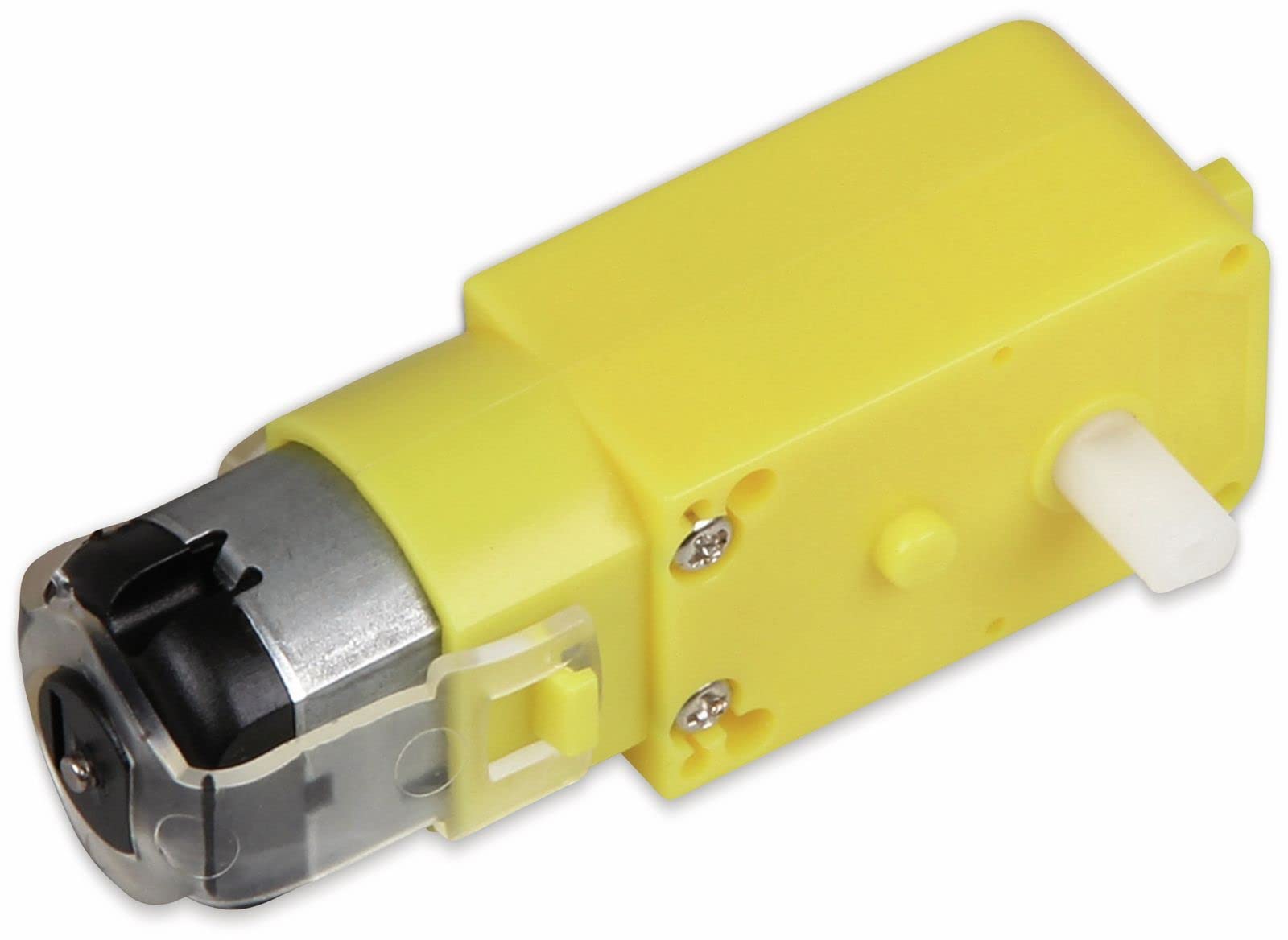
This image displays the Joy-IT Com-Motor01 geared motor, featuring a bright yellow plastic wheel with five spokes and a black rubber tire. The central hub of the wheel has a square-shaped opening for shaft attachment. The motor itself is integrated into the wheel assembly, providing a compact unit for motion control.
Safety Information
General Safety Guidelines
Please read these instructions carefully before using the Joy-IT Com-Motor01 geared motor. Failure to follow these guidelines may result in damage to the product or personal injury.
- Power Supply: Ensure the power supply voltage does not exceed the specified 9 Volts. Using an incorrect voltage can damage the motor.
- Polarity: Observe correct polarity when connecting the motor to your circuit. Incorrect polarity can lead to malfunction.
- Moving Parts: Keep fingers and other objects away from moving parts during operation to prevent injury.
- Environment: Operate the motor in a dry environment. Avoid exposure to water or excessive moisture.
- Children: This product is not a toy. Keep out of reach of small children. Adult supervision is recommended for educational projects involving minors.
Package Contents
What's Included
The Joy-IT Com-Motor01 package includes:
- 1 x Joy-IT Com-Motor01 Geared Motor (Yellow/Black)
Setup
Connecting the Geared Motor
- Mounting: Securely mount the geared motor to your project chassis or platform using appropriate fasteners. Ensure the motor is stable and will not vibrate excessively during operation.
- Electrical Connections: Connect the motor's power leads to your control board (e.g., Arduino, Banana Pi) or motor driver. Typically, geared motors have two leads for power. Refer to your control board's documentation for specific motor driver connections.
Note: The motor operates on 9 Volts. Ensure your power source and motor driver can supply this voltage and sufficient current. - Testing: Before full integration, perform a basic test to ensure the motor rotates correctly. Apply a small voltage to the motor leads to observe its movement.
Operating Instructions
Controlling Motor Movement
The Joy-IT Com-Motor01 geared motor is typically controlled via a motor driver connected to a microcontroller (like Arduino or Banana Pi).
- Direction Control: To change the direction of rotation, reverse the polarity of the voltage applied to the motor leads. Most motor drivers provide dedicated pins for forward and reverse control.
- Speed Control: Motor speed can be controlled using Pulse Width Modulation (PWM) signals from your microcontroller. Connect the motor driver's PWM input to a PWM-capable pin on your microcontroller.
- Programming: Write code for your microcontroller to send appropriate signals to the motor driver for desired direction and speed. Consult examples and libraries for your specific microcontroller and motor driver combination.
Maintenance
Care and Longevity
The Joy-IT Com-Motor01 geared motor is designed for durability and requires minimal maintenance.
- Cleaning: Keep the motor free from dust and debris. Use a soft, dry cloth to wipe the exterior. Avoid using liquids or solvents.
- Inspection: Periodically inspect the motor and its connections for any signs of wear, loose wires, or damage.
- Storage: Store the motor in a cool, dry place when not in use.
Troubleshooting
Common Issues and Solutions
| Problem | Possible Cause | Solution |
|---|---|---|
| Motor does not spin. | No power, incorrect wiring, faulty motor driver, insufficient voltage/current. | Check power supply, verify wiring connections, test motor driver, ensure adequate power. |
| Motor spins in the wrong direction. | Incorrect polarity. | Reverse the motor lead connections or adjust motor driver control signals. |
| Motor runs slowly or weakly. | Low voltage, insufficient current, excessive load, friction. | Check power supply, reduce load, ensure smooth mechanical movement. |
| Motor makes unusual noise. | Mechanical obstruction, worn gears, internal damage. | Inspect for obstructions, if noise persists, the motor may be damaged. |
| Motor gets hot. | Overload, continuous operation at high current, short circuit. | Reduce load, allow for cooling periods, check for short circuits. |
Specifications
Technical Details
- Model: com-Motor01
- Brand: Joy-it
- Voltage: 9 Volts
- Material: Rubber (tire), Plastic (wheel)
- Dimensions (L x W x H): 10 x 7 x 2.5 cm (approximately 3.94 x 2.76 x 0.98 inches)
- Weight: 60 grams (approximately 2.12 ounces)
- Components Included: 1 piece
- ASIN: B073ZHCNGG
Warranty and Support
Product Information
For warranty information and technical support, please refer to the official Joy-it website or contact your retailer. Keep your purchase receipt for warranty claims.
Note: This product is intended for hobbyist and educational use. Misuse or modification may void the warranty.


