
1. Introduction
This manual provides detailed instructions for the safe and efficient operation of your EBL Smart Battery Charger. Please read this manual thoroughly before use and retain it for future reference.
The EBL-906 is a versatile smart charger designed for Ni-MH and Ni-CD rechargeable batteries, supporting AA, AAA, C, D, and 9V sizes. It features individual charging slots, an LCD display for charging status, and a discharge function for optimal battery care.
2. Key Features
- Individual Charging Slots: Charges 1-4 AA/AAA/C/D and 1-2 9V Ni-MH/Ni-CD rechargeable batteries independently.
- Discharge Function: Press the blue button to discharge batteries. LCD displays "DISCHG". Charger returns to charging mode automatically after discharge.
- Fast Charging Speed: Charges 2-4 Pcs AA/AAA/C/D batteries with a total current of 2A.
- Smart LCD Display: Indicates charging status, discharge status, and error messages.
- Intelligent Protection: Automatically stops charging upon detecting improper voltage, defective/short-circuited batteries, or non-rechargeable batteries. Includes over-charge, over-current, over-voltage, over-heat, and short-circuit protection.
- Constant Current Charging Mode: Protects batteries against current fluctuation.
3. Setup
- Unboxing: Carefully remove the charger and its accessories from the packaging. Verify all components are present: EBL-906 charger, power cable, and user manual.
- Power Connection: Connect the provided power cable to the charger's input port and then plug it into a standard AC 100-240V wall outlet. The LCD display will illuminate, indicating the charger is ready.
- Battery Insertion: Insert rechargeable Ni-MH or Ni-CD batteries into the appropriate charging slots. Ensure the positive (+) and negative (-) poles of the battery align correctly with the markings on the charger. Incorrect installation may result in an "ERROR" message on the LCD.

Figure 3.1: EBL Smart Battery Charger and power cable.

Figure 3.2: Charger connected to a power outlet, ready for use.
4. Operating Instructions
4.1 Charging Batteries
Once batteries are correctly inserted, the LCD display will show "CHG" and a battery icon with animated bars, indicating the charging process has begun. Each slot charges independently, allowing for different battery types and sizes to be charged simultaneously.
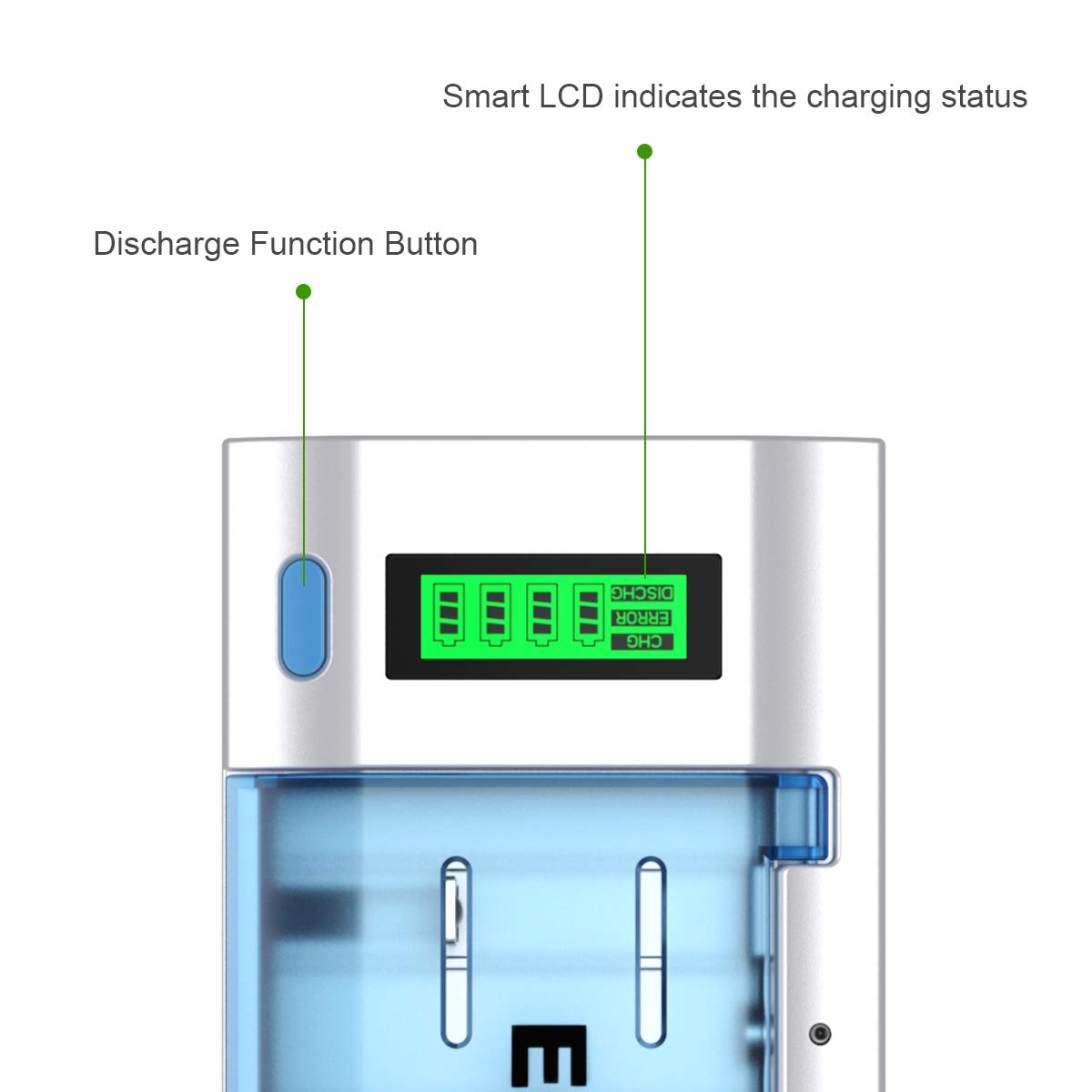
Figure 4.1: LCD display showing battery charging status.

Figure 4.2: Charger supporting various battery types (AA, AAA, C, D, 9V).
4.2 Discharge Function
To activate the discharge function, press the blue button located next to the LCD display. The LCD will show "DISCHG" and the batteries will begin to discharge. Once fully discharged, the charger will automatically switch back to "CHG" mode and begin charging the batteries.

Figure 4.3: LCD display indicating "DISCHG" during discharge and "ERROR" for issues.
4.3 Estimated Charging Times
The charging time varies depending on the battery type and capacity. Refer to the table below for approximate charging times for 1PC Ni-MH batteries:
| Battery Type | Capacity | Charging Time (approx.) |
|---|---|---|
| AAA | 500-1200mAh | 0.5-1.2 H |
| AA | 1300-2800mAh | 1.3-2.8 H |
| C | 1800-5000mAh | 1.8-5 H |
| D | 1800-10000mAh | 1.8-10 H |
| 9V | 150-600mAh | 2.5-10 H |

Figure 4.4: Visual representation of estimated charging times.
4.4 Safety Features
The EBL-906 charger is equipped with multiple safety protections to ensure safe operation:
- Over-Charge Protection
- Over-Current Protection
- Over-Voltage Protection
- Over-Heat Protection
- Short-Circuit Protection

Figure 4.5: Visual representation of the charger's intelligent protection system.
5. Maintenance
- Keep the charger clean and dry. Use a soft, dry cloth to wipe the surface.
- Avoid exposing the charger to extreme temperatures or direct sunlight.
- Store the charger and batteries in a cool, dry place when not in use.
- Ensure batteries are fully discharged before long-term storage to maintain their lifespan.
6. Troubleshooting
- LCD shows "ERROR": This indicates an improper voltage, defective battery, short circuit, or non-rechargeable battery. Ensure batteries are inserted correctly with correct polarity (+/-). Remove and re-insert the battery. If the error persists, the battery may be faulty.
- Battery not charging: Check if the power cable is securely connected. Ensure batteries are properly seated in their slots and polarity is correct.
- Slow charging: Charging speed can vary based on battery capacity and condition. Refer to the charging time table in Section 4.3.
- Charger gets warm: It is normal for the charger to become warm during operation. However, if it becomes excessively hot, disconnect it immediately and contact support.
7. Specifications
| Feature | Detail |
|---|---|
| Model Number | EBL-906 |
| Product Dimensions | 3.66"D x 7.68"W x 2.05"H |
| Item Weight | 14.39 Ounces |
| Output Voltage | 9 Volts |
| Compatible Battery Types | AA, AAA, C, D, 9V Ni-MH/Ni-CD Rechargeable Batteries |
| Manufacturer | EBL |
| Country of Origin | China |
8. Warranty & Support
For warranty information or technical support, please contact EBL official, the seller of this product. Refer to the user manual PDF for additional details and contact information.
You can also find the official user manual here.
9. Official Product Video
This video provides a visual overview of the EBL Smart LCD Battery Charger, demonstrating its features and functionality.


