
Bang Olufsen BeoSound 5/BeoMaster 5
Bang & Olufsen BeoSound 5 & BeoMaster 5 User Manual
Comprehensive guide for setup, operation, and maintenance.
Introduction
The Bang & Olufsen BeoSound 5 and BeoMaster 5 system is a sophisticated digital music server and media controller designed for an immersive audio experience. The BeoMaster 5 acts as the central hub with a 1TB hard drive for storing your music collection, while the BeoSound 5 provides an intuitive visual interface for browsing and controlling your media. This manual provides essential information for setting up, operating, and maintaining your system.
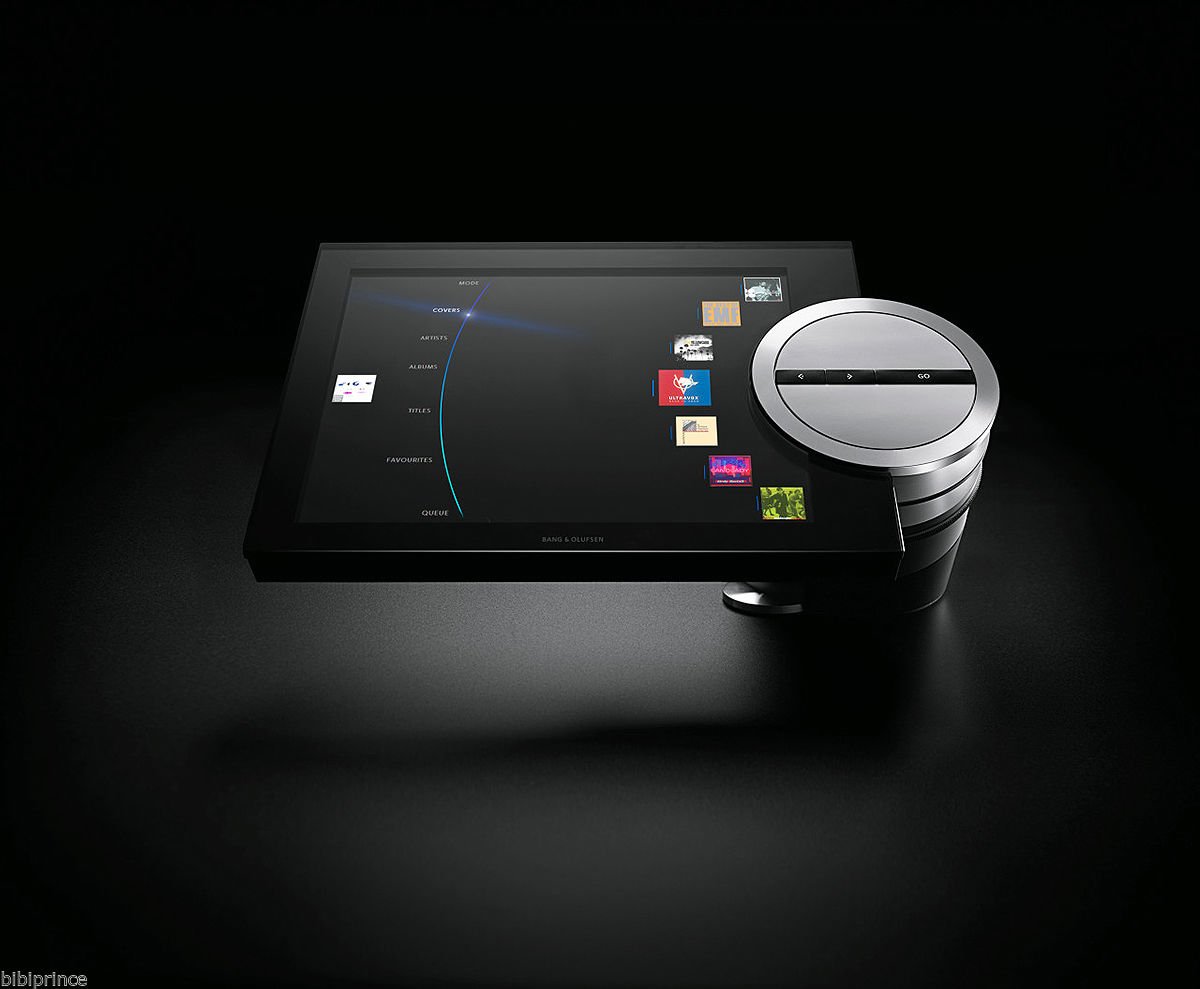
Figure 1: The Bang & Olufsen BeoSound 5 display unit connected to its table stand, showcasing its user interface and the distinctive silver control wheel. The BeoMaster 5, the server component, is typically placed out of sight.
Setup Guide
Follow these steps to correctly set up your BeoSound 5 and BeoMaster 5 system.
1. Unpacking
- Carefully remove all components from the original packaging. Ensure all parts are present: BeoSound 5 display, BeoMaster 5 unit, table stand components, power cables, and necessary connection cables.
- Inspect all items for any signs of damage. The system is designed to be scratch-resistant, but always handle with care.
2. Assembling the Table Stand
- Assemble the table stand according to the included diagram. Ensure all screws are tightened securely.
- Attach the BeoSound 5 display unit to the assembled table stand. Ensure it is firmly seated and stable.
3. Connecting the BeoMaster 5
The BeoMaster 5 is the core processing unit. Place it in a well-ventilated area, preferably out of direct sight.
- Power Connection: Connect the power cable to the BeoMaster 5 and then to a 220V AC power outlet.
- Network Connection: Connect an Ethernet cable from your home network router to the LAN port on the BeoMaster 5 for internet access and network music streaming.
- Audio Output: Connect the BeoMaster 5 to your Bang & Olufsen audio system or other compatible audio equipment using the appropriate audio cables (e.g., PowerLink, RCA).
4. Connecting BeoSound 5 to BeoMaster 5
- Connect the dedicated cable (typically a DVI or HDMI for video and a USB for touch/control) from the BeoSound 5 display unit to the corresponding ports on the BeoMaster 5. Refer to the port labels on both devices.
5. Initial Power-On and Configuration
- Once all connections are secure, plug the BeoMaster 5 into the power outlet. The system will begin its startup sequence.
- Follow the on-screen prompts on the BeoSound 5 display to complete the initial setup, including network configuration, time zone settings, and any software updates.
Operating Instructions
Learn how to navigate and utilize the features of your BeoSound 5 system.
1. Navigating the Interface
- The BeoSound 5 features a large display and a unique control wheel. Use the wheel to scroll through menus and options.
- Press the center of the wheel or tap the screen to select items.
- The interface is designed for intuitive browsing of your music collection by artists, albums, titles, or covers.
2. Managing Your Music Library
- Importing Music: Music can be imported to the 1TB hard drive of the BeoMaster 5 from various sources, including CDs (via a connected CD player), USB drives, or network shares. Refer to the on-screen instructions for specific import procedures.
- Organizing: The system automatically organizes your music. You can create playlists and mark favorites for quick access.
3. Playing Music
- Browse your library using the BeoSound 5 interface. Select a track, album, or playlist to begin playback.
- Use the control wheel and on-screen controls for volume adjustment, skipping tracks, pausing, and stopping playback.
- The "More of the Same" feature allows the system to suggest similar tracks from your library, creating a continuous listening experience.
Maintenance
Proper maintenance ensures the longevity and optimal performance of your BeoSound 5 and BeoMaster 5 system.
1. Cleaning
- The display and exterior surfaces are designed to be scratch-resistant. Use a soft, dry, lint-free cloth to gently wipe the display and other surfaces.
- For stubborn marks, slightly dampen the cloth with water. Avoid using harsh chemicals, abrasive cleaners, or sprays directly on the unit.
- Ensure the system is powered off and unplugged before cleaning.
2. Software Updates
- Periodically check for software updates through the system's settings menu. Updates can provide new features, performance improvements, and bug fixes.
- Ensure a stable internet connection during updates and do not power off the system until the update process is complete.
3. Hard Drive Management
- The BeoMaster 5 has a 1TB hard drive. Monitor the storage space through the system settings.
- Regularly back up your music library to an external device or network location to prevent data loss.
Troubleshooting
This section addresses common issues you might encounter with your BeoSound 5 and BeoMaster 5 system.
| Problem | Possible Cause | Solution |
|---|---|---|
| No Power / System Not Turning On | Power cable disconnected; Power outlet issue; System fault. | Check if the power cable is securely connected to both the BeoMaster 5 and the power outlet. Test the outlet with another device. If the issue persists, contact support. |
| No Sound Output | Audio cables disconnected; Volume too low; Incorrect audio source selected; Connected audio system off. | Verify all audio cables are correctly connected between BeoMaster 5 and your audio system. Increase volume on BeoSound 5 and your audio system. Ensure the correct input is selected on your audio system. |
| No Network Connection | Ethernet cable disconnected; Router issue; Incorrect network settings. | Check the Ethernet cable connection. Restart your router. Verify network settings in the BeoSound 5 menu. |
| Display Not Responding | Loose display cable; Software glitch. | Ensure the cable connecting BeoSound 5 to BeoMaster 5 is secure. Try restarting the BeoMaster 5 by unplugging it for 30 seconds and plugging it back in. |
Basic Reset
If the system is unresponsive, a power cycle can often resolve minor issues:
- Disconnect the power cable from the BeoMaster 5.
- Wait for approximately 30 seconds.
- Reconnect the power cable. Allow the system to fully boot up.
Specifications
Key technical specifications for the Bang & Olufsen BeoSound 5 & BeoMaster 5 system.
- Brand: Bang & Olufsen
- Model: BeoSound 5 / BeoMaster 5
- Storage Capacity: 1 TB (Terabyte) Hard Disk Drive
- Voltage: 220 Volts
- Compatible Devices: Laptop (for content transfer/management, though primarily standalone)
- Form Factor: Compact
- Color: Black
- First Available Date: February 21, 2020
Warranty Information
For detailed warranty terms and conditions, please refer to the documentation provided at the time of purchase or contact your authorized Bang & Olufsen dealer. Warranty coverage typically includes defects in materials and workmanship under normal use.
Customer Support
If you require further assistance or encounter issues not covered in this manual, please contact Bang & Olufsen customer support or your authorized retailer. Have your product model number (BeoSound 5/BeoMaster 5) and serial number ready when contacting support.
You can often find support contact details on the official Bang & Olufsen website or through your purchase documentation.
Official Product Videos
There are no official product videos from the seller available for this product at this time.
Related documentsBeoSound 5/BeoMaster 5


Ask a question about this manual
Ask about setup, troubleshooting, compatibility, parts, safety, or missing instructions. Manuals+ will review the question and use this page’s manual context to help answer it.