
1. Introduction
This manual provides essential instructions for the safe and effective use of your SLLEA AC/DC Adapter. This adapter is designed to provide reliable power to various eMachines E-series laptop models, including E732G, E732ZG, E732, eME529-P462G32Mikk, EME529-2417, EME644-BZ835, EME442-V429, E625-5315, E625-5776, E625-5813, MS2257, KAWG0, G525-312G25Mi, and eME528-2325. Please read this manual thoroughly before use and retain it for future reference.
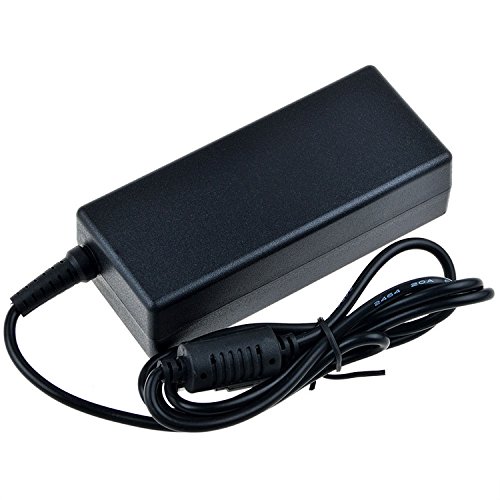
Image 1.1: SLLEA AC/DC Adapter and included power cord. The adapter is black with a power cord attached, ready for connection.
2. Safety Information
- Compatibility: Before connecting, ensure the adapter's output voltage and connector tip match your device's requirements. Incorrect usage can damage your device.
- Power Source: Use only with compatible power outlets (100-240 VAC, 50/60Hz).
- Protection Features: This adapter includes built-in Over Voltage Protection and Over Heat Protection for enhanced safety. However, avoid exposing the adapter to extreme temperatures or direct sunlight.
- Environment: Do not use the adapter in wet or damp conditions. Keep it away from liquids.
- Handling: Do not disassemble, modify, or attempt to repair the adapter. Refer all servicing to qualified personnel.
- Cord Care: Avoid bending, twisting, or pinching the power cord. Do not place heavy objects on the cord.
3. Setup Instructions
- Unpack: Carefully remove the AC/DC adapter and power cord from its packaging.
- Connect Power Cord: Insert the 2-pin end of the power cord firmly into the adapter's input port.
- Connect to Laptop: Plug the adapter's output connector tip into the power input port of your eMachines laptop. Ensure a snug fit.
- Connect to Wall Outlet: Plug the other end of the power cord into a standard 100-240 VAC wall outlet.
- Verify Connection: Confirm that your laptop indicates it is receiving power or charging.
4. Operating the Adapter
Once properly connected, the SLLEA AC/DC Adapter will automatically supply power to your eMachines laptop and charge its battery. No additional user interaction is typically required during operation.
- Charging Indicator: Observe your laptop's charging indicator light or on-screen battery status to confirm charging.
- Disconnection: To disconnect, first unplug the power cord from the wall outlet, then disconnect the adapter from your laptop.
- Storage: When not in use, store the adapter and cord in a cool, dry place, away from direct sunlight and moisture.
5. Maintenance
- Cleaning: Disconnect the adapter from all power sources before cleaning. Use a soft, dry cloth to wipe the exterior. Do not use liquid cleaners or solvents.
- Inspection: Periodically inspect the power cord and adapter casing for any signs of damage, such as cuts, fraying, or cracks. If damage is found, discontinue use immediately and replace the adapter.
- Ventilation: Ensure the adapter is placed in a well-ventilated area during use to prevent overheating. Do not cover it with cloths or other materials.
6. Troubleshooting
| Problem | Possible Cause | Solution |
|---|---|---|
| Laptop not charging/receiving power. |
|
|
| Adapter feels excessively hot. |
|
|
7. Specifications
- Input Voltage: 100 - 240 VAC, 50/60Hz (Worldwide Voltage Use)
- Power Source: Corded Electric
- Main Power Connector Type: 2 Pin
- Safety Features: Over Voltage Protection, Over Heat Protection
- Compatibility: Designed for various eMachines E-series laptop models (e.g., E732G, E732ZG, E732, eME529-P462G32Mikk, EME529-2417, EME644-BZ835, EME442-V429, E625-5315, E625-5776, E625-5813, MS2257, KAWG0, G525-312G25Mi, eME528-2325)
- UPC: 723044702630
8. Warranty and Support
SLLEA provides the following warranty for this product:
- Money Back Guarantee: 30 Days
- Free Exchange: 60 Days (with paid return label)
- Worry-Free Warranty: 360 Days
For any questions or concerns regarding your SLLEA AC/DC Adapter, please do not hesitate to contact SLLEA customer support. We are here to help.
Note: Warranty terms are subject to change. Please refer to the official SLLEA website or your purchase documentation for the most current warranty information.