
1. Introduction
This manual provides essential information for the safe and efficient operation of the Circutor CIRWATT B 410-MT5A-90B10 Energy Meter, model QBH30. This device is designed for accurate measurement of electrical energy consumption in various applications. Please read this manual thoroughly before installation and operation to ensure proper use and to prevent damage or injury.
2. Product Overview
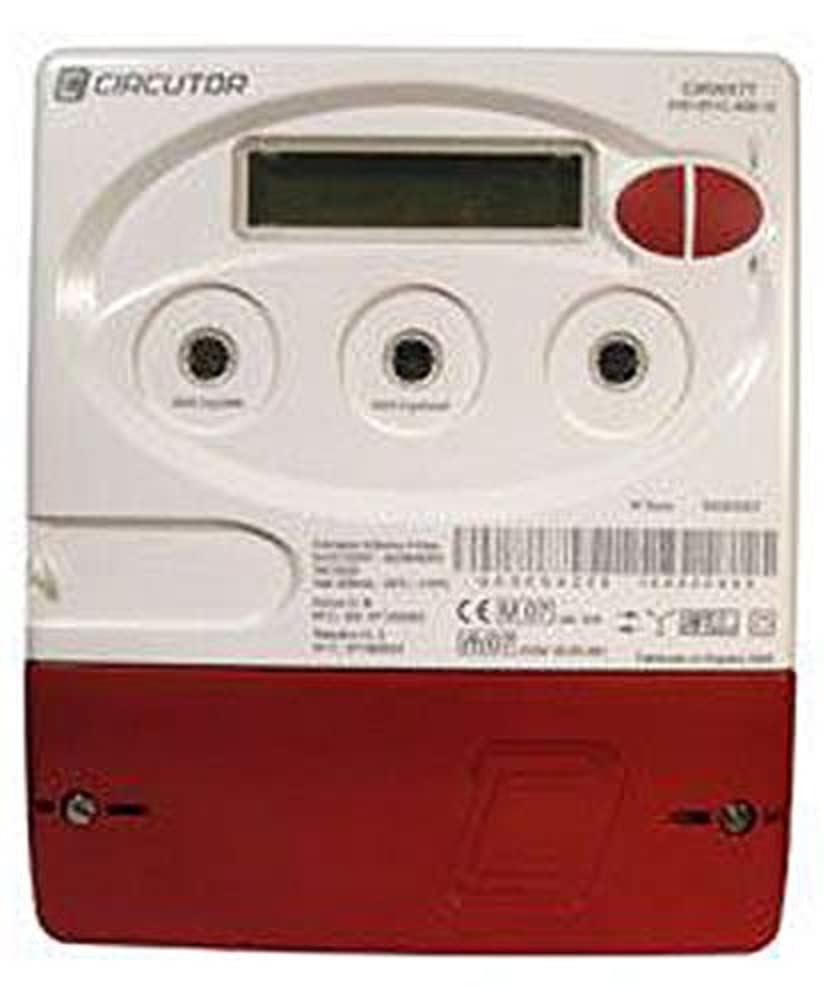
Figure 1: Front view of the Circutor CIRWATT B 410-MT5A-90B10 Energy Meter. The device features a digital display at the top, two red control buttons on the right, and three circular optical ports below the display. The lower section of the meter is red, while the upper section is white, bearing the 'CIRCUTOR' logo.
The Circutor CIRWATT B 410-MT5A-90B10 is a robust energy meter designed for reliable performance. It typically features a digital display for reading measurements, control buttons for navigation, and connection terminals for electrical integration. Its primary function is to monitor and record electrical energy usage.
3. Safety Information
WARNING: Installation and maintenance of this device must be performed by qualified personnel only. Disconnect all power before working on the meter or its connections. Failure to follow these instructions may result in electric shock, fire, or serious injury.
- Always follow local electrical codes and regulations.
- Ensure proper grounding.
- Do not operate the device if it appears damaged.
- Keep the device away from moisture and extreme temperatures.
4. Setup and Installation
Installation should only be carried out by a certified electrician. The following steps are general guidelines:
- Mounting: Securely mount the meter in a suitable enclosure or panel, ensuring adequate ventilation and accessibility for readings and maintenance.
- Wiring: Connect the power supply and load wires to the designated terminals on the meter. Refer to the wiring diagram provided with the product packaging for specific connections. Ensure all connections are tight and secure.
- Initial Power-Up: After verifying all connections, restore power to the circuit. The meter display should illuminate.
- Configuration (if applicable): Some models may require initial configuration via the front panel buttons or a communication port. Consult the detailed wiring and configuration diagrams for specific instructions.
5. Operating Instructions
The CIRWATT B 410-MT5A-90B10 is designed for straightforward operation. The primary interface is the digital display and the control buttons.
5.1. Reading the Display
The digital display shows various parameters, typically including total energy consumption (kWh), instantaneous power (kW), voltage (V), and current (A). The default display usually shows the total energy consumption.
5.2. Navigating Menus (if applicable)
Use the red control buttons on the front panel to cycle through different display screens or menu options. Typically, one button is for scrolling forward and the other for selecting or scrolling backward. Refer to the specific button functions detailed in the full product documentation.
6. Maintenance
The Circutor CIRWATT B 410-MT5A-90B10 is designed for minimal maintenance. However, periodic checks can help ensure its longevity and accuracy.
- Cleaning: Gently wipe the exterior with a soft, dry cloth. Do not use abrasive cleaners or solvents.
- Connection Checks: Periodically, a qualified technician should inspect the wiring connections to ensure they remain secure and free from corrosion.
- Environmental Conditions: Ensure the operating environment remains within the specified temperature and humidity ranges to prevent damage.
7. Troubleshooting
If you encounter issues with your energy meter, consider the following basic troubleshooting steps:
- No Display:
- Check if the power supply to the meter is active.
- Verify all wiring connections are secure.
- If the issue persists, contact a qualified technician.
- Incorrect Readings:
- Ensure the meter is correctly wired according to the diagram.
- Verify that the load connected is within the meter's specified range.
- If readings appear consistently inaccurate, professional calibration or inspection may be required.
- Buttons Unresponsive:
- Ensure the meter is powered on.
- If buttons remain unresponsive, the unit may require service.
For complex issues, always consult a qualified electrician or Circutor technical support.
8. Specifications
| Feature | Detail |
|---|---|
| Brand | Circutor |
| Model Number | QBH30 |
| Manufacturer Product Identifier | QBH30 |
| Number of Products | 1 |
| ASIN | B073V3QKRK |
| First Available Date | 10 July 2017 |
Note: Additional technical specifications such as voltage range, current rating, accuracy class, and communication protocols are typically found in the full product datasheet provided by Circutor.
9. Warranty and Support
For warranty information, technical support, or service inquiries, please contact Circutor directly or refer to their official website. Keep your purchase receipt and product model number (QBH30) available when contacting support.
Official Circutor Website: www.circutor.com