
Introduction
This instruction manual provides detailed guidance for the assembly, installation, and maintenance of your HOMCOM Jersey Display Frame Case. Designed to showcase and protect your valuable sports jerseys, this display case features a durable frame and a clear acrylic front. Please read all instructions carefully before beginning assembly.
Product Features
- Decorative Display: This frame is designed to elegantly showcase individual autographed sports memorabilia, suitable for basketball, football, baseball, hockey, and soccer jerseys.
- Enhanced Security: Features a hinged door equipped with two magnets and a locking latch to ensure the door remains securely closed, providing additional protection for your displayed item.
- Collection Protection: The UV-resistant acrylic door helps to prevent dust accumulation and protects your jersey from fading due to sun exposure.
- Simple Assembly: The jersey shadow box includes brass hooks on the back for wall mounting and an internal hanger, allowing for immediate display of your sports collectibles.
- Important Note: The acrylic panel is covered with a protective film. This film must be peeled off before use to ensure optimal clarity.
Package Contents
Please verify that all components are present before starting assembly:
- 1 x Jersey Display Frame Case
- 1 x Jersey Hanger
- Mounting Hardware (Hooks, Screws)
Setup and Installation
- Unpacking and Film Removal: Carefully remove all components from the packaging. Locate the acrylic panel and gently peel off the protective film from both sides. This ensures maximum clarity for your display.

Image: Before installation, ensure the protective film is removed from the acrylic panel.
- Measure Your Jersey: Before proceeding, measure the dimensions of your jersey to confirm it will fit within the display area of the case. The internal display area is approximately 33.9 inches (86 cm) in height and 26.8 inches (68 cm) in width.

Image: Measure your jersey to confirm it fits the internal dimensions of the case.
- Mounting the Frame: The display case is designed for wall mounting. It features two brass hanging hooks on the back. Select a suitable location on your wall. Use appropriate wall anchors and screws (not included, as wall types vary) to securely mount the frame. Ensure the frame is level before tightening.

Image: Detail of the two hanging hooks on the back for wall mounting.
- Inserting the Jersey: Open the hinged door of the display case. Place your jersey onto the provided hanger. Carefully position the jersey and hanger inside the case, ensuring it hangs neatly. Close the door and secure it using the locking latch.

Image: The internal hanger and hooks for displaying your jersey.
Usage and Operation
Once installed, your HOMCOM Jersey Display Frame Case is ready for use. The hinged door allows for easy access to change or adjust your displayed jersey. The combination of magnets and a locking latch ensures the door remains securely closed, protecting your valuable memorabilia from dust and unauthorized access.
To open, simply unlatch the lock and gently pull the door open. To close, push the door shut until the magnets engage, then secure the latch.

Image: The HOMCOM Jersey Display Frame Case showcasing a jersey in a home environment.
Maintenance
- Cleaning the Acrylic Panel: Use a soft, lint-free cloth and a mild, non-abrasive cleaner specifically designed for acrylic surfaces. Avoid using harsh chemicals, ammonia-based cleaners, or abrasive materials, as these can scratch or damage the acrylic.
- Cleaning the Frame: Wipe the engineered wood frame with a soft, slightly damp cloth. Dry immediately with a clean, dry cloth. Avoid excessive moisture.
- Regular Inspection: Periodically check the wall mounting hardware to ensure the display case remains securely attached to the wall. Tighten any loose screws if necessary.
Troubleshooting
- Difficulty with Assembly: If pre-drilled holes do not align perfectly, minor adjustments may be required. Ensure all screws are tightened securely but avoid overtightening to prevent damage to the frame material.
- Door Not Closing Properly: Check that the magnets and latch mechanism are aligned correctly. If the latch is stiff, a small amount of lubricant can be applied. Ensure no obstructions prevent the door from closing flush with the frame.
- Cloudy Acrylic Panel: If the acrylic appears cloudy, ensure that the protective film has been completely removed from both sides. If the film is removed and it remains cloudy, clean it with an appropriate acrylic cleaner.
Specifications
| Feature | Specification |
|---|---|
| Brand | HOMCOM |
| Model Number | AC0-002 |
| Colour | Black |
| External Product Dimensions (L x W x H) | 71L x 6.5W x 89H centimetres (28" W x 2.6" D x 35" H) |
| Internal Display Area (approx.) | 86 cm H x 68 cm W (33.9" H x 26.8" W) |
| Frame Material | Engineered Wood |
| Item Weight | 5.44 kg |
| Mounting Type | Wall Mount |
| Shape | Rectangular |
| Number of Items | 1 |
| Hanger Size | 17.7" W x 0.4" D (45 x 1 cm) |
Image: External dimensions of the HOMCOM Jersey Display Frame Case.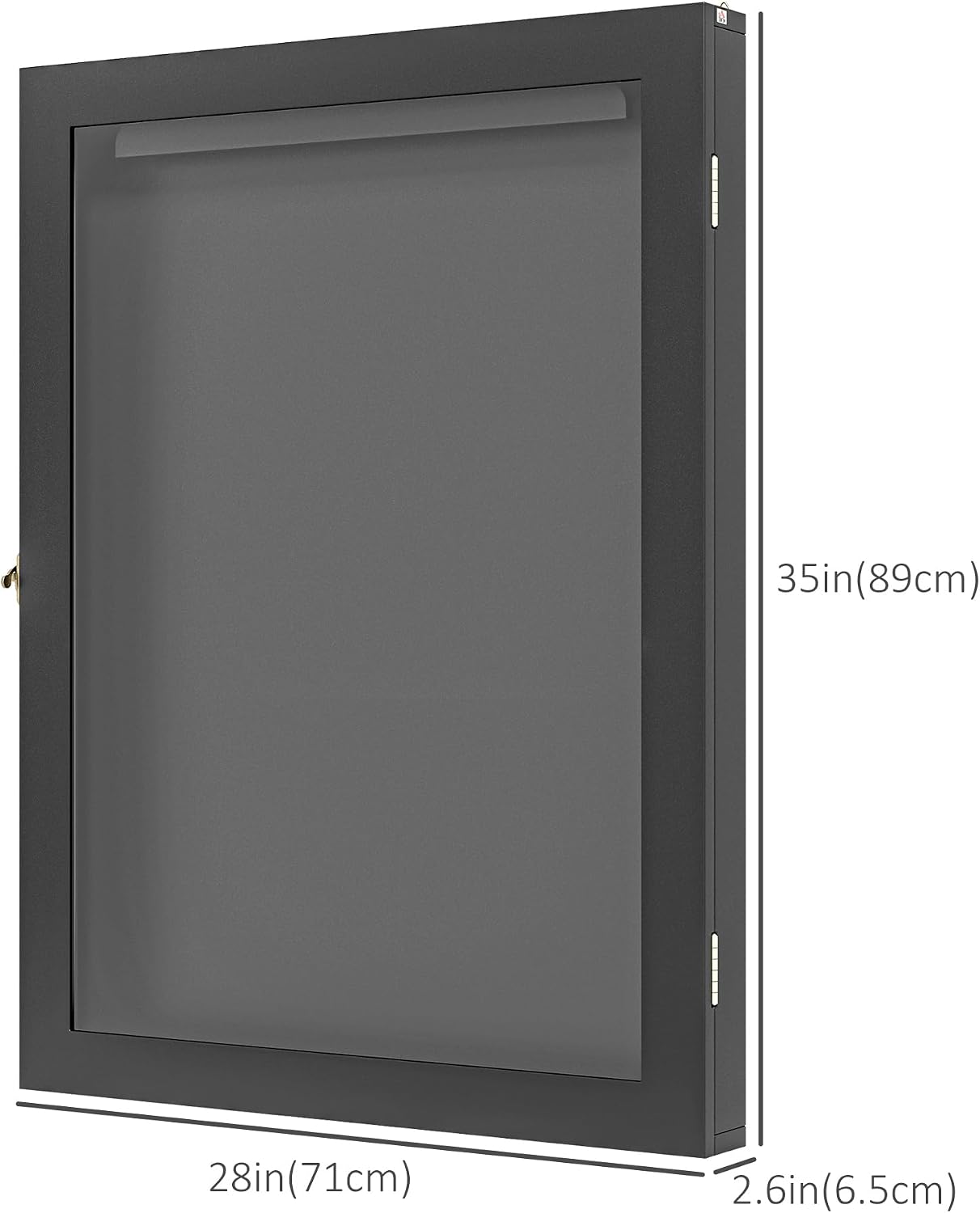
Warranty and Support
This HOMCOM product is covered by a 90-Day Warranty Against Manufacturer Defects. For any issues or support inquiries, please contact the manufacturer, Aosom Canada.
Manufacturer: Aosom Canada
Manufacturer Contact Information: Scarborough, ON M1B 1T1, CA

