
1. Introduction
This instruction manual provides guidance for the use and care of Wonfoucs Compatible Dymo LetraTag Label Tape Refills, Model 91330. These refills are designed to provide clear, durable labels for various organizational needs. The tape features black print on a white paper background, with dimensions of 12mm (1/2 inch) width and 4m (13 feet) length.

Image 1.1: Wonfoucs 91330 Label Tape Refills (3-Pack)
2. Compatibility
The Wonfoucs 91330 label tape refills are compatible with a range of Dymo LetraTag label makers. Ensure your label maker model is listed below for proper function:
- Dymo LetraTag LT-100H
- Dymo LetraTag LT-100H Plus
- Dymo LetraTag LT-100T
- Dymo LetraTag LT-110T
- Dymo LetraTag 200B
- Dymo LetraTag QX 50
- Dymo LetraTag XR
- Dymo LetraTag XM
- Dymo LetraTag 2000

Image 2.1: Compatible Dymo LetraTag Label Makers
3. Features
These label tape refills offer several features designed for efficient and reliable labeling:
- Thermal Printing Technology: Utilizes thermal printing, eliminating the need for ink or toner.
- Clear and Legible Print: Produces sharp, easy-to-read text for quick identification.
- Easy-Peel Split Backing: Designed with a split backing for convenient and quick removal of the adhesive liner.
- Strong Adhesion: Labels adhere securely to various surfaces.
- Clean Removal: Leaves no sticky residue upon removal from most surfaces.
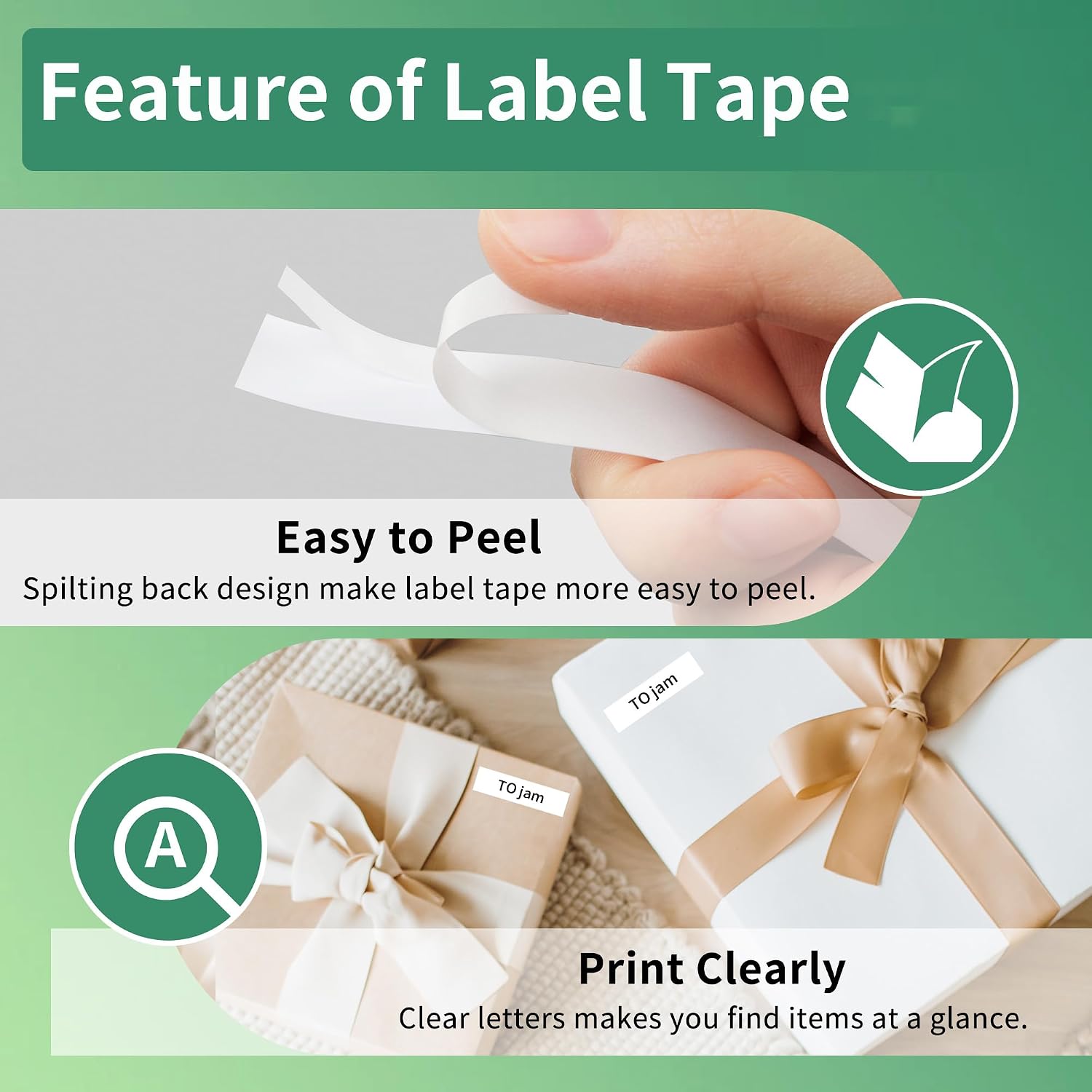
Image 3.1: Easy-Peel Feature and Clear Print Quality
4. Setup and Installation
To install the label tape refill into your compatible Dymo LetraTag label maker, follow these general steps:
- Ensure your label maker is turned off.
- Open the label maker's tape compartment cover. This is typically located at the back or top of the device.
- If an old tape cartridge is present, gently remove it.
- Insert the new Wonfoucs 91330 label tape cartridge into the compartment, ensuring it clicks securely into place. The tape should feed smoothly through the label maker's output slot.
- Close the tape compartment cover.
- Turn on your label maker and print a test label to confirm proper installation.

Image 4.1: Label Tape Cartridge Insertion
5. Operating Instructions
Once the label tape is installed, operate your Dymo LetraTag label maker as per its specific user manual. The general process involves:
- Turn on the label maker.
- Type the desired text using the label maker's keyboard.
- Adjust formatting (e.g., font size, style, borders) if available on your model.
- Press the print button. The label maker will print and cut the label.
- Carefully remove the printed label from the label maker.
- Peel off the split backing from the label to expose the adhesive.
- Apply the label to your desired clean, dry surface.
6. Applications and Usage Examples
The Wonfoucs 91330 label tape is versatile and suitable for a wide range of organizational tasks in various environments:
- Office: Labeling files, folders, binders, shelves, and office supplies for efficient document management and organization.
- Home: Organizing kitchen pantry items (spices, dry goods), storage containers, craft supplies, and personal belongings.
- School: Labeling school supplies, books, and classroom materials.
- Retail/Shop: Marking product bins, shelves, and inventory.
- Healthcare: Labeling medical supplies, patient charts, and storage in clinics or labs.

Image 6.1: Diverse Labeling Applications
7. Maintenance
To ensure the longevity and performance of your label tape and labels:
- Store unused tape cartridges in a cool, dry place, away from direct sunlight and extreme temperatures.
- Avoid exposing printed labels to harsh chemicals or prolonged moisture, which may affect adhesion or print quality.
- When applying labels, ensure the surface is clean and dry for optimal adhesion.
8. Troubleshooting
If you encounter issues with your label tape, consider the following:
- Poor Print Quality: Ensure the label maker's print head is clean. Refer to your label maker's manual for cleaning instructions. Verify the tape cartridge is correctly installed.
- Tape Jamming: Check for any obstructions in the tape path within the label maker. Ensure the tape is not twisted or improperly loaded.
- Difficulty Peeling Backing: While designed for easy peeling, some users may find the split backing requires careful separation. Gently bend the label along the split line to help initiate the peel.
- Labels Not Sticking: Ensure the application surface is clean, dry, and smooth. Avoid applying labels to dusty, oily, or textured surfaces.
9. Specifications
| Attribute | Detail |
|---|---|
| Model Number | 91330 (Item model number: ww-3-91330 for 3-pack) |
| Material Type | Paper |
| Print Color | Black |
| Tape Color | White |
| Width | 12mm (1/2 inch) |
| Length | 4m (13 feet) |
| Item Weight (per 3-pack) | 0.48 ounces |
| Product Dimensions (per 3-pack) | 3.1 x 1.5 x 2.2 inches |
| Finish Type | Laminated |

Image 9.1: Label Tape Cartridge Dimensions

Image 9.2: Label Tape Details (Width and Length)
10. Warranty and Support
For specific warranty information or customer support regarding your Wonfoucs label tape refills, please refer to the seller's information on the purchase platform or contact Wonfoucs directly through their official channels. No explicit warranty details are provided within this manual.