
PROGRACE B073QNVQK5
Contents
PROGRACE Kids Waterproof Digital Camera User Manual
Model: B073QNVQK5
Introduction
The PROGRACE Kids Waterproof Digital Camera is designed for young adventurers, offering durable and user-friendly features for capturing photos and videos in various environments, including underwater. This manual provides essential information for setting up, operating, maintaining, and troubleshooting your camera to ensure a happy and creative experience.

Image: The PROGRACE Kids Waterproof Digital Camera in its blue waterproof case, with a 32GB SD card and a screen showing children in a pool.
Video: An overview of the PROGRACE waterproof camera for kids, highlighting its features and suitability for young users.
What's in the Box
Verify that all items listed below are included in your package:
- 1 X Kids Waterproof Camera
- 1 X Waterproof Case
- 1 X 32GB Micro SD Card (Pre-installed)
- 1 X USB Cable
- 2 X Fastening Strap
- 1 X Bicycle Mount
- 1 X Helmet Mount
- 1 X Lanyard
- 1 X User Manual

Image: A visual representation of all components included in the PROGRACE Kids Camera package.
Setup
1. SD Card Installation and Formatting
The camera comes with a 32GB Micro SD card pre-installed. If the memory card is not recognized, connect the camera to a PC using the provided USB data cable. Format the SD card to FAT32 on your PC. After formatting, remove the SD card, find "Reset all" in the camera settings to reset the device, and then reinsert the SD card for proper recognition.
2. Charging the Battery
The camera has a built-in 3.7V rechargeable battery. Connect the camera to a USB power source using the provided USB cable. The charging indicator will show the charging status. Ensure the camera is fully charged before first use for optimal performance. A full charge provides approximately 1.5 hours of recording time.
3. Attaching the Waterproof Case
For underwater use or protection against impacts, always enclose the camera in its waterproof case. Ensure the case is securely latched and sealed before exposing it to water. The case allows the camera to be waterproof up to 98ft (30 meters).

Image: Two children diving underwater with the PROGRACE Kids Camera, demonstrating its waterproof capability up to 100 feet.
Operating Instructions
1. Basic Controls
The camera features intuitive buttons for easy navigation:
- Power Button: Press and hold to turn the camera ON/OFF.
- Mode Button: Switch between photo and video modes.
- OK Button: Confirm selections or take a photo/start/stop recording.
- Navigation Buttons: Use arrow buttons to navigate menus or apply filters/frames.
2. Taking Photos
In photo mode, press the OK button to capture a picture. The camera supports 5MP photos and features like 40 photo frames and face recognition.
3. Recording Videos
In video mode, press the OK button to start recording. Press it again to stop. The camera records HD 1080P/30fps videos and offers 7 color video modes.
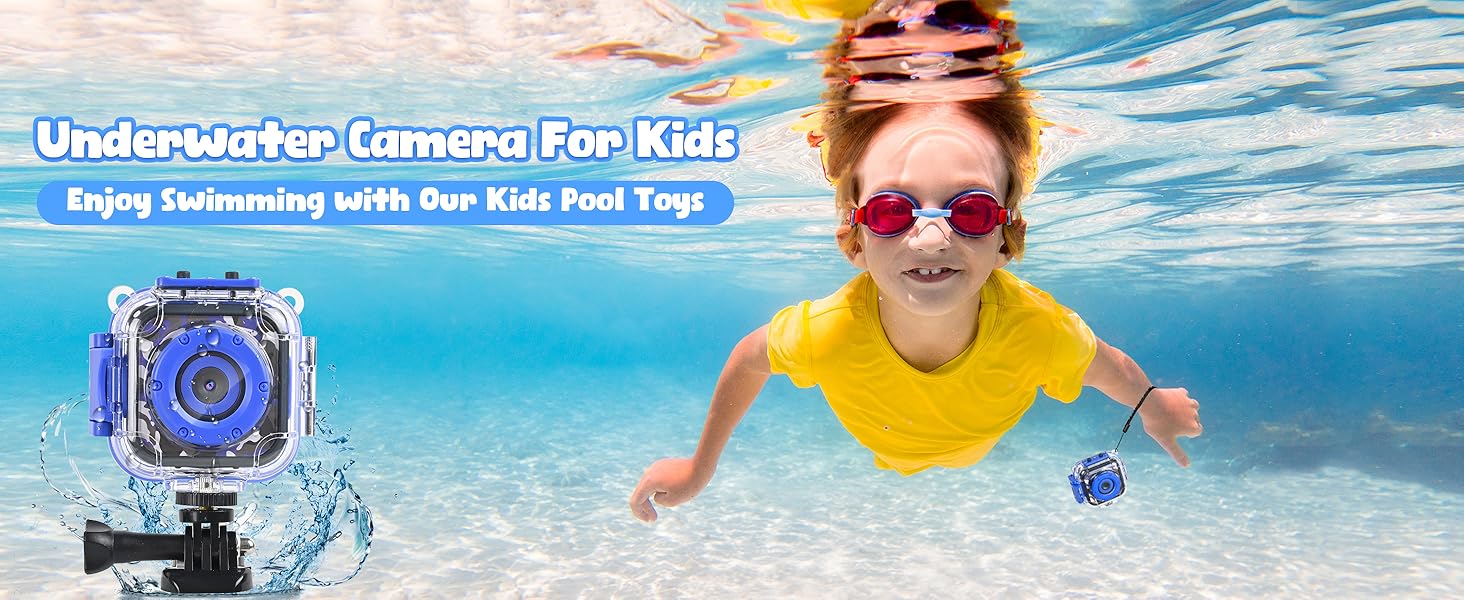
Image: The camera screen displaying 1080P HD video recording, with examples of captured video frames.
4. Using Filters and Frames
Enhance your photos and videos with built-in filters and frames. Navigate through the options using the arrow buttons and select your desired effect.
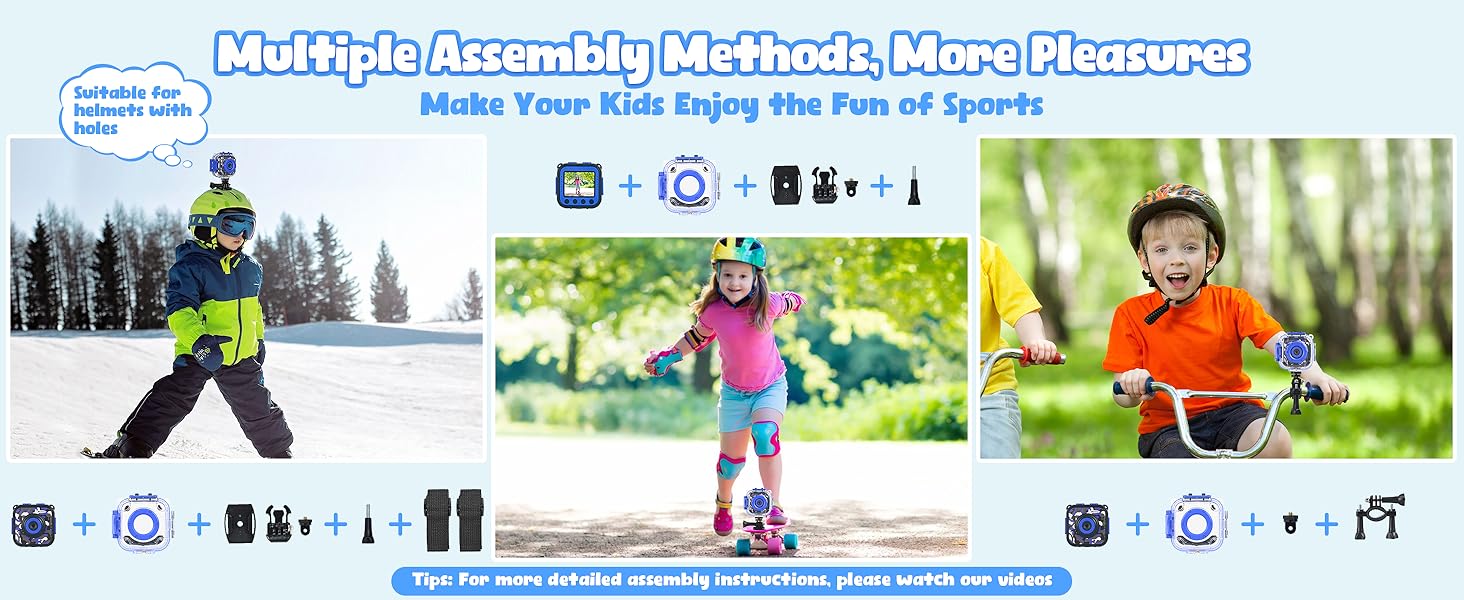
Image: Examples of 40 funny frames, 3 mirror effects, and 7 color filters available on the camera.
5. Digital Zoom
The camera features 4X digital zoom. Use the appropriate buttons to zoom in or out while capturing photos or videos.

Image: Visual demonstration of the 4X digital zoom capability, showing 1X, 2X, 3X, and 4X zoom levels.
6. Time-Lapse and Burst Shooting
Explore creative photography with time-lapse photo and burst shooting functions. Time-lapse allows capturing images at set intervals (3s/5s/10s), while burst shooting captures multiple photos in quick succession (e.g., 3 continuous photos).
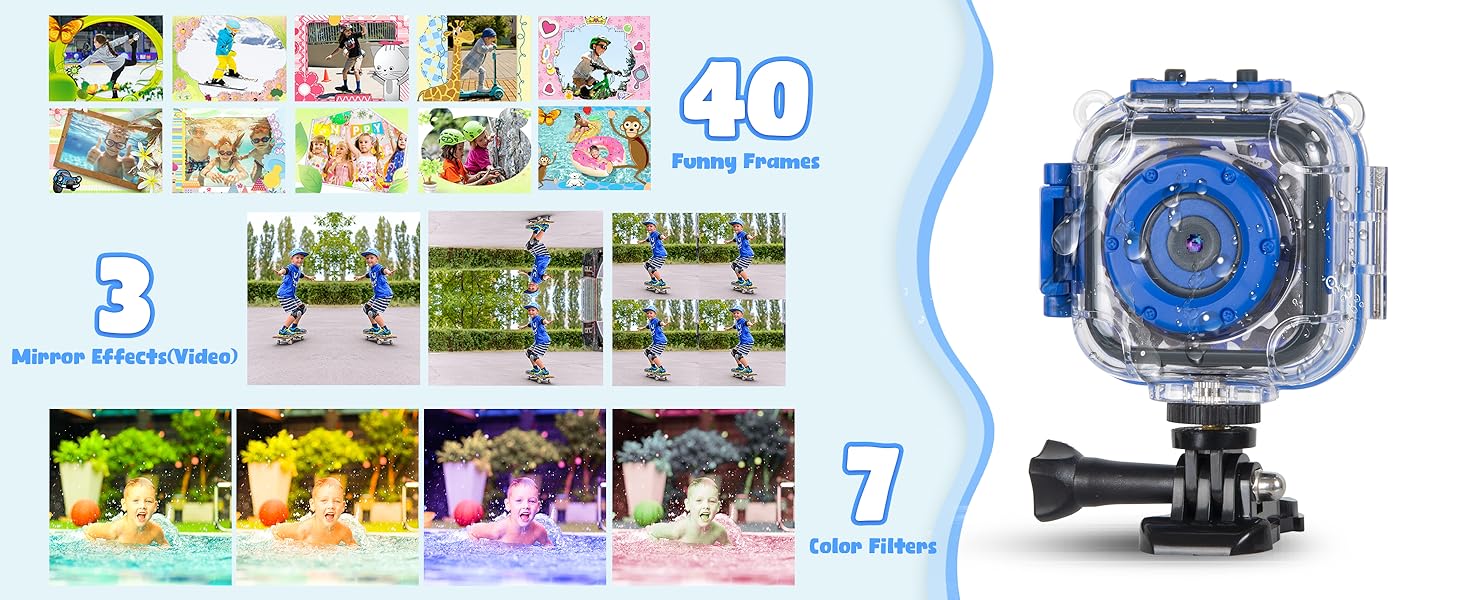
Image: Examples of time-lapse photography at 3s, 5s, and 10s intervals.

Image: Demonstration of taking 3 continuous photos underwater.
Mounting Instructions
The PROGRACE Kids Camera comes with various accessories for different activities. Follow these instructions to properly attach your camera.

Image: Children engaged in various outdoor sports like swimming, skiing, cycling, skateboarding, climbing, and surfing with the camera.
1. Helmet Mount
Attach the camera to a helmet using the provided helmet mount and fastening straps. Ensure it is secure for stable recording during activities like skiing or skateboarding.
Video: Instructions on how to properly attach the PROGRACE Kids Camera to a helmet using the provided mount and straps.
2. Bicycle Mount
Use the bicycle mount to secure the camera to handlebars or seat posts. This allows for capturing exciting footage during bike rides.
Video: A step-by-step guide on how to install the PROGRACE Kids Camera onto a bicycle using the bike mount accessory.
3. Lanyard and Fastening Straps
For handheld use or to secure the camera to wrists or other objects, utilize the included lanyard and fastening straps. This provides extra security and convenience.

Image: Diagrams showing different assembly methods for the camera, including helmet and lanyard attachments.
Maintenance
1. Cleaning the Camera and Case
After each use, especially after exposure to water, clean the camera and its waterproof case with fresh water. Wipe them dry with a soft, lint-free cloth. Ensure no water or debris remains in the seals of the waterproof case.
2. Battery Care
To prolong battery life, avoid extreme temperatures. Store the camera in a cool, dry place. If the camera will not be used for an extended period, charge it periodically to prevent deep discharge.
3. SD Card Management
Regularly transfer photos and videos from the SD card to a computer to free up space and prevent data loss. Format the SD card periodically (as described in the Setup section) to maintain optimal performance.
Troubleshooting
- Camera not turning on: Ensure the battery is charged. If it's charged and still not turning on, try the "Reset all" option in the camera settings after connecting to a PC.
- SD card not recognized: Format the SD card to FAT32 on a PC, then reset the camera settings and reinsert the card.
- Poor image/video quality: Ensure the lens is clean and free from smudges. Check lighting conditions. For underwater use, ensure the waterproof case lens is clear.
- Short battery life: Fully charge the camera before use. The camera has an automatic energy-saving mode that turns off the screen if power is low.
- Transferring data to Apple Mac: An adapter may be needed to connect the camera to an Apple Mac for data transfer.
Specifications
| Feature | Detail |
|---|---|
| Product Dimensions | 2.36 x 2.28 x 0.98 inches |
| Item Weight | 1.76 ounces |
| Batteries | 1 Lithium Metal battery required (included) |
| Photo Sensor Technology | CMOS |
| Video Capture Resolution | 1080p |
| Maximum Focal Length | 0.5 |
| Maximum Aperture | 2.8 Millimeters |
| Flash Memory Type | Micro SD |
| Video Capture Format | AVI |
| Screen Size | 1.77 Inches |
| Waterproof Depth | Up to 98ft (30 meters) with waterproof case |
Warranty and Support
For warranty information, technical support, or any inquiries regarding your PROGRACE Kids Waterproof Digital Camera, please refer to the contact details provided in the original product packaging or visit the official PROGRACE website. Keep your purchase receipt for warranty claims.
Ask a question about this manual
Ask about setup, troubleshooting, compatibility, parts, safety, or missing instructions. Manuals+ will review the question and use this page’s manual context to help answer it.