
Unknown Mini Table Saw
Multifunction Mini Table Saw User Manual
Model: Mini Table Saw
Brand: Unknown
1. Introduction
The Multifunction Mini Table Saw is a versatile tool designed for DIY enthusiasts and model makers. It combines the functions of a table saw, electric polisher, and grinder, offering strong cutting power with low noise, making it suitable for home use.
Key features include a unibody 3mm thick steel frame and aluminum alloy panel for durability and flatness, a 775-type high-torque motor with up to 7000 RPM, and a 110mm alloy saw blade for precise cuts. The cutting table is equipped with a ruler and backer for accuracy and safety. Additionally, it features a B12 drill chuck for polishing and drilling applications, and a 7-class adjustable speed power supply for various cutting speeds.
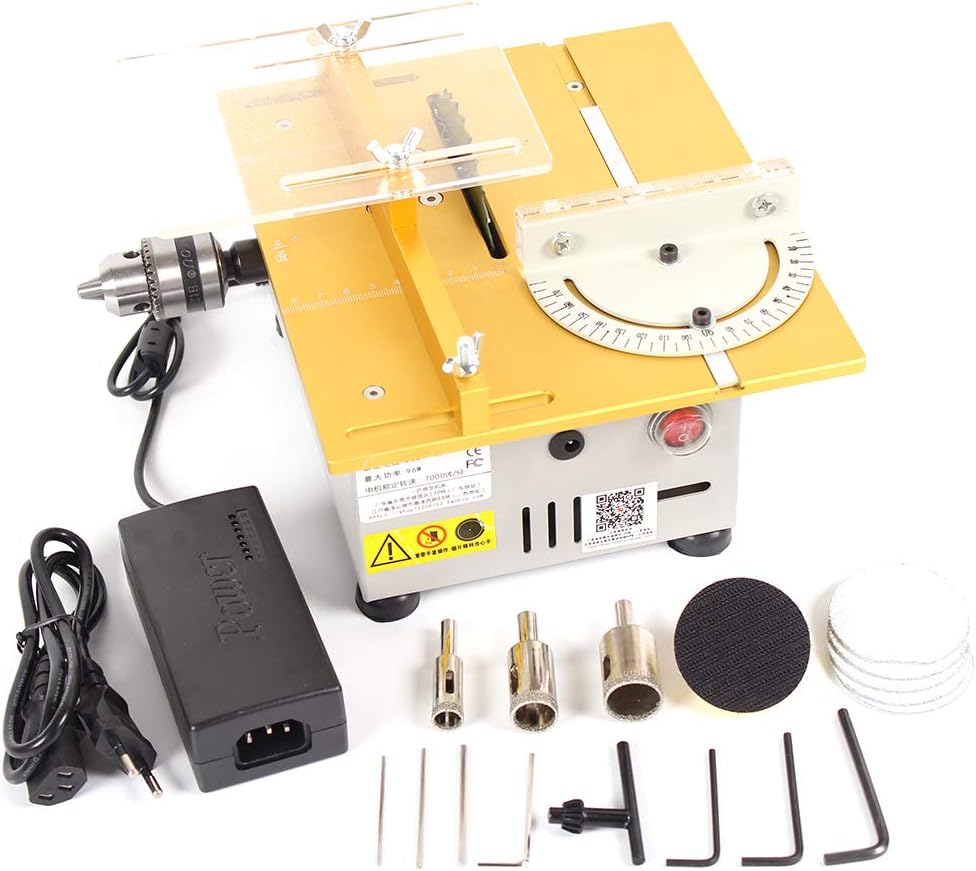
Figure 1.1: Overview of the Multifunction Mini Table Saw and included accessories.
2. Setup and Assembly
The Mini Table Saw comes disassembled and requires careful assembly before first use. Ensure all components are present and undamaged upon unboxing.
2.1 Component Identification
Familiarize yourself with the main components of the table saw:

Figure 2.1: Key components of the Mini Table Saw. (1) Transparent safety baffle, (2) Saw blade, (3) B12 drill chuck, (4) Aluminum bucking, (5) Scale, (6) Shock foot, (7) Vents, (8) DC power plug, (9) Waterproof switch, (10) Drain hole, (11) Angle scale.
2.2 Initial Assembly Steps
- Place the main unit on a stable, flat surface. The unit features four rubber damping pads for stability and shock absorption.
- Attach the transparent safety baffle over the saw blade area. Secure it using the provided wing nuts.
- Install the saw blade. Ensure the blade is compatible with the 16mm or 20mm bore diameter. Use the provided tools to secure the blade firmly.
- Attach the aluminum backer and push ruler to the cutting desk. These components are designed with T-slots for secure and accurate positioning.
- Connect the DC power adapter to the DC power plug on the unit. Ensure the power adapter is compatible with your local voltage (110V / 220V Universal).

Figure 2.2: Dimensions of the Mini Table Saw (24cm x 20cm x 11.5cm).
2.3 Power Connection
Plug the power adapter into a suitable electrical outlet. The unit is equipped with a waterproof switch for safe operation. Use the 7-class power adapter to adjust the rotating speed as needed.
3. Operating Instructions
This Multifunction Mini Table Saw is capable of cutting, polishing, and drilling various materials. Always wear appropriate safety gear, including eye protection, when operating the tool.
3.1 Cutting Operations
The table saw is designed for precise cutting of wood, plastic, and aluminum (with the appropriate alloy circular saw blade). The maximum cutting thickness is 29mm (1.14 inches).
- Adjusting Speed: Use the 7-class adjustable speed power supply to set the desired RPM for your material.
- Using the Backer and Ruler: Position the material against the aluminum backer and use the integrated ruler for accurate measurements. The backer features a laser-printed scale for precision.
- Angle Cuts: Utilize the angle scale for precise miter cuts.
- Safety: Always ensure the transparent safety baffle is in place during cutting. Use push sticks for small pieces to keep hands clear of the blade.

Figure 3.1: Backer with accurate laser-printed scale for precise cutting.
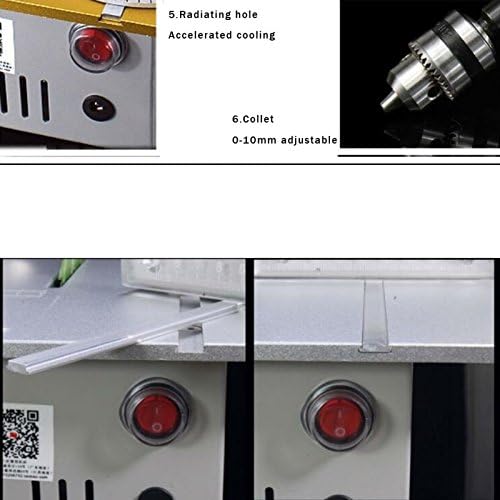
Figure 3.2: Angle scale with double markup for setting precise cutting angles.
3.2 Polishing and Drilling Operations
The integrated B12 drill chuck (0.6-12mm clamping capacity) allows the unit to function as an electric polisher or drill. Simply install the appropriate accessories (polishing pads, drill bits) into the chuck.
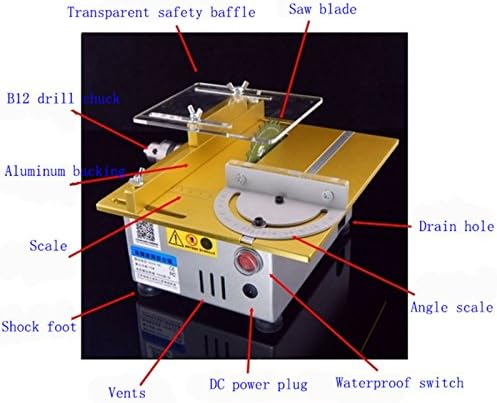
Figure 3.3: The B12 drill chuck for polishing and drilling applications.
3.3 Operational Demonstration Video
Watch the official product video for a visual demonstration of the Mini Table Saw's various functions, including cutting different materials, routing, engraving, and polishing.
Video 3.1: Demonstration of the Multifunction Mini Table Saw's cutting, routing, engraving, and polishing capabilities.
4. Maintenance
Regular maintenance ensures the longevity and optimal performance of your Mini Table Saw.
- Cleaning: After each use, clear any sawdust or debris from the cutting area and around the blade. The unit features a clearance hole for easy removal of waste material.
- Lubrication: If the slide for the miter fence or other moving parts become stiff, apply a small amount of appropriate lubricant (e.g., 3-in-1 oil) to ensure smooth operation.
- Cooling: The unit is designed with radiating holes for accelerated cooling during operation. Ensure these vents are not obstructed.

Figure 4.1: Clearance hole for debris removal and transparent protective plate.
5. Troubleshooting
This section addresses common issues you might encounter with your Mini Table Saw.
| Problem | Possible Cause | Solution |
|---|---|---|
| Unit does not power on. | Power adapter not properly connected; faulty power outlet; internal wiring issue. | Ensure the power adapter is securely plugged into both the unit and a working electrical outlet. Check the waterproof switch is in the 'ON' position. If issues persist, inspect wiring connections. |
| Saw blade/chuck is stiff or not rotating smoothly. | Accumulated debris; lack of lubrication; improper installation. | Clean any debris from around the blade or chuck. Apply a small amount of lubricant to moving parts. Re-install the blade/chuck ensuring it is correctly seated and tightened. |
| Inaccurate cuts. | Improper use of backer/ruler; material not held firmly; blade wobble. | Ensure the backer and ruler are correctly positioned and tightened. Hold the material firmly against the backer during cutting. Check that the saw blade is securely installed and not bent. |
6. Specifications
| Brand | Unknown |
| Model | Mini Table Saw |
| Maximum Power | 96W |
| Power Supply | DC 12-24V |
| Load-free Speed | 7000RPM |
| Maximum Cutting Thickness | 29mm (1.14 inches) |
| Compatible Saw Blade Bore Diameter | 16mm / 20mm |
| Table Saw Size (L*W*H) | 240 X 200 X 115mm (9.45 X 7.87 X 4.53 inches) |
| Net Weight | 3.9kg (8.58 pounds) |
| Blade Material | Steel |
| Surface Recommendation | Wood, Plastic |
| UPC | 713869633981 |
7. Warranty and Support
Specific warranty details and direct manufacturer support contact information are not provided in the product data. For any issues or inquiries, please refer to your point of purchase or the seller, SunTop, for assistance.
Protection plans may be available for purchase separately. Please check with your retailer for options.
Ask a question about this manual
Ask about setup, troubleshooting, compatibility, parts, safety, or missing instructions. Manuals+ will review the question and use this page’s manual context to help answer it.