
1. Introduction
The Samyang AF 35mm F2.8 FE is a compact and high-performance camera lens designed for Sony E-mount full-frame mirrorless cameras. Its lightweight and small form factor make it an excellent choice for everyday photography and travel. This lens incorporates advanced optical technology, including aspherical and high refractive elements, along with Ultra Multi Coating, to deliver sharp, clear images with minimal aberrations.
This manual provides essential information on how to properly set up, operate, and maintain your Samyang AF 35mm F2.8 FE lens to ensure optimal performance and longevity.
2. What's in the Box
Upon opening your Samyang AF 35mm F2.8 FE lens package, please verify that all the following items are included:
- Samyang AF 35mm F2.8 FE Lens
- Front Lens Cap
- Rear Lens Cap
- Lens Hood
- Lens Pouch

3. Setup
3.1 Attaching the Lens
- Ensure your camera is turned off.
- Remove the rear lens cap from the lens and the body cap from your camera.
- Align the white index mark on the lens barrel with the white index mark on your camera's lens mount.
- Insert the lens into the camera mount and rotate it clockwise until it clicks into place. Do not force the lens.
3.2 Removing the Lens
- Ensure your camera is turned off.
- While pressing the lens release button on your camera body, rotate the lens counter-clockwise until it stops.
- Gently remove the lens from the camera mount.
- Attach the front and rear lens caps to protect the lens elements.
3.3 Attaching the Lens Hood
The included lens hood helps to block unwanted stray light, reducing flare and ghosting, and provides physical protection for the front element. Align the lens hood with the front of the lens and twist it until it locks securely.
4. Operating the Lens
4.1 Autofocus (AF) Operation
The Samyang AF 35mm F2.8 FE lens features a fast and accurate autofocus system. To use autofocus, set your camera's focus mode to AF (Autofocus). The lens will communicate with the camera to achieve focus automatically. Refer to your camera's instruction manual for specific AF mode settings (e.g., Single-shot AF, Continuous AF, Direct Manual Focus).
4.2 Manual Focus (MF) Operation
To use manual focus, set your camera's focus mode to MF (Manual Focus). Rotate the focus ring on the lens barrel to adjust the focus. Your camera's focus peaking and magnification features can assist in achieving precise manual focus.
4.3 Aperture Control
The aperture (f/2.8) is controlled electronically through your camera body. You can adjust the aperture settings via your camera's menu or control dials, depending on your camera model and shooting mode.
4.4 Recommended Usage
The 35mm focal length is versatile and suitable for various photographic applications:
- Daily Photography: Its compact size makes it ideal for everyday shooting, capturing spontaneous moments.
- Travel Photography: Lightweight and versatile for documenting your journeys.
- Landscapes: Provides a natural field of view, suitable for wide scenes.
- Street Photography: Discreet and excellent for capturing candid street scenes.
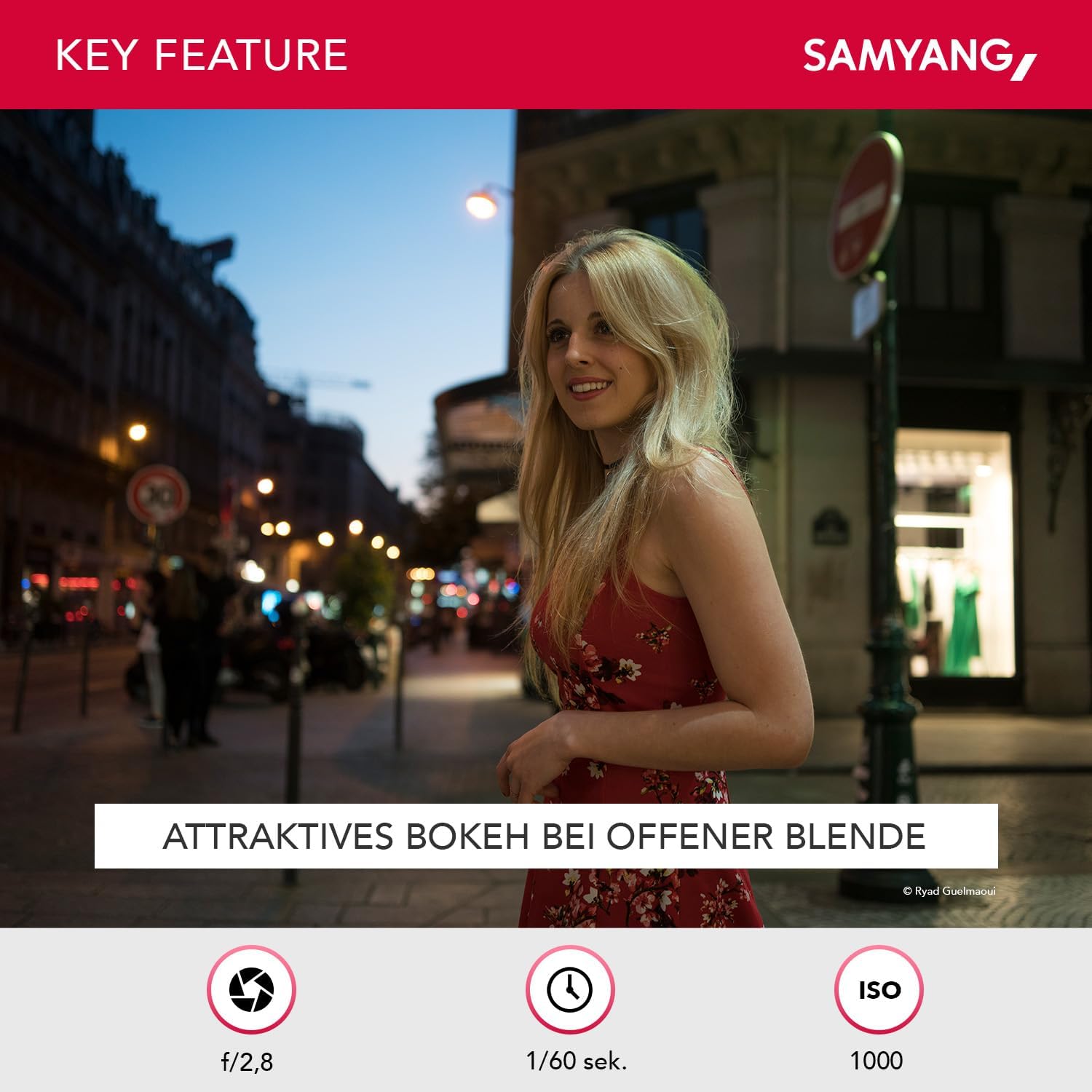
- Portraits: On full-frame sensors, 35mm offers a wider perspective for environmental portraits. On APS-C sensors, it acts like a 52mm lens, which is a classic portrait focal length.

5. Maintenance
5.1 Cleaning the Lens
To maintain optical performance, keep the lens elements clean. Use a blower brush to remove dust and loose particles. For smudges or fingerprints, use a clean microfiber cloth specifically designed for optics, along with a small amount of lens cleaning solution. Apply the solution to the cloth, not directly to the lens. Wipe gently in a circular motion from the center outwards.
Avoid touching the lens elements with your fingers. Do not use harsh chemicals or abrasive materials for cleaning.
5.2 Storage
When not in use, always attach the front and rear lens caps. Store the lens in its protective pouch or a dry, cool place away from direct sunlight and extreme temperatures. Avoid storing the lens in areas with high humidity to prevent mold growth.
6. Troubleshooting
If you encounter issues with your Samyang AF 35mm F2.8 FE lens, consider the following common troubleshooting steps:
- Autofocus Not Working: Ensure the camera's focus mode is set to AF. Check if the lens is securely mounted to the camera body. Clean the lens and camera electrical contacts with a dry, clean cloth. Restart the camera.
- Blurry Images: Verify that the lens is properly focused. Check your camera's shutter speed to ensure it's fast enough to prevent motion blur, especially in low light. Ensure the aperture is set appropriately for your desired depth of field.
- Lens Not Detected by Camera: Turn off the camera, remove the lens, and reattach it securely. Clean the electrical contacts on both the lens and camera. Ensure your camera's firmware is up to date.
- Unusual Noises: If you hear unusual noises during operation, immediately turn off the camera and remove the lens. Do not attempt to repair the lens yourself. Contact customer support.
For more detailed troubleshooting, refer to your camera's instruction manual or contact Samyang customer support.
7. Specifications
| Feature | Specification |
|---|---|
| Model Number | 8022 |
| Focal Length | 35mm |
| Maximum Aperture | f/2.8 |
| Lens Type | Standard Prime Lens |
| Compatible Mountings | Sony E-mount |
| Minimum Focus Distance | 35 cm (1.15 ft) |
| Filter Diameter | 49mm (or 40.5mm with integrated hood) |
| Dimensions (Diameter x Length) | 61.8 mm x 33 mm (approx. 2.43 x 1.3 inches) |
| Item Weight | 85g (approx. 3.02 ounces) |
| Optical Construction | 7 elements in 6 groups (including 2 aspherical, 1 high refractive) |
| Coating | Ultra Multi Coating (UMC) |

8. Compatibility
The Samyang AF 35mm F2.8 FE lens is specifically designed for Sony E-mount cameras. It is compatible with both full-frame and APS-C sensor cameras.
8.1 Full-Frame Compatibility (Examples)
- Sony A7R V, A7 IV, A1, A7S III, A7C, A9 II, A7R IV, A7 III
8.2 APS-C Compatibility (Examples)
- Sony ZV-E10, A6100, A6400, A6600, A6500, A6300

9. Warranty and Support
Samyang products are covered by a limited warranty. For specific warranty terms and conditions, please refer to the warranty card included with your product or visit the official Samyang website. Keep your proof of purchase for warranty claims.
For technical support, service, or inquiries, please contact Samyang customer service through their official website or authorized distributors in your region. Do not attempt to disassemble or repair the lens yourself, as this may void your warranty.