
1. Safety Instructions
Please read and understand all safety instructions before installation and use. Retain this manual for future reference.
- Power Source: Use only the provided AC adapter. Ensure the voltage matches your local power supply.
- Water Resistance: The string lights are IP44 waterproof for indoor and outdoor use. The adapter is NOT waterproof. Keep the adapter dry and protected from water or rain.
- Low Voltage: The lights operate at a safe 5V low voltage, ensuring they remain cool to the touch.
- Installation: Do not cut or modify the wires or bulbs. Do not hang objects from the string lights.
- Overheating: Do not cover the lights with flammable materials. Ensure adequate ventilation.
- Children and Pets: Keep the product out of reach of small children and pets to prevent entanglement or ingestion.
2. Package Contents
Verify that all items are present in the package:
- 1 x Brightown 300 LED Curtain String Lights (9.8 FT x 9.8 FT)
- 1 x Remote Control
- 1 x AC Power Adapter
3. Setup Instructions
Follow these steps for proper installation:
- Unpack Carefully: The string lights are designed to prevent tangling. It is recommended to keep the individual vertical strings bundled until the main horizontal string is securely hung.
- Hang the Main String: Identify the main horizontal string. Hang it in your desired location (e.g., along a curtain rod, wall, or ceiling). The lighted length is 9.8 feet.
- Unfurl Vertical Strings: Once the main string is in place, carefully unwrap and let down each of the 12 vertical strings. Each vertical string is 9.8 feet long and contains 25 LEDs.
- Adjust Spacing (Optional): If desired, you can adjust the distance between the vertical strings using zip ties or other fasteners to create a double layer or achieve a specific visual effect.
- Connect Power: Plug the string lights into the provided AC power adapter, then plug the adapter into a standard electrical outlet.

Figure 1: Easy installation guide. Hang the main horizontal line first, then unfurl the vertical strings.

Figure 2: Product dimensions and layout. The diagram shows the 9.8ft width with 10 main strings and 3.3ft drop with 30 LEDs per string.
4. Operating Instructions
The Brightown Curtain String Lights are controlled via the included remote control.
4.1 Remote Control Functions

Figure 3: Remote control for the curtain lights.
- ON/OFF: Press the 'ON' button to turn the lights on, and 'OFF' to turn them off.
- TIMER: Activates the 6-hour timer function. The lights will stay on for 6 hours and then turn off for 18 hours, repeating the cycle.
- Mode Selection (1-8): Choose from 8 different lighting modes by pressing the corresponding number button.
- DIM+/DIM-: Adjust the brightness of the lights. Press 'DIM+' to increase brightness and 'DIM-' to decrease brightness.
4.2 Lighting Modes
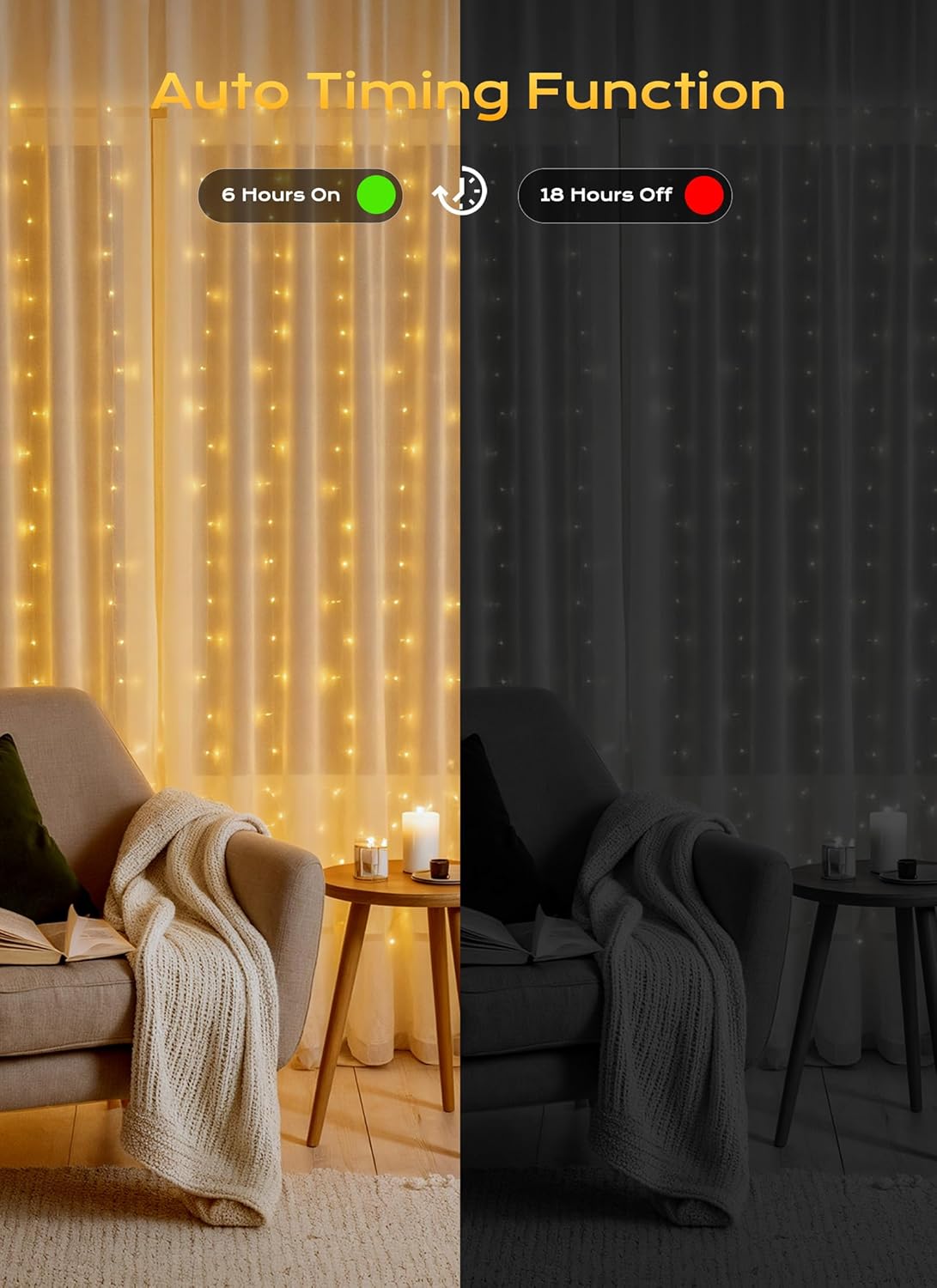
Figure 4: Visual representation of the 8 lighting modes.
The lights feature 8 distinct modes:
- Combination
- In Waves
- Sequential
- Slo-Glo
- Chasing/Flash
- Slow Fade
- Twinkle/Flash
- Steady On
The memory function ensures the lights return to the last selected mode when turned back on.
4.3 Timer Function

Figure 5: Auto timing function.
Press the 'TIMER' button on the remote to activate the built-in timer. The lights will automatically turn on for 6 hours and then turn off for 18 hours, repeating this cycle daily.
4.4 Dimming Function

Figure 6: Adjustable dimming levels.
Use the 'DIM+' and 'DIM-' buttons on the remote to adjust the brightness. Available levels include 25%, 50%, 75%, and 100%.
5. Maintenance
Proper care ensures the longevity of your Brightown Curtain String Lights.
- Cleaning: Gently wipe the lights with a soft, dry cloth. Do not use harsh chemicals or abrasive cleaners.
- Storage: When not in use, carefully coil the main string and bundle the vertical strings to prevent tangling. Store in a cool, dry place away from direct sunlight.
- Adapter Care: Always ensure the power adapter remains dry. If used outdoors, place the adapter in a waterproof enclosure.
- Bulb Replacement: The LED bulbs are integrated and not user-replaceable. If a bulb fails, the entire string should continue to function.
6. Troubleshooting
If you encounter issues, refer to the following common problems and solutions:
| Problem | Possible Cause | Solution |
|---|---|---|
| Lights do not turn on. | No power, loose connection, remote battery dead. | Check power outlet, ensure adapter is securely connected, replace remote battery (CR2032). |
| Remote control not working. | Remote battery dead, obstruction, remote too far. | Replace remote battery (CR2032), ensure clear line of sight to the receiver on the power adapter, move closer to the adapter. |
| Lights flicker or dim unexpectedly. | Unstable power supply, loose connection. | Try a different power outlet, ensure all connections are firm. |
| Timer function not working. | Timer not activated, power interruption. | Press the 'TIMER' button on the remote. If power is interrupted, the timer may need to be reset. |
7. Specifications
| Feature | Detail |
|---|---|
| Model Number | JT-EL/FC300V0200 |
| Light Source | LED |
| Number of LEDs | 300 |
| Light Color | Warm White |
| Dimensions (Lighted) | 9.8 feet (Width) x 9.8 feet (Drop) |
| Power Source | AC (Plug-in) |
| Voltage | 120 Volts (Input), 5V (Output) |
| Wattage | 6 watts |
| Special Features | 8 Lighting Modes, Remote Control, Timer, Dimmable, Weather Resistant (IP44 for lights) |
| Controller Type | Button Control, Remote Control |
| Material | Plastic |
| Item Weight | 4.6 ounces |
| UPC | 611745622664 |
8. Warranty and Support
For warranty information or technical support, please contact Brightown customer service. Refer to the product packaging or the official Brightown website for the most current contact details.
We are committed to providing quality products and support.