
1. Introduction
This manual provides essential information for the safe and efficient operation of your AUNA Pro Streetstar 12 Portable PA System. Please read these instructions thoroughly before use and retain them for future reference.
2. Important Safety Information
- Ensure the power supply matches the voltage requirements of the device.
- Do not expose the unit to rain or moisture to prevent fire or electric shock.
- Avoid placing the unit near heat sources or in direct sunlight.
- Do not block ventilation openings.
- Only use attachments/accessories specified by the manufacturer.
- Disconnect the power cord during lightning storms or when unused for long periods.
- Refer all servicing to qualified service personnel.
3. Package Contents
Verify that all items listed below are included in your package:
- 1 x PA System Unit
- 1 x Power Cable
- 2 x UHF Wireless Microphones
- 1 x Remote Control
- User Manual (English/German)
4. Product Overview and Features
The AUNA Pro Streetstar 12 is a versatile portable PA system designed for various events, offering robust sound and convenient features.
Key Features:
- Connectivity: Bluetooth for wireless streaming, USB port, SD card slot, 3.5mm AUX jack, 6.3mm jack input, RCA Line input.
- Portability: Equipped with an extendable 100 cm trolley handle and robust ABS housing for easy transport.
- Wireless Microphones: Two UHF wireless microphones with stable radio frequency and high range (up to 100m) for clear vocal transmission.
- Battery Life: Powerful 7.2 Ah battery provides approximately 7 hours of continuous operation, with a charge status display. Can also be powered via mains.
- Sound Quality: Bass reflex construction for enhanced bass, 12-inch subwoofer, and 2.5-inch tweeter for full sound spectrum.
- Control: Large 4-line LED display for ID3 tags (MP3 info), full-function remote control, 2-band equalizer, mute function.
- Additional: Exchangeable wire antenna, Line-Out for connecting another active speaker.
Product Views:
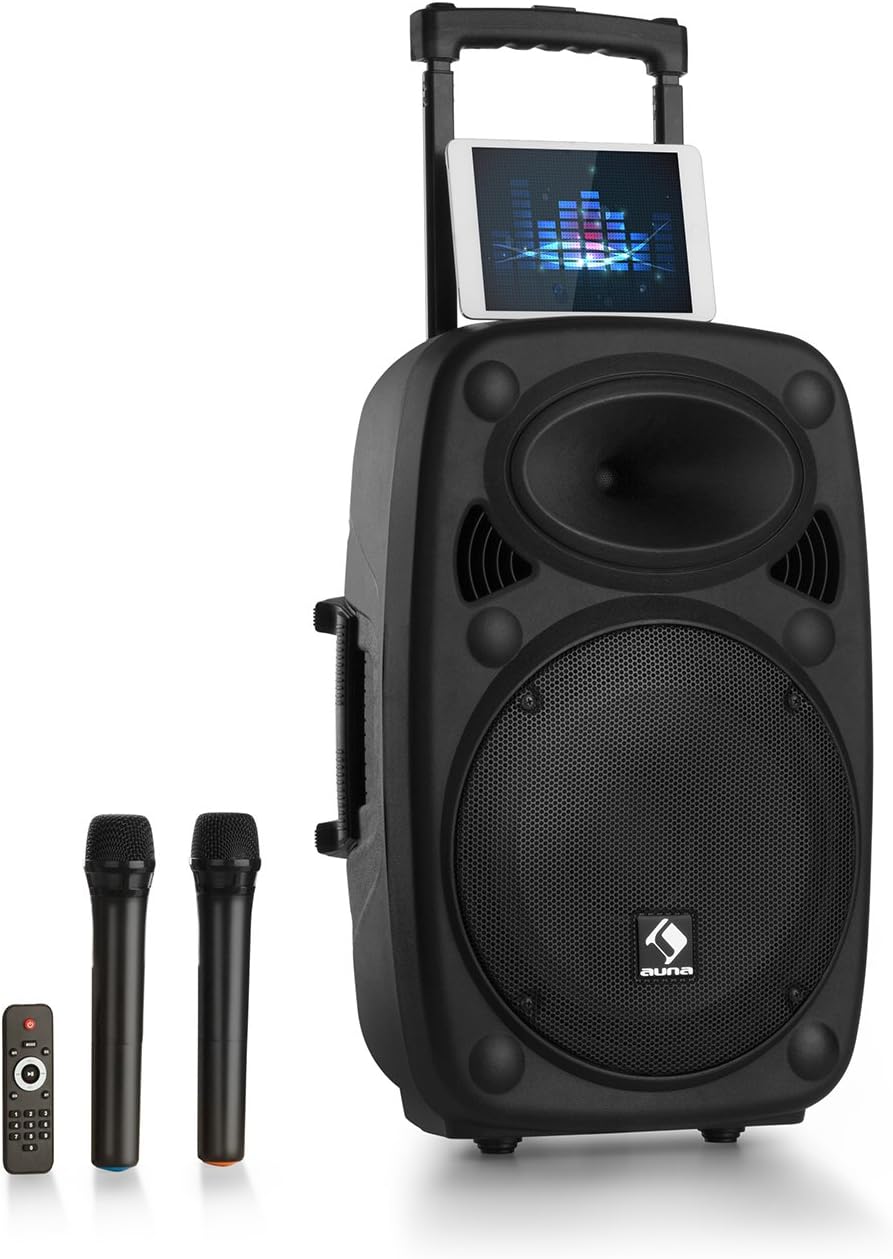
Figure 1: AUNA Pro Streetstar 12 Portable PA System with included wireless microphones and remote control.

Figure 2: Detailed view of the control panel, showing various inputs and adjustment knobs.
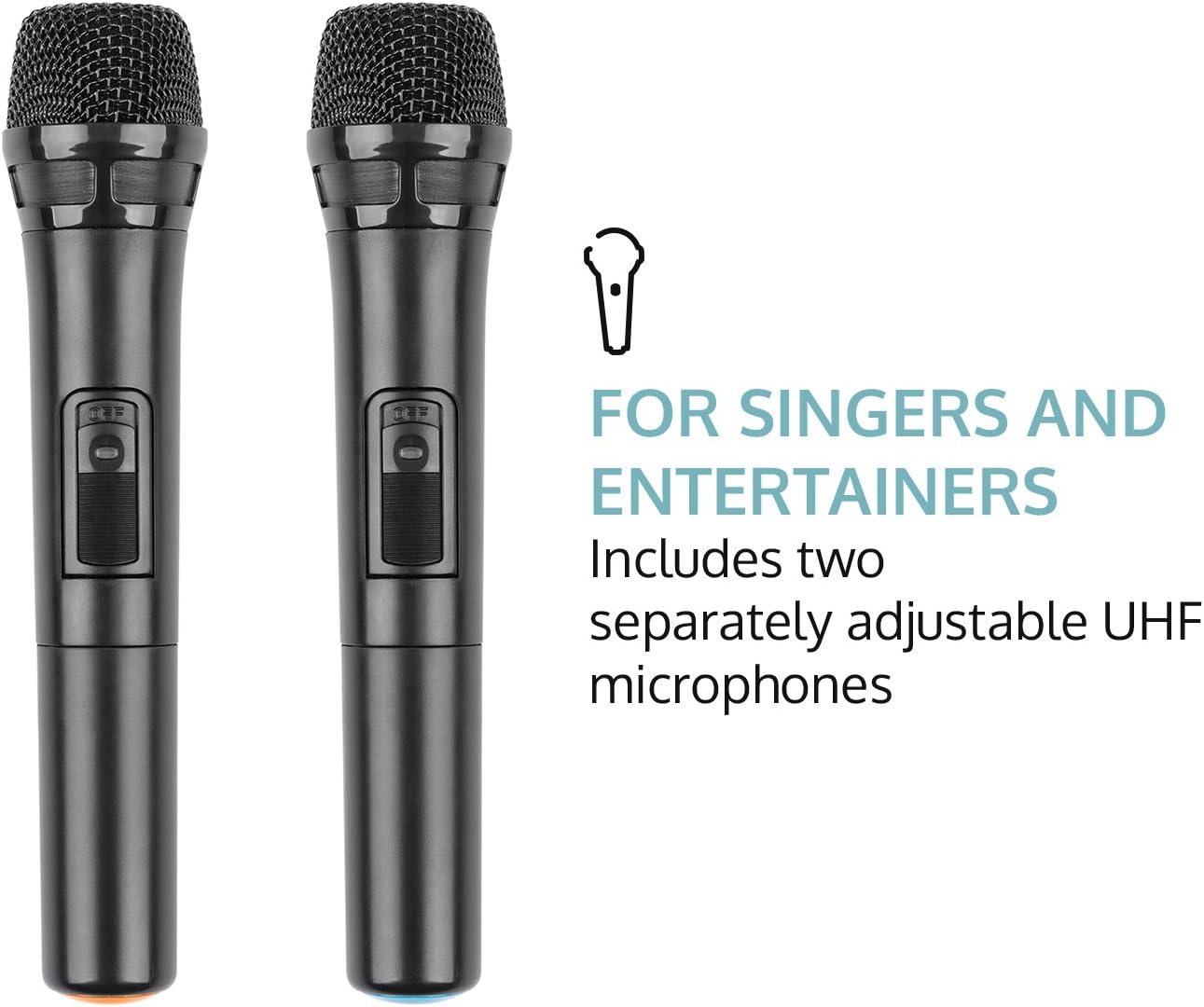
Figure 3: The two UHF wireless microphones included with the system.
5. Setup
- Unpacking: Carefully remove all components from the packaging. Retain packaging for future transport or storage.
- Power Connection: Connect the PA system to a suitable power outlet using the provided power cable. Ensure the voltage matches the device's requirements.
- Initial Charge: For optimal battery life, fully charge the unit before its first use. The battery status indicator will show charging progress.
- Microphone Setup: Insert batteries into the wireless microphones (2 x AAA batteries per microphone, not included). Power on the microphones.
- Antenna: Extend the telescopic antenna for improved wireless microphone reception.
6. Operating Instructions
6.1. Power On/Off
Locate the power switch on the control panel. Flip the switch to the "ON" position to power on the unit. Flip to "OFF" to power down.
6.2. Bluetooth Connection
- Power on the AUNA Pro Streetstar 12. The unit will automatically enter Bluetooth pairing mode, indicated on the LED display.
- On your smartphone, tablet, or other Bluetooth-enabled device, navigate to the Bluetooth settings.
- Search for available devices and select "AUNA Streetstar 12" (or similar name).
- Once connected, a confirmation sound will be heard from the PA system.
- You can now stream audio wirelessly from your device.
6.3. USB/SD Card Playback
- Insert a USB drive or SD card containing MP3 audio files into the respective slot on the control panel.
- The system will automatically detect the media and begin playback.
- Use the "PREV", "NEXT", "PLAY/PAUSE" buttons on the control panel or remote control to manage playback.
- The LED display will show ID3 tag information for compatible MP3 files.
6.4. AUX/Line Input
- Connect external audio sources (e.g., CD player, Hi-Fi system) to the 3.5mm AUX jack or RCA Line input using appropriate cables.
- Select the corresponding input mode on the PA system (usually by pressing a "MODE" button if available, or it may auto-detect).
6.5. UHF Wireless Microphones
- Ensure batteries are correctly inserted into both wireless microphones.
- Power on each microphone using its dedicated switch. They should automatically connect to the PA system.
- Adjust the microphone volume using the "MIC VOL" knob on the control panel.
- Use the "ECHO" knob to add echo effects to the microphone output.
- The system also features a 6.3mm jack input for an additional wired microphone or instrument.
6.6. Sound Adjustment
- Master Volume: Use the large "MASTER" knob to control the overall output volume.
- Equalizer: Adjust the "BASS" and "TREBLE" knobs to fine-tune the audio output to your preference.
- Mute: The remote control includes a mute function to instantly silence the audio.
6.7. Light Effects
The PA system features integrated LED lighting. Use the "LED" switch on the control panel to turn the lights on or off.
7. Charging the Battery
- Connect the power cable to the PA system and a mains outlet.
- The battery status indicator on the control panel will show the charging status.
- A full charge provides approximately 7 hours of operation.
- It is recommended to fully charge the battery before each extended use.
8. Maintenance
- Cleaning: Use a soft, dry cloth to clean the exterior of the unit. Do not use abrasive cleaners or solvents.
- Storage: When not in use, store the PA system in a cool, dry place, away from direct sunlight and extreme temperatures.
- Battery Care: If storing for extended periods, charge the battery every 3-6 months to maintain its health.
9. Troubleshooting
| Problem | Possible Cause | Solution |
|---|---|---|
| No power | Power cable not connected; Battery depleted; Power switch off. | Check power cable connection; Charge the battery; Ensure power switch is ON. |
| No sound output | Volume too low; Incorrect input mode selected; Device not connected via Bluetooth/AUX. | Increase master volume; Select correct input mode; Re-establish Bluetooth/AUX connection. |
| Microphone not working | Microphone batteries depleted; Microphone not powered on; Microphone volume too low. | Replace microphone batteries; Power on microphone; Increase MIC VOL. |
| Bluetooth pairing failure | Device too far; Interference; PA system not in pairing mode. | Move device closer; Reduce interference; Restart PA system to enter pairing mode. |
10. Technical Specifications
- Brand: AUNA
- Model Number: PAS4-Streetstar 12
- Power: 200 Watts (RMS) / 800W (Peak)
- Speaker Type: Tweeter, 12-inch Subwoofer
- SPL: 112 dB
- Connectivity Technology: AUX, Bluetooth, RCA, USB
- Connections: 1 x USB port, 1 x SD card slot, 1 x 3.5mm AUX jack, 1 x 6.3mm jack, 1 x RCA Line input
- Microphone Type: UHF Wireless (2 included)
- Battery: 7.2 Ah / 12 V
- Battery Duration: Approx. 7 hours
- Power Supply: 220-240 V~ | 50/60 Hz (mains) or 7.2 Ah / 12 V battery
- Dimensions (LxHxD): Approx. 37.5 x 59.5 x 37 cm
- Weight: Approx. 13.5 kg
- Color: Black
- Special Features: Easy to use, extendable trolley handle, robust ABS housing, bass reflex construction.
11. Warranty and Support
For warranty information, technical support, or service inquiries, please refer to the documentation provided at the time of purchase or contact AUNA customer service directly. Keep your proof of purchase for any warranty claims.
