
VILTROX DC-50
VILTROX DC-50 5-inch LCD Portable Camera Field Monitor User Manual
Model: DC-50 | Brand: VILTROX
1. Introduction
The VILTROX DC-50 is a portable 5-inch LCD monitor designed for use with interchangeable lens digital cameras and HD video camera recorders equipped with an HDMI terminal and live view mode. It provides a high-resolution display for monitoring video output from your camera, enhancing your shooting experience with features like pixel magnification and peaking for accurate focus.
This monitor features a wide viewing angle TFT HD screen, ensuring clear visibility. Its compact and lightweight design makes it ideal for on-location shoots, offering flexible viewing angles for various setups.
2. Packing List
Please check the contents of your package to ensure all items are present:
- 1 x VILTROX DC-50 Monitor
- 1 x FM50 Battery
- 1 x FM50 Battery Charger
- 1 x Hot Shoe Adapter
- 1 x HDMI Connection Cable (50cm)
- 1 x Pouch
- 1 x User Manual (Chinese / English)

Figure 2.1: VILTROX DC-50 Monitor with included accessories.
3. Setup Guide
3.1 Battery Installation
- Locate the battery compartment on the back of the DC-50 monitor.
- Slide the battery compartment cover open.
- Insert the provided FM50 battery into the compartment, ensuring the correct orientation as indicated by the diagram inside the compartment.
- Close the battery compartment cover until it clicks securely into place.

Figure 3.1: Battery compartment on the rear of the monitor.
3.2 Attaching to Camera
- Attach the hot shoe adapter to the hot shoe mount on your camera. Tighten the locking ring to secure it.
- Mount the VILTROX DC-50 monitor onto the hot shoe adapter. The adapter allows for easy adjustment of the monitor's angle.
- Connect one end of the HDMI connection cable to the HDMI output port on your camera and the other end to the HDMI input port on the DC-50 monitor.
- Alternatively, you can use the AV ports for connection if your camera supports AV output.

Figure 3.2: Hot shoe adapter for camera mounting.

Figure 3.3: Monitor mounted on a camera in use.
4. Operating Instructions
4.1 Powering On/Off
Press and hold the power button located on the side of the monitor to turn it on or off. The monitor can be powered by the FM50 battery or an optional AC/DC adapter.
4.2 Input Selection
The DC-50 supports HDMI and AV inputs. Use the input selection button or menu option to switch between these sources based on your camera's output.
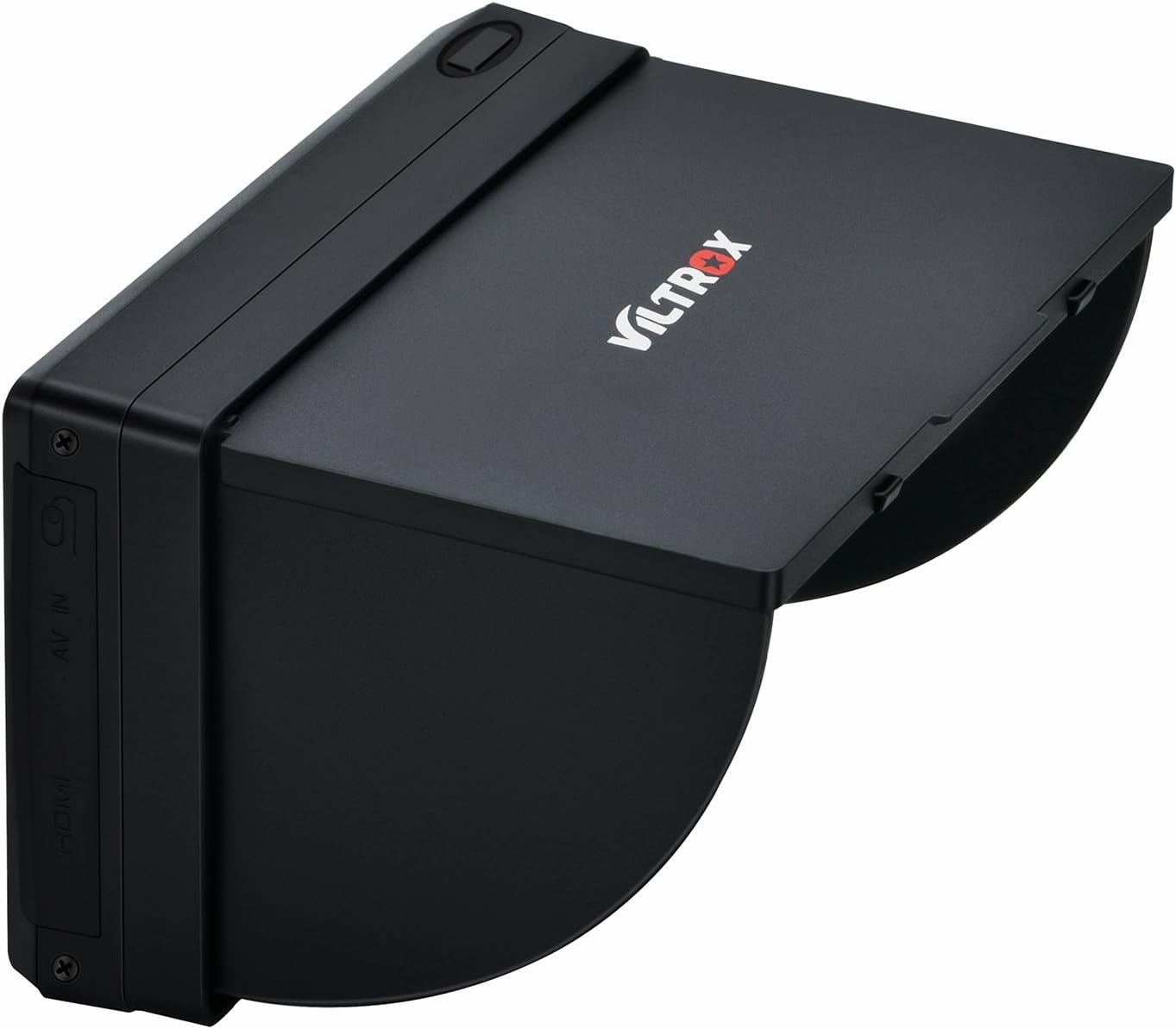
Figure 4.1: HDMI and AV input ports.
4.3 Focus Peaking Feature
The peaking feature assists in achieving accurate focus. When activated, sharp edges in the image will be highlighted with a specific color (e.g., red, green, or blue), making it easier to identify what is in focus. This is particularly useful for manual focusing.
4.4 Pixel Magnification
For critical focus assessment, the pixel magnification function allows you to zoom in on a selected portion of the Full HD image, providing an enlarged, pixel-perfect view.
4.5 Display Modes
The monitor supports 16:9, 4:3, and full screen display modes. Adjust these settings via the monitor's menu to match your camera's output or your viewing preference.
4.6 Audio Monitoring
A headphone stereo output port is available for real-time audio monitoring from your camera's HDMI signal.

Figure 4.2: Close-up of monitor controls and ports.
5. Maintenance and Care
- Cleaning: Use a soft, dry cloth to clean the monitor screen and body. For stubborn smudges on the screen, use a specialized LCD cleaning solution applied to the cloth, not directly to the screen.
- Storage: When not in use, store the monitor in its provided pouch to protect it from dust and scratches. Keep it in a cool, dry place away from direct sunlight and extreme temperatures.
- Battery Care: If the monitor will not be used for an extended period, remove the battery to prevent leakage. Charge the battery regularly, even if not in use, to maintain its lifespan.
- Handling: Avoid dropping the monitor or subjecting it to strong impacts, as this can damage internal components or the screen.
6. Troubleshooting
| Problem | Possible Cause | Solution |
|---|---|---|
| Monitor does not power on. | Battery is depleted or not installed correctly. AC adapter not connected or faulty. | Ensure battery is fully charged and correctly inserted. Try powering with the AC adapter. |
| No image displayed on monitor. | HDMI/AV cable is loose or faulty. Incorrect input selected. Camera not outputting video. | Check cable connections. Select the correct input (HDMI/AV) on the monitor. Verify camera's video output settings. |
| Image is blurry or out of focus. | Camera lens is out of focus. Peaking feature not enabled or set incorrectly. | Adjust camera lens focus. Enable and configure the peaking feature on the monitor. Use pixel magnification for fine-tuning. |
| No audio from headphone jack. | Headphones not fully plugged in. Camera not outputting audio via HDMI. | Ensure headphones are securely connected. Check camera's audio output settings. |
7. Specifications
| Feature | Detail |
|---|---|
| Model | DC-50 |
| Screen Size | 5 inches |
| Display Type | TFT HD LCD Panel |
| Resolution | 800 x 480 Pixels |
| Input Ports | HDMI, AV |
| Output Ports | Headphone Stereo Output |
| Aspect Ratios | 16:9, 4:3, Full Screen |
| Power Supply | FM50 Battery or AC/DC Adapter |
| Special Features | Pixel Magnification, Peaking Facility, Sunshade Cover |
| Product Dimensions | 5.12 x 3.43 x 1.3 inches |
| Item Weight | 2 pounds |
8. Warranty and Support
For warranty information and technical support, please refer to the official VILTROX website or contact their customer service directly. Keep your purchase receipt as proof of purchase for warranty claims.
Manufacturer: Shenzhen Jueying Technology Co., Ltd.
Related documentsDC-50


Ask a question about this manual
Ask about setup, troubleshooting, compatibility, parts, safety, or missing instructions. Manuals+ will review the question and use this page’s manual context to help answer it.