
KLIM ER
KLIM Esports Gaming Chair ER Instruction Manual
Model: ER
1. Introduction
Thank you for choosing the KLIM Esports Gaming Chair ER. This manual provides essential information for the assembly, operation, and maintenance of your new chair. Designed for comfort and durability, the KLIM Esports Gaming Chair supports extended periods of use, whether for gaming or professional work. Please read these instructions carefully before assembly and use to ensure proper function and longevity of your product.

Image 1.1: KLIM Esports Gaming Chair ER (Red) and available color variants.
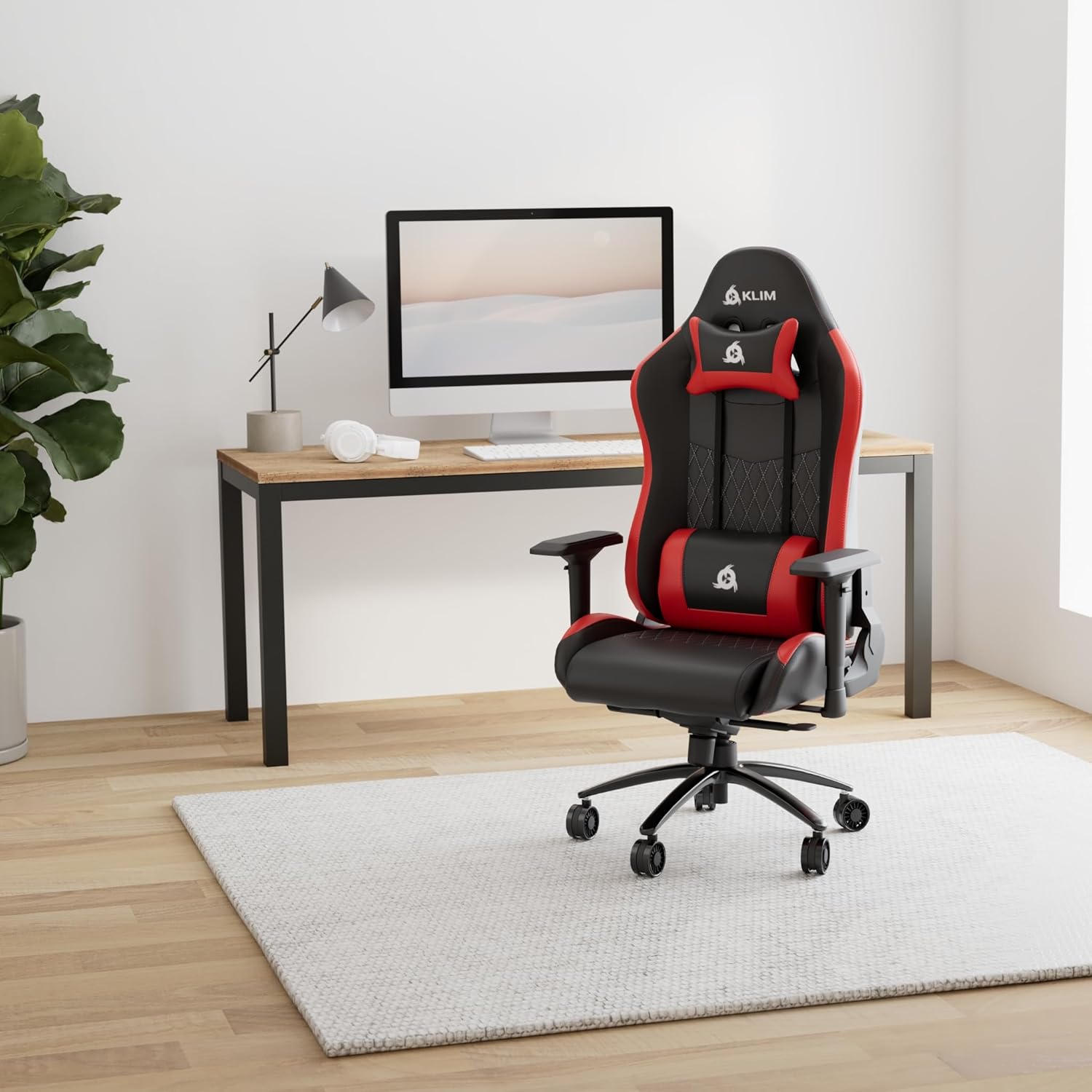
Image 1.2: KLIM Esports Gaming Chair ER in a typical usage environment.
2. Product Features
The KLIM Esports Gaming Chair ER is engineered with user comfort and durability in mind, incorporating several key features:
- Ergonomic Design: High-density foam and supportive cushions promote proper posture and back health during long sessions.
- Premium Materials: Constructed with a reinforced steel frame, robust casters, and high-quality faux leather for enhanced durability and comfort.
- Adjustable Armrests: Fully adjustable armrests provide support for shoulders, arms, and wrists, reducing strain.
- Recline Functionality: The chair can recline up to 160 degrees, allowing for various positions from working to resting.
- Adjustable Height: Easily adjust the seat height to find your optimal ergonomic position.

Image 2.1: Key materials and construction details of the chair.

Image 2.2: Additional features including synthetic leather and durable metal base.

Image 2.3: Illustration of ergonomic support for absolute comfort.
3. Package Contents
Upon unpacking, please ensure all the following components are present:
- Backrest
- Seat Base with Armrests attached
- Star Base (5-star wheel base)
- Casters (5 pieces)
- Gas Lift Cylinder
- Gas Lift Cover
- Mechanism Plate
- Lumbar Support Cushion
- Headrest Cushion
- Side Covers (2 pieces)
- Assembly Hardware (screws, washers, Allen key)
- Instruction Manual
4. Setup and Assembly
Assembly of the KLIM Esports Gaming Chair ER is designed to be straightforward and typically takes about 15 minutes. All necessary tools are included. Follow these steps carefully:
- Attach Casters to Star Base: Insert each caster into the holes on the star base until they click securely into place.
- Insert Gas Lift: Place the gas lift cylinder into the center hole of the star base. Cover it with the gas lift cover.
- Attach Mechanism Plate to Seat Base: Align the mechanism plate with the pre-drilled holes on the underside of the seat base. Secure it with the provided screws. Ensure the front of the mechanism faces the front of the seat.
- Attach Backrest to Seat Base: Align the backrest with the metal brackets on the seat base. Secure it using the provided screws.
- Install Side Covers: Once the backrest is secured, attach the plastic side covers over the metal brackets and screws.
- Connect Seat to Gas Lift: Carefully place the assembled seat and backrest onto the gas lift cylinder, ensuring it is centered.
- Attach Cushions: Secure the lumbar support and headrest cushions using their elastic straps.
For visual guidance, a detailed assembly video is available on YouTube by searching for "KLIM Esports Gaming Chair Assembly".
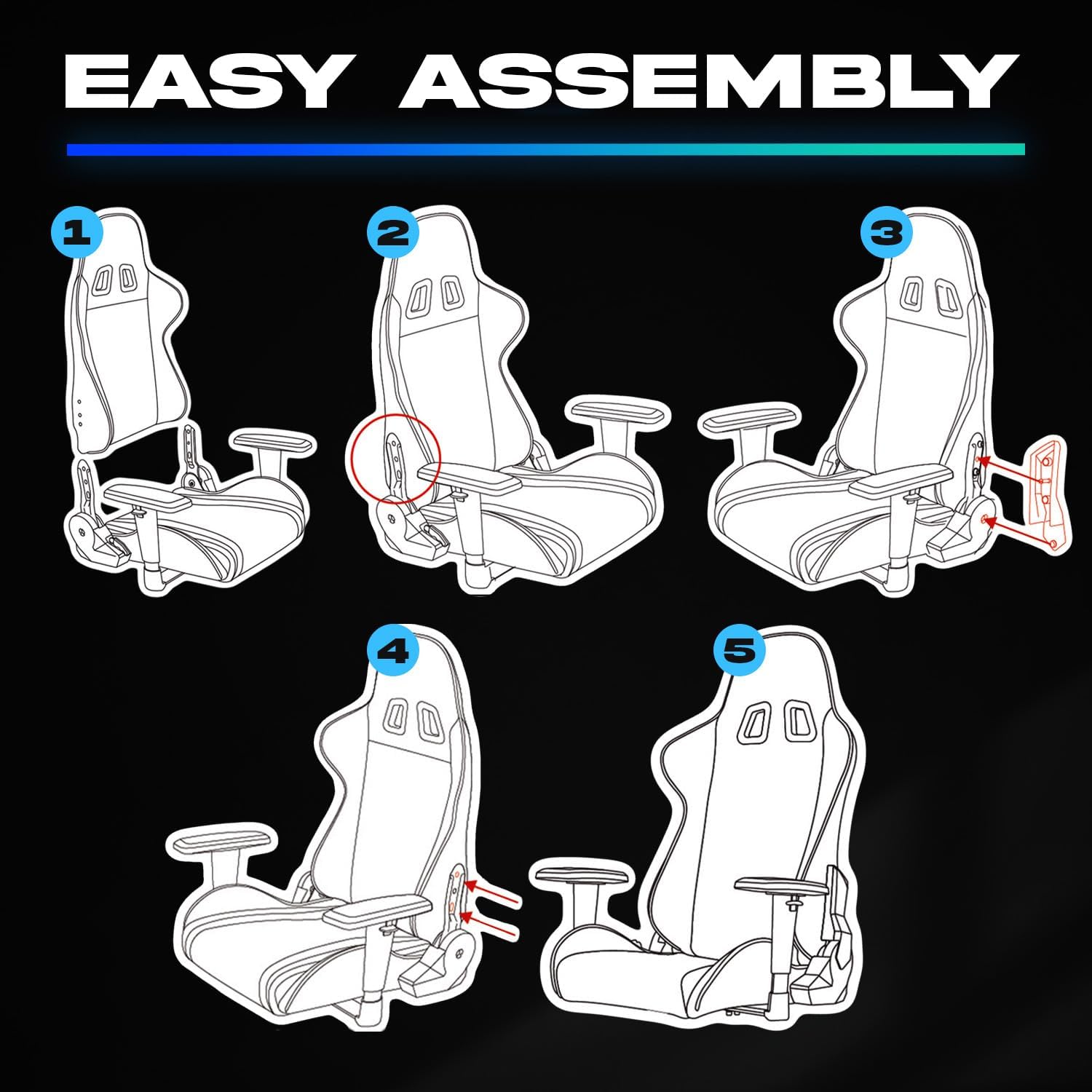
Image 4.1: Assembly steps for the KLIM Esports Gaming Chair ER.
5. Operating Instructions
Your KLIM Esports Gaming Chair ER offers several adjustable features to customize your seating experience:
- Seat Height Adjustment: Locate the lever on the right side, beneath the seat. Pull the lever up while seated to lower the seat, or pull it up while standing to raise the seat. Release the lever to lock the height.
- Backrest Recline: Use the lever on the right side of the chair to adjust the backrest angle. Pull the lever up to unlock, recline to your desired angle (up to 160 degrees), and release the lever to lock.
- Armrest Adjustment: The armrests are multi-directional. They can be adjusted in height, forward/backward, and rotated left/right. Use the buttons or levers on the armrests to make these adjustments.
- Tilt Lock/Unlock: The main mechanism under the seat may have a knob to adjust tilt tension and a lever to lock/unlock the tilt function. Refer to the mechanism for specific controls.

Image 5.1: Recline and height adjustment capabilities.
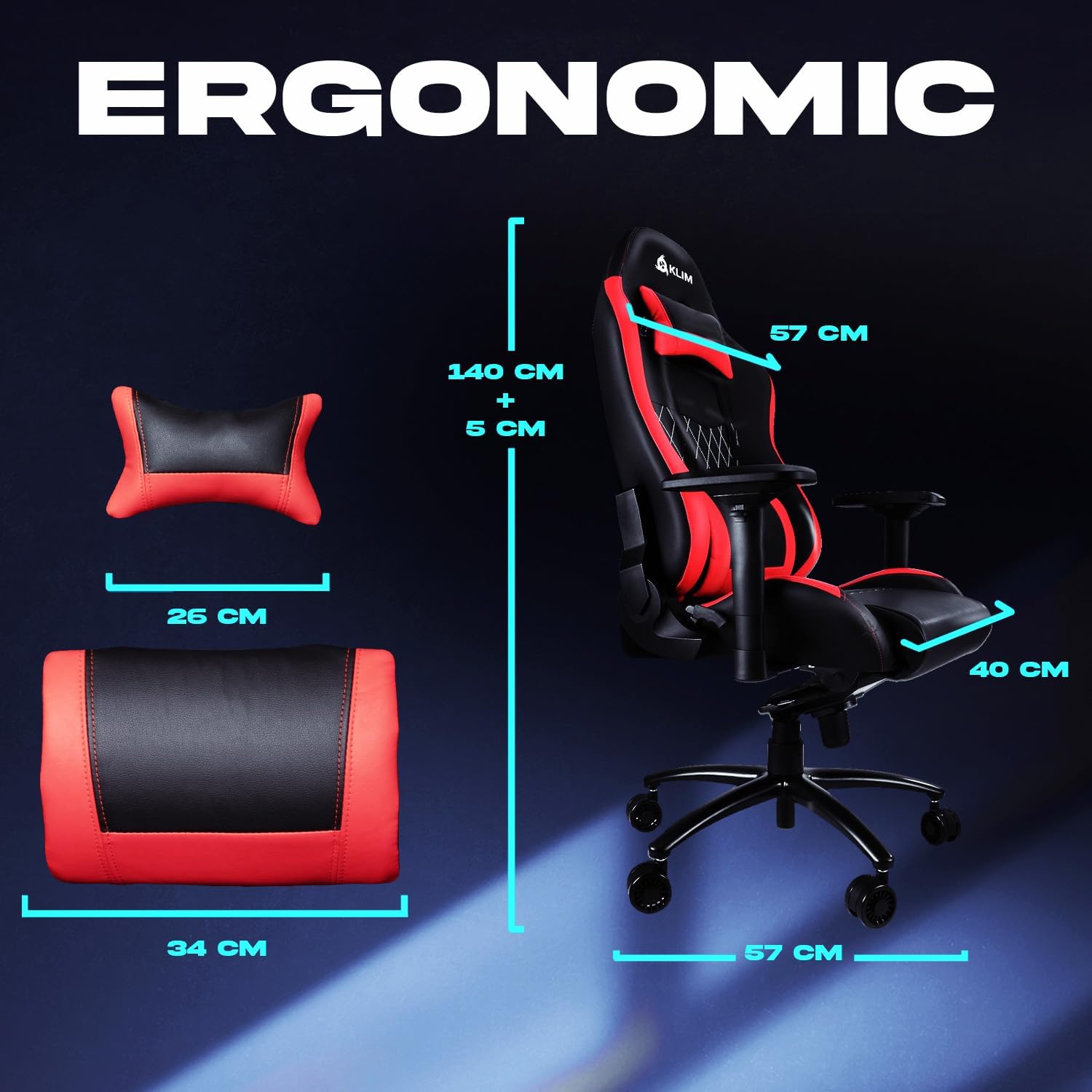
Image 5.2: Ergonomic dimensions of the chair and cushions.
6. Maintenance
To ensure the longevity and appearance of your KLIM Esports Gaming Chair ER, follow these simple maintenance guidelines:
- Cleaning: Wipe the faux leather surfaces with a soft, damp cloth. For tougher stains, use a mild soap solution and immediately wipe dry. Avoid harsh chemicals or abrasive cleaners.
- Caster Care: Periodically check the casters for accumulated dust or hair and clean them to ensure smooth movement.
- Tighten Screws: Over time, screws may loosen. Periodically check and tighten all assembly screws to maintain stability.
- Avoid Direct Sunlight: Prolonged exposure to direct sunlight can cause the faux leather to fade or crack. Position your chair away from direct sunlight when possible.
7. Troubleshooting
If you encounter any issues with your KLIM Esports Gaming Chair ER, consider the following common solutions:
- Chair Squeaks: Check all screws and bolts for tightness. Apply a small amount of silicone lubricant to moving parts if necessary, avoiding contact with upholstery.
- Gas Lift Not Adjusting: Ensure the gas lift lever is fully engaged or disengaged. If the issue persists, the gas lift cylinder may need replacement.
- Chair Feels Unstable: Verify that all casters are securely inserted into the star base and that the star base is not damaged. Ensure all screws are tightened.
- Armrests Wobble: Check the screws securing the armrests to the seat base and tighten them.
If these steps do not resolve the issue, please contact KLIM customer support for further assistance.
8. Specifications
| Feature | Detail |
|---|---|
| Brand | KLIM |
| Model Number | ER |
| Color | Red (variant shown) |
| Product Dimensions (L x W x H) | 140 x 57 x 57 cm |
| Material | Faux Leather, Alloy Steel Frame |
| Special Features | Adjustable Armrest, Adjustable Height, Padded |
| Item Weight | 25.5 Kilograms |
| Back Style | Cushion Back |
9. Warranty and Support
The KLIM Esports Gaming Chair ER comes with a 5-year warranty, reflecting our commitment to quality and durability. Spare parts are available for 5 years from the date of purchase.
If you require assistance, have questions, or need to claim warranty service, please contact KLIM customer support. Our specialists are available to help you.
For more information and support, please visit the official KLIM website or contact your retailer.
Related documentsER


Ask a question about this manual
Ask about setup, troubleshooting, compatibility, parts, safety, or missing instructions. Manuals+ will review the question and use this page’s manual context to help answer it.