
Retevis RT628
Retevis RT628 Kids Walkie Talkies User Manual
Model: RT628 | Brand: Retevis
1. Introduction and Overview
The Retevis RT628 Kids Walkie Talkies are designed for clear and reliable communication, ideal for children aged 6-12 during outdoor adventures, camping, or general play. These FRS (Family Radio Service) walkie talkies feature 22 channels, a key lock function, and a lightweight, kid-friendly design, ensuring ease of use and durability.
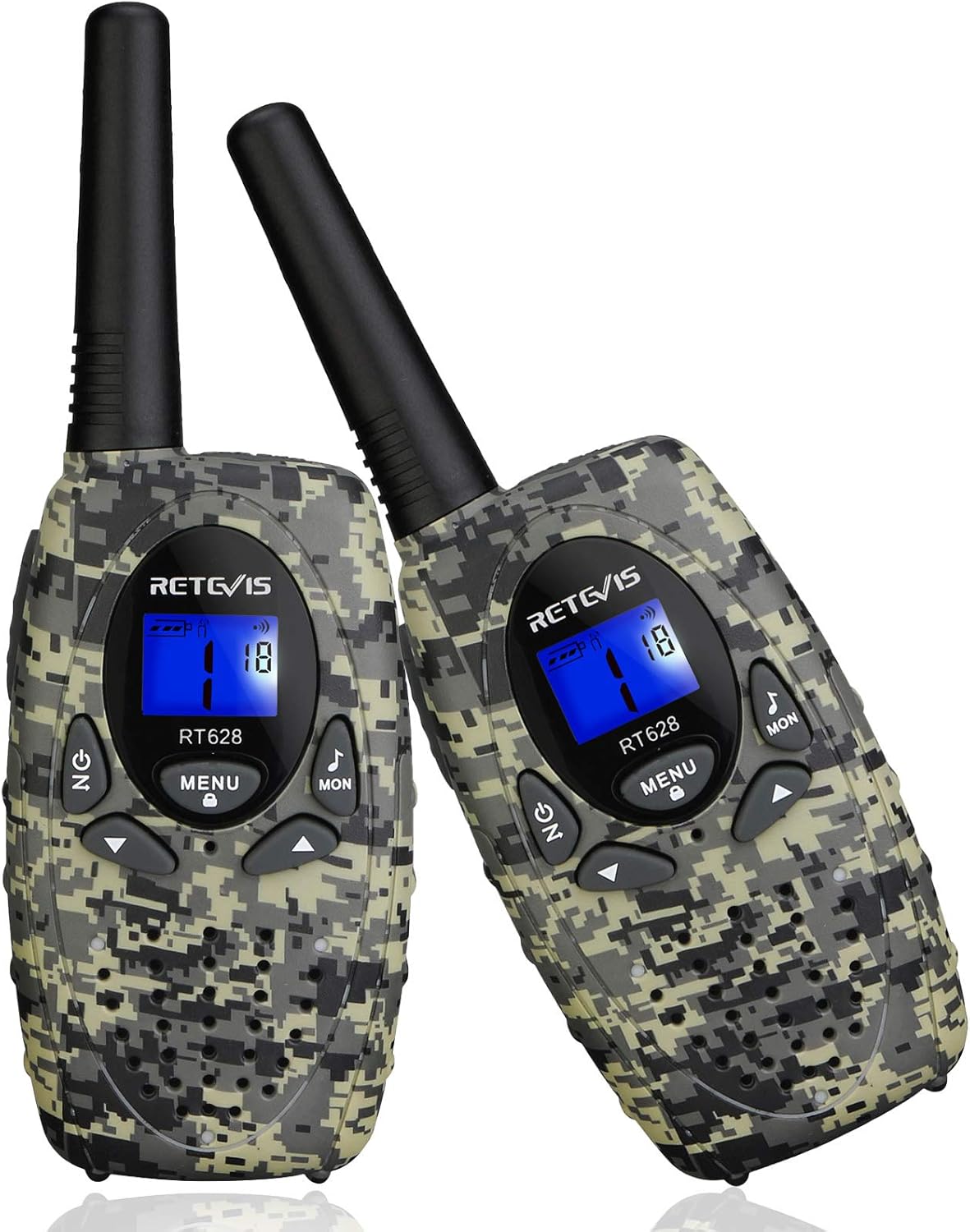
Figure 1.1: Retevis RT628 Walkie Talkies (Camouflage)
2. Safety Information
Please ensure safe operation of your Retevis RT628 walkie talkies. This product meets FCC Part 95 rules. The FCC ID for these walkie talkies is 2AAR8RETEVISRT628. Always supervise children during use, especially when operating near water or in potentially hazardous environments. Do not attempt to open or modify the device, as this may void the warranty and pose safety risks.

Figure 2.1: Rear view with FCC ID and regulatory markings
3. What's in the Box
Upon opening your Retevis RT628 package, you should find the following items:
- 2 x Retevis RT628 Kids Walkie Talkies
- 2 x Belt Clips
- 1 x User Manual

Figure 3.1: Package contents
4. Product Features
The Retevis RT628 walkie talkies are equipped with several features to enhance user experience:
- 22 FRS Channels: Provides a wide range of communication options to avoid interference.
- CTCSS/DCS Codes: Offers additional privacy and reduces unwanted signals.
- VOX Function: Allows for hands-free communication without pressing the PTT button.
- Keypad Lock: Prevents accidental channel changes or setting modifications by children.
- LCD Display: Backlit screen for easy viewing of channel and settings, even in low light.
- Call Tones: Customizable alert tones for incoming calls.
- Belt Clip: Conveniently attach the walkie talkie to clothing or a backpack.
- Durable ABS Material: Designed for high fall resistance, suitable for active play.

Figure 4.1: Key features overview

Figure 4.2: Clear sound capability

Figure 4.3: Compact size for kid hands
5. Setup
5.1 Battery Installation
Each Retevis RT628 walkie talkie requires 3 AA batteries (not included). To install the batteries:
- Locate the battery compartment cover on the back of the walkie talkie.
- Press down on the tab and slide the cover downwards to open.
- Insert 3 AA batteries, ensuring correct polarity (+/-) as indicated inside the compartment.
- Replace the battery compartment cover by sliding it upwards until it clicks into place.

Figure 5.1: Battery installation
5.2 Powering On/Off
To power on the walkie talkie, press and hold the Power/Menu button until the LCD screen illuminates. To power off, press and hold the same button until the screen turns off.
6. Operating Instructions
6.1 Setting the Channel
For two or more walkie talkies to communicate, they must be set to the same channel.
- Press the MENU button once. The channel number on the LCD screen will flash.
- Use the Up (▲) or Down (▼) arrow buttons to select your desired channel (1-22).
- Press the PTT (Push-to-Talk) button to confirm your selection and exit the menu.
6.2 Setting CTCSS/DCS Codes
To further reduce interference, you can set a CTCSS (Continuous Tone-Coded Squelch System) or DCS (Digitally Coded Squelch) code. Both walkie talkies must have the same channel AND the same CTCSS/DCS code to communicate.
- Press the MENU button twice. The CTCSS/DCS code on the screen will flash.
- Use the Up (▲) or Down (▼) arrow buttons to select your desired code (1-121).
- Press the PTT button to confirm your selection and exit the menu.

Figure 6.1: How to make two walkie talkies communicate
6.3 Transmitting and Receiving
- To transmit, press and hold the PTT button on the side of the walkie talkie and speak clearly into the microphone. Release the button when you are finished speaking.
- To receive, simply ensure the PTT button is not pressed. The walkie talkie will automatically receive signals on the set channel and code.
6.4 VOX Feature (Voice Activated Transmission)
The VOX feature allows you to transmit without pressing the PTT button. When VOX is enabled, the walkie talkie will automatically transmit when it detects your voice.
- Press the MENU button until the VOX icon appears on the screen.
- Use the Up (▲) or Down (▼) arrow buttons to select the VOX sensitivity level (e.g., 1-3, with 3 being most sensitive). You can also turn VOX off.
- Press the PTT button to confirm.
6.5 Keypad Lock
To prevent accidental changes to settings, you can lock the keypad.
- To lock the keypad, press and hold the MENU button until the key lock icon appears on the screen.
- To unlock, press and hold the MENU button again until the key lock icon disappears.

Figure 6.2: Keypad lock and belt clip detail
7. Maintenance
Proper care will extend the life of your walkie talkies:
- Cleaning: Wipe the walkie talkies with a soft, damp cloth. Do not use harsh chemicals or abrasive cleaners.
- Battery Care: Remove batteries if the walkie talkies will not be used for an extended period to prevent leakage.
- Storage: Store in a cool, dry place away from direct sunlight and extreme temperatures.
- Water Resistance: These walkie talkies are Not Water Resistant. Avoid exposure to rain or submersion in water.
8. Troubleshooting
| Problem | Possible Cause | Solution |
|---|---|---|
| No power | Batteries are dead or incorrectly installed. | Replace batteries or check polarity. |
| Cannot communicate with another walkie talkie | Different channels or CTCSS/DCS codes. Out of range. | Ensure both walkie talkies are on the same channel and CTCSS/DCS code. Move closer to the other unit. |
| Static or unclear sound | Weak signal, interference, or low battery. | Move to an open area. Change channel/CTCSS/DCS. Replace batteries. |
| Keypad is unresponsive | Keypad lock is activated. | Unlock the keypad by pressing and holding the MENU button. |
9. Specifications
| Feature | Detail |
|---|---|
| Model Number | USA1026E (RT628) |
| Brand | Retevis |
| Color | Camouflage |
| Product Dimensions | 6.24 x 1.09 x 2.14 inches (1.1"D x 2.1"W x 6.2"H) |
| Item Weight | 3.5 ounces |
| Manufacturer Recommended Age | 5 months and up (Note: Product title suggests 6-12 years) |
| Batteries Required | 6 AA batteries (3 per walkie talkie) |
| Number of Channels | 22 |
| Frequency Range | 462-467 MHz |
| Talking Range Maximum | 1000 Meter (approx. 0.62 miles) |
| Tuner Technology | FRS |
| Water Resistance Level | Not Water Resistant |
| Release Date | September 1, 2020 |
10. Warranty and Support
For any questions, technical support, or warranty inquiries regarding your Retevis RT628 Walkie Talkies, please refer to the official Retevis support channels. A detailed User Guide (PDF) is available for download at https://manuals.plus/m/991f3cbb5853eb382b30292103998e416241d0e8fb565fb71060cfe2187fc6ef. You can also visit the official Retevis Store on Amazon for more information and contact options.
Related documentsRT628


Ask a question about this manual
Ask about setup, troubleshooting, compatibility, parts, safety, or missing instructions. Manuals+ will review the question and use this page’s manual context to help answer it.