1. Introduction
Thank you for choosing the Pro-Ject Essential III Recordmaster Turntable. This high-quality record player is designed to deliver exceptional audio performance with the convenience of integrated speed control, a built-in phono stage, and a USB output for digital recording. This manual provides comprehensive instructions for the proper setup, operation, maintenance, and troubleshooting of your new turntable. Please read it carefully before use to ensure optimal performance and longevity of your device.

Figure 1: Pro-Ject Essential III Recordmaster Turntable (White)
This image shows the Pro-Ject Essential III Recordmaster turntable in its white finish, featuring the platter, tonearm, and the "ESSENTIAL" branding on the plinth. The turntable is ready for operation.
2. Setup and Assembly
2.1 Unpacking and Contents
Carefully remove all components from the packaging. Please retain the original packaging for future transport or service.
The package should contain:
- Pro-Ject Essential III Recordmaster Turntable
- Ortofon cartridge (pre-mounted)
- Tonearm
- RCA audio cable
- Power supply
- Drive belt
- Platter
- Felt mat
- Dust cover
2.2 Placement
Place the turntable on a stable, level surface, away from direct sunlight, heat sources, and strong vibrations. Ensure adequate ventilation around the unit.
2.3 Assembly Steps
- Install the Platter: Carefully place the main platter onto the spindle. Ensure it sits securely and rotates freely.
- Install the Drive Belt: Locate the drive belt. Gently stretch the belt around the sub-platter (if applicable) and around the motor pulley. Ensure the belt is seated correctly in the groove of the motor pulley and is not twisted.
- Install the Felt Mat: Place the felt mat on top of the platter.
- Tonearm Setup:
- Counterweight: Slide the counterweight onto the rear of the tonearm. Rotate it until the tonearm is balanced horizontally (floating freely). Lock the counterweight in place.
- Tracking Force: Refer to your cartridge's recommended tracking force (typically 1.5g - 2.0g for the Ortofon OM 10). Adjust the counterweight to the specified tracking force using the scale on the counterweight.
- Anti-Skate: Attach the anti-skate weight to the small loop on the tonearm support and guide the thread over the anti-skate wire support. The anti-skate force should generally match the tracking force.

Figure 2: Tonearm with Anti-Skate Weight
This image provides a close-up view of the tonearm, highlighting the anti-skate mechanism with its small hanging weight, which helps to balance the forces acting on the stylus during playback.
- Install Dust Cover: Carefully place the dust cover onto the hinges at the rear of the turntable.
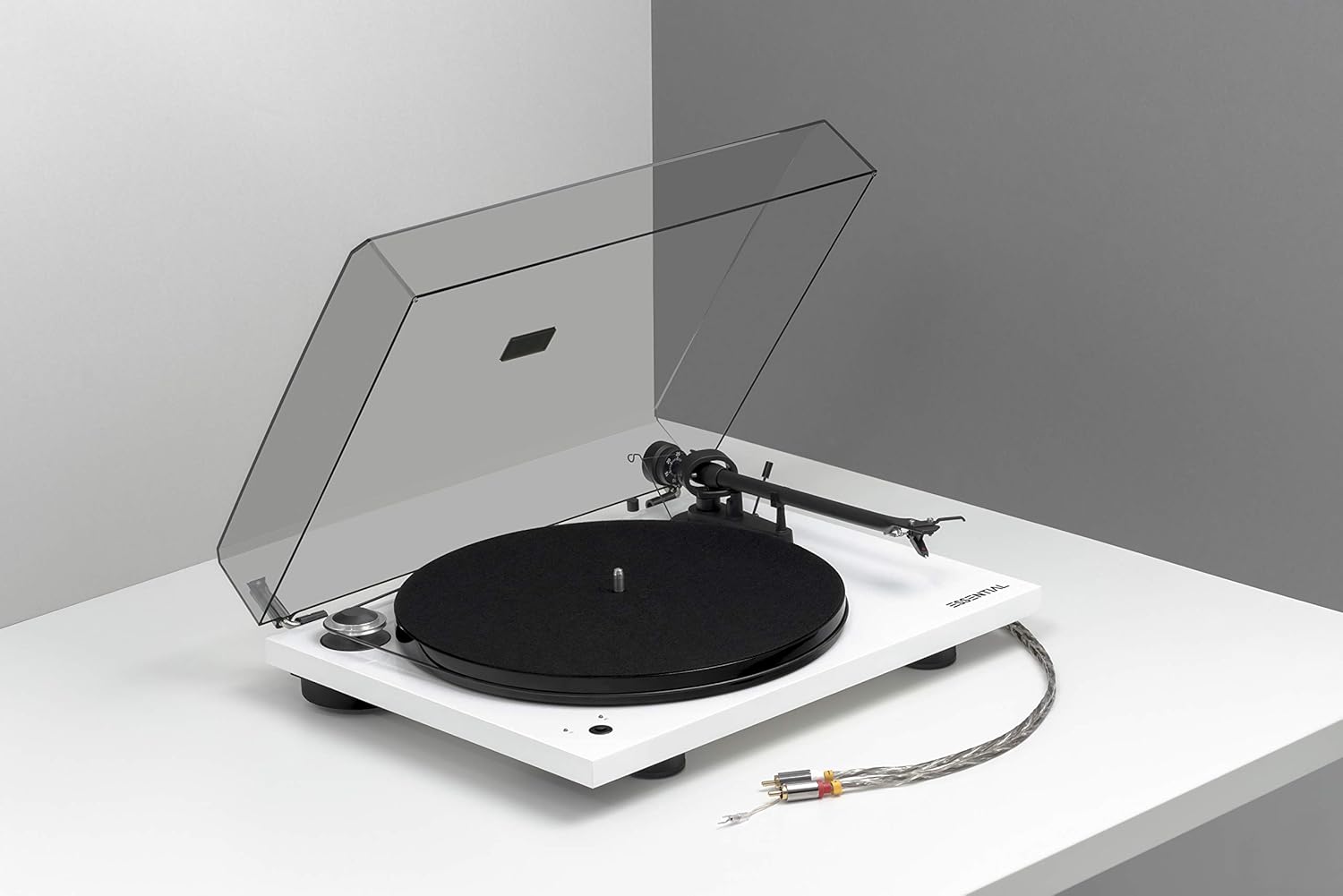
Figure 3: Turntable with Dust Cover Installed
This image displays the Pro-Ject Essential III Recordmaster turntable with its clear dust cover in place, protecting the components from dust and debris.
2.4 Connections
The Essential III Recordmaster features both RCA analog outputs and a USB digital output.
- RCA Audio Output: Connect the supplied RCA cable from the "L" (left) and "R" (right) outputs on the turntable to a line-level input (e.g., AUX, CD, Tuner) on your amplifier or active speakers. Since the turntable has a built-in phono stage, you do not need a dedicated "Phono" input on your amplifier.
- USB Output: Connect a USB cable (not supplied) from the "OUT USB" port on the turntable to a free USB port on your computer (PC or Mac) for digital recording of your vinyl.
- Power Connection: Connect the power adapter to the "DC IN" socket on the turntable and then plug it into a suitable wall outlet.

Figure 4: Rear Panel Connections
This image displays the rear connection panel of the turntable, showing the USB output port, the grounding terminal, and the left (L) and right (R) RCA audio output jacks.
3. Operating Instructions
3.1 Power On/Off
To power on the turntable, press the power button located on the plinth. The platter will begin to rotate. Press the button again to power off the unit.
3.2 Speed Selection
The Essential III Recordmaster supports 33 1/3 RPM and 45 RPM playback speeds.
- To switch between 33 1/3 RPM and 45 RPM, press the speed selection button located next to the power button. The corresponding LED indicator will illuminate.
- For 78 RPM records, a special pulley and stylus are required (not included). Consult your dealer for more information on 78 RPM playback.
3.3 Playing a Record
- Place a record on the platter, ensuring it is centered on the spindle.
- Lift the tonearm using the cueing lever.
- Carefully position the tonearm over the desired starting groove of the record.
- Gently lower the tonearm using the cueing lever. The stylus will descend onto the record and playback will begin.
- At the end of the record, lift the tonearm using the cueing lever and return it to the tonearm rest. Secure it with the tonearm clip.
3.4 USB Recording
The integrated USB output allows you to digitize your vinyl collection.
- Connect the turntable to your computer via the USB cable.
- Install appropriate audio recording software on your computer (e.g., Audacity, available for free online).
- Select the turntable as the audio input device within your recording software settings.
- Start playback on the turntable and begin recording in your software.
- Follow your software's instructions for editing, saving, and exporting your digitized audio files.
4. Maintenance
4.1 Cleaning
- Turntable Plinth and Dust Cover: Use a soft, lint-free cloth to wipe the surfaces. For stubborn marks, a slightly damp cloth can be used, followed by a dry cloth. Avoid abrasive cleaners or solvents.
- Platter and Felt Mat: The platter can be wiped with a dry cloth. The felt mat can be gently brushed to remove dust.
- Stylus: Use a dedicated stylus cleaning brush or fluid (available from audio retailers) to gently clean the stylus. Always brush from back to front.
4.2 Belt Replacement
The drive belt is a wear item and may need replacement over time if you notice inconsistent speed or slippage. Contact your dealer for a replacement belt. Installation involves carefully stretching the new belt around the sub-platter and motor pulley, similar to the initial setup.
5. Troubleshooting
If you encounter issues with your turntable, please consult the following table before contacting support.
| Problem | Possible Cause | Solution |
|---|---|---|
| No power | Power cable not connected; power outlet faulty | Check power cable connection; try a different outlet |
| No sound or low volume | RCA cables not connected correctly; amplifier input incorrect; amplifier volume too low | Ensure RCA cables are firmly connected to the correct line-level input; increase amplifier volume |
| Distorted sound | Stylus dirty or worn; tracking force incorrect; anti-skate incorrect | Clean stylus; re-adjust tracking force and anti-skate; replace stylus if worn |
| Incorrect speed (too fast/slow) | Drive belt slipping or worn; incorrect speed selected | Check belt for proper seating and tension; replace belt if worn; ensure correct speed (33/45) is selected |
| Drive belt falls off | Belt not seated correctly; platter not level; belt stretched or worn | Re-seat the belt carefully; ensure turntable is on a level surface; consider belt replacement if issue persists |
6. Specifications
| Feature | Detail |
|---|---|
| Model Name | Essential III Recordmaster |
| Brand | Pro-Ject |
| Product Dimensions (L x W x H) | 33 x 43 x 11.2 cm |
| Item Weight | 5 kg |
| Maximum Rotational Speed | 45 RPM (supports 33 1/3 RPM) |
| Connectivity Technology | Wired (RCA, USB) |
| Included Components | Ortofon cartridge, Tonearm, RCA cable |
| Special Features | Speed Box, USB Output, Sapphire Bearings |
| Material | Plastic |
| Color | White |
7. Warranty and Support
For warranty information and technical support, please refer to the warranty card included with your product or visit the official Pro-Ject Audio Systems website. You can also contact your authorized Pro-Ject dealer for assistance.
For more information about Pro-Ject products, visit the Pro-Ject Store on Amazon.


