
Introduction
This manual provides detailed instructions for the setup, operation, and maintenance of your Technoline WS 7060 Temperature Station. This device is designed to monitor both indoor and outdoor temperature and humidity, featuring a clear LCD display and the ability to connect up to three external sensors.
Please read this manual carefully before using the device to ensure proper function and longevity.
1. Setup
1.1 Unpacking
Carefully remove all components from the packaging. Ensure you have the main station and the three external sensors.
1.2 Battery Installation
The Technoline WS 7060 requires AAA batteries for both the main station and each external sensor. Batteries are not included.
- Main Station: Open the battery compartment on the back of the main station. Insert 2 AAA Micro LR03 batteries, observing the correct polarity (+/-). Close the compartment.
- External Sensors: For each of the three external sensors, open the battery compartment. Insert 2 AAA Micro LR03 batteries, observing the correct polarity (+/-). Close the compartment.

Image 1: Front view of the Technoline WS 7060 Temperature Station. The display shows temperature and humidity for three outdoor sensors (OUT-1, OUT-2, OUT-3) and one indoor sensor (IN).
1.3 Sensor Placement
Place the external sensors in desired outdoor locations. Ensure they are protected from direct sunlight and rain for accurate readings. The main station should be placed indoors.
The sensors will automatically connect to the main station. If a sensor does not connect, ensure batteries are correctly installed and the sensor is within range.
2. Operating Instructions
2.1 Display Overview
The LCD display shows indoor temperature and humidity, along with readings from up to three external sensors. Each sensor's data (temperature and humidity) is displayed in a dedicated section.

Image 2: Angled view of the Technoline WS 7060 Temperature Station, showing the clear LCD display with multiple temperature and humidity readings.
2.2 Temperature and Humidity Display
The station continuously displays current indoor and outdoor temperature and humidity. Temperature can be displayed in Celsius (°C) or Fahrenheit (°F).
2.3 Minimum/Maximum Data Storage
The device automatically records and stores the minimum and maximum temperature and humidity values for both indoor and each outdoor sensor. To view these values, press the "MIN/MAX" button (if available, otherwise assume automatic cycling or a specific button based on common weather stations).
To reset the minimum/maximum values, press and hold the "MIN/MAX" button for a few seconds.
3. Maintenance
3.1 Cleaning
Clean the main station and sensors with a soft, dry cloth. Do not use abrasive cleaners or solvents, as these may damage the display or casing.
3.2 Battery Replacement
When the battery indicator appears on the display, replace the batteries in the main station or the respective sensor. Always replace all batteries in a unit at the same time with new ones of the same type.
3.3 Storage
If the device will not be used for an extended period, remove all batteries to prevent leakage and damage.
4. Troubleshooting
| Problem | Possible Cause | Solution |
|---|---|---|
| No display on main station. | Batteries are dead or incorrectly inserted. | Check battery polarity and replace with new AAA batteries. |
| Outdoor sensor not displaying data. | Sensor batteries are dead, sensor is out of range, or interference. | Replace sensor batteries. Move sensor closer to the main station. Ensure no large metal objects or electronics are blocking the signal. Re-sync the sensor if necessary (refer to specific button on device, usually a 'TX' button on sensor and 'CHANNEL' or 'SEARCH' on main unit). |
| Inaccurate readings. | Sensor exposed to direct sunlight, rain, or heat sources. | Relocate the sensor to a shaded, protected area. |
5. Specifications
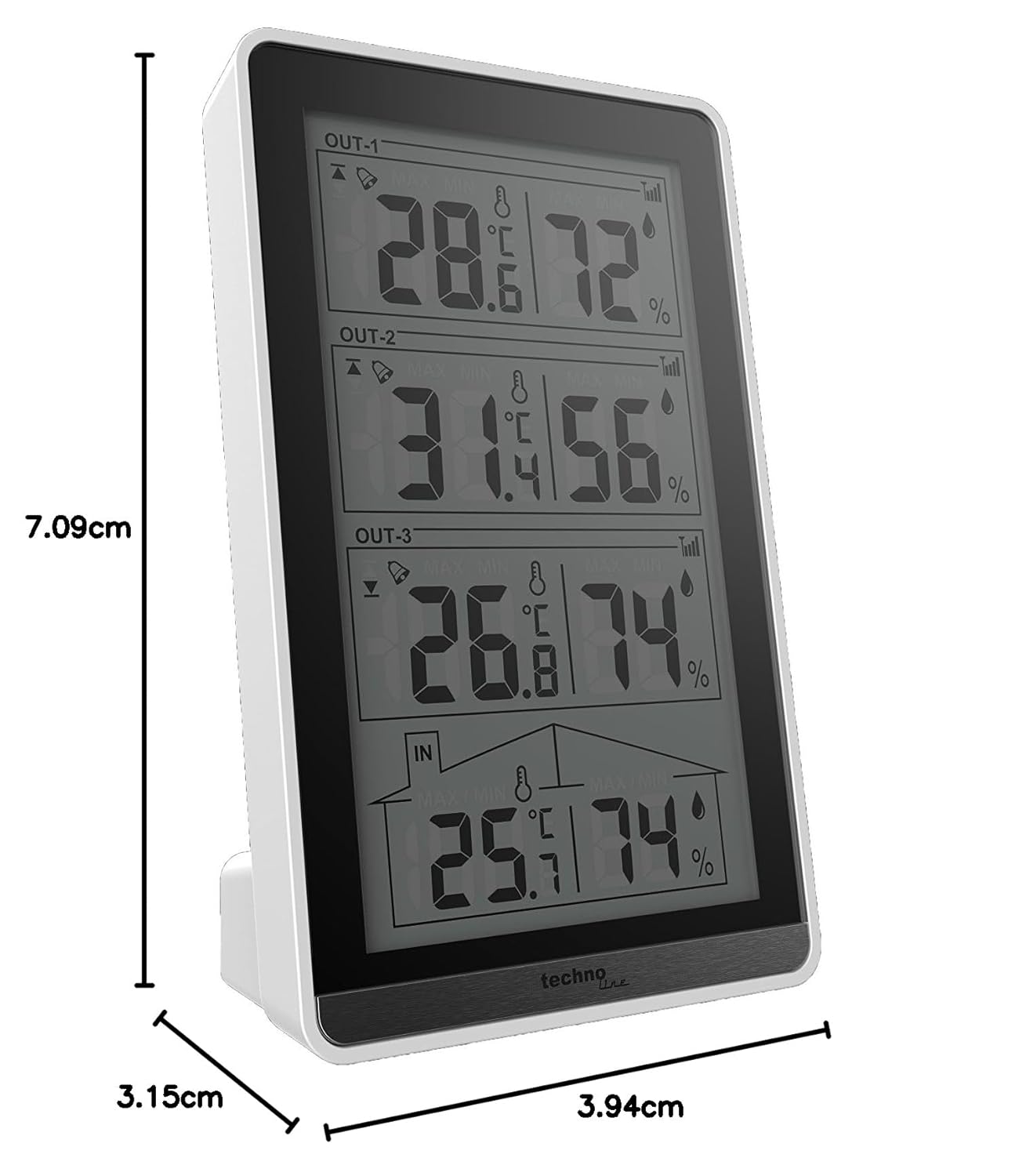
Image 3: Diagram illustrating the dimensions of the Technoline WS 7060 Temperature Station.
- Model: WS 7060
- Brand: Technoline
- Display Type: LCD
- Material: Plastic
- Color: White/Black
- Main Station Dimensions (L x W x H): 8.2 x 4.1 x 13.4 cm
- Main Station Weight: 130 grams
- External Sensor Dimensions (L x W x H): 9.7 x 2.5 x 4.0 cm
- Power Source: Battery powered
- Battery Type (Main Station): 2 x AAA Micro LR03 (not included)
- Battery Type (External Sensors): 2 x AAA Micro LR03 per sensor (not included)
- Temperature Accuracy: +/- 0.5 °C
- Number of External Sensors Included: 3
- Features: Indoor/Outdoor Temperature Display, Indoor/Outdoor Humidity Display, Min/Max Data Storage.
- Country of Origin: China
6. Warranty and Support
For warranty information and technical support, please refer to the documentation provided with your purchase or contact Technoline customer service directly. Contact details can typically be found on the manufacturer's official website or on the product packaging.


