
1. Introduction
The Pulox PO-650B Digital Pulse Oximeter is designed for reliable and non-invasive measurement of oxygen saturation (SpO2) and pulse rate in infants and young children. This device provides continuous monitoring and is suitable for both home and professional use. Its flexible external sensor ensures comfortable and accurate readings.

Figure 1: Pulox PO-650B Digital Pulse Oximeter with external sensor. The main unit is white with a color display and purple/blue control buttons. A gray external sensor cable is connected, designed for infant use.
2. Package Contents
Please check the package contents upon receipt to ensure all items are present:
- Pulox PO-650B Main Unit
- External Soft Sensor for Infants/Children
- USB Cable
- 2 x AA Batteries
- Small Screwdriver (for battery compartment)
- User Manual (this document)

Figure 2: All components included in the Pulox PO-650B package: the main oximeter unit, external sensor, USB cable, two AA batteries, and a small screwdriver.
3. Device Overview
Familiarize yourself with the main components and controls of the Pulox PO-650B.

Figure 3: Detailed diagram of the Pulox PO-650B showing the display interface and control buttons. Key elements include the SpO2 and PR bpm readings, alarm limits, pulse waveform, battery indicator, power button, menu button, and navigation buttons.
3.1. Main Unit
- Display: TFT color screen showing SpO2, pulse rate (PR bpm), pulse waveform, battery status, and alarm indicators.
- Power Button: Turns the device on/off.
- Menu Button: Accesses device settings and options.
- Navigation Buttons (Up, Down, Left, Right): Used to navigate menus and adjust settings. The Left button also pauses the audible alarm, and the Right button can display the clock.
- USB Port: For data transfer to a PC.
- Sensor Connection Port: Connects the external SpO2 sensor.
3.2. External Sensor
The soft silicone external sensor is designed for comfort and flexibility, adapting to various finger sizes of infants and young children. It ensures reliable long-term measurement for up to 24 hours without causing pressure points. Other replacement and adhesive sensors for children and adults can be purchased separately.
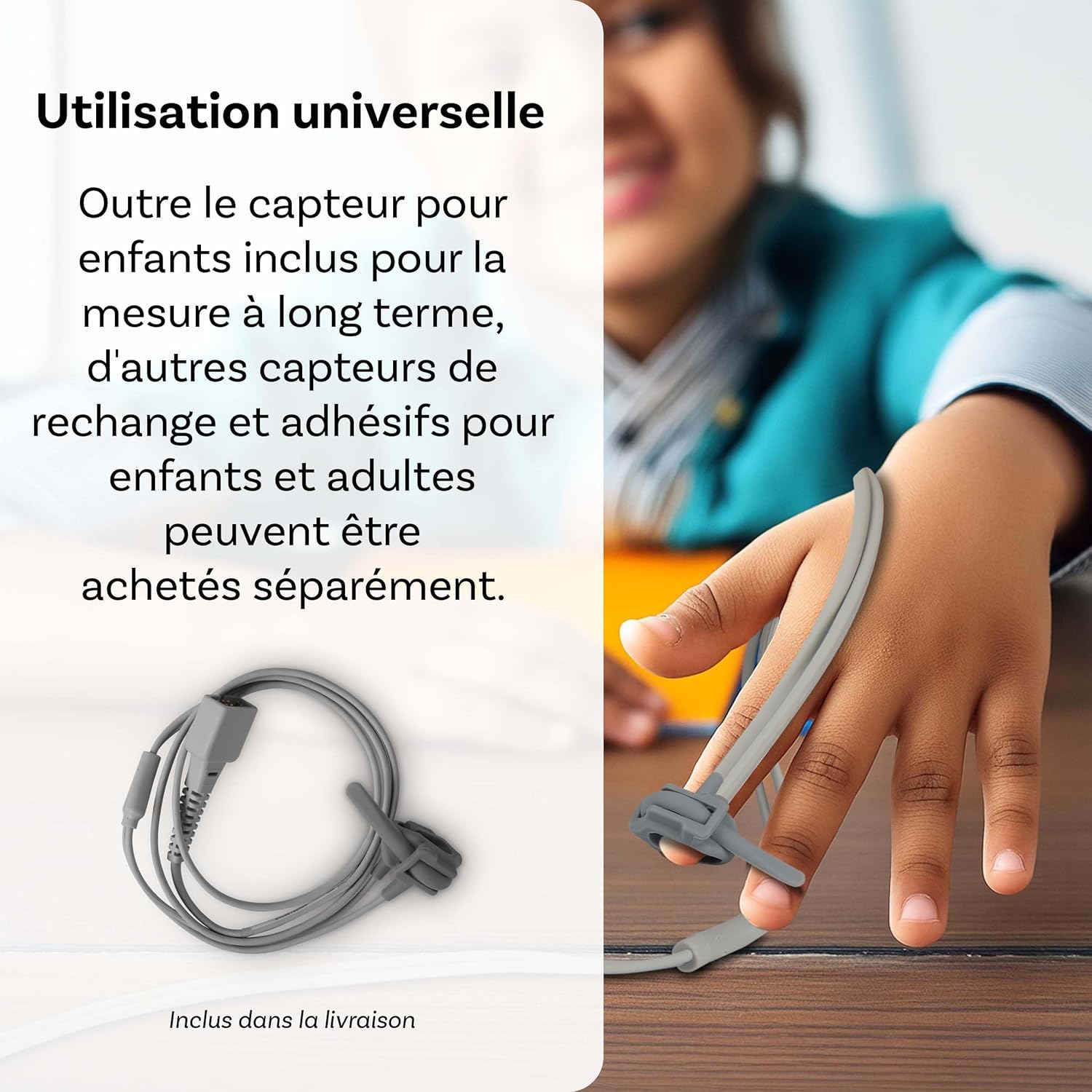
Figure 4: Image showing the flexible external sensor designed for universal use with infants and children. The soft material ensures comfort during long-term monitoring.
4. Setup
4.1. Battery Installation
- Locate the battery compartment on the back of the device.
- Use the provided screwdriver to open the battery compartment cover.
- Insert two AA batteries, ensuring correct polarity (+/-).
- Close the battery compartment cover and secure it with the screw.
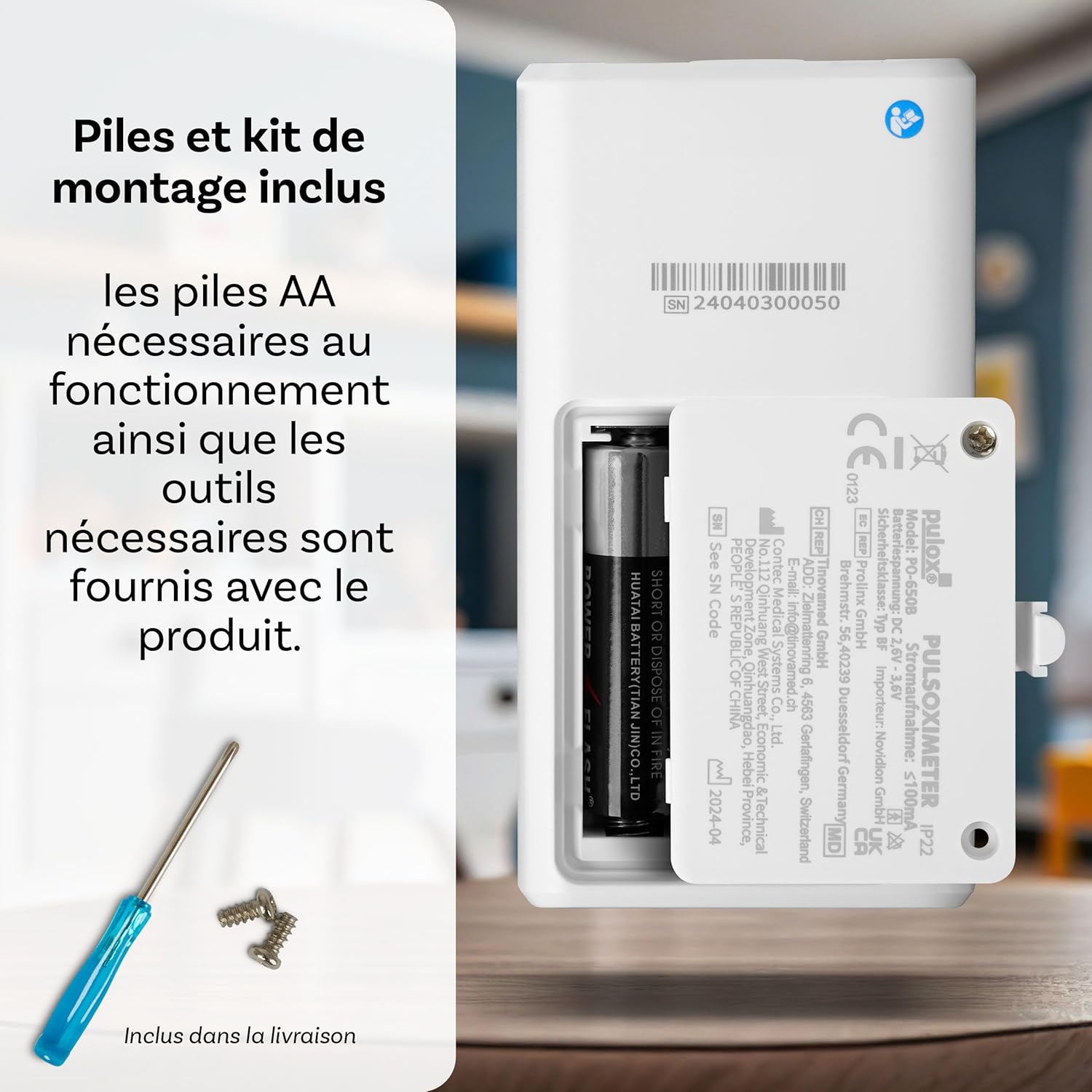
Figure 5: Image showing the open battery compartment of the Pulox PO-650B, with two AA batteries and a small screwdriver, illustrating the battery installation process.
4.2. Connecting the Sensor
Connect the external SpO2 sensor cable to the designated port on the top of the main unit. Ensure the connection is secure.
5. Operation
5.1. Taking a Measurement
- Press the Power button to turn on the device.
- Carefully attach the external sensor to the finger of the infant or child. Ensure the sensor is placed correctly and comfortably, avoiding excessive pressure.
- The device will automatically begin measuring SpO2 and pulse rate. Readings will appear on the TFT display within seconds.
- Observe the pulse waveform on the screen to confirm a stable signal.
5.2. Alarm Function
The PO-650B features an alarm function with individually adjustable limit values for SpO2 and pulse rate. An audible signal will sound if the measured values exceed or fall below the set limits.
- To adjust alarm limits: Press the Menu button, navigate to "Alarm Settings" using the navigation buttons, and adjust the upper and lower limits for SpO2 and PR bpm.
- To temporarily pause an audible alarm: Press the Left navigation button.

Figure 6: Illustration of the Pulox PO-650B indicating an active alarm, with sound waves emanating from the device, placed near a teddy bear to symbolize its use for children.
5.3. Display Settings
The brightness of the TFT display can be adjusted for optimal readability in various lighting conditions. Access this setting through the Menu.
6. Data Management
The Pulox PO-650B can record measurement data internally. This data can be transferred to a PC for evaluation and analysis using dedicated software.
- Connect the device to a PC using the provided USB cable.
- Install the accompanying software (if not already installed).
- Follow the software instructions to download, view, and analyze the recorded SpO2 and pulse rate data, including trend curves.

Figure 7: The Pulox PO-650B connected via USB to a laptop, displaying the data analysis software interface. This illustrates the device's capability for recording and reviewing measurement data on a computer.
7. Maintenance
7.1. Cleaning
- Clean the device and sensor regularly with a soft cloth dampened with a mild disinfectant.
- Do not immerse the device or sensor in liquid.
- Ensure the device is dry before storage or next use.
7.2. Storage
- Store the oximeter in a cool, dry place, away from direct sunlight and extreme temperatures.
- If the device will not be used for an extended period, remove the batteries to prevent leakage.
8. Troubleshooting
| Problem | Possible Cause | Solution |
|---|---|---|
| Device does not turn on. | Batteries are low or incorrectly inserted. | Replace batteries or ensure correct polarity. |
| Inaccurate or no readings. | Sensor not properly attached; excessive movement; poor circulation. | Re-position sensor; ensure patient is still; warm the finger if cold. |
| Audible alarm sounds frequently. | Alarm limits are set too narrow or actual values are outside normal range. | Adjust alarm limits in the menu; consult a medical professional if values are consistently abnormal. |
| Data transfer to PC fails. | USB cable not connected properly; software not installed or outdated. | Check USB connection; ensure software is correctly installed and up-to-date. |
9. Specifications
- Model: PO-650B
- Brand: Pulox
- Measurement Range SpO2: 0% - 100%
- Measurement Range Pulse Rate: 30 - 250 bpm
- Display: TFT Color Screen
- Power Supply: 2 x AA Batteries (included)
- Battery Life: Approximately 24 hours of continuous use
- Connectivity: USB for data transfer
- Sensor Type: External soft silicone sensor for infants/children
- Color: White
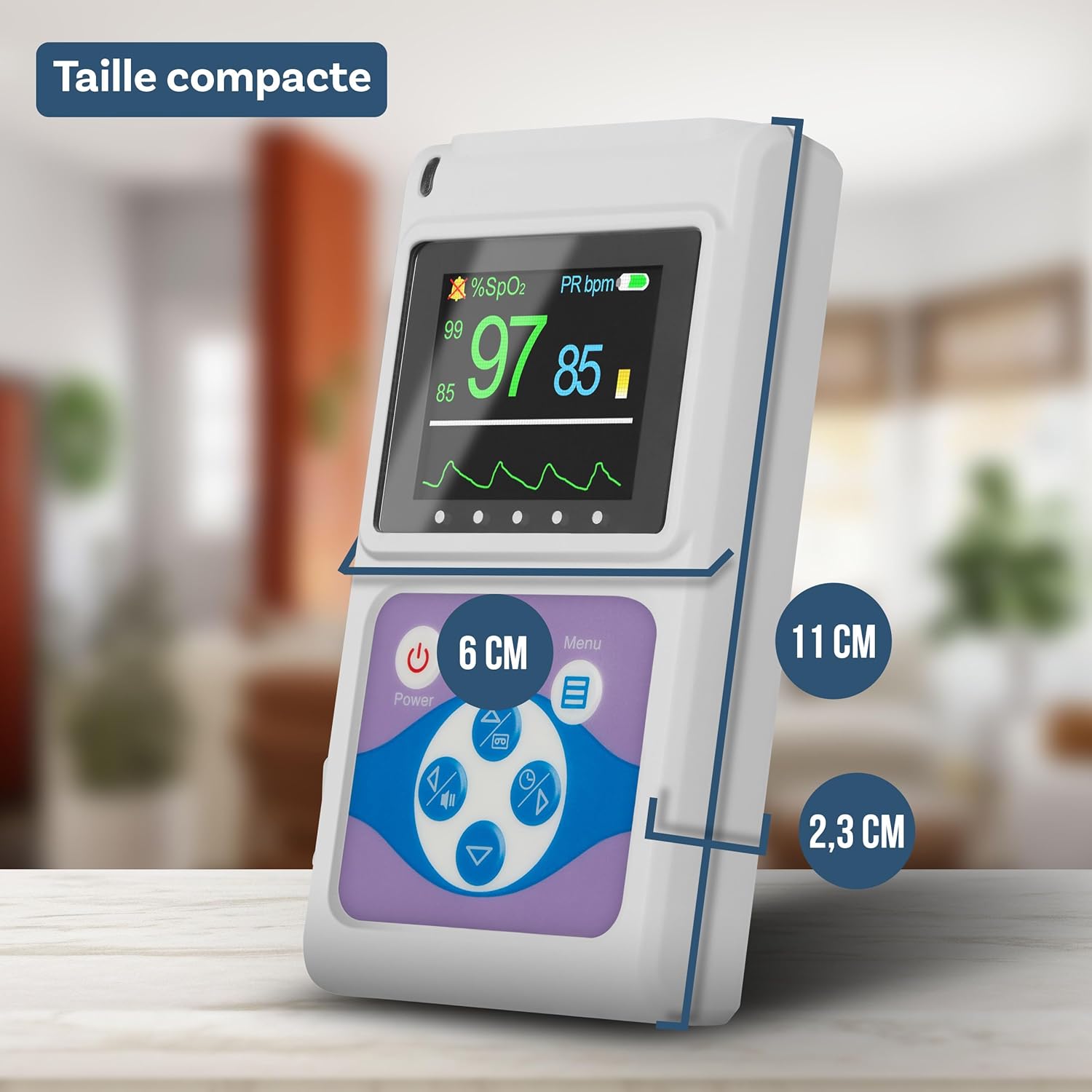
Figure 8: Image illustrating the compact dimensions of the Pulox PO-650B: approximately 11 cm in height, 6 cm in width, and 2.3 cm in depth.
10. Important Safety Information
This device is intended for monitoring purposes only and should not be used as a substitute for professional medical advice or treatment. Always consult a healthcare professional for diagnosis and treatment of any medical condition. Keep the device and its components out of reach of small children to prevent choking hazards.

