
Introduction
Thank you for purchasing the Bud Light Bluetooth Can Speaker. This portable wireless speaker is designed to provide clear audio with a compact and unique design. This manual provides instructions for setting up, operating, maintaining, and troubleshooting your speaker to ensure optimal performance.
Package Contents
Please check the package for the following items:
- Bud Light Bluetooth Can Speaker
- USB Charging Cable
- User Manual

Image: The Bud Light Bluetooth Can Speaker shown in its clear retail packaging.
Product Overview
Familiarize yourself with the speaker's components:
- Power Switch: Located at the base, used to turn the speaker ON or OFF.
- Charging Port: Micro USB port for charging the speaker.
- LED Indicator: Shows charging status and Bluetooth pairing status.
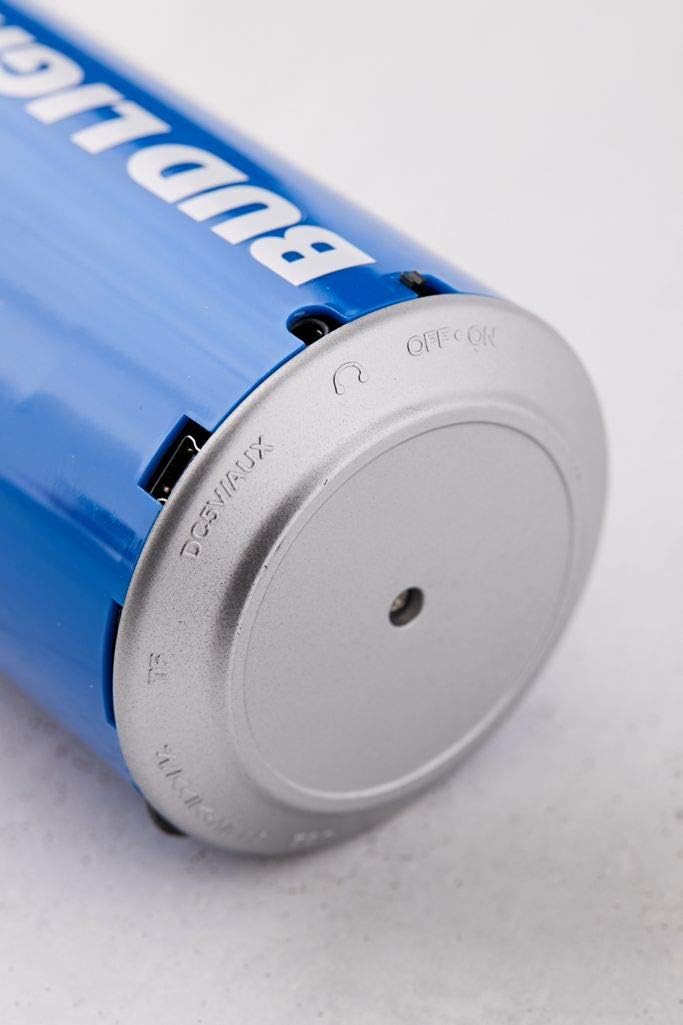
Image: A close-up view of the speaker's base, highlighting the 'OFF ON' switch and the charging port.
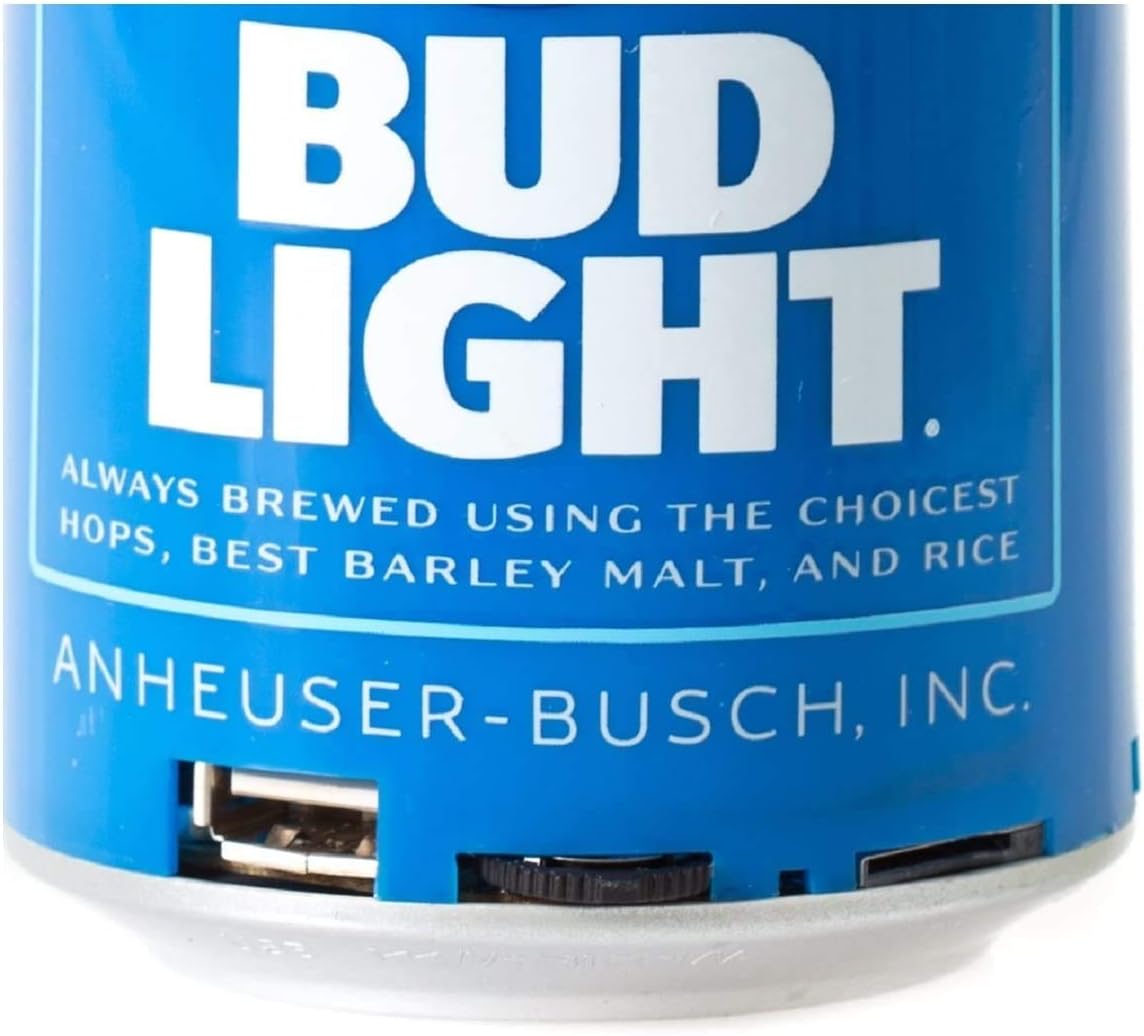
Image: A detailed view of the speaker's bottom section, showing the USB charging port and the power switch.
Setup
1. Charging the Speaker
- Connect the small end of the USB charging cable to the charging port on the speaker's base.
- Connect the larger end of the USB charging cable to a USB power adapter (not included) or a computer's USB port.
- The LED indicator will illuminate during charging and turn off once fully charged.
- A full charge typically takes approximately 2-3 hours.
2. Powering On/Off
- To turn ON the speaker, slide the power switch located at the base to the 'ON' position. You will hear an audible prompt.
- To turn OFF the speaker, slide the power switch to the 'OFF' position.
Operating Instructions
1. Bluetooth Pairing
The speaker is compatible with all Bluetooth-enabled devices.
- Ensure the speaker is charged and powered ON. The LED indicator will flash, indicating it is in pairing mode.
- On your device (smartphone, tablet, etc.), go to the Bluetooth settings and enable Bluetooth.
- Search for available devices. The speaker will appear as "Bud Light Speaker" or similar.
- Select the speaker from the list to connect. Once paired, the LED indicator will stop flashing and remain solid, and you will hear a confirmation tone.
- If prompted for a password, enter "0000".

Image: The Bud Light Bluetooth Can Speaker positioned next to a smartphone displaying a music application, illustrating a successful Bluetooth connection.
2. Audio Playback
- Once paired, audio from your device will play through the speaker.
- Control volume and track selection directly from your connected device.
3. Portability
The compact and lightweight design allows for easy transport, making it suitable for various outdoor and indoor environments.

Image: The Bud Light Bluetooth Can Speaker being held in a hand, demonstrating its compact size and portability.

Image: The Bud Light Bluetooth Can Speaker placed on a beach towel, illustrating its use in an outdoor setting.
Maintenance
- Cleaning: Use a soft, dry cloth to wipe the speaker. Do not use abrasive cleaners or solvents.
- Storage: Store the speaker in a cool, dry place away from direct sunlight and extreme temperatures.
- Water Resistance: This speaker is not waterproof. Avoid exposure to water or excessive moisture.
Troubleshooting
| Problem | Possible Cause | Solution |
|---|---|---|
| Speaker does not turn on. | Battery is depleted. | Charge the speaker using the provided USB cable. |
| Cannot pair with Bluetooth device. | Speaker is not in pairing mode or device's Bluetooth is off. | Ensure speaker is ON and LED is flashing. Turn ON Bluetooth on your device and search again. |
| No sound or low volume. | Volume on device is low or speaker is not connected. | Increase volume on your connected device. Ensure speaker is properly paired. |
| Poor audio quality. | Device is too far from speaker or interference. | Move device closer to the speaker (within 10 meters). Avoid obstacles between devices. |
Specifications
- Brand: Bud Light
- Model: Bluetooth Can Speaker
- Speaker Maximum Output Power: 3 Watts
- Connectivity Technology: Bluetooth, USB
- Audio Output Mode: Stereo, Surround
- Mounting Type: Freestanding
- Compatibility: All Bluetooth-enabled devices (Apple iPhone, Samsung Galaxy, Tablets, Smartphones) and non-Bluetooth devices (MP3 players via USB).
Warranty and Support
For warranty information or technical support, please refer to the contact details provided with your purchase documentation or visit the official Bud Light accessories website. Keep your proof of purchase for warranty claims.
