
Introduction
This manual provides instructions for the ZdalaMit AH59-02692E replacement remote control. This remote is designed to be compatible with various Samsung Soundbar models, offering a direct replacement without the need for complex programming. Please read this manual carefully to ensure proper use and longevity of your remote control.
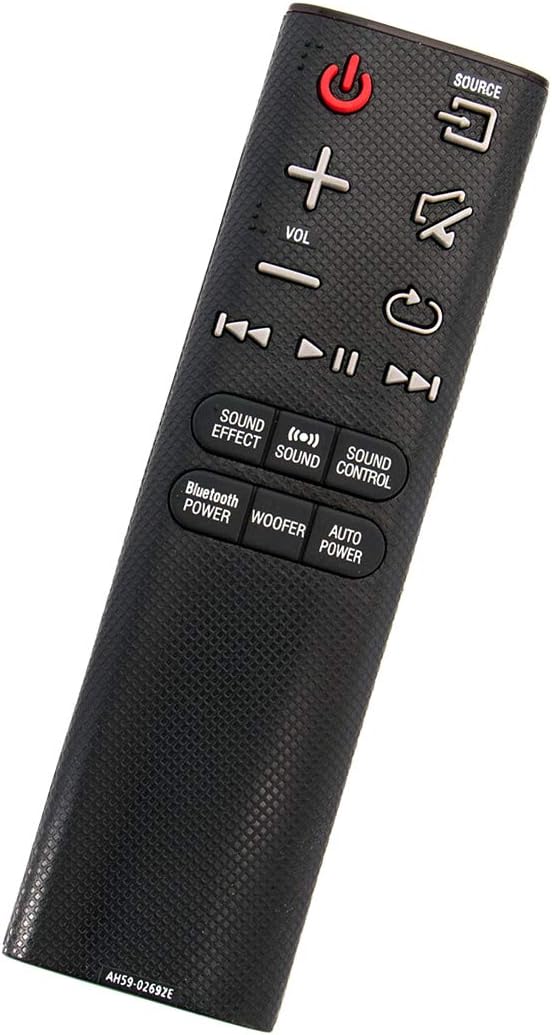
Angled view of the ZdalaMit AH59-02692E replacement remote control, showing its ergonomic design.
Setup
The ZdalaMit AH59-02692E remote control requires no programming or pairing. Simply insert the batteries, and it will be ready for use with your compatible Samsung Soundbar.
Battery Installation
- Locate the battery compartment on the back of the remote control.
- Slide the battery cover downwards to open it.
- Insert two (2) 1.5V AAA alkaline batteries, ensuring the positive (+) and negative (-) terminals match the diagrams inside the compartment.
- Slide the battery cover back into place until it clicks securely.
Note: Batteries are not included with the remote control. Always use new AAA alkaline batteries for optimal performance.
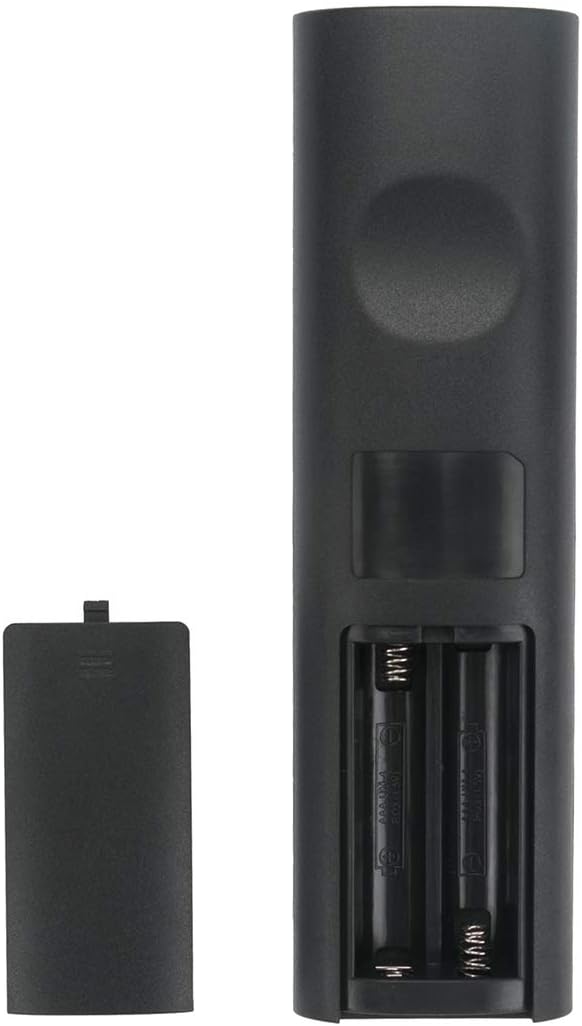
Back view of the remote control with the battery compartment open, showing where to insert batteries.
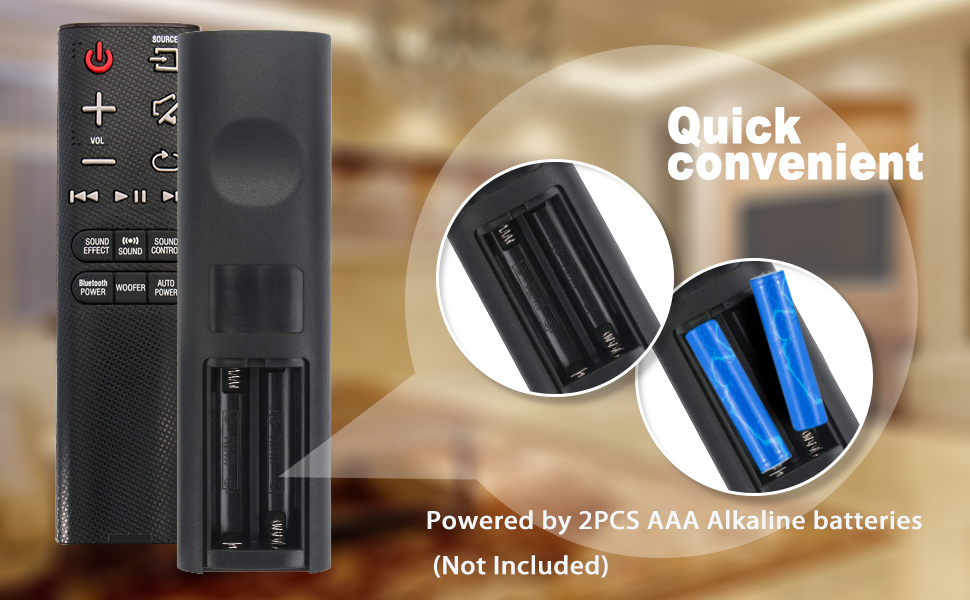
Illustration showing the correct way to insert two AAA batteries into the remote control's battery compartment.
Operating Instructions
Once batteries are installed, the remote is ready to control your compatible Samsung Soundbar. Ensure there is a clear line of sight between the remote control and the soundbar's infrared receiver.

Front view of the ZdalaMit AH59-02692E remote control, displaying all functional buttons.
Button Functions
- Power (Red Button): Turns the soundbar on or off.
- SOURCE: Cycles through available input sources (e.g., D.IN, BT, HDMI, AUX).
- VOL (+/-): Adjusts the master volume level.
- Mute: Mutes or unmutes the sound.
- Return/Back: Navigates back in menus or previous track.
- Play/Pause: Controls media playback.
- Skip (Forward/Backward): Skips to the next or previous track.
- SOUND EFFECT: Cycles through various sound effects/modes.
- SOUND: Adjusts specific sound settings.
- SOUND CONTROL: Accesses advanced sound settings.
- BLUETOOTH POWER: Activates or deactivates Bluetooth power.
- WOOFER: Adjusts the subwoofer level.
- AUTO POWER: Toggles the auto power function.
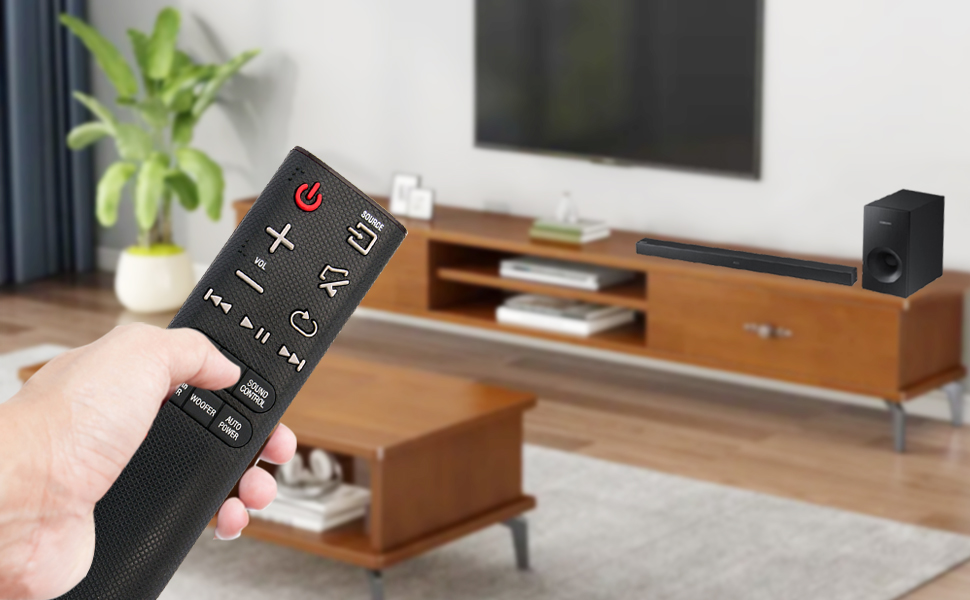
A user operating the remote control with a Samsung Soundbar and television in a home environment.
Maintenance
Proper maintenance ensures the longevity and reliable operation of your remote control.
Battery Replacement
Replace batteries when the remote's response becomes sluggish or stops working. Always replace both AAA batteries at the same time with new ones. Do not mix old and new batteries, or different types of batteries.
Cleaning
To clean the remote, gently wipe it with a soft, dry cloth. Do not use liquid cleaners, sprays, or abrasive materials, as these can damage the remote's surface or internal components.
Storage
Store the remote control in a cool, dry place away from direct sunlight and extreme temperatures. If the remote will not be used for an extended period, remove the batteries to prevent leakage and potential damage.
Troubleshooting
If you experience issues with your remote control, refer to the following common solutions:
- Remote Not Responding:
- Check if the batteries are inserted correctly with the correct polarity.
- Replace old batteries with new 1.5V AAA alkaline batteries.
- Ensure there are no obstructions between the remote control and the soundbar's infrared receiver.
- Confirm the remote is pointed directly at the soundbar.
- Limited Range:
- Ensure batteries are fresh. Weak batteries can reduce the remote's effective range.
- Remove any objects that might be blocking the signal path.
- Incorrect Functionality:
- This remote is pre-programmed for compatible Samsung Soundbars. If functions are incorrect, verify your soundbar model is listed as compatible.
Specifications
| Feature | Detail |
|---|---|
| Brand | ZdalaMit |
| Model Name | AH59-02692E |
| Model Number | AH59-02692E-ZDLMT |
| Compatible Devices | Samsung Soundbars (HW-J355, HW-J450, HW-J460, HW-J550, HW-J551, HW-J6000, HW-J6001, HW-JM35, HW-JM45, HW-JM45C, HW-JM6000, HW-JM6000C, HW-J430, etc.) |
| Connectivity Technology | Infrared |
| Power Supply | 2 x 1.5V AAA Alkaline Batteries |
| Maximum Range | 33 Feet (approx. 10 meters) |
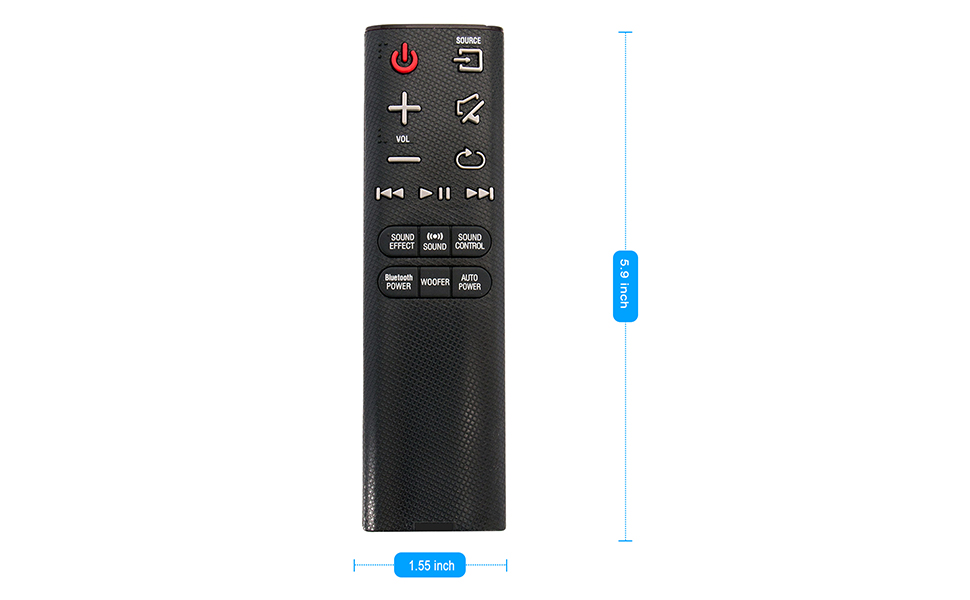
| Item Dimensions (L x W x H) | 5.9" x 1.55" x 0.5" |
| Special Feature | Pre-Programmed |
Visual representation of the remote control's dimensions (length and width).
Warranty Information
This ZdalaMit remote control comes with a 1-year warranty from the date of purchase. This warranty covers manufacturing defects under normal use. It does not cover damage caused by misuse, accidents, unauthorized modifications, or battery leakage.
Support
For any questions, concerns, or assistance regarding your ZdalaMit AH59-02692E replacement remote control, please contact the seller or manufacturer directly. Refer to your purchase documentation for specific contact details.
We are committed to providing reliable products and support.