
1. Introduction
The LIFX Mini White (A19) Smart LED Light Bulb provides quality, dimmable, warm white illumination. This compact smart light integrates Wi-Fi connectivity, allowing control via the LIFX app and compatibility with voice assistants such as Alexa, Apple HomeKit, and Google Assistant. No additional hub is required for operation.

The LIFX Mini White Smart LED Light Bulb is presented in its retail packaging, highlighting its 'Mini White' designation and 'Natural Warm White' light.
2. Safety Information
- Electrical Safety: Ensure power is off before installing or removing the bulb. Do not use with dimmers not designed for smart LED bulbs.
- Indoor Use Only: This bulb is designed for indoor use in dry locations. Avoid exposure to water or excessive humidity.
- Operating Temperature: Do not operate in enclosed fixtures that restrict airflow, as this may reduce bulb lifespan.
- Disposal: Dispose of the bulb according to local regulations for electronic waste.
3. Package Contents
Your LIFX Mini White Smart LED Light Bulb package should contain:
- 1 x LIFX Mini White (A19) Smart LED Light Bulb
4. Setup
Follow these steps to set up your LIFX Mini White Smart LED Light Bulb:
- Install the Bulb: Carefully screw the LIFX Mini White bulb into a standard E26 light socket. Ensure the power to the socket is turned off before installation.
- Power On: Turn on the power to the light socket. The bulb should illuminate.
- Download the LIFX App: Download the official LIFX app from the Apple App Store (for iOS devices) or Google Play Store (for Android devices).
- Connect to Wi-Fi: Open the LIFX app and follow the on-screen instructions to connect your bulb to your home Wi-Fi network. The bulb uses built-in Wi-Fi and does not require a separate hub.
- Integrate with Voice Assistants: Once connected to the LIFX app, you can link your bulb with Alexa, Apple HomeKit, or Google Assistant for voice control. Refer to the respective assistant's setup guide for integration steps.

A close-up view of the LIFX Mini White Smart LED Light Bulb, showcasing its A19 shape and E26 screw base.
5. Operating the Bulb
The LIFX Mini White bulb offers versatile control options:
- App Control: Use the LIFX app to turn the bulb on/off, adjust brightness (dimming), and set schedules. You can control individual bulbs or group multiple bulbs for synchronized control.
- Voice Control: Once integrated with Alexa, Apple HomeKit, or Google Assistant, use voice commands to control your light. For example, "Alexa, turn on the living room light" or "Hey Google, dim the bedroom light to 50%."
- Scheduling and Automation: Set timers within the LIFX app for automated on/off times, or create routines with your preferred voice assistant for personalized lighting experiences.

A smartphone screen displaying the LIFX application, showing controls for dimming and color temperature adjustment for a connected light bulb.
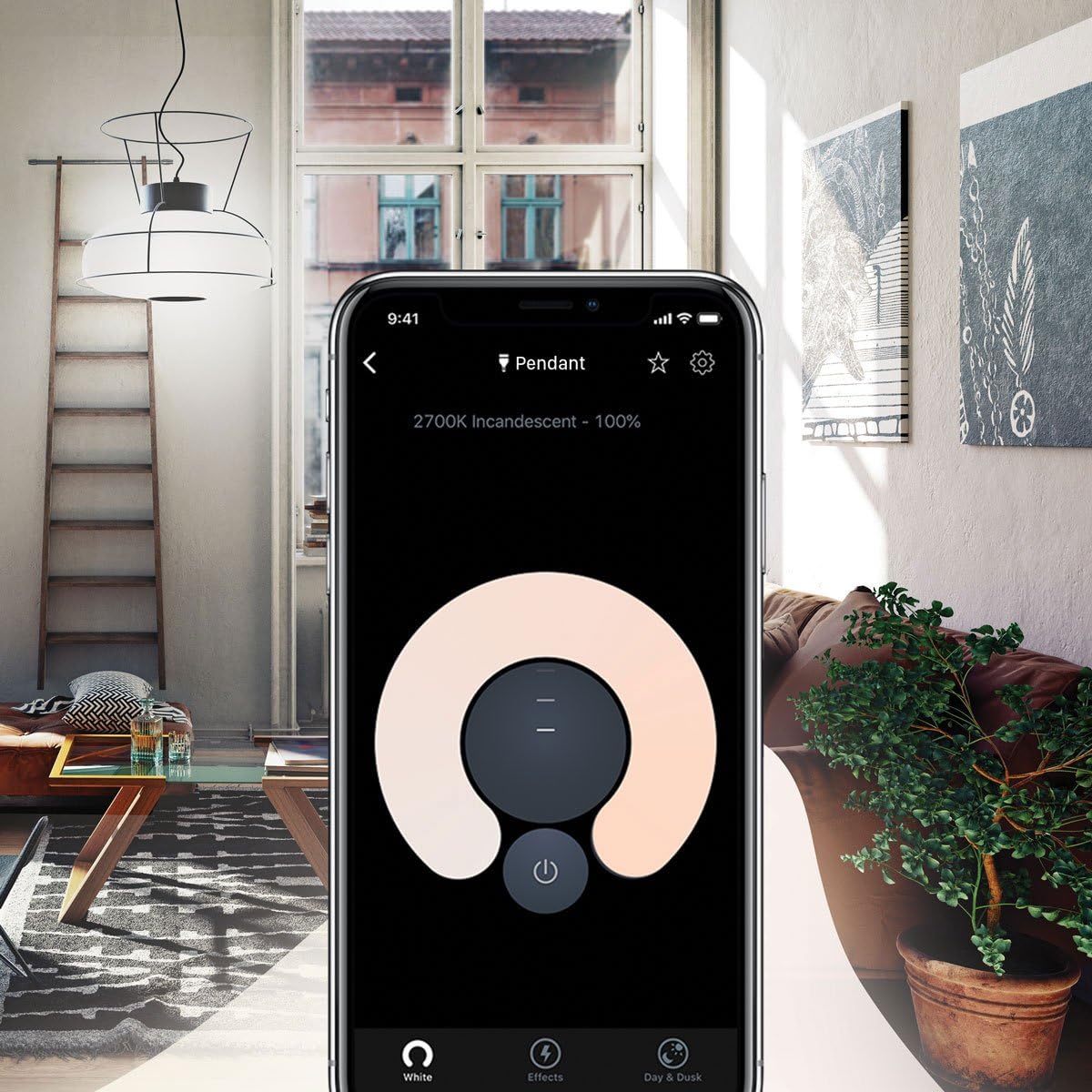
An interior view of a modern living room, demonstrating the warm white illumination provided by LIFX smart lighting.
6. Maintenance
To maintain your LIFX Mini White Smart LED Light Bulb:
- Cleaning: Ensure the bulb is off and cool before cleaning. Wipe with a soft, dry cloth. Do not use liquid or abrasive cleaners.
- Storage: If storing the bulb, keep it in a cool, dry place away from direct sunlight.
7. Troubleshooting
If you encounter issues with your LIFX Mini White bulb, consider the following:
- Connectivity Issues: If the bulb disconnects from your network, ensure your Wi-Fi router is functioning correctly and the bulb is within range. Restarting your router may resolve temporary network issues.
- Re-pairing/Resetting: If the bulb becomes unresponsive or cannot be re-paired, perform a hardware reset. To do this, turn the light switch off and on five (5) consecutive times. The bulb should flash, indicating it has reset and is ready for re-pairing via the LIFX app.
- App Not Responding: Ensure your LIFX app is updated to the latest version. Close and reopen the app, or restart your smartphone if problems persist.
8. Specifications
| Feature | Detail |
|---|---|
| Brand | LIFX |
| Model Number | L3A19MW06E26 |
| Light Type | LED |
| Special Feature | Wi-Fi Connectivity |
| Wattage | 9 watts |
| Incandescent Equivalent | 60 Watts |
| Bulb Shape Size | A19 |
| Bulb Base | E26 |
| Brightness | 800 Lumens |
| Light Color | Warm White |
| Color Temperature | 2700 Kelvin |
| Voltage | 120 Volts (Accepted: 100 to 240 Volts) |
| Average Life | 25,000 Hours |
| Control Method | App, Voice |
| Product Dimensions | 2.17"W x 3.98"H |
| Item Weight | 5.1 ounces |
| Material | Aluminum, Polyvinyl Chloride (PVC) |
| Specification Met | Energy Star |

A diagram illustrating the physical dimensions of the LIFX Mini White Smart LED Light Bulb, with a height of 3.98 inches and a width of 2.17 inches.

The energy efficiency label for the LIFX Mini White Smart LED Light Bulb, indicating an A+ rating and 8 kWh/1000h consumption.
9. Warranty
The LIFX Mini White Smart LED Light Bulb comes with a 2-year warranty from the date of purchase. Please retain your proof of purchase for warranty claims. The warranty covers defects in materials and workmanship under normal use.
10. Support
For further assistance, please visit the official LIFX website or contact LIFX customer support. You can also find additional resources and FAQs within the LIFX mobile application.


