
IMC Audio Universal Microphone for Pioneer Car Stereos
IMC Audio Microphone Instruction Manual
Model: Universal Microphone for Pioneer Car Stereos
Introduction
This instruction manual provides detailed information on the installation, operation, and maintenance of your IMC Audio Microphone. Designed for use with compatible Pioneer car stereos, this microphone ensures clear audio capture for hands-free calling and voice commands. Please read this manual thoroughly before installation and use to ensure optimal performance and longevity of your device.
Product Overview
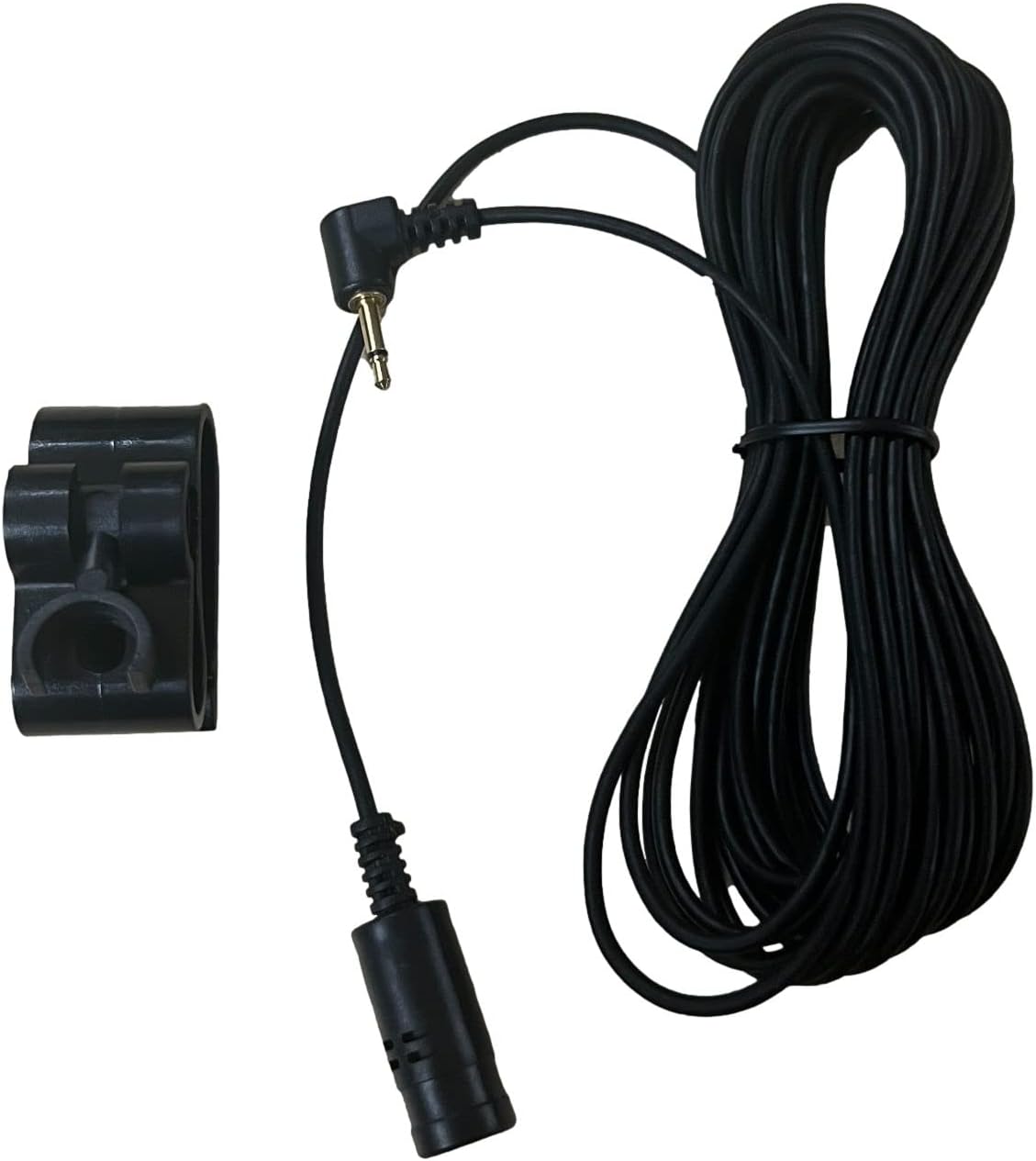
The IMC Audio Microphone is an omnidirectional microphone designed to integrate seamlessly with various Pioneer car stereo models, enhancing your in-car communication experience. It features a durable cable and a compact design for discreet placement.
Compatible Pioneer Models:
- FH-X70BT
- DEH-X8600BS
- FH-X700BT
- SPH-DA120
- AVIC-F10BT
- AVIC-X950BT
- AVIC-6100NEX
- AVIC-5100NEX
- AVH-X3600BHS
- MVH-X570BT
- DEH-X6900BT



Setup and Installation
- Identify Microphone Input: Locate the dedicated microphone input jack on your Pioneer car stereo. This is typically a 2.5mm or 3.5mm jack, often labeled 'MIC' or 'Microphone In'. Refer to your car stereo's manual for exact location.
- Connect Microphone: Insert the microphone's plug firmly into the microphone input jack on your car stereo.
- Mounting the Microphone:
- Optimal Placement: For best voice pickup, position the microphone as close to the driver's or main speaker's head as possible, without obstructing vision or airbags. Common locations include the sun visor, A-pillar, or dashboard.
- Using the Clip: Utilize the included mounting clip to secure the microphone. The clip can be attached to a sun visor or adhered to a flat surface using appropriate adhesive (not included).
- Cable Routing: Carefully route the microphone cable to avoid interference with vehicle controls, pedals, or moving parts. Secure the cable using cable ties or clips to prevent it from dangling or becoming entangled.
- Test Connection: After installation, perform a test call or voice command to ensure the microphone is functioning correctly and audio is clear. Adjust microphone position if necessary.
Operating Instructions
Once installed, the IMC Audio Microphone operates in conjunction with your Pioneer car stereo's Bluetooth or voice command features. Refer to your specific Pioneer stereo's user manual for detailed instructions on enabling and using these functions.
- Hands-Free Calling: When a compatible phone is paired via Bluetooth to your Pioneer stereo, the microphone will automatically activate for incoming and outgoing calls. Speak clearly towards the microphone for optimal voice transmission.
- Voice Commands: If your Pioneer stereo supports voice command features, the microphone will capture your voice for navigation, music control, or other functions. Activate the voice command feature on your stereo as per its instructions, then speak your command clearly.
Maintenance
To ensure the longevity and optimal performance of your IMC Audio Microphone, follow these simple maintenance guidelines:
- Cleaning: Gently wipe the microphone and cable with a soft, dry cloth to remove dust or debris. Do not use liquid cleaners, solvents, or abrasive materials, as these can damage the microphone's components.
- Cable Care: Avoid sharp bends or kinks in the cable, which can damage internal wires. Do not pull on the cable to disconnect the microphone; always grasp the plug.
- Environmental Conditions: Keep the microphone away from extreme temperatures, direct sunlight for prolonged periods, and excessive moisture.
Troubleshooting
If you experience issues with your IMC Audio Microphone, consider the following troubleshooting steps:
- No Sound/Poor Sound Quality:
- Ensure the microphone plug is fully inserted into the stereo's microphone input jack.
- Check your car stereo's settings to ensure the microphone input is enabled and volume levels are appropriately set.
- Verify that your phone is properly paired via Bluetooth to the car stereo.
- Reposition the microphone to a clearer location, closer to the speaker, and away from air vents or noisy areas.
- Inspect the microphone cable for any visible damage or kinks.
- Echo or Feedback:
- Adjust the microphone gain settings on your car stereo, if available.
- Ensure the car stereo's speakers are not too loud, causing sound to loop back into the microphone.
- Microphone Not Recognized:
- Confirm that your car stereo model is listed as compatible with this microphone.
- Try disconnecting and reconnecting the microphone.
- Restart your car stereo (turn off the vehicle, wait a few minutes, then restart).
If problems persist after attempting these steps, please contact IMC Audio customer support.
Specifications
| Manufacturer | IMC Audio |
| UPC | 700604544527 |
| Special Features | Bluetooth (for compatible stereo functions) |
| Connectivity Technology | Wired (2.5mm/3.5mm jack) |
| Compatible Devices | Pioneer Car Stereos (specific models listed above) |
| Color | Black |
| Included Components | Microphone, Mounting Clip |
| Polar Pattern | Omnidirectional |
| Power Source | Corded Electric (powered by stereo) |
| Number of Channels | 1 |
Warranty and Support
For warranty information or technical support regarding your IMC Audio Microphone, please contact IMC Audio directly. Details for contacting customer service can typically be found on the product packaging or the official IMC Audio website.
Please retain your proof of purchase for any warranty claims.
Related Documents - Universal Microphone for Pioneer Car Stereos
 |
Pioneer In-Dash Navigation AV Receiver System Firmware Update Instructions Step-by-step guide for updating the system firmware on Pioneer In-Dash Navigation AV Receivers, including model compatibility, preparation, and update procedures. |
 |
Pioneer In-Dash Navigation AV Receiver System Firmware Update Instructions Step-by-step guide for updating the system firmware on Pioneer In-Dash Navigation AV Receivers, including model compatibility, download procedures, and verification steps. |
 |
Pioneer In-Dash Navigation AV Receiver Firmware Update Guide Official instructions for updating the system firmware on Pioneer In-Dash Navigation AV Receivers, including model compatibility, download links, and step-by-step procedures. |
 |
Pioneer AVIC-8100NEX, AVIC-7100NEX, AVIC-6100NEX, AVIC-5100NEX Installation Manual This installation manual provides detailed instructions for installing Pioneer multimedia navigation receivers, including connection diagrams, precautions, and mounting guidelines for models AVIC-8100NEX, AVIC-7100NEX, AVIC-6100NEX, and AVIC-5100NEX. |
 |
Pioneer AVIC-Z Serie Navigations-/AV-System Bedienungsanleitung Umfassende Bedienungsanleitung für das Pioneer AVIC-Z Serie Navigations- und AV-System. Erfahren Sie, wie Sie Funktionen wie Navigation, Bluetooth, Wi-Fi, Medienwiedergabe und Fahrzeugeinstellungen nutzen. |
 |
Pioneer In-Dash Navigation AV Receiver System Firmware Update Instructions Detailed instructions for updating the system firmware on compatible Pioneer In-Dash Navigation AV Receivers. It covers model compatibility, checking the current firmware version, downloading the necessary files from Pioneer's website, and the procedure for installing the update, along with important cautions and notes for navigation system users. |
Ask a question about this manual
Ask about setup, troubleshooting, compatibility, parts, safety, or missing instructions. Manuals+ will review the question and use this page’s manual context to help answer it.