
Cricut 2004187
Contents
Cricut Brayer Instruction Manual
Model: 2004187
1. Introduction
The Cricut Brayer is a versatile tool designed to ensure smooth and even application of various materials onto your cutting mats. It helps eliminate wrinkles, puckers, and bubbles, providing a flat surface for precise cuts and extending the life of your mats.
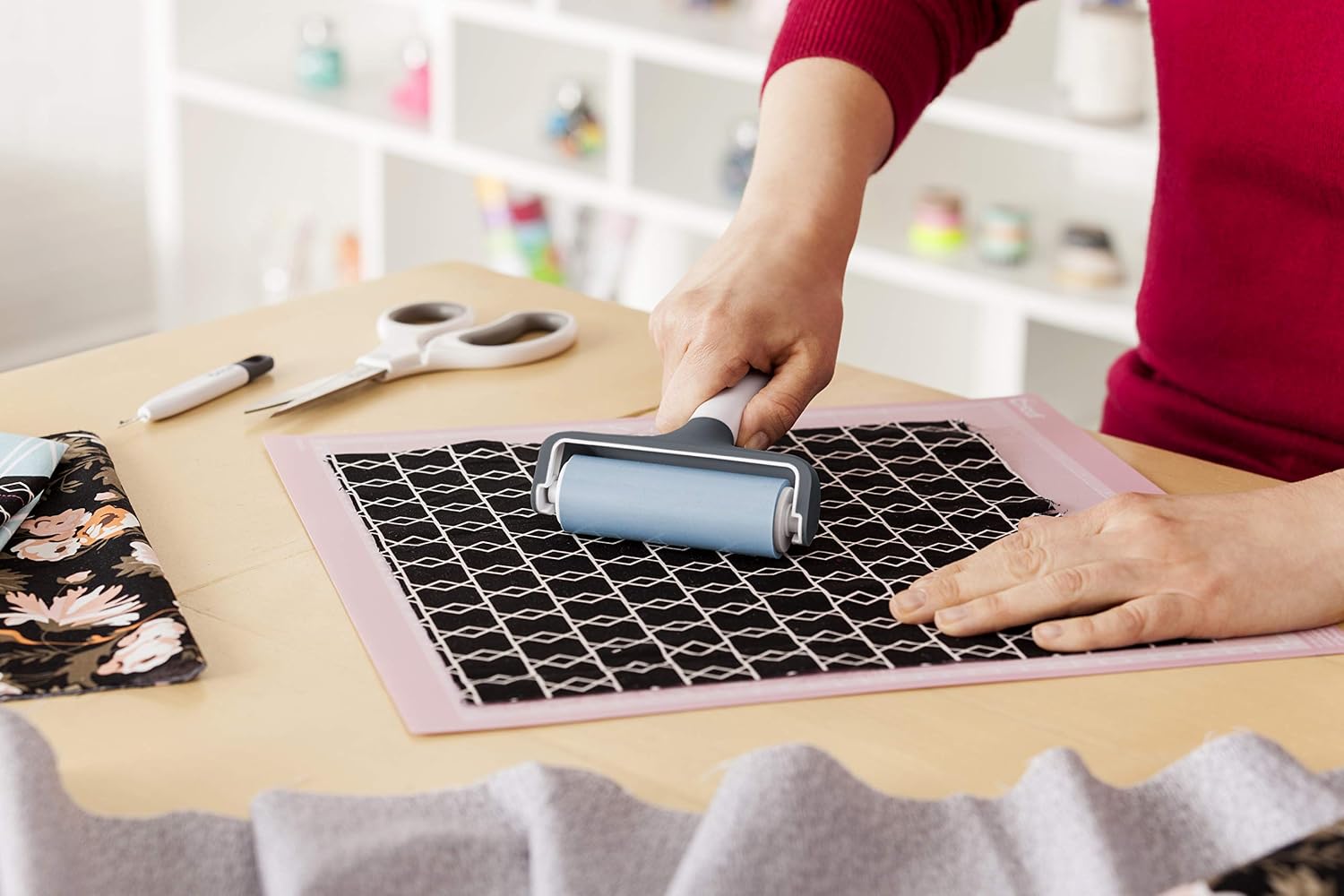
Image 1: Cricut Brayer, a rubber roller with a white handle and gray frame.
Key Features:
- Smooth Material Application: Ensures materials like fabric, vinyl, and iron-on adhere firmly and evenly to cutting mats.
- Wrinkle and Bubble Elimination: Helps achieve a flat, smooth surface for optimal cutting results.
- Mat Longevity: Reduces wear and tear on Cricut FabricGrip and other mats by promoting proper adhesion.
- Versatile Use: Suitable for fabric, vinyl, iron-on materials, and inking blocks for printmaking.
2. Setup
The Cricut Brayer requires no assembly. It is ready for use directly out of its packaging.
- Unpack: Carefully remove the brayer from its packaging.
- Inspect: Check the rubber roller for any debris or damage. Ensure it rotates freely.
- Clean (Optional): If necessary, wipe the rubber roller with a clean, damp cloth before first use to remove any manufacturing residue.
3. Operating Instructions
Follow these steps for effective use of your Cricut Brayer with various materials.
3.1. Preparing Your Material and Mat
- Place your chosen material (fabric, vinyl, iron-on, etc.) onto the appropriate Cricut cutting mat.
- Align the material carefully, ensuring it covers the desired cutting area.
3.2. Using the Brayer for Adhesion
- Hold the brayer by its handle, positioning the rubber roller at one edge of your material.
- Apply gentle, even pressure and roll the brayer across the entire surface of the material, moving from one end to the other.
- Repeat this motion, overlapping slightly with each pass, until the entire material is firmly adhered to the mat.
- Pay special attention to edges and corners to prevent lifting during cutting.

Image 2: Side view of the Cricut Brayer, showing the ergonomic handle and roller mechanism.
3.3. Specific Material Tips
- Fabric: Use firm, even strokes to press fabric onto the FabricGrip mat, ensuring no wrinkles or loose threads.
- Vinyl & Iron-On: Roll across the material to remove air bubbles and ensure full contact with the mat's adhesive.
- Inking Blocks: The brayer can also be used to evenly distribute ink onto carving blocks for printmaking.
4. Maintenance
Proper care will ensure the longevity and effectiveness of your Cricut Brayer.
- Cleaning the Roller: After each use, especially with fabric or inking blocks, wipe the rubber roller with a clean, damp cloth to remove any fibers, adhesive residue, or ink. For stubborn residue, a mild soap solution can be used, followed by rinsing and drying.
- Drying: Ensure the roller is completely dry before storing to prevent damage or transfer of moisture.
- Storage: Store the brayer in a clean, dry place away from direct sunlight and extreme temperatures.
- Avoid Harsh Chemicals: Do not use abrasive cleaners or solvents on the rubber roller, as this can degrade the material.
5. Troubleshooting
Here are solutions to common issues you might encounter:
| Problem | Possible Cause | Solution |
|---|---|---|
| Material not adhering well to mat. | Insufficient pressure; mat losing stickiness; debris on mat or material. | Apply more even pressure with the brayer. Clean your mat or consider replacing it. Ensure material is clean. |
| Bubbles or wrinkles remain after braying. | Material applied unevenly; air trapped. | Lift material gently and reapply, rolling from the center outwards. Use overlapping strokes. |
| Brayer roller feels sticky or leaves residue. | Residue from previous use (adhesive, ink, fibers). | Clean the rubber roller thoroughly with a damp cloth and mild soap if necessary. Dry completely. |
6. Specifications
| Brand: | Cricut |
| Model Number: | 2004187 |
| Color: | White (Handle), Gray (Frame), Light Blue (Roller) |
| Material: | Rubber (Roller), Plastic/Metal (Handle/Frame) |
| Item Weight: | 6.24 ounces |
| Recommended Uses: | Fabric crafting, vinyl application, iron-on application, printmaking with inking blocks |
| UPC: | 093573651311 |

Image 3: Front view of the Cricut Brayer, highlighting the roller width.
7. Warranty Information
Cricut products typically come with a limited warranty against defects in materials and workmanship. For specific warranty terms, duration, and claim procedures, please refer to the warranty card included with your purchase or visit the official Cricut website.
8. Customer Support
For further assistance, technical support, or to view additional resources, please visit the official Cricut support page:
You may also find helpful tutorials and community forums on the Cricut website.
Documents and downloads
Ask a question about this manual
Ask about setup, troubleshooting, compatibility, parts, safety, or missing instructions. Manuals+ will review the question and use this page’s manual context to help answer it.