
Introduction
Thank you for choosing the UGREEN USB C to USB A Cable. This high-quality cable is designed for fast charging and efficient data transfer between your USB-C enabled devices and USB-A ports. Featuring a durable nylon braided exterior and robust internal construction, it ensures reliable performance and longevity. Please read this manual carefully to understand the proper use and care of your cable.
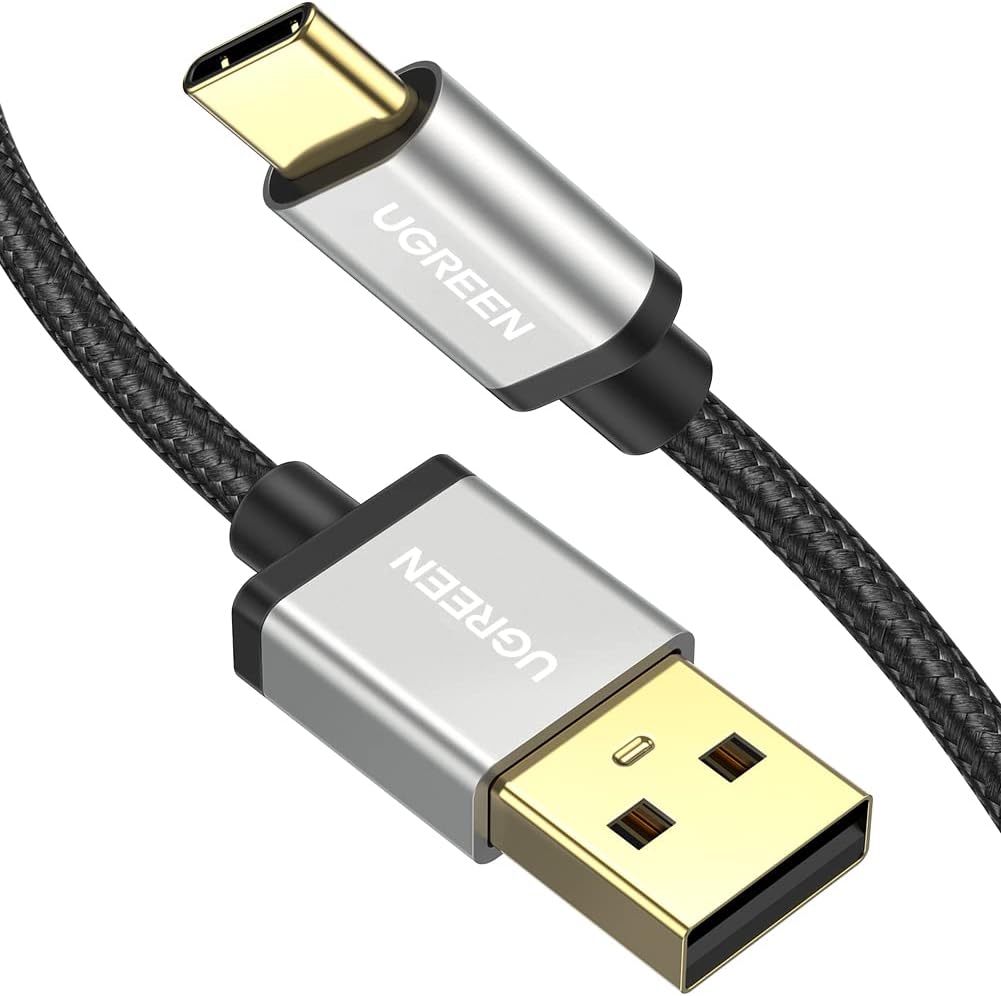
Image: The UGREEN USB C to USB A cable, showcasing its braided design and gold-plated connectors.
Setup and Connection
Connecting your UGREEN USB C to USB A cable is straightforward. Follow these steps for optimal performance:
- Identify Ports: Locate the USB-C port on your device (e.g., smartphone, tablet, Nintendo Switch) and a USB-A port on your power adapter, computer, or car charger.
- Connect for Charging: Insert the USB-C end of the cable into your USB-C device. Insert the USB-A end into a compatible USB-A wall charger or power bank. Ensure the connection is firm.
- Connect for Data Transfer: For data transfer, insert the USB-C end into your USB-C device and the USB-A end into a USB-A port on your computer or laptop. Your device should be recognized automatically.

Image: The UGREEN USB C cable connected to a smartphone, which is plugged into a wall charger, illustrating its use for fast charging.

Image: The UGREEN USB C cable facilitating both data transfer and power charging between a smartphone and a laptop. Note: This cable does not support video output.
Operating Instructions
The UGREEN USB C to USB A cable supports both fast charging and data synchronization. Its intelligent design ensures safe and efficient operation.
Fast Charging
This cable supports 3A fast charging protocols such as QC3.0/2.0, AFC, and FCP, delivering optimal power to compatible devices. For best fast charging results, use with a power adapter that supports these protocols.

Image: An illustration demonstrating the safe charging capabilities of the UGREEN USB C cable, highlighting its ability to prevent overheating during use.
Data Transfer
The cable facilitates data transfer speeds of up to 480Mbps, allowing for quick synchronization of files, photos, and videos between your devices. A 1GB file can be transferred in approximately 24 seconds.
Important Note: This cable does not support video output.
Wide Compatibility
The UGREEN USB C to USB A cable is compatible with a broad range of USB-C enabled devices, including but not limited to:
- Samsung Galaxy: S8, S9, S10 Plus, Note 8, Note 9, Note 10, Note 20 series
- LG: G8, G7, V40, V20, V30
- Google Pixel: XL, 2, 2XL, 3, 3XL, 3a, 3aXL, 4, 4XL
- Motorola: Moto Z Force, Moto Z Play, Moto Z2 Force, Moto Z2 Play, Moto G6
- GoPro: Hero 5, Hero 6, Hero 7
- Nintendo Switch
- Other USB-C devices such as laptops, computers, U-disks, mice, and X-box controllers.

Image: A visual representation of the UGREEN USB C cable's wide compatibility with various devices, including smartphones (Samsung, Google, Motorola), gaming consoles (Nintendo Switch, Xbox), and computer peripherals (mouse, U-disk, laptop).
Maintenance and Care
To ensure the longevity and optimal performance of your UGREEN USB C to USB A cable, follow these maintenance guidelines:
- Handle with Care: Avoid sharp bends, kinks, or excessive pulling on the cable, especially near the connectors.
- Clean Connectors: Periodically inspect the USB-C and USB-A connectors for dust or debris. Use a dry, soft cloth or a small brush to gently clean them.
- Proper Storage: When not in use, coil the cable loosely and store it in a clean, dry place away from extreme temperatures and direct sunlight.
- Durability Features: The cable is designed with a nylon braided exterior and features a 56KΩ resistor for safe charging. It has been tested for over 10,000 plugs/unplugs, ensuring a stable and anti-oxidation connection over time.

Image: A close-up view of the UGREEN USB C connector, highlighting its robust construction and the results of a 10,000 plug/unplug test, demonstrating stable and anti-oxidation properties.

Image: An illustration of the internal structure of the UGREEN cable, revealing its multi-layered construction designed for enhanced durability and performance.
Troubleshooting
If you encounter issues with your UGREEN USB C to USB A cable, consider the following common solutions:
- Device Not Charging:
- Ensure both ends of the cable are securely connected.
- Verify that your power adapter and device are compatible with fast charging if you expect it.
- Try a different power outlet or USB-A port.
- Test the cable with another compatible device to rule out device-specific issues.
- Slow Charging:
- Confirm your power adapter supports fast charging protocols (QC, AFC, FCP) and provides sufficient wattage (e.g., 15 watts).
- Ensure your device also supports fast charging.
- Avoid using the device heavily while charging, as this can slow down the process.
- Data Transfer Issues:
- Ensure the cable is connected to a data-enabled USB-A port on your computer.
- Check your device's settings to ensure it's configured for file transfer (e.g., "File Transfer" or "MTP" mode).
- Restart both your device and computer.
- No Video Output:
- This cable is designed for charging and data transfer only. It does not support video output.
Specifications
| Feature | Detail |
|---|---|
| Brand | UGREEN |
| Model Number | 30880 |
| Connector Type | USB Type C to USB Type A |
| Cable Type | USB |
| Data Transfer Rate | 480 Megabits Per Second |
| Fast Charging Support | 3A (QC3.0/2.0, AFC, FCP) |
| Maximum Wattage | 15 watts |
| Outer Material | Nylon Braided |
| Connector Gender | Male-to-Male |
| Color | Black |
| Product Dimensions | 7.87 x 1.97 x 1.97 inches |
| Item Weight | 0.352 ounces |
| Special Features | Braided, 56KΩ Resistor, Gold-plated Connector, 10000+ Bend Lifespan |
| What's in the Box | 1 x USB C to USB A Cable |
Warranty and Support
UGREEN products are manufactured to high-quality standards and are backed by a manufacturer's warranty. For specific warranty details and duration, please refer to the product packaging or the official UGREEN website.
If you require technical assistance, have questions about your product, or need to claim warranty service, please contact UGREEN customer support through their official website or the retailer from whom you purchased the product. Please have your model number (30880) and purchase information ready when contacting support.
For more information, visit the official UGREEN Store: UGREEN Store on Amazon