1. Introduction
This manual provides essential information for the proper installation, operation, and maintenance of your Turbo Air TGM-50RS Refrigerated Merchandiser. Please read these instructions thoroughly before operating the unit to ensure safe and efficient performance. Retain this manual for future reference.
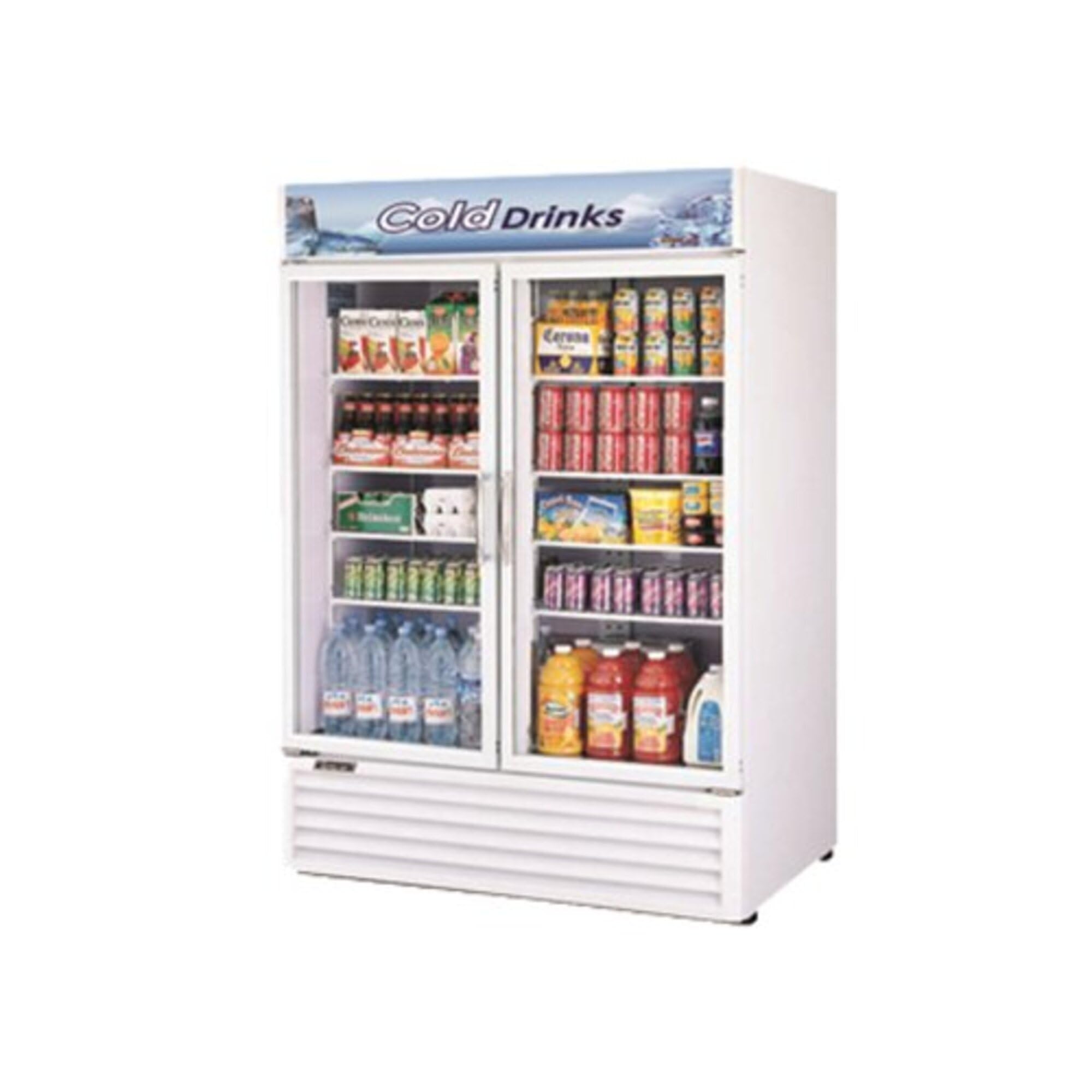
Image 1.1: Front view of the Turbo Air TGM-50RS Refrigerated Merchandiser.
2. Safety Information
Always follow basic safety precautions when using electrical appliances to reduce the risk of fire, electric shock, or injury. This unit uses R290 refrigerant, which is flammable. Ensure proper ventilation and avoid ignition sources.
- Do not store explosive substances such as aerosol cans with a flammable propellant in this appliance.
- Keep ventilation openings clear of obstruction.
- Do not use mechanical devices or other means to accelerate the defrosting process, other than those recommended by the manufacturer.
- Do not damage the refrigerant circuit.
- Only qualified service personnel should perform repairs.
- Disconnect power before cleaning or servicing.
3. Setup and Installation
3.1 Unpacking
Carefully remove all packaging materials. Inspect the unit for any shipping damage. Report any damage to the carrier immediately.
3.2 Placement
- Place the merchandiser on a strong, level surface capable of supporting its weight (approximately 463 lbs).
- Ensure adequate clearance around the unit for proper ventilation. Maintain at least 4 inches of space from walls or other obstructions.
- Avoid direct sunlight or proximity to heat-generating equipment.
- The unit is designed for indoor use in a controlled environment.
3.3 Electrical Connection
The unit requires a dedicated electrical circuit. Refer to the specifications for voltage and amperage requirements.
- Voltage: 115V
- Frequency: 60Hz
- Amperage: 3.1A
- Phase: 1-Ph
- Plug Type: NEMA 5-15P
- The unit includes a 7 ft power cord. Do not use extension cords.
3.4 Initial Cleaning
Before first use, clean the interior and exterior surfaces with a mild soap and water solution. Rinse thoroughly and dry completely.
4. Operation
4.1 Power On
After installation and initial cleaning, plug the unit into the appropriate electrical outlet. The unit will begin to cool automatically.
4.2 Temperature Control
The merchandiser is equipped with an electronic temperature control system. Refer to the control panel for adjusting the desired temperature. Allow several hours for the unit to reach the set temperature before loading products.
4.3 Loading Products
- Distribute products evenly on the eight PE-coated wire shelves.
- Do not block the internal air circulation vents to ensure optimal cooling performance.
- Avoid overloading shelves beyond their weight capacity.
4.4 LED Lighting and Advertising Panel
The unit features LED interior lighting for product visibility and an LED advertising panel. Controls for these features are typically located on the main control panel or a separate switch.
5. Maintenance
Regular maintenance ensures the longevity and efficient operation of your merchandiser.
5.1 Cleaning the Interior and Exterior
- Disconnect power before cleaning.
- Clean interior surfaces, including shelves, with a mild, non-abrasive cleaner and warm water.
- Wipe down the white vinyl exterior with a damp cloth. Avoid harsh chemicals or abrasive pads.
- Ensure all surfaces are dry before restoring power.
5.2 Condenser Coil Cleaning
The bottom-mount compressor's condenser coil should be cleaned regularly (monthly or quarterly, depending on environment) to maintain cooling efficiency and prevent compressor strain. Use a brush or vacuum cleaner to remove dust and debris from the fins.
5.3 Door Gasket Inspection
Periodically inspect the door gaskets for cracks, tears, or signs of wear. Damaged gaskets can lead to air leaks and reduced cooling efficiency. Replace worn gaskets promptly.
5.4 Automatic Defrost
This unit features an automatic defrost system, eliminating the need for manual defrosting. Ensure the drain pan is clear and free of obstructions.
6. Troubleshooting
Before contacting service, review the following common issues and solutions:
| Problem | Possible Cause | Solution |
|---|---|---|
| Unit not cooling | No power; thermostat set too high; condenser coil dirty; door left open. | Check power supply; adjust thermostat; clean condenser coil; ensure doors are closed. |
| Excessive noise | Unit not level; fan obstruction; loose components. | Level the unit; check for obstructions around fans; contact service for loose components. |
| Water on floor | Clogged drain line; excessive humidity. | Clear drain line; ensure proper door closure. |
If problems persist after attempting these solutions, contact qualified service personnel.
7. Specifications
Detailed technical specifications for the Turbo Air TGM-50RS Refrigerated Merchandiser:
- Model: TGM-50RS
- Exterior Dimensions (H x W x D): 78.5 in x 55.88 in x 32 in (199.4 cm x 141.9 cm x 81.3 cm)
- Interior Dimensions (H x W x D): 61.25 in x 52.88 in x 24.5 in (155.6 cm x 134.3 cm x 62.2 cm)
- Capacity: 43.7 cu/ft
- Weight: 463 lbs (210 kg)
- Exterior Finish: White vinyl
- Doors: 2 swing glass doors
- Shelves: 8 PE-coated wire shelves (25.25 in L x 23.38 in W each)
- Refrigerant: R290 (Hydrocarbon)
- Compressor: 1/3 HP, Bottom-mount
- Electrical: 115V/60Hz/3.1A/1-Ph, NEMA 5-15P plug, 7 ft cord
- Defrost System: Automatic
- Features: Algorithmic air circulation, LED interior lighting, LED advertising panel
- Certifications: ETL, cETLus listed, Energy Star certified
8. Warranty and Support
8.1 Warranty Information
The Turbo Air TGM-50RS Refrigerated Merchandiser comes with the following warranty:
- Parts and Labor: 2 years
- Compressor: Additional 3 years (total 5 years on compressor)
Please retain your proof of purchase for warranty claims. Warranty terms and conditions apply.
8.2 Customer Support
For technical assistance, warranty service, or to order replacement parts, please contact your authorized Turbo Air dealer or visit the official Turbo Air website for support contact information.


