
Important Safety Information
Please read this instruction manual carefully before using the appliance and keep it for future reference. Incorrect use may lead to electric shock, fire, or serious injury.
- Always unplug the vacuum cleaner from the power outlet before cleaning or performing any maintenance.
- Do not use the appliance to vacuum water or other liquids, hot ashes, sharp objects, or flammable substances.
- Ensure the dust container and filters are correctly installed before operation.
- Keep hair, loose clothing, fingers, and all parts of the body away from openings and moving parts.
- This appliance is for household use only. Do not use outdoors or on wet surfaces.
- Do not operate the vacuum cleaner with a damaged cord or plug.
Product Overview
The Taurus Smart Bagless Vacuum Cleaner is designed for efficient cleaning of various surfaces. Familiarize yourself with its components before use.

Figure 1: Main vacuum cleaner unit. This image shows the compact blue and grey body of the vacuum cleaner, featuring the transparent dust container with the "TurboCyclone System" label, the flexible hose connected to the unit, and the large rear wheels.
Components Included:
- Main Vacuum Unit
- Flexible Hose
- Floor Brush
- Crevice Tool
- Small Brush Attachment
- Non-telescopic Tube

Figure 2: Floor brush. This image displays the main floor brush attachment, suitable for various floor types, with the "taurus Smart" logo visible.
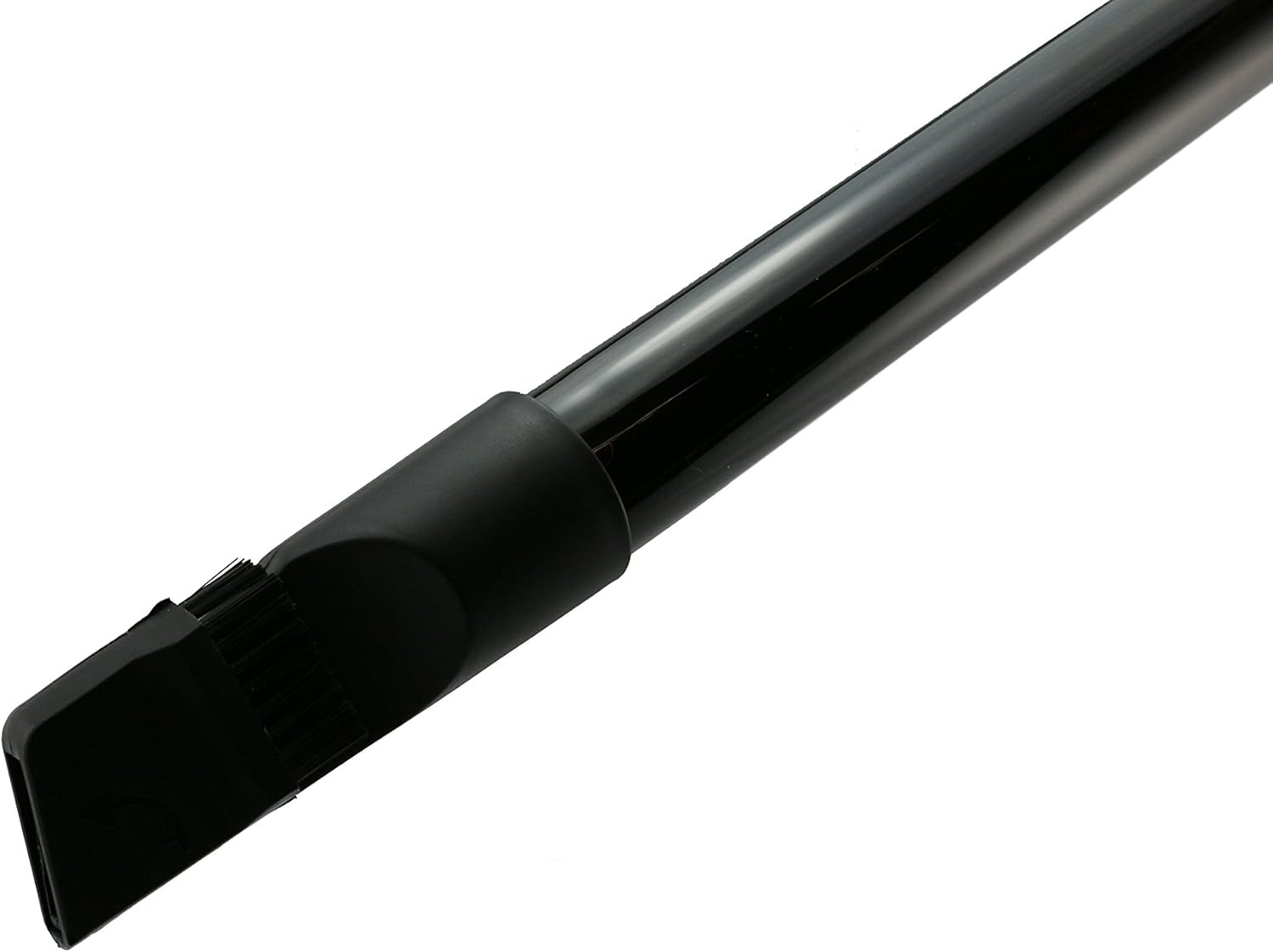
Figure 3: Crevice tool. This image shows the narrow crevice tool, designed for reaching tight spaces and corners.

Figure 4: Crevice tool with brush attachment. This image illustrates the crevice tool with a small brush extended, useful for dusting and cleaning delicate surfaces.
Setup
- Unpack: Carefully remove all components from the packaging. Retain packaging for storage or future transport.
- Attach Hose: Insert the flexible hose into the suction inlet on the main vacuum unit until it clicks securely into place.
- Assemble Tube and Attachment: Connect the non-telescopic tube to the handle end of the flexible hose. Then, attach your desired cleaning accessory (floor brush, crevice tool, or small brush) to the end of the tube.
- Power Connection: Extend the power cord from the automatic rewind mechanism. Plug the power cord into a suitable electrical outlet.
Operating Instructions
- Power On: Press the ON/OFF button located on the main unit to start the vacuum cleaner.
- Cleaning: Guide the cleaning attachment over the surface to be cleaned. The rubber wheels on the main unit protect delicate floors and allow for easy movement.
- Using Accessories:
- Use the floor brush for general cleaning of carpets and hard floors.
- Attach the crevice tool for narrow gaps, corners, and edges.
- Utilize the small brush attachment (on the crevice tool) for dusting furniture, curtains, or delicate items.
- Power Off: Press the ON/OFF button again to stop the vacuum cleaner.
- Cord Rewind: Press the automatic cord rewind button to retract the power cord into the unit. Guide the cord manually to prevent whipping.
Maintenance
Regular maintenance ensures optimal performance and extends the lifespan of your vacuum cleaner. Always unplug the appliance before any maintenance.
Emptying the Dust Container:
- Ensure the vacuum cleaner is unplugged.
- Press the release button to detach the dust container from the main unit.
- Position the container over a waste bin. Open the bottom lid of the dust container to empty its contents.
- Close the lid securely and reattach the dust container to the vacuum cleaner until it clicks into place.
Cleaning the Filters:
The Taurus Smart vacuum cleaner features a TurboCyclone System and a HEPA filter. Regular cleaning of these filters is crucial for maintaining suction power and air purification.
- With the dust container removed, locate the filters. There is typically a pre-motor filter (often foam or mesh) and a post-motor HEPA filter.
- Remove the filters according to the diagrams in your specific product manual (not provided here, general instruction).
- Tap the filters gently over a waste bin to remove loose dust. For washable filters, rinse them under cold running water until the water runs clear. Do not use detergents.
- Allow filters to air dry completely for at least 24 hours before reinserting them. Do not use a hairdryer or other heating devices.
- Reinstall the dry filters and reattach the dust container.
Note: Replace the HEPA filter periodically, typically every 6-12 months, depending on usage, to ensure optimal performance.
Troubleshooting
If you encounter issues with your vacuum cleaner, refer to the following common problems and solutions:
| Problem | Possible Cause | Solution |
|---|---|---|
| Vacuum cleaner does not turn on. | No power supply. | Check if the plug is securely inserted into the outlet. Check the power outlet with another appliance. |
| Low suction power. | Dust container full or filters clogged. Obstruction in hose/tube. | Empty the dust container. Clean or replace filters. Check hose and tube for blockages and remove them. |
| Unusual noise during operation. | Obstruction in the brush or hose. Motor issue. | Turn off and unplug the vacuum. Inspect the brush, hose, and tube for any foreign objects and remove them. If the noise persists, contact customer support. |
| Dust escaping from the vacuum. | Dust container not properly closed or filters not correctly installed. | Ensure the dust container is securely latched. Check that all filters are correctly seated. |
If the problem persists after trying these solutions, please contact Taurus customer support.
Specifications
| Brand | Taurus |
| Model Name | Smart |
| Model Number | 948203000 |
| Power (Wattage) | 1000 W |
| Dust Container Capacity | 1.5 Liters |
| Filter Type | HEPA Filter, TurboCyclone System |
| Noise Level | 50 Decibels |
| Product Weight | 4.15 Kilograms |
| Color | Blue |
| Power Source | Electric with cable |
| Recommended Surfaces | Carpet, Hard floor |
Warranty and Support
This product is covered by the standard manufacturer's warranty. For warranty claims, technical support, or spare parts, please contact Taurus customer service.
Please refer to the official Taurus website or the documentation included in your product packaging for specific contact details and warranty terms applicable to your region.
You can visit the Taurus store on Amazon for more information: Taurus Store


