
1. Introduction
This manual provides essential information for the safe and efficient installation, operation, and maintenance of your BENINCA Bull 424FC Slide Gate Opener. Please read all instructions carefully before proceeding with installation or use.
The BENINCA Bull 424FC is a chain-driven slide gate operator designed for intensive use on gates up to 20 feet in length or weighing up to 600 pounds. It features a 24 VDC motor, an internal control panel with an integrated LCD display for easy programming, and a built-in radio receiver.

Image 1.1: The BENINCA Bull 424FC Slide Gate Opener unit.
Kit Contents
Your BENINCA Bull 424FC kit includes the following components:
- 1 x BENINCA Bull 424FC Slide Gate Opener Unit
- 2 x Long-Range Remote Controls
- 2 x Chain-Box #40 (10 feet each)

Image 1.2: Overview of the BENINCA Bull 424FC kit components.
2. Setup and Installation
Proper installation is crucial for the safe and reliable operation of the gate opener. It is recommended that installation be performed by qualified personnel.
2.1 Site Preparation
- Ensure the gate operates smoothly manually and is properly aligned.
- Verify the gate weight and length are within the opener's specifications (up to 600 lbs / 20 ft).
- Confirm a stable, level surface for mounting the opener unit. The unit features a 10-inch high galvanized base for protection.
- Ensure access to a 115 Vac power supply for the control board.
2.2 Mounting the Opener Unit
- Position the opener unit next to the gate, ensuring the chain sprocket aligns with the gate's chain path.
- Securely fasten the opener unit to the prepared mounting surface using appropriate hardware.
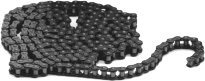
Image 2.1: Example of the BENINCA Bull 424FC unit installed next to a sliding gate.
2.3 Chain Installation
- Attach the provided #40 chain to the gate, ensuring it is taut but not overly tight.
- Route the chain through the opener's sprocket mechanism.
- Connect the ends of the chain securely.
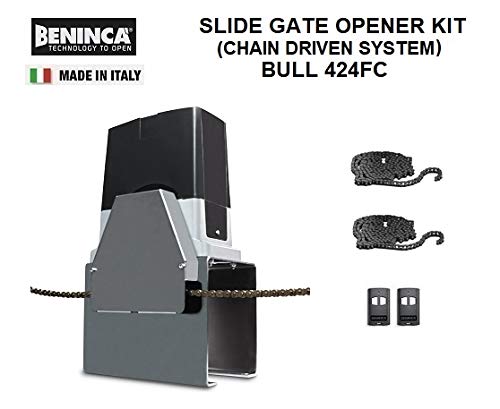
Image 2.2: The BENINCA Bull 424FC unit with the drive chain properly installed.

Image 2.3: A close-up view of the #40 drive chain used with the gate opener.
2.4 Electrical Connections
- Connect the 115 Vac power supply to the internal control panel.
- Wire any optional accessories such as safety photocells, keypads, or loop detectors according to their respective manuals and the Bull 424FC control board diagram.
- Ensure all connections are secure and properly insulated.
2.5 Initial Programming and Adjustments
The integrated LCD display facilitates easy programming of various operational parameters.
- Limit Switches: Adjust the internal limit switches to define the gate's fully open and fully closed positions.
- Electronic Settings: Use the LCD display to configure settings such as torque, stroke, anti-crushing reverse sensor sensitivity, soft-start/soft-stop parameters, working time, and number of cycles.
- Remote Control Pairing: Follow the instructions on the LCD display to pair the long-range remote controls with the built-in radio receiver.
3. Operation
3.1 Normal Operation
- Press the designated button on your remote control to open or close the gate.
- The opener features soft-start and soft-stop functions for smooth gate movement and reduced wear.
- The anti-crushing reverse sensor will detect obstacles and reverse the gate's direction to prevent injury or damage.
3.2 Manual Release
In case of power failure or malfunction, the gate can be operated manually using the key-lock release mechanism located on the unit. Insert the key and follow the instructions to disengage the motor and move the gate by hand.
4. Maintenance
Regular maintenance ensures the longevity and optimal performance of your BENINCA Bull 424FC gate opener.
- Monthly: Inspect the gate's movement for any obstructions or signs of wear on the chain. Clean any debris from the chain and the opener unit.
- Quarterly: Lubricate the drive chain and the aluminum gearbox with appropriate grease. Check all electrical connections for tightness and corrosion.
- Annually: Have a qualified technician inspect the entire system, including safety features, limit switches, and electronic settings, to ensure proper function.
- Battery Backup (Optional): If a battery backup system is installed, ensure its functionality is checked regularly according to the battery manufacturer's guidelines.
5. Troubleshooting
This section addresses common issues you might encounter. For complex problems, contact customer support.
- Gate Not Responding to Remote: Check remote battery, ensure the opener has power, and verify remote pairing.
- Gate Stops Mid-Cycle: Check for obstructions in the gate's path. The anti-crushing sensor may have activated. Inspect limit switch settings.
- Unusual Noises: Inspect the chain for proper tension and lubrication. Check for any loose components or debris in the opener mechanism.
- LCD Display Errors: Refer to the specific error codes displayed on the LCD for detailed diagnostics. Consult the full technical manual for a complete list of error codes and their solutions.
6. Specifications
Technical specifications for the BENINCA Bull 424FC Slide Gate Opener:
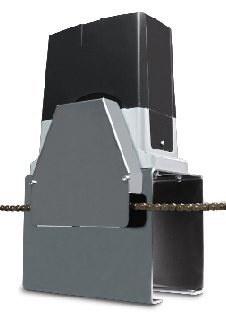
Image 6.1: Technical specifications overview for BENINCA Bull 424FC.
| Feature | Specification (BULL 424 FC) |
|---|---|
| Input Voltage | 115 Vac |
| Motor Voltage | 24 Vdc |
| Torque | 12 Nm |
| Thrust | 336 N |
| Speed (Adjustable) | 1.1 sec (Z17) |
| Max Cycles | 200/day |
| Max Tested Gate Weight | 600 lb |
| Max Gate Length | 20 ft |
| Suggested Gate Ratings | 400 lb / 16 ft |
| Unit Weight | 46 - 48 lb |
| Package Dimensions | 24 x 14 x 12 inches |
| Manufacturer | Beninca |
| Date First Available | June 9, 2017 |
7. Support
For technical assistance, warranty inquiries, or to purchase replacement parts, please contact your authorized BENINCA dealer or customer support provider. Refer to your purchase documentation for specific contact information.
While specific warranty details are not provided in this manual, BENINCA products typically come with a manufacturer's warranty. Please retain your proof of purchase for warranty claims.