Introduction
Welcome to the user manual for your Youshiko Weather Station YC9386. This professional 5-in-1 wireless sensor weather station provides comprehensive data on wind speed and direction, rainfall, temperature, and humidity. It features a large LCD HD colour display with a Radio Control Clock (MSF UK & Ireland) for automatic time synchronization. This manual will guide you through the setup, operation, maintenance, and troubleshooting of your new weather station.
Package Contents
- Youshiko Weather Station Console (Display Unit)
- 5-in-1 Wireless Outdoor Sensor (YC1129)
- Power Supply Unit
- Instruction Manual (this document)
- Mounting accessories for outdoor sensor

Image: The Youshiko Weather Station console (left) and the 5-in-1 wireless outdoor sensor (right).
Setup Guide
1. Powering the Console
- Connect the provided power supply unit to the weather station console.
- Plug the power supply into a standard UK mains outlet. The console requires continuous mains power for full functionality and to maintain connection with the outdoor sensor.
- Insert the CR2032 button cell battery (not included) into the console's battery compartment. This battery serves as a backup to preserve data and settings during brief power interruptions or when moving the unit.

Image: The power supply unit for the Youshiko Weather Station console.
2. Installing the 5-in-1 Outdoor Sensor
The 5-in-1 sensor measures wind speed, wind direction, rainfall, temperature, and humidity. Proper placement is crucial for accurate readings.
- Location: Choose an open area, free from obstructions like buildings, trees, or walls, that could block wind or rain. Ideally, the sensor should be mounted at least 1.5 meters (5 feet) above the ground.
- Mounting: Use the included mounting accessories to securely attach the sensor to a pole or suitable structure. Ensure it is level to guarantee accurate rainfall measurements.
- Orientation: Orient the wind direction vane correctly, typically pointing North, as indicated in the sensor's instructions.
- Batteries: Insert the required batteries (type not specified in product details, typically AA or AAA) into the outdoor sensor's battery compartment. Ensure the compartment is sealed to protect against weather.

Image: Visual guide demonstrating the installation steps for the 5-in-1 outdoor sensor.
3. Synchronizing Console and Sensor
Once both units are powered, the console will automatically attempt to connect with the 5-in-1 outdoor sensor via 868 MHz RF transmission. This process may take a few minutes. Ensure both units are within range (up to 150m / 450ft in open air).
- If connection is not established, ensure the sensor batteries are fresh and correctly inserted.
- Press the 'Scan' or 'Search' button on the console (refer to specific button layout on your device) to manually initiate a search for the sensor.
4. Radio Control Clock (RCC) Setup
The YC9386 features an MSF (UK & Ireland) Radio Control Clock for automatic time synchronization. This eliminates the need for manual time setting and automatically adjusts for daylight saving time.
- Upon initial power-up, the console will automatically search for the MSF signal from Cumbria, UK.
- Place the console near a window or in an area with good signal reception. Avoid placing it near electronic devices that may cause interference.
- Synchronization can take several hours. If the time does not set automatically, try moving the console to a different location.
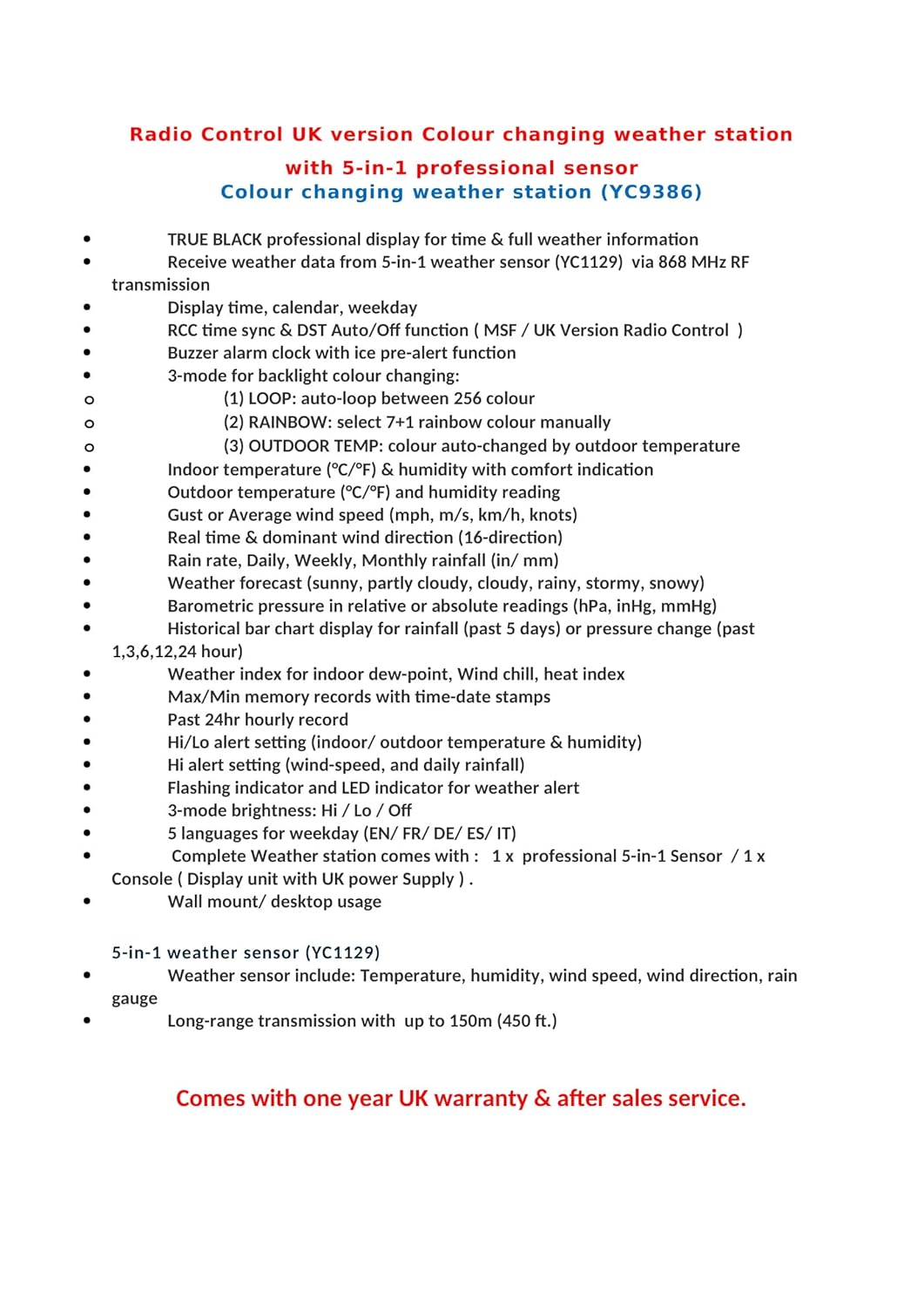
Image: Explanation of Radio Control Systems, including MSF for UK and Ireland.
Operating the Weather Station
Display Overview
The YC9386 console features a large, high-definition colour LCD display that presents all weather data clearly.

Image: The main display of the Youshiko Weather Station console, showing various weather parameters with blue text.
Backlight Colour Modes
The display offers three backlight colour modes for enhanced viewing experience:
- LOOP: Automatically cycles through 256 different colours.
- RAINBOW: Allows manual selection of 7+1 rainbow colours.
- OUTDOOR TEMP: The display colour changes automatically based on the outdoor temperature.
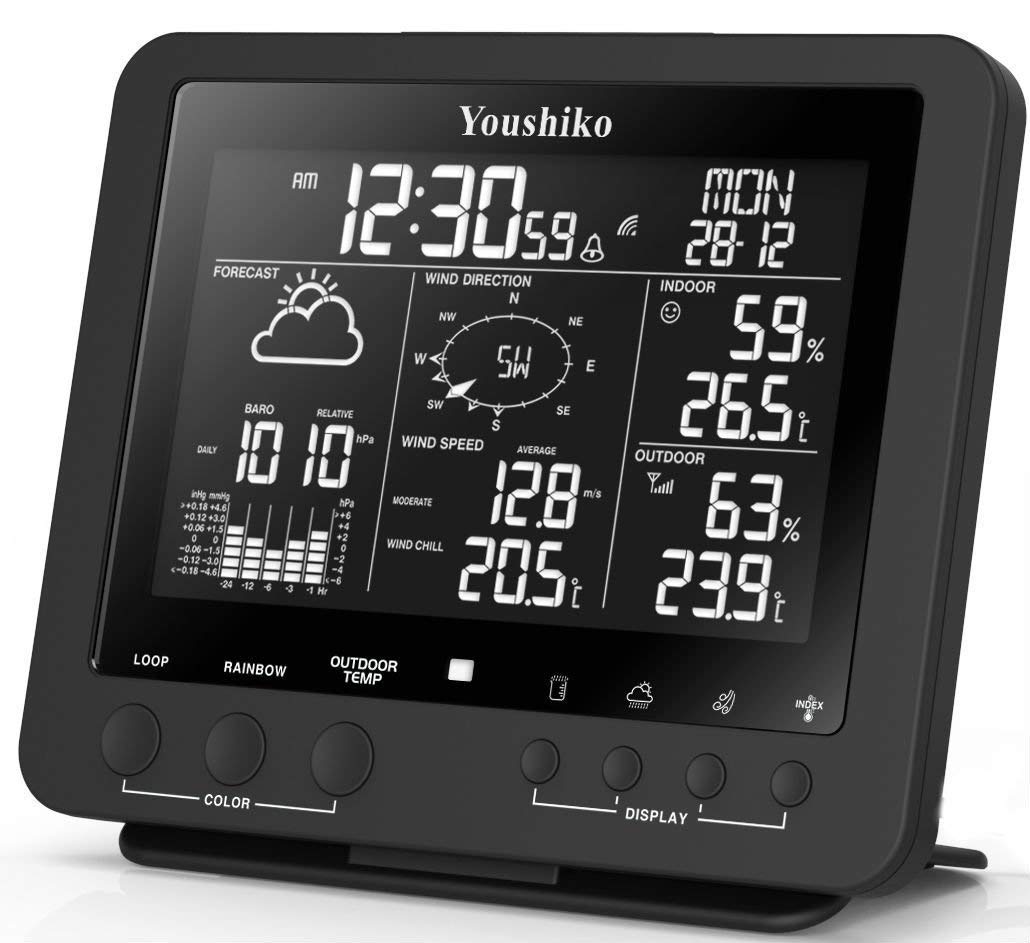
Image: Console display showing green text, demonstrating one of the color modes.

Image: Console display showing orange text, demonstrating another color mode.
Key Displayed Information
- Time & Date: Radio-controlled time (MSF UK & Ireland), weekday, and moon phase.
- Indoor Conditions: Temperature (°C/°F), humidity with comfort indicator, and dew-point display.
- Outdoor Conditions: Temperature (°C/°F), humidity with wind-chill temperature, and heat-index display.
- Wind Data: Wind speed (mph, m/s, km/h, knots), gust or average wind speed, and dominant wind direction (16-direction).
- Rainfall: Rain rate, daily, weekly, and monthly rainfall (in/mm).
- Barometric Pressure: Relative or absolute readings (hPa, inHg, mmHg) with a historical bar chart display for past 24 hours, 5 days, or pressure change.
- Weather Forecast: Icons indicating sunny, partially cloudy, cloudy, rainy, stormy, or snowfall.
- Memory Records: Maximum/Minimum records with time and date stamps, and past 24 hours history data hourly.
- Alerts: Hi/Lo alert settings for temperature and barometric pressure, with flashing indicator and LED for weather alerts.
- Alarm Clock: Buzzer alarm clock with ice pre-alert function.
Console Buttons
The console features several buttons for navigation and settings adjustment. Refer to the specific button labels on your device for their functions, typically including:
- COLOR: To change backlight colour modes (LOOP, RAINBOW, OUTDOOR TEMP).
- DISPLAY: To cycle through different display views or information.
- MODE/SET: To enter settings menus or confirm selections.
- UP/DOWN Arrows: To adjust values or navigate menus.
Maintenance
Console Care
- Clean the display and console casing with a soft, damp cloth. Avoid abrasive cleaners or solvents.
- Keep the console in a dry environment, away from direct sunlight and extreme temperatures.
- Ensure the CR2032 backup battery is replaced periodically (e.g., annually) to maintain data integrity during power outages.
Outdoor Sensor Care
- Periodically check the 5-in-1 sensor for debris (leaves, dirt) that might obstruct the wind cups, wind vane, or rain collector. Clean gently if necessary.
- Ensure the rain collector funnel is clear of obstructions.
- Inspect the sensor's mounting for stability, especially after strong winds.
- Replace the sensor batteries (type not specified, typically AA or AAA) as needed, usually when the console indicates low battery for the outdoor unit or readings become intermittent. Ensure the battery compartment is securely sealed after replacement.
- Avoid exposing the temperature sensor directly to sunlight, as this can lead to higher than actual temperature readings. While the sensor is designed for outdoor use, consider its placement to minimize direct solar radiation.
Troubleshooting
| Problem | Possible Cause | Solution |
|---|---|---|
| No outdoor sensor data on console. |
|
|
| Radio Control Clock (RCC) not setting time. |
|
|
| Inaccurate temperature readings. |
|
|
| Inaccurate wind or rain readings. |
|
|
Specifications

Image: The Youshiko Weather Station console and 5-in-1 sensor, illustrating their approximate dimensions.
| Feature | Detail |
|---|---|
| Model Number | YC9386 |
| Display Type | LCD Colour Display |
| Outdoor Sensor | 5-in-1 Professional Sensor (YC1129) |
| Wireless Frequency | 868 MHz RF Transmission |
| Wireless Range | Up to 150m (450ft) in open area |
| Power Source (Console) | Mains Power Supply |
| Backup Battery (Console) | 1 x CR2032 (not included) |
| Measurement Accuracy (Temperature) | +/- 1°C |
| Product Dimensions (Console) | 16.8 x 14.3 x 16.8 cm (approx.) |
| Item Weight | 1.85 kg (total package) |
| Material | Acrylonitrile Butadiene Styrene (ABS) |
| Special Features | Radio Control Clock (MSF UK & Ireland), Weather Forecast, Max/Min Records, Alerts, Buzzer Alarm |
Warranty and Support
Your Youshiko Weather Station YC9386 comes with a one-year UK warranty and dedicated after-sales service from Youshiko.
For technical assistance, troubleshooting not covered in this manual, or warranty claims, please contact Youshiko customer support directly. You can find contact information on the official Youshiko website or through your purchase platform.
For more information on Youshiko products, please visit the official Youshiko store: www.amazon.co.uk/youshiko


