Introduction
This manual provides essential instructions for the safe and effective use of your Accessory USA AC DC Adapter, designed specifically for Veex Vepal CX150+ and CX150-D3+ Cable Tester Meters. Please read this manual thoroughly before use and retain it for future reference.
Product Overview
The Accessory USA AC DC Adapter is a power supply cord designed to provide reliable power to compatible Veex Vepal cable tester meters. It features built-in safety protections to ensure stable operation.
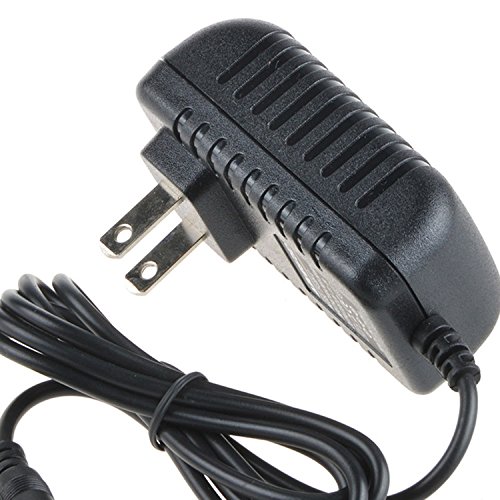
Image: The Accessory USA AC DC Adapter, showing the main unit and power cord with a barrel connector.
Setup
- Verify Compatibility: Before connecting, ensure your device is a Veex Vepal CX150+ or CX150-D3+ Cable Tester Meter. This adapter is specifically designed for these models.
- Connect to Device: Insert the barrel connector of the adapter firmly into the power input port of your Veex Vepal cable tester meter.
- Connect to Power Outlet: Plug the 2-pin main power connector of the adapter into a standard electrical wall outlet (100-240V AC, 60Hz).
- Power On: Once connected, your device should receive power. Refer to your device's manual for specific power-on procedures.
Operating Instructions
The AC DC Adapter functions as a direct power source for your compatible Veex Vepal device. Once properly connected to both the device and a power outlet, it will supply the necessary power for operation. No additional user interaction is required for the adapter itself during operation.
- Ensure the adapter is placed in a well-ventilated area to prevent overheating.
- Do not cover the adapter during use.
- Always disconnect the adapter from the power outlet when not in use for extended periods.
Maintenance
- Cleaning: Disconnect the adapter from all power sources before cleaning. Use a soft, dry cloth to wipe the exterior. Do not use liquid cleaners or solvents.
- Storage: Store the adapter in a cool, dry place away from direct sunlight and moisture when not in use. Avoid wrapping the cord too tightly around the adapter.
- Inspection: Periodically inspect the adapter and its cord for any signs of damage, such as cuts, fraying, or bent pins. If damage is found, discontinue use immediately and replace the adapter.
Troubleshooting
If your device is not receiving power, consider the following:
- No Power to Device:
- Ensure the adapter is securely plugged into both the device and the wall outlet.
- Check if the wall outlet is functional by plugging in another device.
- Inspect the adapter cord for any visible damage. If damaged, do not use.
- Confirm that your device is indeed a compatible Veex Vepal CX150+ or CX150-D3+ model.
- Adapter Overheating:
- Ensure the adapter is in a well-ventilated area and not covered.
- If overheating persists, disconnect immediately and contact support.
If troubleshooting steps do not resolve the issue, contact the seller or manufacturer for further assistance.
Specifications
| Brand | Accessory USA |
| Compatible Devices | Veex Vepal CX150+, CX150-D3+ Cable Tester Meter |
| Connector Type | Barrel Connector |
| Input Voltage | 100-240 Volts AC |
| Frequency Range | 60 Hertz |
| Wattage | 15 Watts |
| Main Power Connector Type | 2 Pin |
| Safety Certifications | CE / FCC / RoHS certified, UL listed |
| Special Feature | Travel-friendly design |
Safety Information
This adapter is designed with multiple safety features to protect your device and ensure safe operation:
- OVP (Over Voltage Output Protection): Prevents damage from excessive voltage output.
- OCP (Over Current Output Protection): Guards against damage from excessive current output.
- SCP (Short Circuit Output Protection): Protects against short circuits.
Our products are CE / FCC / RoHS certified and tested by the manufacturer to meet or exceed OEM specifications. This product may contain chemicals known to the State of California to cause cancer and birth defects or other reproductive harm (Proposition 65 warning).
Warranty and Support
For warranty information and technical support, please contact the original seller or the manufacturer, Accessory USA. Keep your purchase receipt as proof of purchase.
For general inquiries or assistance, refer to the contact information provided at the point of purchase or on the manufacturer's official website.


