
1. Introduction
This manual provides essential information for the proper setup, operation, and maintenance of your JBL Professional AM5212/66 Medium Power 2-Way Loudspeaker System. Please read this manual thoroughly before using the product to ensure optimal performance and safety.
2. Safety Information
Important Safety Instructions:
- Read these instructions.
- Keep these instructions.
- Heed all warnings.
- Follow all instructions.
- Do not use this apparatus near water.
- Clean only with a dry cloth.
- Do not block any ventilation openings. Install in accordance with the manufacturer’s instructions.
- Do not install near any heat sources such as radiators, heat registers, stoves, or other apparatus (including amplifiers) that produce heat.
- Only use attachments/accessories specified by the manufacturer.
- Refer all servicing to qualified service personnel. Servicing is required when the apparatus has been damaged in any way, such as power-supply cord or plug is damaged, liquid has been spilled or objects have fallen into the apparatus, the apparatus has been exposed to rain or moisture, does not operate normally, or has been dropped.
WARNING: This product contains chemicals known to the State of California to cause cancer and birth defects or other reproductive harm. For more information, visit www.P65Warnings.ca.gov.
3. Package Contents
Your JBL Professional AM5212/66 Loudspeaker System package should contain:
- 1 x JBL Professional AM5212/66 Loudspeaker System
- This User Manual
4. Product Overview
The JBL Professional AM5212/66 is a medium power, 2-way, full-range loudspeaker system designed for professional audio applications. It features a 12-inch low-frequency driver and a high-frequency compression driver with a rotatable waveguide.
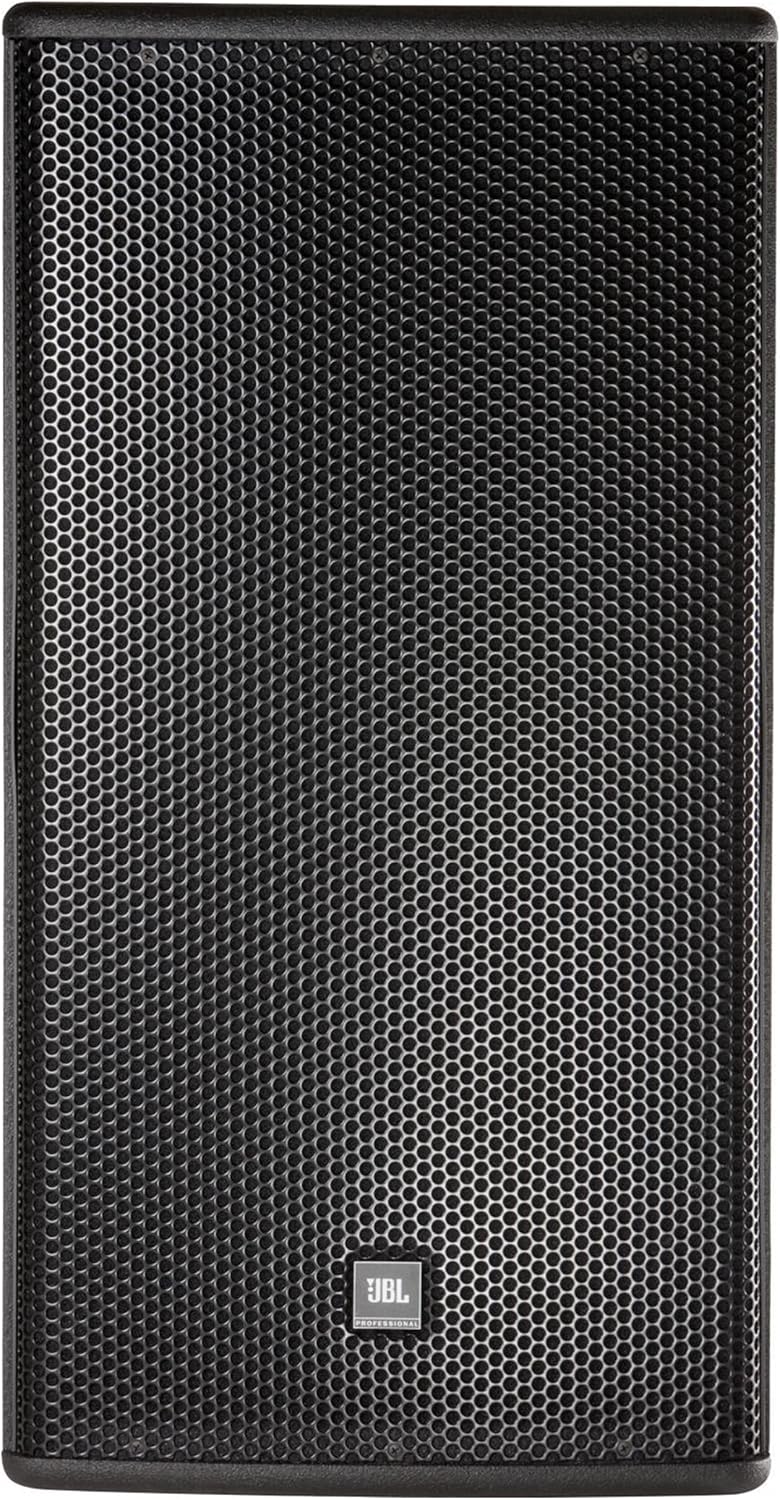
Figure 4.1: Front view of the AM5212/66 Loudspeaker System with grille.

Figure 4.2: Front view of the AM5212/66 with grille removed, revealing the 12-inch LF driver and the high-frequency waveguide.
Key Components:
- 262H-1 Differential Drive Low-Frequency Driver: A 300 mm (12 inch) driver designed for powerful and clear bass reproduction.
- 2408H-1 High-Frequency Compression Driver: A 38 mm (1.5 inch) exit, 38 mm (1.5 inch) voice-coil compression driver for crisp and detailed high frequencies.
- PT Progressive Transition Waveguide: Provides a 60° x 60° coverage pattern, ensuring consistent sound dispersion. This waveguide is rotatable for flexible installation.
5. Setup and Installation
5.1 Physical Placement
Position the loudspeaker in a location that allows for optimal sound dispersion and coverage. Consider the room acoustics and the intended listening area. The AM5212/66 can be used in either vertical or horizontal orientation.
5.2 Waveguide Rotation
The PT Progressive Transition waveguide can be rotated to maintain the desired 60° x 60° coverage pattern when the loudspeaker is installed horizontally. Consult a qualified technician for instructions on safely rotating the waveguide to avoid damage to the components.
5.3 Connections
The rear panel of the AM5212/66 features input terminals for connecting to an amplifier. Ensure all connections are secure and correctly polarized.

Figure 5.1: Close-up of the input panel, showing wiring options.
The input panel provides options for both passive and bi-amplified operation:
- Passive Mode: Connect your amplifier to the terminals labeled for full-range input. The internal crossover network will distribute frequencies to the LF and HF drivers.
- Bi-Amp Mode: For advanced setups, separate amplifier channels can be used for the LF and HF drivers. Ensure an external crossover is used to properly divide the audio signal before amplification. Refer to the wiring diagram on the input panel for correct connections.
Always power off your amplifier before making or changing any connections to prevent damage to your equipment.
6. Operation
The AM5212/66 is a passive loudspeaker and requires an external amplifier for operation. Ensure your amplifier is appropriately matched to the loudspeaker's power handling capabilities.
6.1 Powering On/Off
Always power on your amplifier after all connections are made and power off the amplifier before disconnecting any cables. Start with the amplifier volume at its lowest setting and gradually increase it to the desired listening level.
6.2 Audio Input
Connect your audio source (mixer, preamplifier, etc.) to your amplifier, and then connect the amplifier output to the loudspeaker's input terminals as described in Section 5.3.
7. Maintenance
Proper maintenance ensures the longevity and performance of your loudspeaker system.
7.1 Cleaning
- Use a soft, dry cloth to clean the exterior surfaces of the loudspeaker.
- Do not use abrasive cleaners, solvents, or harsh chemicals, as these can damage the finish.
- Avoid spraying liquids directly onto the speaker grille or drivers.
7.2 Storage
If storing the loudspeaker for an extended period, keep it in a cool, dry environment, away from direct sunlight and extreme temperatures. It is recommended to store it in its original packaging or a protective case to prevent dust and physical damage.
8. Troubleshooting
If you experience issues with your AM5212/66 loudspeaker, refer to the following common troubleshooting steps:
| Problem | Possible Cause | Solution |
|---|---|---|
| No sound from speaker |
|
|
| Distorted sound |
|
|
| Low volume |
|
|
9. Specifications
Detailed technical specifications for the JBL Professional AM5212/66 Loudspeaker System:
| Feature | Detail |
|---|---|
| Model Name | AM5212/66 |
| Speaker Type | 2-Way Full-Range Loudspeaker |
| Low-Frequency Driver | 262H-1 Differential Drive 12-Inch (300 mm) |
| High-Frequency Driver | 2408H-1 Compression Driver (1.5-inch exit, 1.5-inch voice-coil) |
| Coverage Pattern | 60° x 60° (Rotatable Waveguide) |
| Speaker Maximum Output Power | 150 Watts |
| Color | Black |
| Product Dimensions | 19 x 16 x 30 inches |
| Item Weight | 3.12 pounds (Note: This weight seems unusually low for a 12-inch professional speaker. Please verify with product documentation.) |
| Manufacturer | JBL Professional |
| UPC | 691991005329 |
| ASIN | B072LSBXF9 |
10. Warranty Information
JBL Professional products are designed and manufactured to the highest quality standards. This product is covered by a limited manufacturer's warranty. For specific warranty terms, conditions, and registration information, please refer to the warranty card included with your product or visit the official JBL Professional website. Keep your proof of purchase for warranty claims.
11. Customer Support
For technical assistance, service, or additional product information, please contact JBL Professional customer support or visit their official website:
- JBL Professional Website: www.jblpro.com
- JBL Store on Amazon: Visit the JBL Store


