
Product Overview
The SCS Sentinel AAA0008 CodeGate is a wireless keypad designed for controlling automatic gates, offering both total and pedestrian access. It features easy, wire-free installation and is powered by batteries. The keypad operates on a 433.92 MHz frequency and utilizes a rolling code for enhanced security. Its IP44 rating ensures protection against water splashes, making it suitable for outdoor use.

Image: Front view of the SCS Sentinel AAA0008 Wireless Keypad, showing the numbered buttons and 'C', '0', 'OK' keys.
- Wireless Operation: Eliminates the need for complex wiring, simplifying installation.
- Dual Access Control: Allows for full gate opening for vehicles and partial (pedestrian) opening.
- Secure Coding: Features a rolling code system for enhanced security.
- Weather Resistant: IP44 protection against water splashes.
- Wide Compatibility: Compatible with CB100 (models 1 & 2) and P501 BH (model 3) control cards.
- Long Range: Up to 30 meters in open field conditions.

Image: Side view of the SCS Sentinel AAA0008 Wireless Keypad, highlighting its compact design.

Image: Packaging of the SCS Sentinel CodeGate AAA0008 Wireless Keypad, indicating easy wireless installation, 30m range, surface mounting, and a 2-year warranty.
Setup
Package Contents
Verify that all components are present in the package:
- 1x SCS Sentinel AAA0008 Wireless Keypad
- Mounting Screws (included)
Battery Installation
The keypad requires two LR03 AAA 1.5V batteries (not supplied).
- Locate the battery compartment on the back of the keypad.
- Open the compartment cover.
- Insert two LR03 AAA 1.5V batteries, ensuring correct polarity (+/-).
- Close the battery compartment cover securely.
Mounting
The keypad is designed for surface mounting.
- Choose a suitable location near your gate, ensuring it is within the 30-meter range of your gate's receiver and accessible for users.
- Use the provided screws to securely attach the keypad to a flat surface. Ensure the keypad is mounted at a convenient height.
Initial Programming/Pairing
To enable the keypad to control your gate, it must be paired with your gate's control unit. This keypad is compatible with SCS Sentinel CB100 (models 1 and 2) and P501 BH (model 3) control cards.
- Refer to your gate's control unit manual for specific instructions on entering programming mode.
- Once the control unit is in programming mode, enter your desired access code on the AAA0008 keypad, followed by the 'OK' button.
- The control unit should confirm successful pairing. Test the code to ensure proper operation.
Operating
Entering a Code
To activate the gate, enter your personal access code using the numeric keys. The keys are sensitive and require only a light press.
- Press the sequence of numbers that constitute your access code.
- Press the 'OK' button to confirm the code.
- The gate will perform the programmed action (total or pedestrian opening).
Total Gate Opening
This function allows the gate to open completely, suitable for vehicle access. Typically, a specific code or a sequence within your code will be designated for this action during programming.
Pedestrian Gate Opening
This function opens the gate partially, allowing only pedestrian access. This is useful for individuals on foot, bicycles, or scooters. A separate code or a specific sequence within your code will be designated for this action during programming.
Code Management
The keypad uses a rolling code system for security. To change or add new access codes, you will need to access the programming mode of your gate's control unit and follow its specific instructions for code management. The 'C' button on the keypad is typically used to clear an incorrect entry before pressing 'OK'.
Maintenance
Care and Cleaning
- Clean the keypad surface with a soft, damp cloth.
- Do not use abrasive cleaners or solvents, as these can damage the keypad's finish or electronic components.
- Ensure the keypad remains free from excessive dirt or debris that could impede button operation.
Battery Replacement
When the keypad's performance diminishes (e.g., reduced range or unresponsive keys), it may be time to replace the batteries.
- Open the battery compartment as described in the 'Battery Installation' section.
- Remove the old LR03 AAA 1.5V batteries.
- Insert new LR03 AAA 1.5V batteries, observing correct polarity.
- Close the compartment securely.
Environmental Protection
The keypad has an IP44 rating, meaning it is protected against solid objects larger than 1mm and against splashing water from any direction. While it is designed for outdoor use, avoid direct high-pressure water jets or prolonged submersion.
Troubleshooting
| Problem | Possible Cause | Solution |
|---|---|---|
| Keypad not responding | Dead or low batteries Keypad out of range Incorrect code entered | Replace batteries Move closer to the gate receiver Re-enter the correct code |
| Gate not opening/closing | Keypad not paired with receiver Receiver malfunction Obstruction in gate path | Perform pairing procedure (see Setup) Check gate receiver status Remove any obstructions |
| Reduced operating range | Low batteries Interference from other devices Physical obstructions (e.g., thick walls, metal structures) | Replace batteries Identify and remove sources of interference Consider repositioning the keypad or receiver. Refer to the range diagram below. |

Image: Diagram illustrating the wireless signal range and penetration through various materials. Open field: 100%, Wood/Glass: 80%, Plasterboard: 60-70%, Stone: 50-70%, Concrete: 20-50%, Metal: <10%.
Specifications
| Feature | Detail |
|---|---|
| Product Type | Wireless Coding Keypad for Gate |
| Model | CODEGATE (AAA0008) |
| Frequency | 433.92 MHz |
| Power Supply | 2 x LR03 AAA 1.5V batteries (not supplied) |
| Opening Type | Total and Pedestrian |
| Code Type | Rolling Code |
| Protection Index | IP44 (Protected against splashing water) |
| Compatibility | SCS Sentinel CB100 (models 1 & 2) and P501 BH (model 3) control cards, OpenGate, OneGate, CarGate ranges |
| Range | Up to 30 meters (open field) |
| Dimensions (L x W x H) | 7.3 x 4.3 x 7.1 cm |
| Color | Black |
| Components Included | Coding Keypad, Mounting Screws |
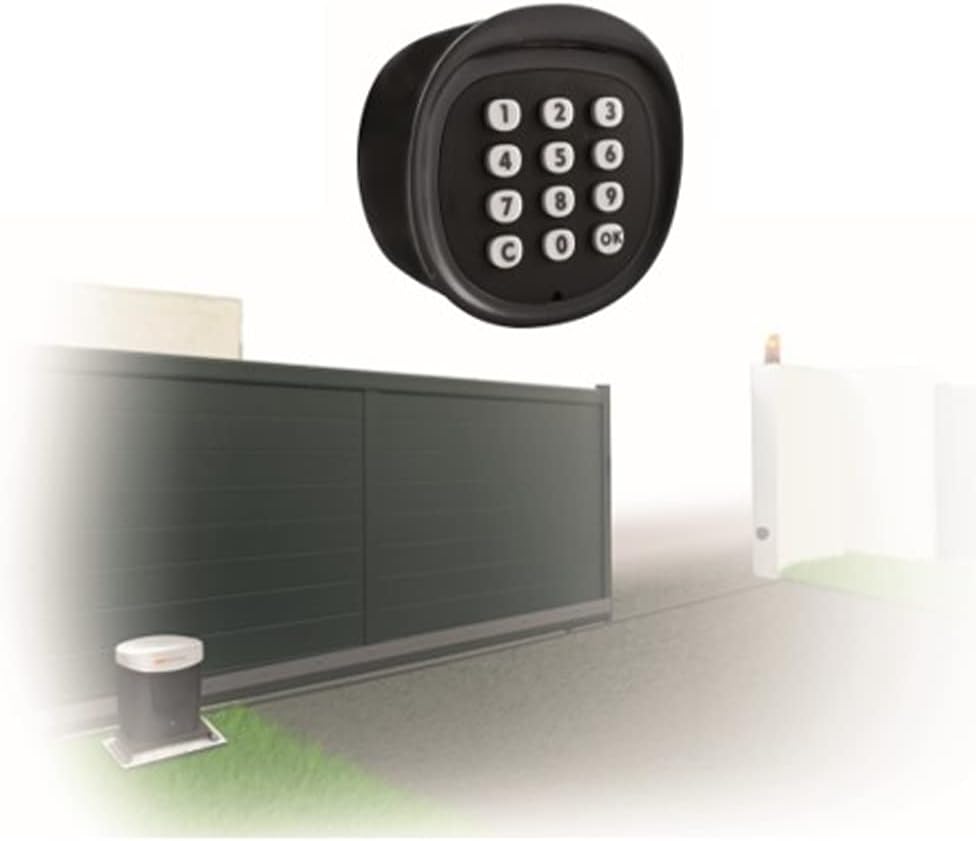
Image: Keypad with a summary of its features, including frequency, power, opening types, IP rating, and compatibility.
Warranty and Support
Warranty Information
This SCS Sentinel AAA0008 Wireless Keypad comes with a 2-year warranty from the date of purchase. Please retain your proof of purchase for any warranty claims. The warranty covers manufacturing defects under normal use conditions.
Customer Support
For technical assistance, installation guidance, or any questions regarding your product, please contact SCS Sentinel customer service. Professional advisors are available to provide support.
You can find more information and support resources on the official website: SCS La Boutique