
Maclean MC-743
Maclean MC-743 Ultra Slim Tilt Swivel TV Wall Bracket Mount User Manual
Model: MC-743
Introduction
This manual provides comprehensive instructions for the safe and proper installation and operation of your Maclean MC-743 Ultra Slim Tilt Swivel TV Wall Bracket Mount. Please read all instructions carefully before beginning installation to ensure correct assembly and to prevent damage or injury. Keep this manual for future reference.
Safety Information
- Weight Capacity: Do not exceed the maximum weight capacity of 30 kg (66 lbs). Exceeding this limit may result in serious injury or property damage.
- Screen Size: This mount is designed for TVs between 13 and 65 inches. Ensure your TV's VESA pattern is compatible.
- Wall Type: This mount is intended for installation on solid concrete walls, brick walls, or wood stud walls. Do not install on drywall alone.
- Professional Installation: If you are unsure about the installation process or the suitability of your wall, consult a qualified professional.
- Tools: Use appropriate tools and wear safety gear during installation.
- Children: Keep children away from the installation area.
Package Contents
Verify that all components are present and undamaged before installation. If any parts are missing or defective, contact Maclean customer support.

Image: All components of the Maclean MC-743 TV wall mount, including the main arm assembly, TV mounting plate, wall plate, and various screws, washers, and wall anchors.
- Wall Plate Assembly
- TV Bracket Arms (x2)
- Mounting Hardware Kit (screws, washers, anchors for wall and TV)
- Instruction Manual

Image: A detailed view of the various screws, washers, and wall anchors included in the mounting hardware kit for the MC-743.
Setup and Installation
Tools Required (Not Included): Drill, stud finder (for wood studs), level, pencil, measuring tape, screwdriver, wrench.
Step 1: Determine Mounting Location and Wall Type
Choose a suitable location on your wall. Ensure there are no hidden electrical wires or plumbing. Identify your wall type:
- Wood Stud Wall: Locate the center of the wood studs using a stud finder.
- Solid Concrete/Brick Wall: Ensure the wall is solid and capable of supporting the weight.
Important: Do not mount on drywall or plasterboard without securing to a wood stud or concrete behind it.
Step 2: Attach Wall Plate to Wall
- Position the wall plate assembly on the wall at the desired height. Use a level to ensure it is perfectly horizontal.
- Mark the drilling holes with a pencil.
- Drill pilot holes:
- For wood studs: Drill 5.5mm (7/32") diameter holes to a depth of 50mm (2").
- For solid concrete/brick: Drill 10mm (3/8") diameter holes to a depth of 60mm (2.4"). Insert the plastic wall anchors into the holes.
- Align the wall plate with the drilled holes and secure it to the wall using the appropriate lag bolts and washers. Tighten firmly but do not overtighten.
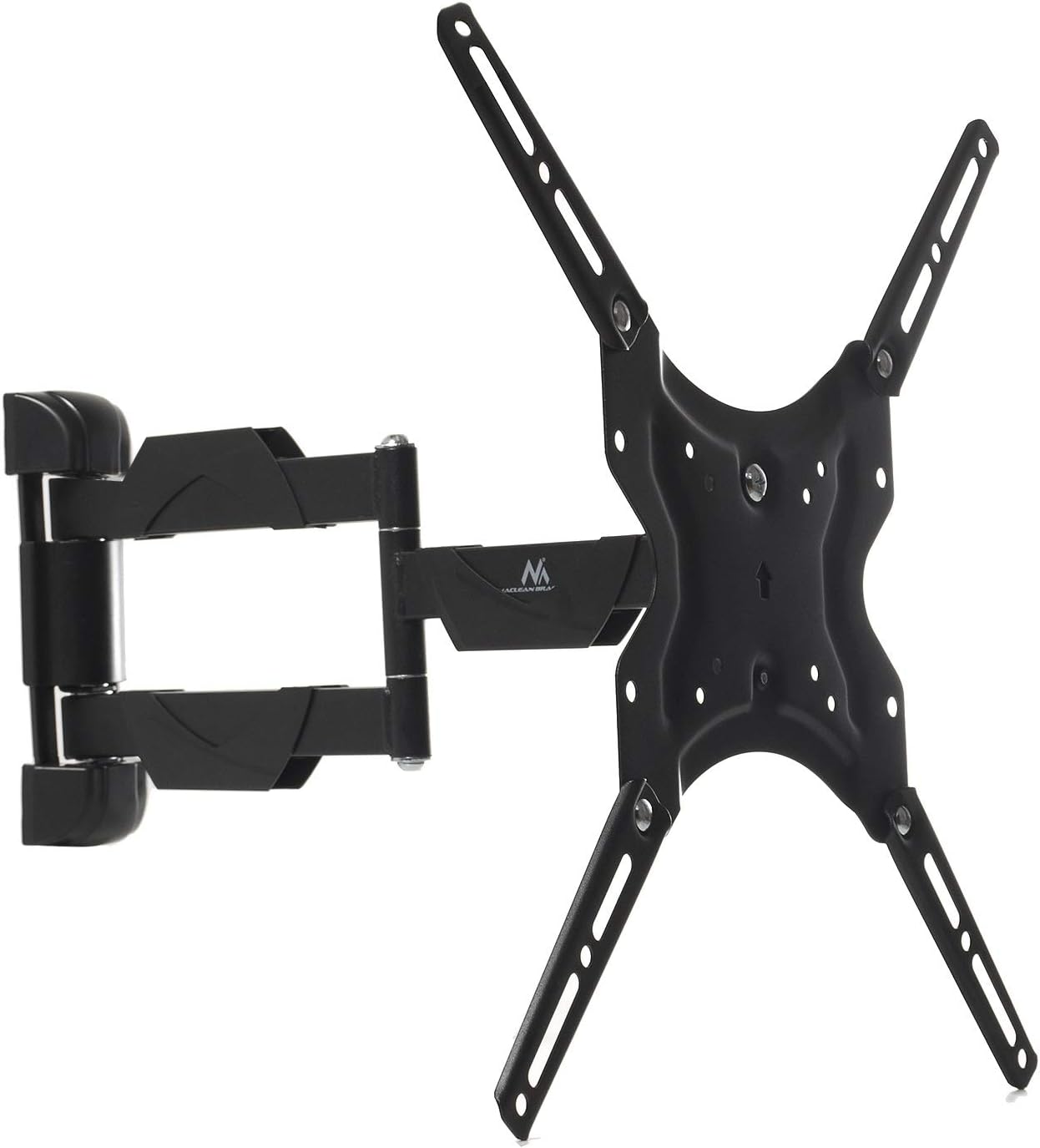
Image: The Maclean MC-743 TV wall mount fully assembled, showing the wall plate, articulating arm, and TV mounting plate from a front perspective.
Step 3: Attach TV Brackets to TV
- Carefully place your TV face down on a soft, clean surface to prevent screen damage.
- Identify the VESA mounting holes on the back of your TV.
- Select the correct diameter and length of screws (M4, M6, or M8) from the hardware kit that fit your TV's VESA holes. Use washers if necessary to ensure a snug fit without overtightening.
- Attach the two TV bracket arms to the back of your TV, ensuring they are vertically aligned and securely fastened. The hooks on the brackets should face upwards.
Step 4: Mount TV to Wall Plate
- With assistance, carefully lift the TV with the attached brackets.
- Hook the TV brackets onto the TV mounting plate of the wall assembly. Ensure both brackets are securely seated.
- Locate the safety screws or locking mechanisms on the bottom of the TV brackets and tighten them to prevent the TV from accidentally lifting off the mount.
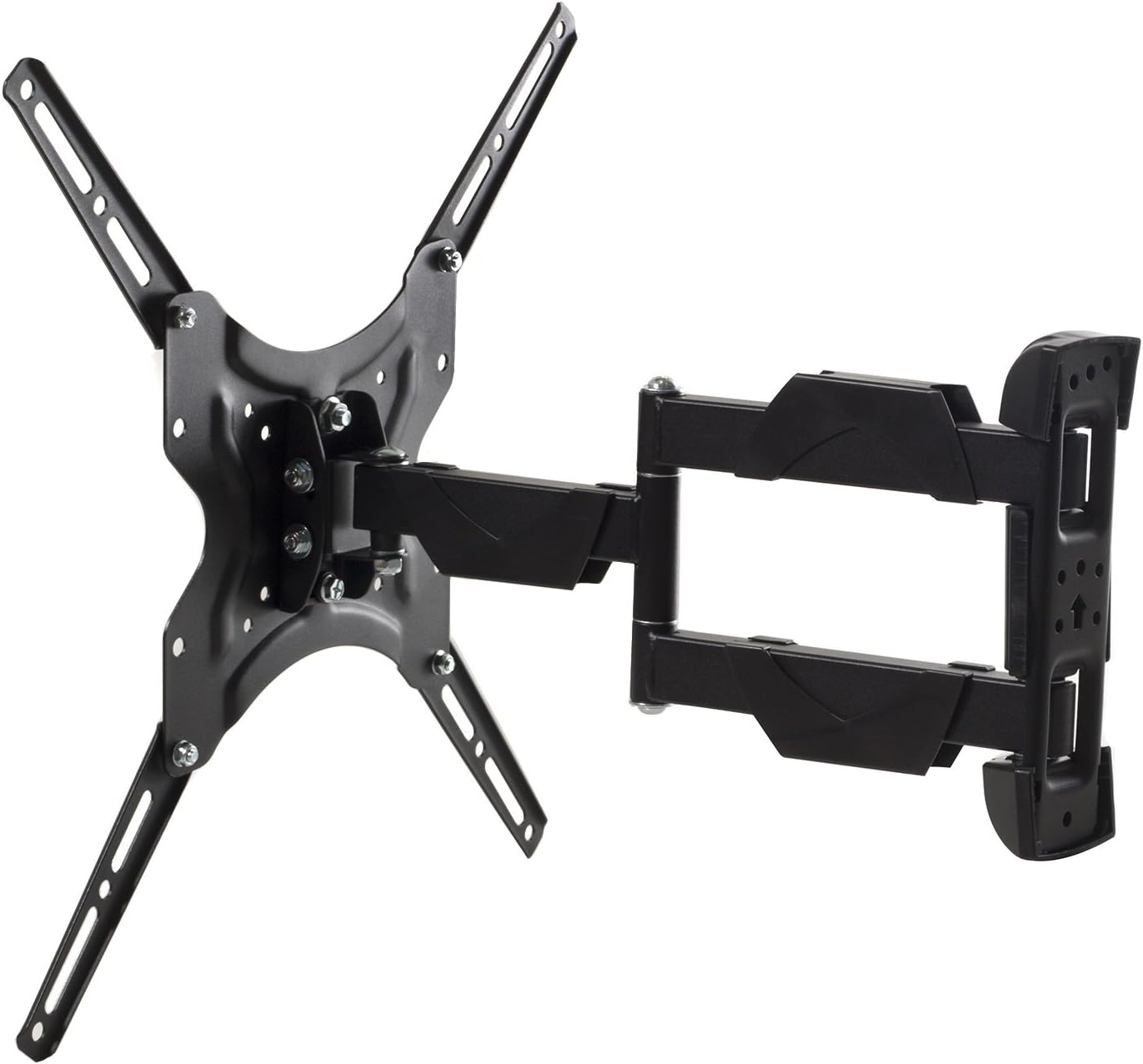
Image: The Maclean MC-743 TV wall mount viewed from the side, illustrating the articulating arm's extension and pivot points.
Operating and Adjustments
Once your TV is securely mounted, you can adjust its position for optimal viewing.
Tilt Adjustment
The mount allows for a tilt range of -3° to +3°. Loosen the tilt adjustment knobs or bolts on the TV mounting plate, adjust the TV to the desired angle, and then retighten the knobs/bolts to secure the position.
Swivel Adjustment
The articulating arm allows the TV to swivel up to 180 degrees (90 degrees left or right from center). Gently push or pull the TV to the desired viewing angle. The arm will hold its position.

Image: A technical diagram of the Maclean MC-743 mount, illustrating its dimensions, VESA compatibility, and adjustable tilt (-3° to +3°) and TV plate rotation (-12° to +12°).
Note: The maximum swivel angle may be limited by the size of your TV and its distance from the wall.
Maintenance
- Cleaning: Wipe the mount with a soft, dry cloth. Do not use abrasive cleaners or solvents.
- Periodic Checks: Periodically check all screws and bolts to ensure they remain tight and secure.
- Lubrication: The articulating joints are designed for smooth movement and generally do not require lubrication. If movement becomes stiff, consult customer support.
Troubleshooting
- TV not level: Ensure the wall plate was installed level. The TV mounting plate also allows for a minor rotational adjustment of -12° to +12°. Correct this if needed. Otherwise, the wall plate may need re-installation.
- Mount feels loose: Immediately remove the TV. Re-check all wall mounting bolts and TV bracket screws for tightness. Ensure the wall type is appropriate and anchors are correctly installed.
- Difficulty adjusting tilt/swivel: Check if any adjustment knobs or bolts are overtightened. Loosen slightly to allow movement, then retighten to secure.
- TV not fitting VESA pattern: Double-check your TV's VESA pattern against the mount's specifications (75x75, 100x100, 200x100, 200x200, 300x300, 400x400). If incompatible, the mount cannot be used.
Specifications
| Feature | Specification |
|---|---|
| Model | MC-743 |
| Screen Size Compatibility | 13" - 65" |
| Maximum Weight Capacity | 30 kg (66 lbs) |
| VESA Compatibility | 75x75, 100x100, 200x100, 200x200, 300x300, 400x400 mm |
| Tilt Angle | -3° to +3° |
| Swivel Angle (Arm) | Up to 180° |
| TV Plate Rotation | -12° to +12° |
| Wall Distance (Min-Max) | 65 mm - 460 mm |
| Material | Metal |
| Color | Black |
Warranty
The Maclean MC-743 TV Wall Bracket Mount comes with a Lifetime Guarantee. Please refer to the official Maclean website or contact customer support for full warranty terms and conditions.

Image: The back of the Maclean MC-743 product box, featuring icons and text indicating "Certified quality," "Three times strength tested," "Lifetime guarantee," and "All mounting materials included."
Support
For further assistance, technical support, or to report missing/damaged parts, please visit the official Maclean website or contact their customer service department. Contact information can typically be found on the product packaging or the manufacturer's website.
Related documentsMC-743


Ask a question about this manual
Ask about setup, troubleshooting, compatibility, parts, safety, or missing instructions. Manuals+ will review the question and use this page’s manual context to help answer it.