
1. Introduction
This manual provides instructions for the BOMAZ replacement remote control, designed for use with Samsung 3D Blu-ray Disc Player models BD-F7500, BD-F7500/XU, BD-H5100, and BD-H5100/ZA. This remote control functions as a direct replacement and requires no programming. Simply insert batteries to begin operation.
2. Setup
2.1 Battery Installation
- Locate the battery compartment on the back of the remote control.
- Slide the battery compartment cover downwards to open it.
- Insert two (2) AAA batteries, ensuring the positive (+) and negative (-) terminals align correctly with the markings inside the compartment.
- Slide the battery compartment cover back into place until it clicks securely.

Image: Back of the remote control, illustrating the battery compartment for AAA battery insertion.
The remote control is now ready for use with your compatible Samsung Blu-ray Disc Player.
3. Operating Instructions
This remote control provides full functionality for your Samsung Blu-ray Disc Player. Point the remote directly at the Blu-ray player for optimal performance. The operable distance is more than 8 meters.

Image: Front view of the remote control, displaying all buttons for various functions.
3.1 Key Functions
- Power Buttons (⏻): Two red power buttons are present. One for the Blu-ray player and one for Samsung TV control.
- SOURCE: Selects input source.
- VOL (+/-): Adjusts volume.
- Numeric Keypad (0-9): For direct track selection or input.
- DISC MENU / TITLE MENU / POPUP: Accesses various disc menus.
- Playback Controls: Includes Play (►), Pause (‖), Stop (■), Fast Forward (►►), Rewind (◄◄), Skip Forward (►|), and Skip Backward (|◄).
- AUDIO / SUBTITLE: Selects audio tracks or subtitle options.
- HOME (⌂): Navigates to the home screen or main menu.
- TOOLS / INFO (i): Accesses additional tools or information.
- Navigation Pad (▲▼◄►) and Enter: For menu navigation and selection.
- RETURN (↶) / EXIT (⎋): Returns to the previous screen or exits a menu.
- Color Buttons (A, B, C, D): Provide access to specific functions depending on the disc or application.
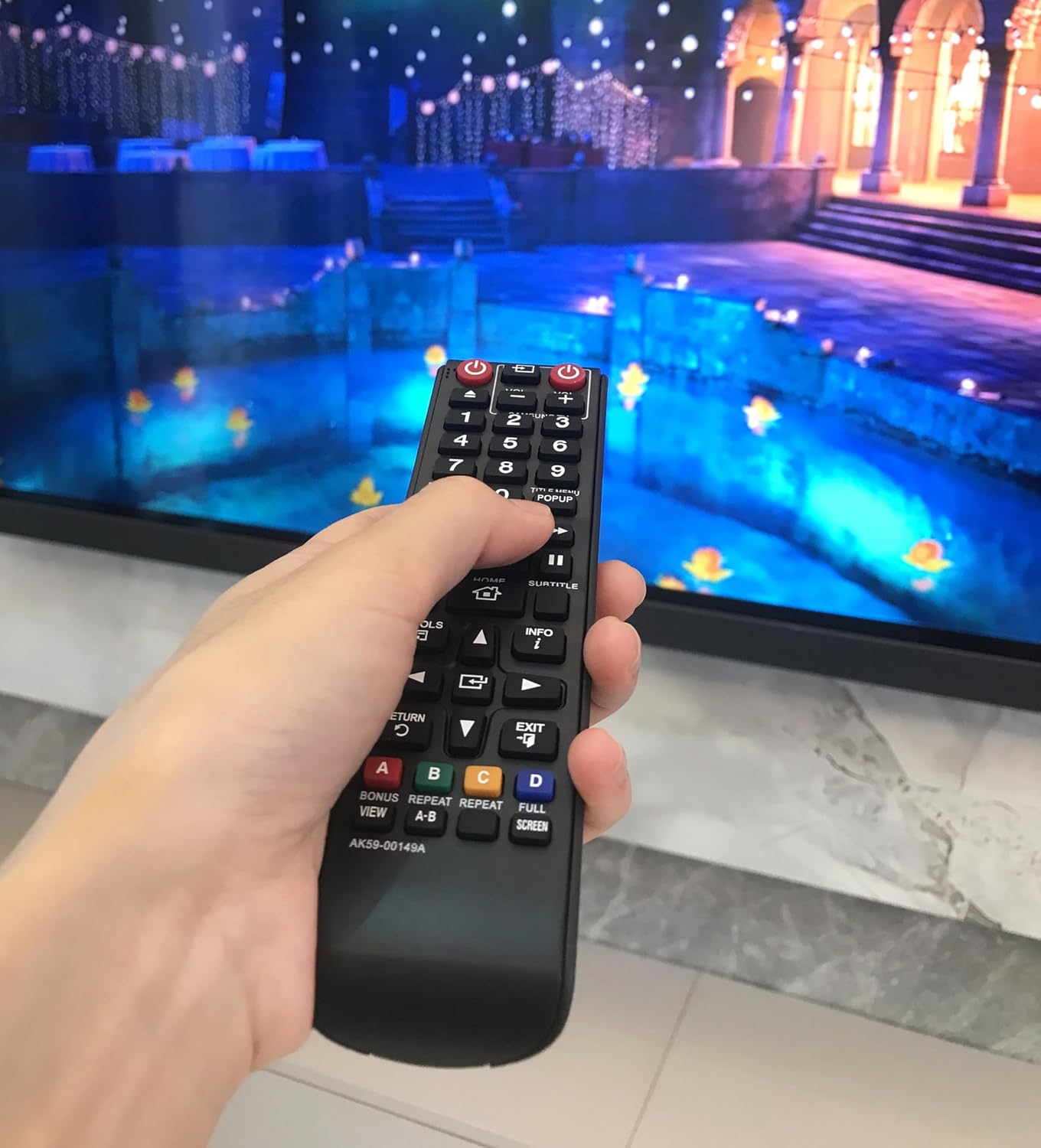
Image: A hand holding the remote control, illustrating its ergonomic design during use.
4. Maintenance
4.1 Battery Replacement
Replace batteries when the remote control's response becomes inconsistent or stops functioning. Always replace both AAA batteries simultaneously with new ones. Do not mix old and new batteries, or different types of batteries.
4.2 Cleaning
To clean the remote control, gently wipe its surface with a soft, dry cloth. Avoid using liquid cleaners, solvents, or abrasive materials, as these can damage the remote's finish or internal components.
4.3 Storage
When not in use for extended periods, remove the batteries to prevent leakage, which can damage the remote control. Store the remote in a cool, dry place away from direct sunlight and extreme temperatures.
5. Troubleshooting
- Remote not responding:
- Ensure fresh AAA batteries are correctly installed.
- Verify there are no obstructions between the remote control and the Blu-ray player's infrared sensor.
- Confirm the remote is pointed directly at the Blu-ray player.
- Incorrect commands or random actions:
- This remote is specifically designed for Samsung BD-F7500 and BD-H5100 series Blu-ray players. Ensure your device is compatible.
- Replace batteries with new ones, as low battery power can sometimes cause erratic behavior.
- Limited operating range:
- Ensure batteries are fresh.
- Remove any potential sources of infrared interference in the room.
6. Specifications
| Brand | BOMAZ |
| Model Number | 8541714517 |
| Compatible Devices | Samsung BD-F7500, BD-H5100 Blu-ray Disc Players |
| Connectivity Technology | Infrared |
| Special Feature | No Programming Required |
| Max Number of Supported Devices | 1 |
| Batteries Required | 2 x AAA (not included) |
| Product Dimensions | 7.91 x 3.11 x 0.79 inches |
| Item Weight | 2.88 ounces |
| Material | ABS Material |
7. Warranty and Support
7.1 Warranty Information
This BOMAZ replacement remote control comes with a 90-day warranty from the date of purchase.
7.2 Customer Support
If you encounter any issues with your remote control, please contact BOMAZ customer support. We are committed to ensuring your satisfaction and will assist with any problems you may experience.