Introduction
This manual provides essential instructions for the safe and effective use of your Accessory USA AC DC Adapter, designed specifically for RadioShack PRO-2052, PRO-2056, and PRO-2067 Radio Scanners. Please read this manual thoroughly before use.
The adapter is CE / FCC / RoHS certified, ensuring compliance with safety and environmental standards. It features Over Voltage Protection (OVP), Over Current Protection (OCP), and Short Circuit Protection (SCP) for enhanced safety.
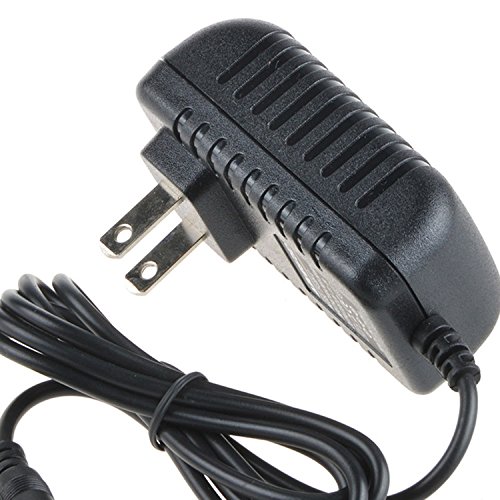
Image showing the Accessory USA AC DC Adapter, featuring its barrel connector and power cord.
Setup
- Verify Compatibility: Before connecting, ensure your device is a RadioShack PRO-2052, PRO-2056, or PRO-2067 Radio Scanner. This adapter is specifically designed for these models.
- Inspect Adapter: Check the adapter and its cord for any visible damage, such as cuts, frayed wires, or bent pins. Do not use if damaged.
- Connect to Device: Insert the barrel connector of the adapter firmly into the power input port of your RadioShack scanner.
- Connect to Power Outlet: Plug the AC end of the adapter into a standard electrical wall outlet. Ensure the outlet is easily accessible.
- Power On Device: Once connected, you may power on your radio scanner.
Operating Instructions
This AC DC adapter provides continuous power to your compatible RadioShack radio scanner. Once properly connected, the adapter will supply the necessary power for operation and charging (if your scanner model supports charging via the power port).
- Always use the adapter in a well-ventilated area.
- Avoid covering the adapter during operation to prevent overheating.
- Disconnect the adapter from the power outlet when not in use for extended periods.
Maintenance
- Cleaning: Disconnect the adapter from both the power outlet and your device before cleaning. Use a soft, dry cloth to wipe the adapter. Do not use liquid cleaners or solvents.
- Storage: Store the adapter in a cool, dry place away from direct sunlight and extreme temperatures. Avoid tightly winding the cord, which can cause damage over time.
- Inspection: Periodically inspect the power cord and adapter housing for any signs of wear, damage, or overheating (e.g., discoloration, melting).
Troubleshooting
If your device is not powering on or charging when connected to the adapter, follow these steps:
- Check Connections: Ensure the adapter's barrel connector is fully inserted into your scanner's power port and the AC plug is securely seated in the wall outlet.
- Verify Power Outlet: Test the wall outlet with another known working device to confirm it is supplying power.
- Confirm Compatibility: Double-check that your radio scanner model is one of the compatible models (PRO-2052, PRO-2056, PRO-2067).
- Inspect Adapter for Damage: Look for any physical damage to the adapter or its cord. If damage is found, discontinue use and replace the adapter.
- Device Issue: If the adapter appears functional and correctly connected, the issue might be with the radio scanner itself. Consult your scanner's manual for further troubleshooting.
Specifications
| Feature | Detail |
|---|---|
| Brand | Accessory USA |
| Compatible Devices | RadioShack PRO-2052, PRO-2056, PRO-2067 Radio Scanners |
| Connector Type | Barrel Connector |
| Input Voltage | 240 Volts (AC) |
| Output Voltage | 5 Volts (DC) |
| Certifications | CE, FCC, RoHS |
| Safety Features | OVP (Over Voltage Protection), OCP (Over Current Protection), SCP (Short Circuit Protection) |
| Included Components | 1 x Power Adapter (Note: Product listing mentions "2 x Power Adapter" but this manual refers to a single unit.) |
Warranty and Support
For information regarding returns or support, please refer to the retailer's return policy where the product was purchased. The product is manufactured by Accessory USA.
Please note that the product is subject to a Proposition 65 warning, indicating it may contain chemicals known to the State of California to cause cancer and birth defects or other reproductive harm. For more information, visit www.P65Warnings.ca.gov.


