
1. Introduction
This manual provides essential information for the proper installation, operation, and maintenance of your Samsung M393A4K40BB2-CTD 32GB DDR4-2666 LP ECC REG DIMM. This memory module is designed for server environments, offering high capacity and error-correcting capabilities to ensure system stability and performance. Please read this manual thoroughly before proceeding with installation.
2. Safety Information
- Electrostatic Discharge (ESD) Precautions: Always handle the memory module by its edges. Wear an anti-static wrist strap or frequently touch a grounded metal object (e.g., the unpainted metal surface of your computer chassis) before and during installation to discharge static electricity. ESD can damage electronic components.
- Power Off: Ensure the computer system is completely powered off and unplugged from the electrical outlet before opening the chassis or installing the memory module.
- Proper Handling: Avoid touching the gold connector pins on the module. Oils and contaminants from your skin can interfere with electrical connections.
- Ventilation: Ensure adequate ventilation around your server system to prevent overheating, which can affect memory performance and longevity.
3. Package Contents
Verify that your package contains the following item:
- 1x Samsung M393A4K40BB2-CTD 32GB DDR4-2666 LP ECC REG DIMM
If any items are missing or damaged, please contact your vendor immediately.
4. Setup and Installation
Follow these steps carefully to install your new memory module:
- Preparation:
- Power down your server system completely and unplug all power cables.
- Open the server chassis according to the manufacturer's instructions.
- Discharge any static electricity by touching a grounded metal surface or wearing an anti-static wrist strap.
- Locate DIMM Slots: Identify the DDR4 DIMM slots on your server motherboard. Consult your motherboard's manual for specific slot configurations and population rules, especially for multi-channel setups.
- Open Retention Clips: Gently push the retention clips at both ends of the DIMM slot outwards to open them.
- Insert Memory Module: Align the notch on the bottom edge of the memory module with the key in the DIMM slot. The module is keyed to fit in only one direction.
- Secure Module: Apply even pressure to both ends of the memory module until it seats firmly into the slot and the retention clips snap into place. Do not force the module; if it doesn't seat easily, recheck the alignment.
- Verify Installation: Visually inspect the module to ensure it is fully seated and the clips are locked.
- Close Chassis and Power On: Close the server chassis, reconnect all power cables, and power on the system.
- System Verification: During system boot, enter the BIOS/UEFI setup (usually by pressing DEL, F2, or F10 during startup) to confirm that the new memory is recognized and the correct capacity is displayed.
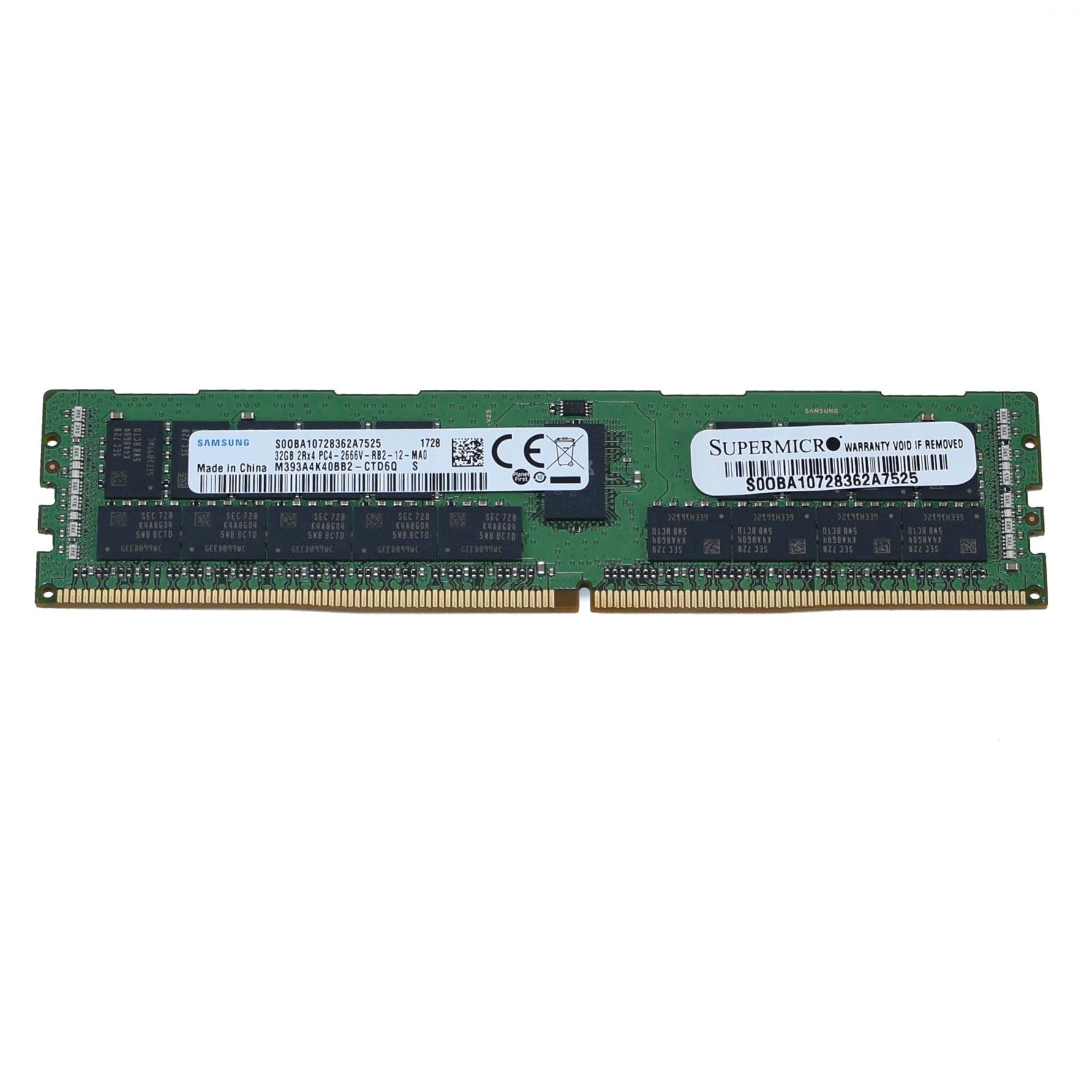
Image: Samsung M393A4K40BB2-CTD 32GB DDR4-2666 LP ECC REG DIMM. This image shows the physical appearance of the memory module, highlighting its form factor and general design.
5. Operating the Memory Module
Once properly installed, the Samsung M393A4K40BB2-CTD memory module operates automatically within your server system. It functions as a critical component for data storage and retrieval, directly impacting system performance and stability. As an ECC (Error-Correcting Code) Registered DIMM, it provides enhanced data integrity and reliability, which is crucial for server applications.
- Automatic Operation: The operating system and motherboard BIOS/UEFI will automatically detect and configure the memory module.
- Performance: The 2666MHz speed ensures efficient data transfer, contributing to overall system responsiveness.
- Error Correction: ECC functionality detects and corrects common memory errors, preventing system crashes and data corruption, which is vital for mission-critical server applications.
6. Maintenance
Memory modules generally require minimal maintenance. However, adhering to these guidelines can help ensure their longevity and optimal performance:
- Keep Clean: Periodically clean the interior of your server chassis to prevent dust buildup, which can impede airflow and lead to overheating. Use compressed air to gently remove dust from around memory modules and other components.
- Environmental Control: Operate the server in a clean, temperature-controlled environment to avoid extreme temperatures and humidity.
- No User-Serviceable Parts: The memory module contains no user-serviceable parts. Do not attempt to disassemble or modify the module.
7. Troubleshooting
If you encounter issues after installing your memory module, consider the following troubleshooting steps:
- System Does Not Boot or POST Errors:
- Ensure the memory module is fully seated in its slot. Re-seat the module by gently pushing down on both ends until the clips snap into place.
- Verify that the module is installed in the correct DIMM slot according to your motherboard's manual.
- Check for compatibility: Ensure your motherboard and CPU support DDR4 ECC Registered memory at 2666MHz and the specified capacity.
- If multiple modules are installed, try booting with only one module at a time to identify a potentially faulty module.
- Incorrect Memory Capacity Displayed:
- Check the BIOS/UEFI settings to confirm the recognized memory capacity.
- Ensure your operating system is a 64-bit version to fully utilize 32GB or more of RAM.
- Update your motherboard's BIOS/UEFI to the latest version, as this can improve memory compatibility and recognition.
- System Instability or Crashes:
- Run a memory diagnostic tool (e.g., MemTest86) to check for errors.
- Ensure proper system cooling to prevent overheating.
If issues persist after attempting these steps, contact Samsung support or your system integrator for further assistance.
8. Specifications
| Brand | Samsung |
| Model Name | M393A4K40BB2-CTD |
| Computer Memory Size | 32 GB |
| RAM Memory Technology | DDR4 |
| Memory Speed | 2666 MHz |
| Compatible Devices | Server |
| Additional Features | ECC, Lightweight, Registered Memory |
| Voltage | 1.2 Volts |
| Form Factor | DIMM |
| Number of Pins | 288 |
| UPC | 672042127931 |
9. Warranty and Support
Samsung memory products are typically backed by a limited warranty. For specific warranty terms and conditions, please refer to the official Samsung website or the documentation provided with your purchase. For technical support, product inquiries, or warranty claims, please visit the official Samsung support website or contact your point of purchase.
Online Support: https://www.samsung.com/us/support/