
1. Introduction
Thank you for choosing the MEDION MD 17495 3-in-1 Microwave Oven. This appliance combines microwave, grill, and convection oven functions, offering versatile cooking options. To ensure safe and efficient operation, please read this manual thoroughly before first use and keep it for future reference.
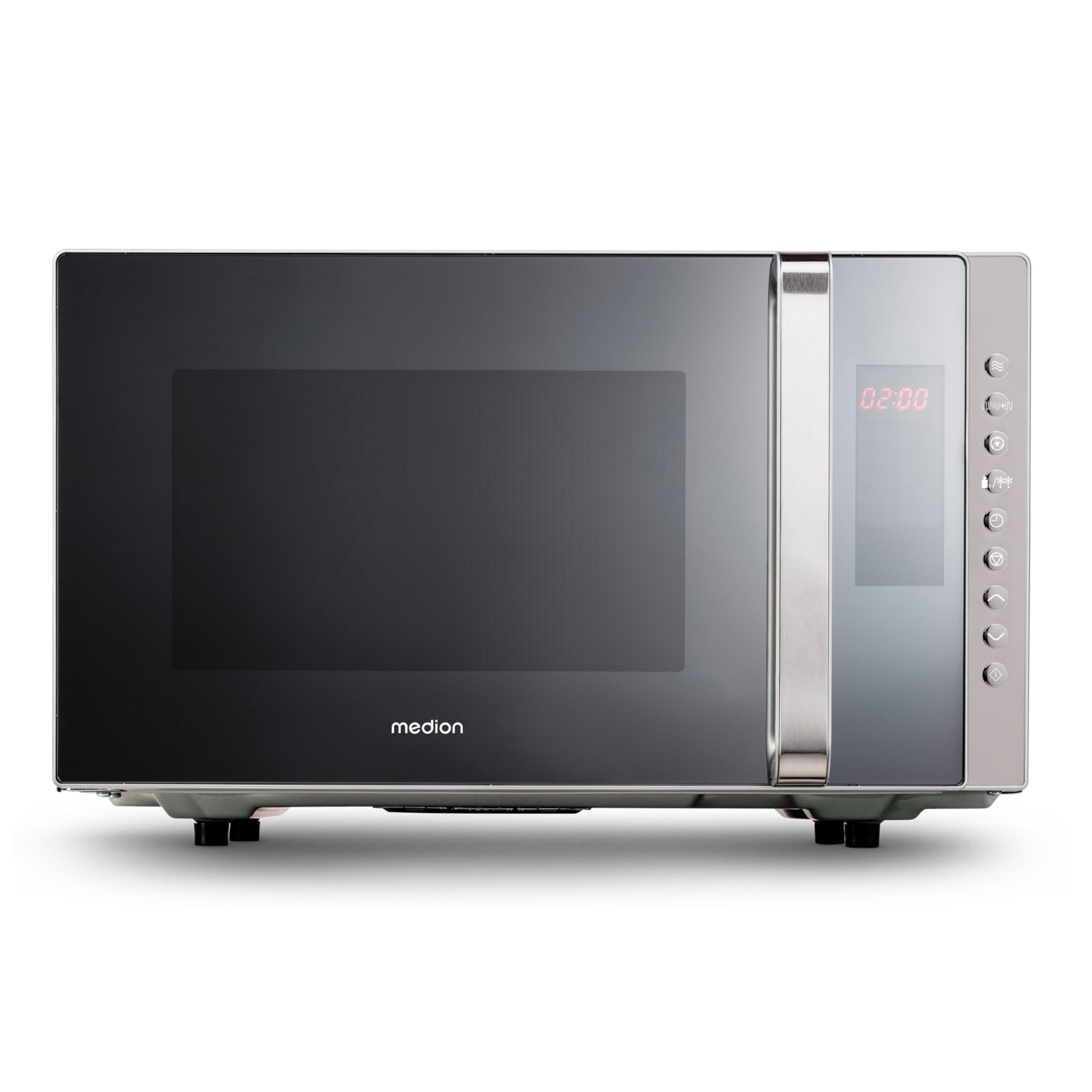
Figure 1: MEDION MD 17495 3-in-1 Microwave Oven, front view.
2. Safety Instructions
Always follow basic safety precautions when using electrical appliances to reduce the risk of fire, electric shock, injury to persons, or exposure to excessive microwave energy.
- Read all instructions before using the appliance.
- Do not operate the oven when empty.
- Do not heat liquids or other foods in sealed containers as they are liable to explode.
- Only use utensils suitable for microwave ovens.
- Clean the oven regularly and remove any food deposits.
- Do not allow children to use the oven without supervision.
- If smoke is observed, switch off or unplug the appliance and keep the door closed to stifle any flames.
- Do not attempt to service or repair the oven yourself. Contact qualified service personnel.
- Ensure proper ventilation around the appliance. Do not block any ventilation openings.
- When using the grill or convection functions, surfaces can become very hot. Use oven mitts.
3. Product Overview
3.1 Key Features
- 3-in-1 Functionality: Microwave, Grill, and Convection Oven.
- Capacity: 23 Liters cooking interior.
- Microwave Power: 800 Watts for efficient heating.
- Automatic Programs: 10 pre-set programs for various dishes.
- Defrost Function: Fast and gentle defrosting by weight or time.

Figure 2: The 3-in-1 functionality allows for microwave, grill, and convection cooking.

Figure 3: Defrosting made easy with the dedicated function.

Figure 4: Automatic programs provide the right settings for every dish.
3.2 Components
- Door: With handle and safety lock system.
- Control Panel: Digital display and various function buttons.
- Turntable: Glass tray and roller ring for even cooking.
- Grill Element: Located at the top of the interior.
- Convection Fan: For hot air circulation.
- Oven Lamp: Illuminates the interior during operation.

Figure 5: The 23 L cooking interior with dimensions.
3.3 Control Panel
The control panel features a digital display and several buttons for selecting functions and setting cooking parameters.

Figure 6: Control panel with key function buttons.
- Microwave Operation Button: Selects microwave cooking mode.
- Hot Air Operation (Convection) Button: Selects convection cooking mode.
- Time Button: Used for setting the clock or cooking time.
- Start Device Button: Initiates the selected cooking program.
- Other buttons for power level, defrost, auto programs, and stop/cancel.
4. Setup
4.1 Unpacking
- Carefully remove the microwave oven and all packing materials from the carton.
- Check the oven for any damage, such as dents or a broken door. Do not operate if damaged.
- Remove any protective film from the cabinet surface.
4.2 Placement
- Place the oven on a flat, stable surface strong enough to hold its weight.
- Ensure adequate ventilation: leave a minimum of 20 cm (8 inches) clearance above the oven, 10 cm (4 inches) at the rear, and 5 cm (2 inches) on both sides.
- Do not place the oven near heat sources or in a damp environment.
- Keep the oven away from radio and TV sets to avoid interference.
4.3 Electrical Connection
- Ensure your mains voltage matches the voltage specified on the oven's rating label (220 Volts).
- Plug the oven into a properly installed and grounded wall outlet. Do not use extension cords or adapters.
5. Operating Instructions
5.1 Setting the Clock
- Press the Time button once.
- Use the dial or arrow buttons to set the hour.
- Press the Time button again.
- Use the dial or arrow buttons to set the minutes.
- Press the Time button to confirm.
5.2 Microwave Cooking
- Place food in a microwave-safe container on the turntable.
- Close the oven door.
- Press the Microwave Operation button repeatedly to select the desired power level (e.g., 100% for 800W).
- Use the dial or arrow buttons to set the cooking time.
- Press the Start Device button to begin cooking.
5.3 Grill Cooking
- Place food on the grill rack (if provided) or a heat-resistant dish.
- Close the oven door.
- Press the Grill button (often combined with microwave or convection, refer to specific button icon).
- Use the dial or arrow buttons to set the grilling time.
- Press the Start Device button.
5.4 Convection (Hot Air) Cooking
- Place food in a heat-resistant dish.
- Close the oven door.
- Press the Hot Air Operation (Convection) button.
- Use the dial or arrow buttons to set the desired temperature and cooking time.
- Press the Start Device button.
5.5 Combination Cooking
The MD 17495 offers various combination modes (e.g., Microwave + Grill, Microwave + Convection). Refer to the specific icons on the control panel for selecting these modes. The procedure is similar to individual functions, but you will select a combination mode and then set time and potentially power/temperature.
5.6 Defrost Function
The oven features a defrost function, typically by weight or by time.
- Defrost by Weight: Select the defrost function, then input the weight of the food. The oven will automatically calculate the defrosting time.
- Defrost by Time: Select the defrost function, then manually set the desired defrosting time.
5.7 Automatic Programs
The oven has 10 pre-set automatic programs for common dishes. To use:
- Press the Auto Program button (refer to the specific icon).
- Use the dial or arrow buttons to select the desired program number (P1-P10).
- Input the food weight if prompted.
- Press the Start Device button.
6. Cleaning and Maintenance
Regular cleaning and proper maintenance will ensure the longevity and efficient operation of your microwave oven.
- Interior: Wipe the oven cavity with a damp cloth after each use. For stubborn stains, use a mild detergent. Do not use abrasive cleaners or scouring pads.
- Exterior: Clean the exterior surface with a soft, damp cloth.
- Door and Seals: Keep the door and door seals clean to ensure proper closure.
- Turntable: The glass turntable and roller ring can be washed in warm soapy water or in a dishwasher.
- Grill Element: For grill and convection functions, allow the oven to cool completely before cleaning. Any food residue on the grill element can be gently brushed off.
- Always unplug the oven before cleaning.
7. Troubleshooting
If you encounter issues with your microwave oven, refer to the following common problems and solutions:
| Problem | Possible Cause | Solution |
|---|---|---|
| Oven does not start | Power cord not plugged in; Door not closed properly; Fuse blown or circuit breaker tripped. | Plug in power cord; Close door securely; Check household fuse or reset circuit breaker. |
| Food not heating | Door not closed properly; Incorrect cooking time/power level set; Food not suitable for microwave. | Close door securely; Adjust cooking time/power level; Ensure food is microwave-safe. |
| Sparking inside oven | Metal or foil in oven; Food residue on cavity walls. | Remove any metal objects; Clean oven interior thoroughly. |
| Turntable not rotating | Turntable not properly placed; Roller ring dirty or obstructed. | Ensure turntable and roller ring are correctly positioned; Clean roller ring and oven floor. |
If the problem persists after trying these solutions, please contact MEDION customer support.
8. Specifications
Technical specifications for the MEDION MD 17495 3-in-1 Microwave Oven:
| Feature | Specification |
|---|---|
| Brand | MEDION |
| Model Number | MD 17495 |
| Capacity | 23 Liters |
| Microwave Wattage | 800 Watts |
| Voltage | 220 Volts |
| Product Dimensions (D x W x H) | 19.09"D x 11.61"W x 16.34"H |
| Item Weight | 13.9 Kilograms |
| Inner Material | Stainless Steel |
| Number of Programs | 10 (Automatic Programs) |
| Special Feature | Turntable |
| Human Interface Input | Buttons |
9. Warranty and Support
For warranty information, please refer to the warranty card included with your product or visit the official MEDION website. If you require technical assistance or have questions regarding your MD 17495 microwave oven, please contact MEDION customer support.
Keep your purchase receipt as proof of purchase for any warranty claims.