
1. Introduction
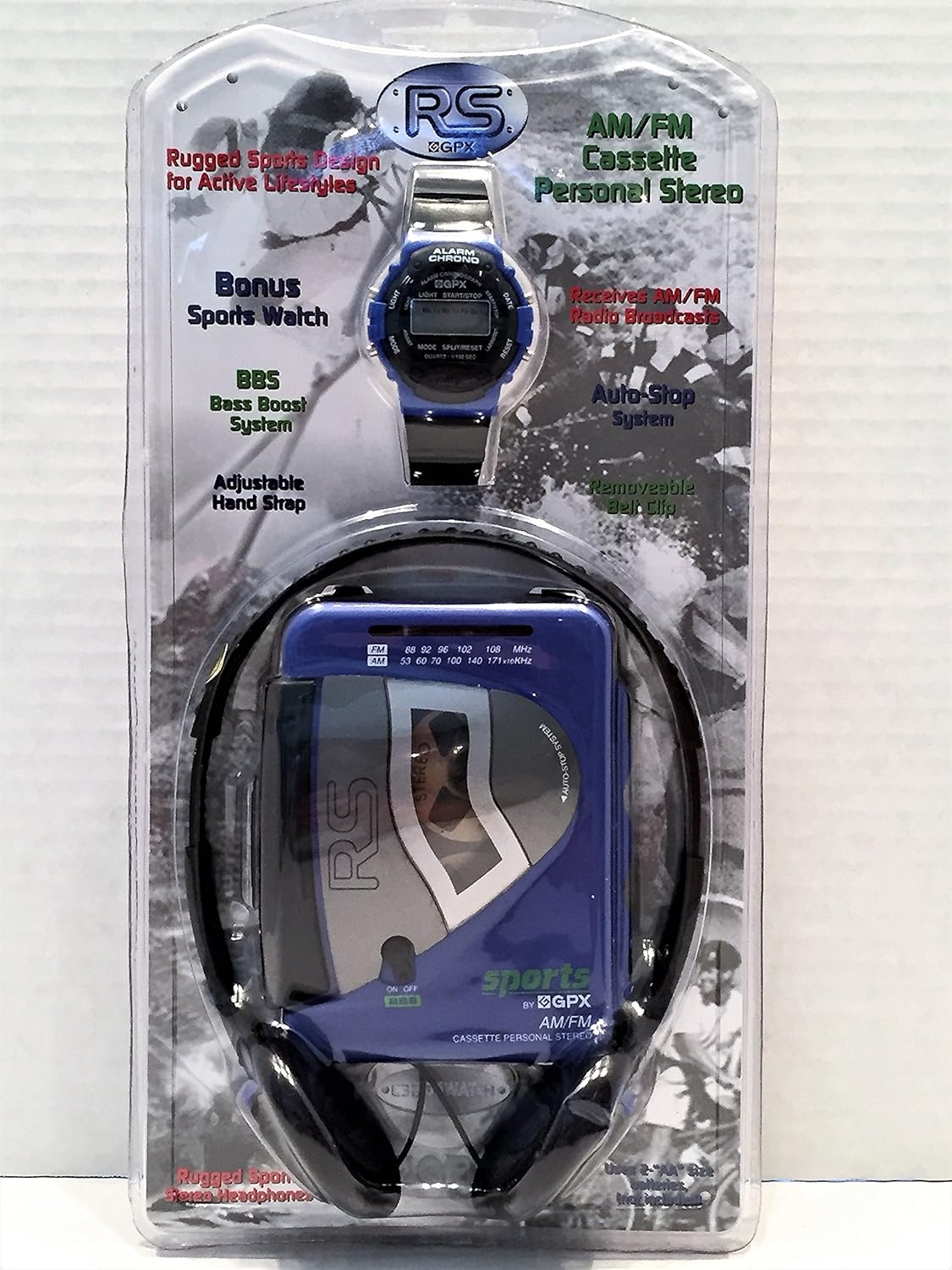
The GPX C3204RS is a rugged, portable AM/FM stereo cassette player designed for active lifestyles. It features a durable build, AM/FM radio reception, Bass Boost System (BBS), and comes with personal stereo headphones.
Key Features
- AM/FM Stereo Cassette Player
- Rugged Sports Design
- Receives AM/FM Radio Broadcasts
- BBS Bass Boost System
- Adjustable Hand Strap with Removable Belt Clip
2. Setup
Unpacking
Carefully remove all components from the packaging. Ensure you have the cassette player, headphones, and any included accessories.
Powering the Device
The GPX C3204RS requires batteries for operation.
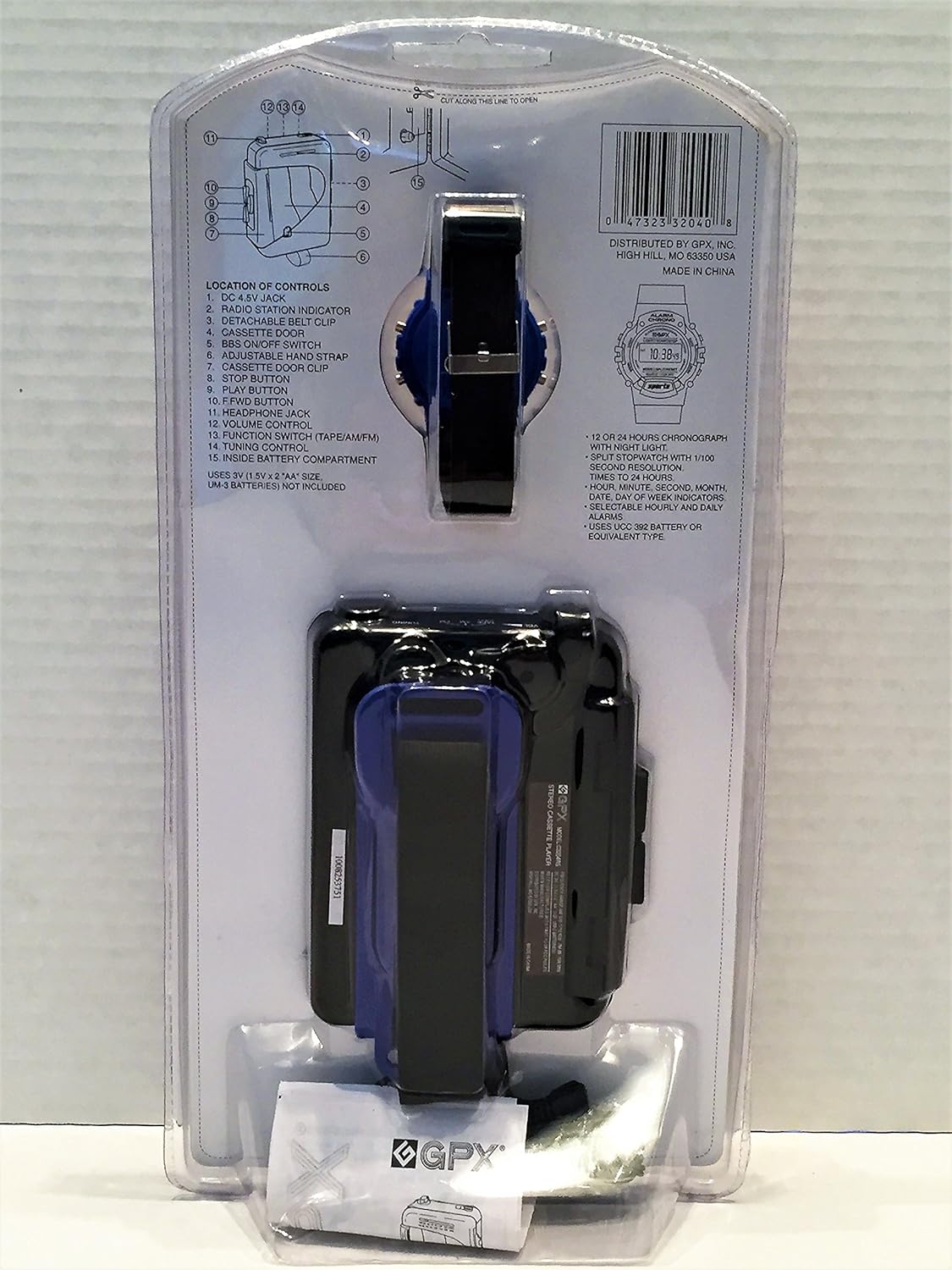
- Locate the battery compartment on the back of the unit.
- Open the battery compartment cover.
- Insert the required batteries (e.g., 2 x AA batteries, not included) according to the polarity indicators (+/-).
- Close the battery compartment cover securely.
Connecting Headphones
Plug the 3.5mm jack of the included headphones into the headphone port on the side of the cassette player.
3. Operating Instructions
Cassette Playback
- Open the cassette door by pressing the 'OPEN' button or sliding the latch.
- Insert a cassette tape with the open side facing upwards and the tape side facing the playback head.
- Close the cassette door firmly.
- Press the 'PLAY' button to begin playback.
- Adjust the volume using the volume control dial.
- Use the 'FAST FORWARD' (FF) and 'REWIND' (REW) buttons to navigate the tape.
- Press the 'STOP' button to stop playback.
- Press the 'EJECT' button (if available) or open the cassette door to remove the tape.
AM/FM Radio Operation
- Slide the function switch to 'RADIO' or 'AM/FM'.
- Select either 'AM' or 'FM' band using the band selector switch.
- Rotate the 'TUNING' dial to find your desired radio station.
- Adjust the volume using the volume control dial.
Bass Boost System (BBS)
To enhance bass frequencies, slide the 'BBS' switch to the 'ON' position. Slide it to 'OFF' to disable.
4. Maintenance and Care
- Keep the unit dry. If it gets wet, wipe it dry immediately.
- Clean the unit with a soft, damp cloth. Do not use abrasive cleaners or solvents.
- Periodically clean the cassette player's head and pinch roller with a specialized cassette head cleaner to ensure optimal sound quality.
- Remove batteries if the unit will not be used for an extended period to prevent leakage.
- Avoid exposing the unit to extreme temperatures, direct sunlight, or high humidity.
5. Troubleshooting
| Problem | Possible Cause | Solution |
|---|---|---|
| No power | Batteries are dead or incorrectly inserted. | Replace batteries or ensure correct polarity. |
| No sound from headphones | Headphones not plugged in correctly; volume too low; headphones faulty. | Ensure headphones are fully plugged in; increase volume; try different headphones. |
| Cassette tape not playing | Tape is jammed; cassette door not closed; 'PLAY' button not pressed. | Check tape for damage; ensure cassette door is closed; press 'PLAY'. |
| Poor radio reception | Weak signal; antenna not extended (if applicable); interference. | Adjust tuning; reposition the unit; try a different location. |
| Sound distorted | Volume too high; dirty cassette head; faulty tape. | Lower volume; clean cassette head; try a different tape. |
6. Specifications
| Feature | Detail |
|---|---|
| Brand | GPX |
| Model Number | C3204RS |
| Dimensions (L x W x H) | 35.6 x 18 x 10.2 cm |
| Weight | 456 g |
| Power Source | DC 4.5V (2 x AA Batteries, not included) |
| Connectivity Technology | Wired (for headphones) |
| Color | Blue |
| Form Factor | Clip-on |
| Manufacturer | GPX, Inc. |
| ASIN | B0722Z98CV |
7. Warranty and Support
For warranty information or technical support, please refer to the documentation included with your purchase or visit the official GPX website. Keep your proof of purchase for warranty claims.
Manufacturer: GPX, Inc.
Model: C3204RS