Introduction
This manual provides detailed instructions for the safe and efficient operation, maintenance, and troubleshooting of your DeLonghi ECAM650.85 PrimaDonna Elite Fully Automatic Coffee Machine. Please read all instructions carefully before using the appliance.

Image: The DeLonghi ECAM650.85 PrimaDonna Elite Fully Automatic Coffee Machine, showcasing its sleek design and a prepared latte.
Setup
- Unpacking: Carefully remove all packaging materials. Ensure all components are present: main unit, milk carafe, hot chocolate carafe, user manual, and warranty card.
- Positioning: Place the machine on a stable, level surface away from water sources and heat. Ensure adequate ventilation.
- Water Tank: Fill the water tank with fresh, cold water.
- Bean Container: Open the lid and fill the bean container with fresh coffee beans. The machine has an integrated grinder with 13 adjustable settings.
- Power Connection: Plug the appliance into a suitable power outlet (220V).
- Initial Start-up: Follow the on-screen instructions on the 4.3" TFT color display for the initial setup, including language selection and water hardness testing.

Image: A hand filling the coffee bean container of the DeLonghi PrimaDonna Elite machine.
Operating Instructions
4.3" TFT Color Display
The machine features a large 4.3" TFT color display with touchscreen technology for easy navigation and beverage selection. All coffee specialties are available at one touch.

Image: Close-up of the machine's touchscreen display showing beverage selection and customization options.
Beverage Selection and Customization
The PrimaDonna Elite offers over 50 hot and cold one-touch beverage options. You can customize your drinks by adjusting aroma, quantity, and milk froth levels. The machine also supports 6 user profiles for individually tailored drinks.
- Espresso: For a rich, concentrated coffee.
- Coffee: A classic black coffee.
- Cappuccino: Espresso with steamed milk and a generous layer of milk foam.
- Latte Macchiato: Layered drink with milk, espresso, and milk foam.
- Hot Chocolate: Prepare delicious hot chocolate using the dedicated carafe.
- Cold Beverages: Utilize the extra carafe for cold coffee and cold milk foam.
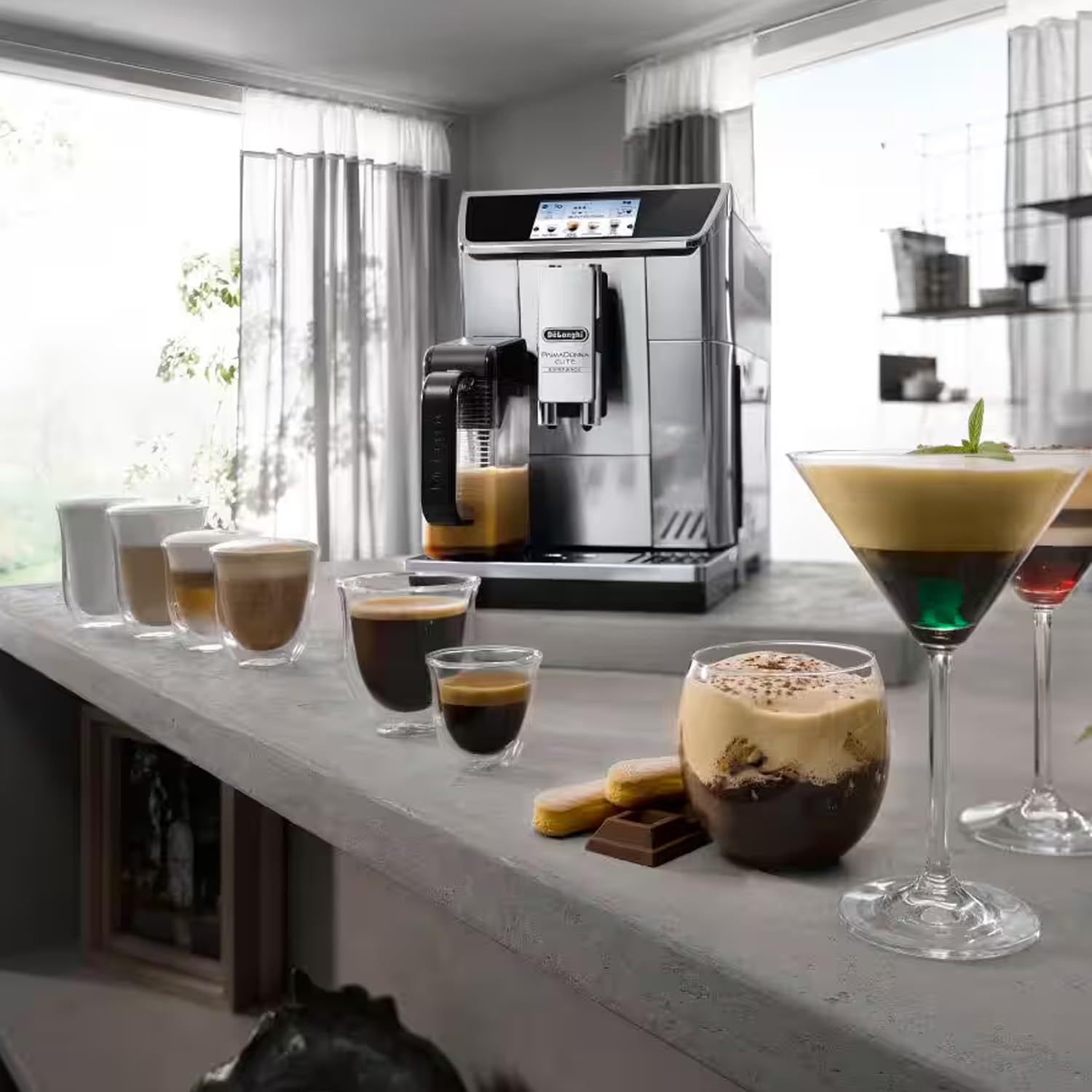
Image: The DeLonghi PrimaDonna Elite preparing a layered coffee beverage with milk foam.
Automatic LatteCrema System
The automatic LatteCrema system ensures creamy, dense, and long-lasting milk foam at the perfect temperature. It also features one-touch automatic cleaning after each use.

Image: Close-up of the LatteCrema system preparing milk foam for a beverage.
Coffee Link App
The machine can be connected to the innovative Smart Coffee Link App. This app provides easy and intuitive access to all machine functions, allowing you to create and customize recipes, manage profiles, and receive tips and suggestions.

Image: A smartphone showing the DeLonghi Coffee Link App, used for customizing coffee recipes.
Official Product Videos
Video: An overview of the DeLonghi PrimaDonna Elite Experience Coffee Machine, demonstrating its features and ease of use.
Video: A detailed demonstration of the DeLonghi PrimaDonna Elite's functionality, including beverage customization and the LatteCrema system.
Maintenance
Regular cleaning and maintenance are crucial for the longevity and optimal performance of your coffee machine.
- Automatic Cleaning: The LatteCrema system performs an automatic cleaning cycle after each use.
- Drip Tray: The drip tray with a dishwasher-safe removable grid should be emptied and cleaned regularly.
- Brewing Unit: The brewing unit is removable for easy cleaning. Refer to the detailed instructions in the full manual for proper removal and cleaning procedures.
- Descaling: The machine will prompt you when descaling is required. Use only DeLonghi descaling solution and follow the on-screen instructions.
- Water Tank & Milk Carafe: Clean these components regularly with warm water and mild detergent.
Troubleshooting
If you encounter any issues, please refer to the following common solutions before contacting customer support.
| Problem | Possible Cause | Solution |
|---|---|---|
| Machine not turning on | Power cable not connected, power outlet issue. | Check power cable connection and ensure the outlet is functional. |
| Coffee not dispensing | Water tank empty, brewing unit clogged, coffee beans low. | Fill water tank, clean brewing unit, refill coffee beans. |
| Milk not frothing correctly | Milk carafe not clean, milk type unsuitable, milk too warm. | Clean milk carafe thoroughly, use cold fresh milk, ensure milk is suitable for frothing. |
| Error message on display | Specific internal issue. | Refer to the full user manual for specific error codes and solutions. If the issue persists, contact customer support. |
Specifications
| Feature | Detail |
|---|---|
| Brand | DeLonghi |
| Model Number | ECAM650.85.MS |
| Product Dimensions | 26D x 48W x 37.5H Centimeters |
| Coffee Maker Type | Espresso Machine (Fully Automatic) |
| Pressure | 19 Bar |
| Power | 1450W |
| Voltage | 220V |
| Display | 4.3" TFT Color Touchscreen |
| Special Features | Auto Clean Function, Coffee Link App, LatteCrema System, Hot Chocolate Function, Multibeverage Function |
| Coffee Input Type | Whole Bean |
| Country of Origin | Italy |
Warranty and Support
Warranty: The product comes with a 1-year warranty provided by SILVEOR LIFESTYLE INDIA LLP, the official importer of DeLonghi Coffee machines in India. This warranty is valid only through purchases from SILVEOR LIFESTYLE INDIA LLP authorized online partners, such as the Official Brand Distributor.
After-Sale Support: For any after-sale support, please contact SILVEOR LIFESTYLE INDIA LLP. Their contact details are:
- Toll Free Number: 1800 203 3450
- Email: Support@silveorindia.com
Please retain your purchase receipt for warranty claims.