
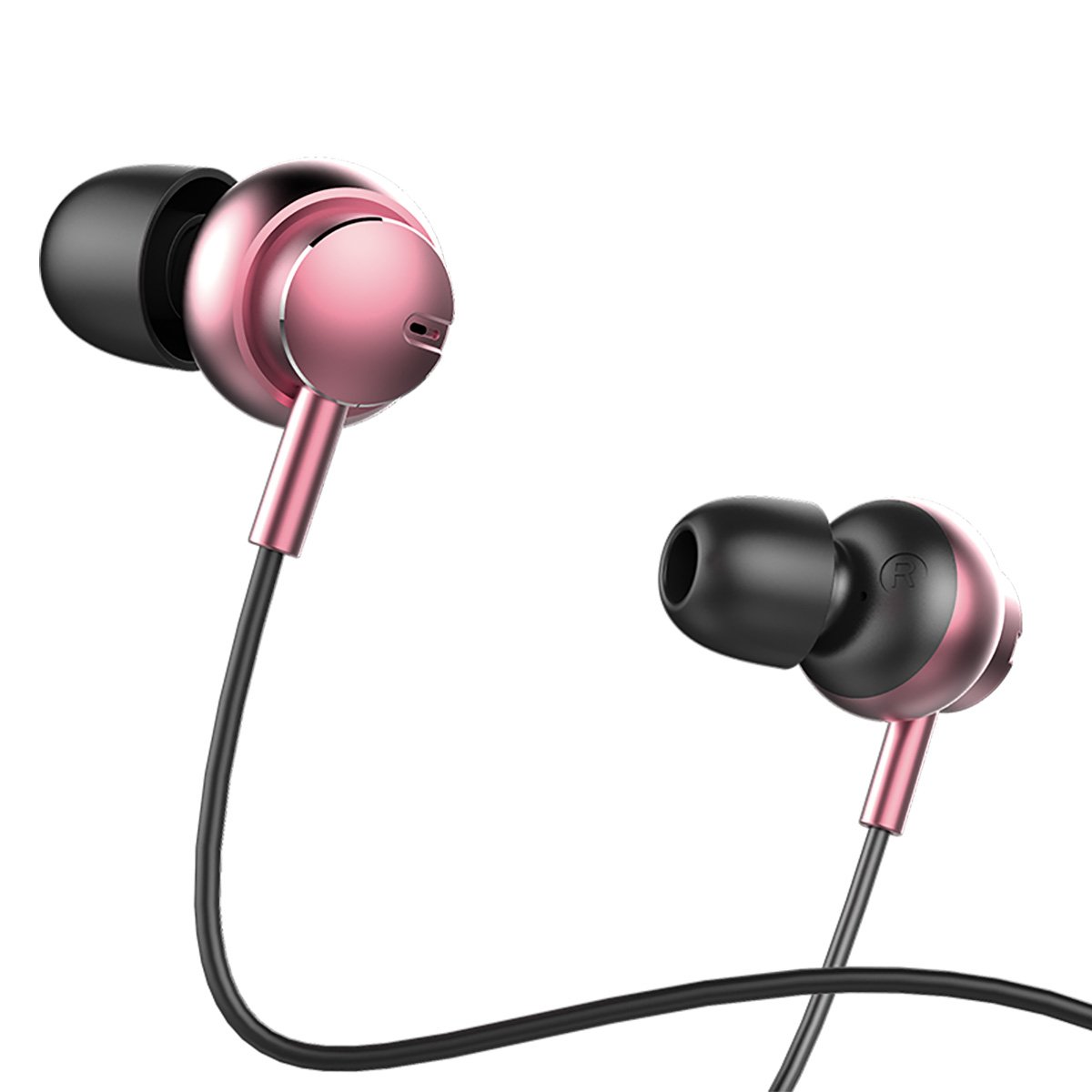
Introduction
Thank you for choosing ROCK SPACE RAU0567 In-Ear Earbuds. This manual provides instructions for proper use, maintenance, and troubleshooting to ensure optimal performance and longevity of your earbuds.
Package Contents
Verify that all items are present in the package:
- ROCK SPACE RAU0567 In-Ear Earbuds
- Extra pairs of silicone ear tips (various sizes)
- Storage bag

Image: Earbuds and accessories, including extra ear tips and a storage bag.
Setup
Selecting Ear Tips
Choose the ear tips that provide the most comfortable and secure fit. A proper seal is essential for optimal sound quality and noise isolation. The earbuds come with medical-grade silicone ear tips in different sizes.

Image: Earbud with extra silicone ear tips for different ear sizes.
Connecting to Device
Insert the 3.5mm audio jack into the headphone port of your smartphone, tablet, MP3 player, or other compatible audio device.
Operating Instructions
The ROCK SPACE RAU0567 earbuds feature an in-line remote control with a microphone, compatible with both iOS and Android operating systems (CTIA international standard interface).

Image: Detailed view of the in-line remote control buttons and microphone.

Image: User holding the in-line remote control.
Call Control
- Answer/Hang up: Short press the multifunction button.
- Reject Call: Long press the multifunction button.
- Voice Control: Long press the multifunction button (activates voice assistant).
Music Control
- Pause/Play: Press the multifunction button.
- Next Track: Double press the multifunction button.
- Previous Track: Triple press the multifunction button.
- Volume Up: Press the "Vol+" button.
- Volume Down: Press the "Vol-" button.
Note: In-line control functionality may vary depending on the operating system, installed software, and region. For Android phones, button definitions are set by manufacturers; refer to your phone's manual for specific details.
Maintenance
Cleaning
Regularly clean the ear tips with a soft, dry cloth. For deeper cleaning, remove the silicone ear tips and wash them with mild soap and water, then ensure they are completely dry before reattaching. Do not use harsh chemicals or abrasive materials on the earbuds.
Storage
When not in use, store the earbuds in the provided storage bag to protect them from dust, dirt, and tangling. The cable is designed with Kevlar fiber and TPE material for durability and tangle resistance.

Image: Illustration of the durable, tangle-free cable construction.
General Care
- Avoid exposing the earbuds to extreme temperatures, humidity, or direct sunlight.
- Do not pull on the cable to remove the earbuds from your device; always grasp the plug.
- Keep away from sharp objects to prevent damage to the cable or earbud housing.
Troubleshooting
- No Sound:
- Ensure the 3.5mm jack is fully inserted into the device's audio port.
- Check the volume level on your device.
- Test with another audio device to rule out device issues.
- Poor Sound Quality:
- Ensure ear tips are properly seated and form a good seal in your ear.
- Clean ear tips and earbud grilles to remove any debris.
- Test with another audio source.
- Microphone Not Working:
- Ensure the 3.5mm jack is fully inserted.
- Check your device's audio settings to ensure the external microphone is selected.
- Test with another device or application.
- In-line Remote Not Responding:
- Verify compatibility with your device's operating system (iOS/Android CTIA standard).
- Some functions may be limited or defined differently by specific Android phone manufacturers.
Specifications
| Feature | Detail |
|---|---|
| Model No. | RAU0567 |
| Wearing Style | In-ear |
| Plug Type | 3.5mm Jack |
| In-line Remote Control | Yes |
| Driver Diameter | φ10mm |
| Impedance | 32Ω±20% |
| Frequency Response | 20Hz-20kHz |
| Sensitivity | 104dB±3dB |
| Rated Power | 5mW |
| MIC Directivity | Omnidirectional |
| MIC Sensitivity | -42±3dB |
| Materials | Al-alloy, ABS, TPE, Nylon |
| Cable Length | 1200±30mm |
| Weight | 15.3g |
| Product Dimensions | 4.7 x 1.18 x 3.86 inches (packaging) |
Warranty and Support
For warranty information and customer support, please refer to the documentation provided with your purchase or visit the official ROCK SPACE website.